
Allt-i-ett-programvara från webb till utskrift för korsförsäljning: printQ
printQ is a web to print software built on Adobe Magento that brings a diverse product portfolio into a single storefront. It supports commercial print, wide‑format banners, labels, packaging, editorial brochures, promotional items and textiles with a unified design editor and automated workflow. Multi‑storefront capability, open APIs and flexible templates enable B2B and B2C shops to cross‑sell seamlessly. This article explains how printQ’s all‑in‑one approach empowers printers, agencies and enterprises with automation, scalability and true cross‑selling opportunities.
One Platform, Many Products
When customers browse an online print shop, they often have multiple needs: business cards, roll‑up banners, stickers, brochures and maybe a hoodie for the company’s next event. Running separate systems for each category makes cross‑selling difficult and drives up costs. Modern printers need an all‑in‑one web to print software that can host everything under one roof. printQ delivers exactly that: it combines commercial print, wide format, labels, packaging, editorial, promotional items and textiles in a single storefront. By unifying product types and workflows, printQ turns every shop visit into a chance for cross‑selling — without compromising brand consistency or efficiency.
The Evolution of Web‑to‑Print and printQ’s Positioning
Web‑to‑print has matured from simple online design tools into enterprise‑grade platforms. Early systems offered basic templates and manual order processing. Today’s print buyers demand intuitive editors, live previews, dynamic pricing and full automation. printQ stands out in this landscape as the only web‑to‑print solution built natively on Adobe Magento. This integration provides full e‑commerce capabilities — customer accounts, discounts, shipping and promotions — while still offering specialised print functions such as 2D/3D previews, template galleries and automated preflight checks. The API‑first architecture exposes REST, SOAP, XML, JDF and JSON interfaces, enabling seamless connections to ERP, MIS and production systems.
All‑in‑One Product Portfolio & Cross‑Selling
Cross‑selling works best when customers can explore a broad catalog without friction. printQ’s unified platform makes this possible by offering a diverse range of printable products that share the same user experience and data model. A business owner ordering business cards can be presented with matching roll‑up banners, stickers and branded apparel in the same checkout. This boosts revenue per order and strengthens brand cohesion. The following sections highlight how printQ covers key categories and why this matters for cross‑selling.
Commercial Print: Business Cards and Stationery
printQ streamlines commercial print projects. Customers create business cards, letterheads, invoices and forms with a simple online designer. Corporate identity is preserved through CI‑compliant templates: users can choose approved layouts, save their designs and reuse them for future orders. The platform also offers flexible workflows with ready‑made templates for business cards, flyers and letterheads and uses plausibility checks to prevent invalid options. By making it easy to design essential business stationery, printers can upsell complementary items like envelopes, signage or promotional pens.
Wide Format Printing: Banners and Posters
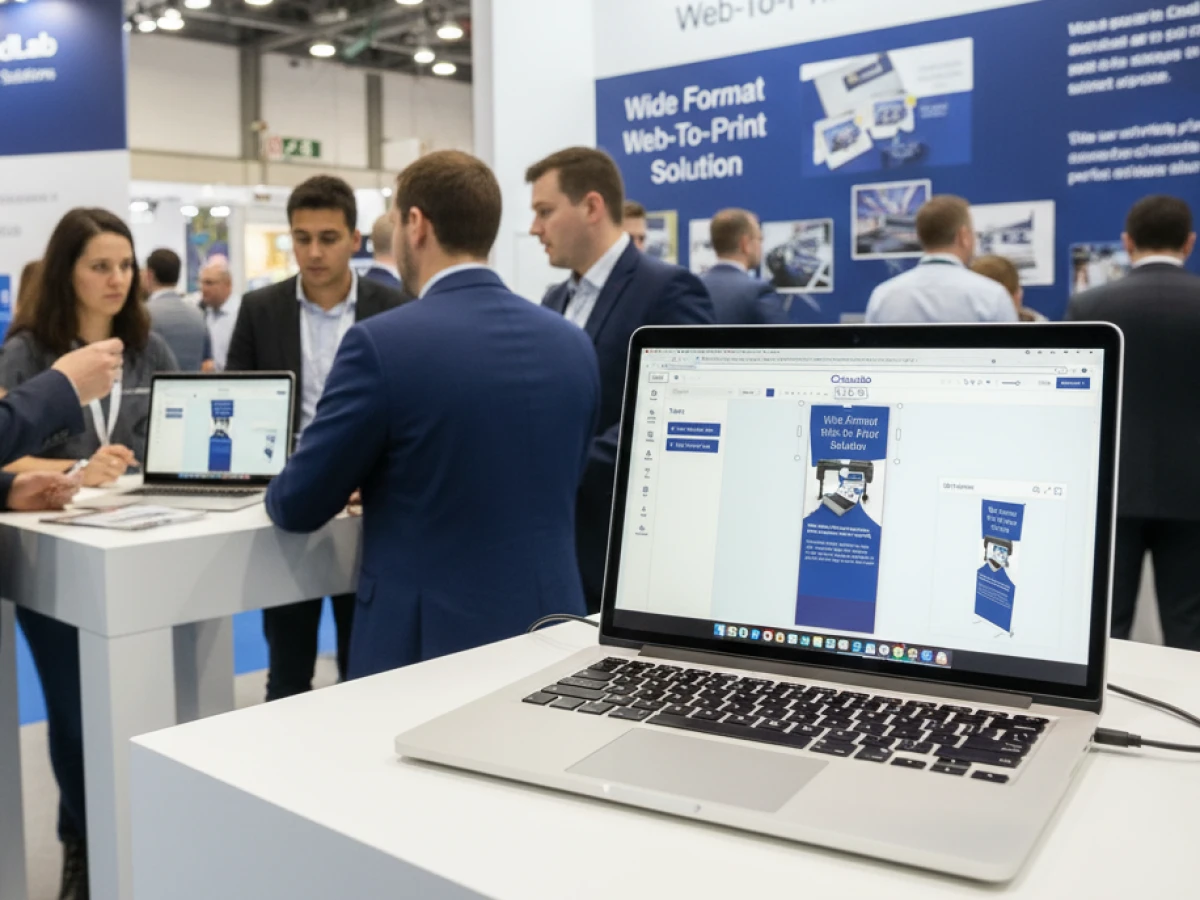
Large‑format prints are powerful marketing tools, but they often require different production workflows. printQ’s wide‑format module lets customers design roll‑up banners, posters and signs directly in the browser. Users select formats and materials — from durable vinyl to portable paper or textiles — and see live previews. The Template Gallery offers millions of professional designs for specific occasions, while the custom design option enables unique looks. These features encourage customers who came for business cards to also purchase banners for events, trade shows or office decoration.
Labels & Stickers: Personalisation on Any Surface
Stickers and labels add personality to products and are perfect cross‑sell items. printQ supports all shapes — round, square or custom cut — and materials, including embellishments. Configuration options appear in simple drop‑down menus, making it easy to choose size, shape and quantity. A live preview shows exactly how text, images and shapes will look on the finished sticker, and the export function provides print previews and PDF downloads. By integrating labels and stickers into the same storefront as business cards and banners, printQ encourages customers to build cohesive branding across physical products.
Editorial Designer: Brochures and Multi‑Page Documents
Brochures remain a classic marketing tool, and printQ offers an elegant editorial designer tailored for multi‑page documents. The system displays all pages in context so users can edit covers and inner pages with accuracy. A drop‑down menu allows the creation of gatefold and multi‑column brochures. With this functionality, print shops can cross‑sell brochures to customers ordering flyers, packaging inserts or event programs, all within the same intuitive interface.
Promotional Items: From Pens to Hoodies
Beyond paper, promotional products help brands stay visible. printQ supports browser‑based creation of promotional items such as pens, mugs, hoodies and other merchandise. Customers can place text, graphics and freeform elements on products of any shape, and dynamic preview options ensure accurate sizing. Because this module shares the same editor and user experience as commercial print, cross‑selling promotional items alongside stationery and banners becomes natural.
Textile Printing: Shirts and Apparel
Apparel requires precise vectorisation and colour handling. printQ’s textile designer converts pixel art into clean vectors for crisp printing. Customers can offer t‑shirts, hoodies and polo shirts, adjusting fonts, colours and images with full control. Real‑time updates show how designs will appear on garments. This module completes the cross‑selling ecosystem: clients ordering corporate brochures can also purchase branded apparel for their team, all within one checkout.

Core Technology: A Closer Look
WYSIWYG Editor with 2D/3D Previews
At the heart of printQ is a powerful WYSIWYG editor that lets users design anything in the browser. Drag‑and‑drop functionality, alignment tools and vectorisation mean that even non‑designers can produce professional layouts. For packaging and large‑format products, a 3D preview lets customers rotate and zoom the item. Such instant feedback increases conversion rates and reduces errors.
Template Gallery & Variable Data Printing
Not everyone starts from scratch. printQ’s Template Gallery provides thousands of professionally designed templates for business cards, brochures and banners. Templates lock brand elements while allowing customisation of text, images and colours. Variable Data Printing (VDP) extends templates by merging data sources like CSV files to generate personalised items at scale. This capability is vital for corporate campaigns and franchise networks that need consistent branding with individualised details.
Mobile Upload and QR‑Code Integration
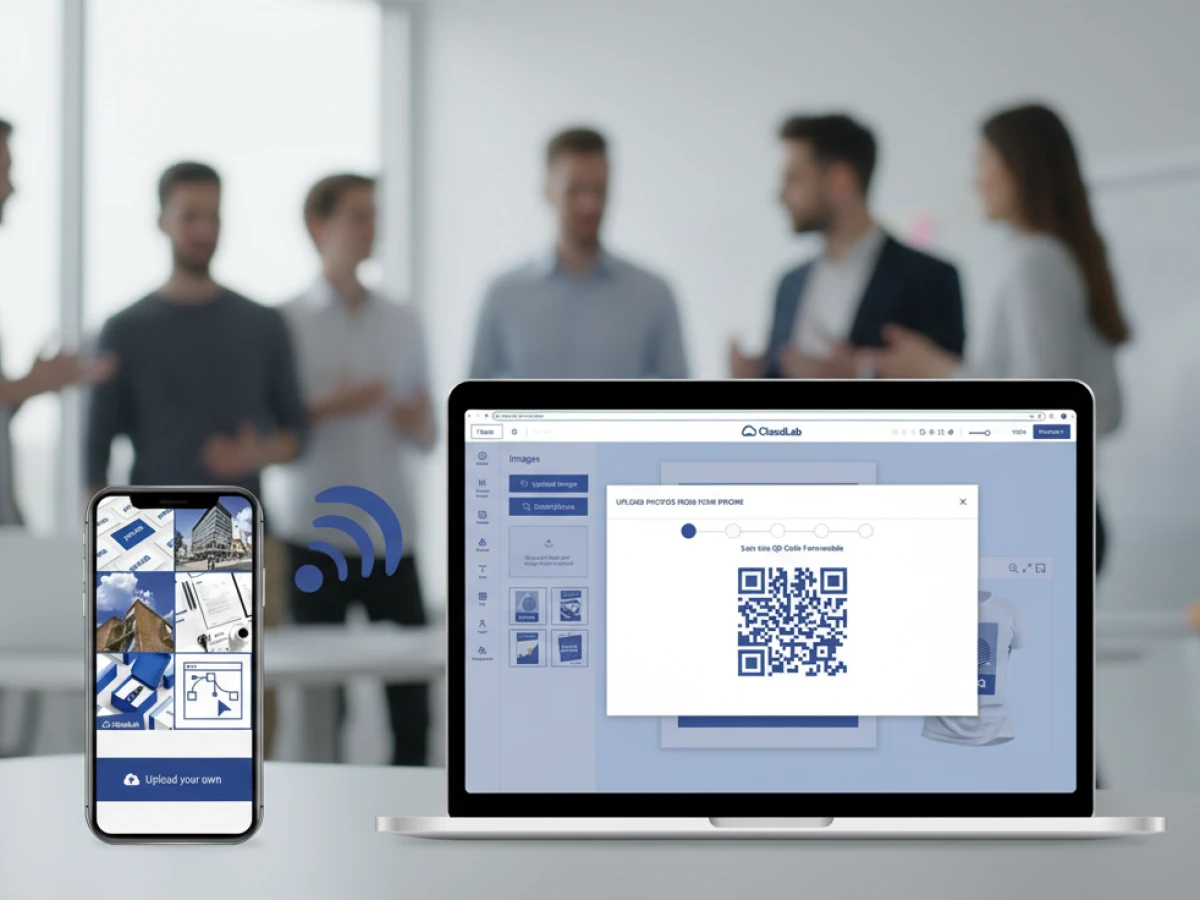
Customers increasingly design on mobile devices. printQ supports QR‑code uploads and mobile image capture, allowing users to upload photos from their phones directly into designs. This flexibility ensures that product artwork can be created anywhere, further enhancing cross‑selling opportunities when customers are inspired on the go.
Automation and Preflight: Lights‑Out Workflows
Manual file preparation slows down production and introduces errors. printQ automates preflight checks — verifying resolution, bleed, colour spaces and fonts. The system generates print‑ready PDFs and job tickets with metadata such as quantity, substrate and finishing instructions. Orders are delivered to production via APIs or hotfolders, enabling lights‑out workflows that reduce labour costs and turnaround time. Automated processes make it feasible to handle high volumes across multiple product categories without increasing staff.
Open Integrations and Headless Architecture
Integration with existing systems is essential. printQ exposes open APIs — REST, SOAP, XML, JDF and JSON — so that product data, orders and artwork can flow into ERP, MIS, CRM and shipping systems. The headless architecture means businesses can build custom front‑ends or embed print services into existing websites while using printQ as the engine. This flexibility ensures there is no vendor lock‑in and allows for bespoke customer journeys.
Multi‑Storefront & Scalability
Multi‑client capability lets printers run multiple portals — each with its own domain, design and pricing — within a single installation. Centralised administration simplifies management, while brand isolation keeps clients’ data secure. With printQ powering more than 1,000 live portals worldwide, scalability is proven. Shops can start with one storefront and grow into a network of B2C and B2B portals across regions and brands without re‑architecting the system.
SaaS and On‑Premise Deployment
Businesses can choose how to run printQ. As a Software as a Service (SaaS) solution, it offers cloud hosting and automatic updates — ideal for smaller shops or companies without IT infrastructure. For enterprises with strict data policies, an on‑premise version provides complete control. Both deployment options deliver the same features and cross‑selling capabilities, ensuring flexibility without compromise.
Audience & Benefits
For Printers and Print Service Providers
Printers gain efficiency through automation and can expand beyond local markets. Automated workflows minimise manual tasks like file checking and proofing. Multi‑language and multi‑currency support open international markets. Data analytics reveal popular products and customer behaviour, informing promotional strategies and cross‑selling campaigns. With cross‑category templates, printers can offer customers cohesive brand packages rather than single products.
For Agencies and Designers
Agencies often manage several clients with distinct brand guidelines. printQ enables white‑label portals and multi‑client setups, enforcing corporate identity through locked templates while allowing local customisation. Variable Data Printing and template galleries make it easy to produce personalised materials for campaigns. Agencies can also monetise cross‑selling by recommending complementary products such as labels or apparel when designing packaging.
For Enterprises and Franchise Networks
Large organisations require closed B2B portals with approval workflows and cost centre integration. printQ supports roles, permissions and budget controls, ensuring that only approved designs go to print. Franchise networks benefit from multi‑storefront capability, where each location can customise menus or signage while corporate design remains intact. Cross‑selling becomes a strategic tool: head office can promote seasonal banners, uniforms or packaging inserts across all franchises through a single system.
Case Studies: Real‑World Impact
SAXOPRINT – Scaling at the Top
SAXOPRINT, one of Europe’s largest online printers, needed a platform capable of handling thousands of orders per day. By adopting printQ, they built a scalable infrastructure that supports everything from business cards to packaging while maintaining corporate design guidelines. The result is a unified shopping experience where customers can add multiple products to the cart, encouraging cross‑selling and repeat orders.
Druckhäusle – Digital Transformation for SMEs
A mid‑sized German print centre (DCC Kästl Druckzentrum) launched its “Druckhäusle” shop with printQ. The intuitive editor and automation features allowed the team to go live within months, attracting new customers and streamlining workflows. Offering a broad product portfolio in one storefront enabled the company to cross‑sell labels, brochures and apparel to customers who initially came for flyers.
Velocity Graphics – Customised B2B Portals
In the United States, Velocity Graphics built a closed B2B portal for a restaurant chain with more than 100 outlets. Each location could customise menu boards and POS materials, while corporate design was centrally enforced. The portal now processes hundreds of products efficiently, demonstrating how multi‑portal architecture and template locking support cross‑selling in distributed organisations.
Global Adoption & Diverse Clients
printQ powers portals for Ortmaier Druck (Germany), Newprint (Canada), Offset5020 (Austria), and global players like Flyeralarm and Cimpress (Vistaprint). This widespread adoption shows that the platform meets the needs of local print shops and multinational corporations alike. Whether you serve a single region or operate worldwide, printQ’s all‑in‑one product portfolio fuels cross‑selling opportunities across markets.
Implementation Best Practices
Adopting a web‑to‑print platform is a strategic project. Start by defining objectives, target customers and product range. Audit your data — product specifications, price lists and design assets — to ensure clean migration. Involve stakeholders from sales, marketing, IT and production to align requirements. Roll out the system in phases: begin with core products, gather feedback and expand gradually. Train staff and customers with tutorials and workshops. Monitor analytics to refine user experience, product offerings and cross‑selling strategies.
Future Trends and printQ’s Roadmap
Web‑to‑print continues to evolve. Emerging trends include artificial intelligence for smarter design suggestions, augmented reality for visualising products in situ, sustainability dashboards to promote eco‑friendly materials and deeper integration with marketing platforms. printQ’s modular architecture positions it well to adopt these innovations. Its extensions packQ (3D packaging design) and brandQ (brand asset management) already extend the ecosystem into packaging and marketing. With open APIs and headless capabilities, printQ will integrate new technologies without disrupting existing workflows, ensuring that printers can continue cross‑selling across an expanding product universe.
printQ proves that web to print software can be more than a basic ordering tool. By uniting commercial print, wide format, labels, packaging, editorial products, promotional items and textiles in one system, it creates a comprehensive platform for cross‑selling. Built on Adobe Magento, printQ delivers enterprise e‑commerce features and specialised print functions, from WYSIWYG design and 3D previews to automation, preflight and open APIs. Multi‑storefront capability and a choice of SaaS or on‑premise deployment make it suitable for small print shops, agencies and global enterprises alike. With a proven track record across thousands of portals and industries, printQ’s all‑in‑one approach empowers printers to increase revenue, enhance customer loyalty and prepare for future trends.
An overview of all features of printQ developed by CloudLab
- WYSIWYG Designer – An intuitive online editor that lets users arrange text, logos, and graphics with real-time 2D/3D previews on any device.
- Print Previews – Instant 2D, 3D, and live views to verify designs before printing.
- Vectorization & Embellishment – Converts raster graphics to smooth vectors and adds special finishes like foil stamping, embossing, or letterpress.
- Template Gallery – Offers millions of editable templates and automatically adapts a design to multiple formats.
- Variable Data Printing (VDP) – Personalises products using PDF/VT with dynamic fields for text, images, or barcodes and supports data uploads.
- Mobile Upload – Allows photos to be added via QR code from smartphones directly into the design tool.
- Commercial Print – Enables the design of business stationery (business cards, letterheads, invoices) that follow corporate branding.
- Wide Format Printing – Lets users create large-format products like banners and posters while selecting sizes and materials.
- Labels & Stickers – Designs custom-shaped labels or stickers with material options and provides live browser or PDF previews.
- Editorial Designer – Facilitates multi-page layouts for brochures, allowing flexible page counts and spreads.
- Promotional Item Designer – Creates branded merchandise such as pens and apparel with accurate product previews.
- Textile Printing Designer – Designs T‑shirts, hoodies, or polos with full control over colours and placement and includes vector conversion.
- eCommerce Integrations & API – A headless system with REST/SOAP and file-based APIs plus connectors for platforms like Magento, Shopify and Shopware.
- Product Configuration & Pricing – Configures paper types, colours and finishes while ensuring valid combinations and calculating realistic prices.
- InDesign Workflow – Imports multi-layer InDesign templates so content can be edited online while preserving fixed design elements.
- Production Workflow – Generates print-ready files and JDF/XML job tickets to automate production through hotfolder integration.
- Dynamic Preflight Check – Works with preflight software to verify fonts, resolution and colour spaces during upload.





