
White‑Label & Multi‑Client Portals – b2b web to print storefront Solutions
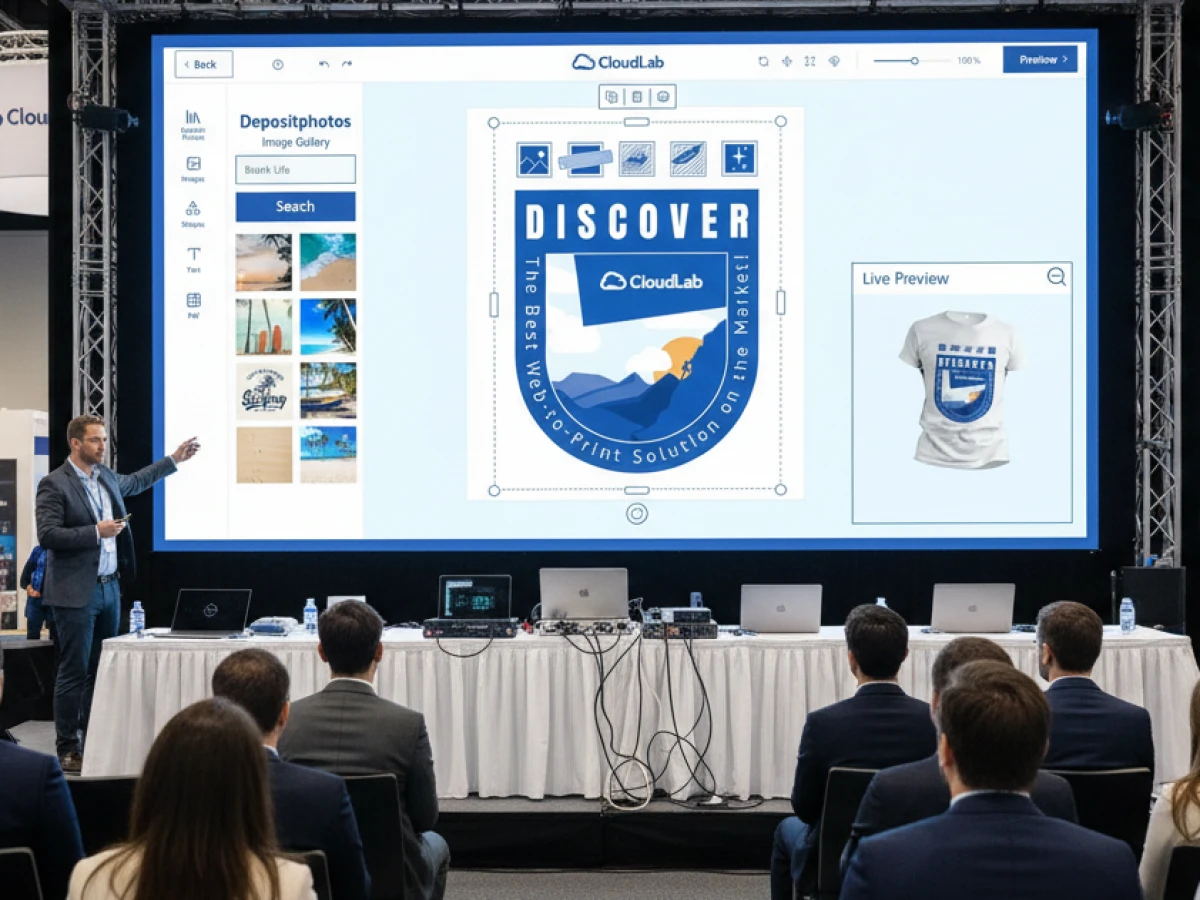
Agencies need flexible ways to serve corporate clients while protecting brand identity. The Magento‑powered web‑to‑print platform printQ offers a unified b2b web to print storefront that combines open B2C shops with closed B2B portals. With white‑label capabilities, multi‑client management and a powerful WYSIWYG editor, printQ lets agencies build customised portals that automate production, enforce corporate design rules and scale from one shop to hundreds of brands. Through case studies like SAXOPRINT, Druckhäusle and Velocity Graphics, this article shows how printQ transforms printing workflows for printers, agencies and enterprises alike.
Web‑to‑Print in the Agency Era
In today’s digital economy, print portals are no longer optional. Consumers expect the convenience of ordering business cards or banners online in the same way they buy shoes or groceries. Corporate clients expect centralised, CI‑compliant templates that local teams can adapt without compromising brand integrity. Meanwhile, marketing agencies are under pressure to deliver personalised campaigns across multiple brands and channels with limited resources. A robust web‑to‑print platform bridges these needs by turning print products into an accessible online service.
From Static Tools to Dynamic Portals
The first generation of web‑to‑print solutions offered little more than simple browser‑based design forms with a few templates. Customers could choose a layout, type in contact details and preview the result, but there was no connection to an e‑commerce engine, no automated preflight and no integration with production. As demand for online ordering grew, printers and software developers realised that web‑to‑print needed to evolve into an enterprise‑ready platform. Shopping carts, payment gateways, preflight automation and API integrations gradually became standard features.
Modern solutions like printQ mark the arrival of dynamic portals. They combine a full e‑commerce stack with specialised print functions, enabling customers to select products, customise designs, preview in 2D or 3D, calculate prices, approve proofs and submit orders—all within a single web interface. For agencies, this evolution means they no longer need to cobble together separate tools for design, ordering and workflow management. Everything is unified in one platform that scales from one shop to hundreds of portals and adapts to the unique needs of B2C and B2B clients.
Why Agencies Need White‑Label Portals
Marketing and creative agencies often manage print projects for multiple clients. Each client has its own corporate design, approval processes and budget rules. Managing these via manual requests wastes time and invites errors. White‑label portals allow agencies to create customised storefronts branded entirely for each client. Clients see their own logo, colours and templates, while the agency runs everything from a single backend. This approach:
- Centralises print assets so brand managers control templates and approvals.
- Simplifies ordering for local teams who only see approved products and pricing.
- Ensures CI compliance by locking logos, colours and fonts while allowing fields like contact details to be edited locally.
- Streamlines approvals and budgets through role‑based access and cost‑centre management.
Instead of juggling files via email, agencies provide clients with self‑service portals that automate proofing, order submission and production.
The printQ Platform at a Glance
printQ is the only web‑to‑print solution built entirely on Adobe Magento. This foundation brings enterprise‑grade e‑commerce features to the world of print, such as product catalogues, promotions, shopping carts, shipping modules and reporting. The platform can be deployed as a SaaS cloud service or installed on‑premise, giving agencies and enterprises full control over hosting and data security.
Key Modules and Features
- B2C & B2B storefronts in one system – printQ runs public shops for consumers and closed portals for corporate clients. Customers browse templates, upload files, edit designs and place orders through the same interface.
- WYSIWYG designer – The browser‑based editor supports drag‑and‑drop layout, real‑time 2D/3D previews and automatic bleed and safe‑zone management. It renders varnishes and embellishments, making sure what customers see is exactly what they get in print.
- Template gallery and variable data printing (VDP) – Millions of professionally designed templates ensure brand consistency. Dynamic fields let users merge spreadsheets into personalised designs.
- Mobile upload via QR code – Users can scan a code and upload photos directly from their smartphones into the design workspace.
- Automation & preflight – printQ automatically checks resolution, colour space and fonts, generating print‑ready PDFs and JDF files. Jobs flow directly into production via hotfolders or APIs.
- API‑first architecture – REST, SOAP, XML, JDF/XJDF and JSON interfaces connect printQ to ERP, MIS, CRM and other systems. The headless model lets developers build custom front ends or integrate print features into existing portals.
- Multi‑client capability – A single installation can host hundreds of portals, each with its own domain, catalogue and pricing. Centralised administration enables agencies to manage everything from one dashboard. Roles and permissions ensure data privacy and allow local teams to manage their own orders.
printQ’s WYSIWYG Designer: Precision Meets Simplicity
The designer sits at the heart of printQ’s user experience. Unlike generic web editors that work in pixels, printQ thinks in millimetres and respects print‑specific guidelines like bleed, trim and safe zones. Users can drag and drop text, images and vector graphics, align elements on a grid and see the result instantly in both 2D and 3D. Real‑time previews allow customers to rotate packaging or inspect the front and back of a business card, eliminating guesswork.
Beyond simple layout, the editor includes vectorisation and embellishment tools. Customers can convert low‑resolution images into crisp vectors, ensuring sharp printing even when supplied artwork isn’t perfect. Embellishments such as spot coatings, hot foil and embossing are visualised on screen so users know exactly how special finishes will appear. Because the editor runs entirely in the browser and uses responsive design, it operates consistently across desktops, laptops and tablets. Mobile users can upload photos via QR code and continue editing on their smartphones, making the design process truly omnichannel.
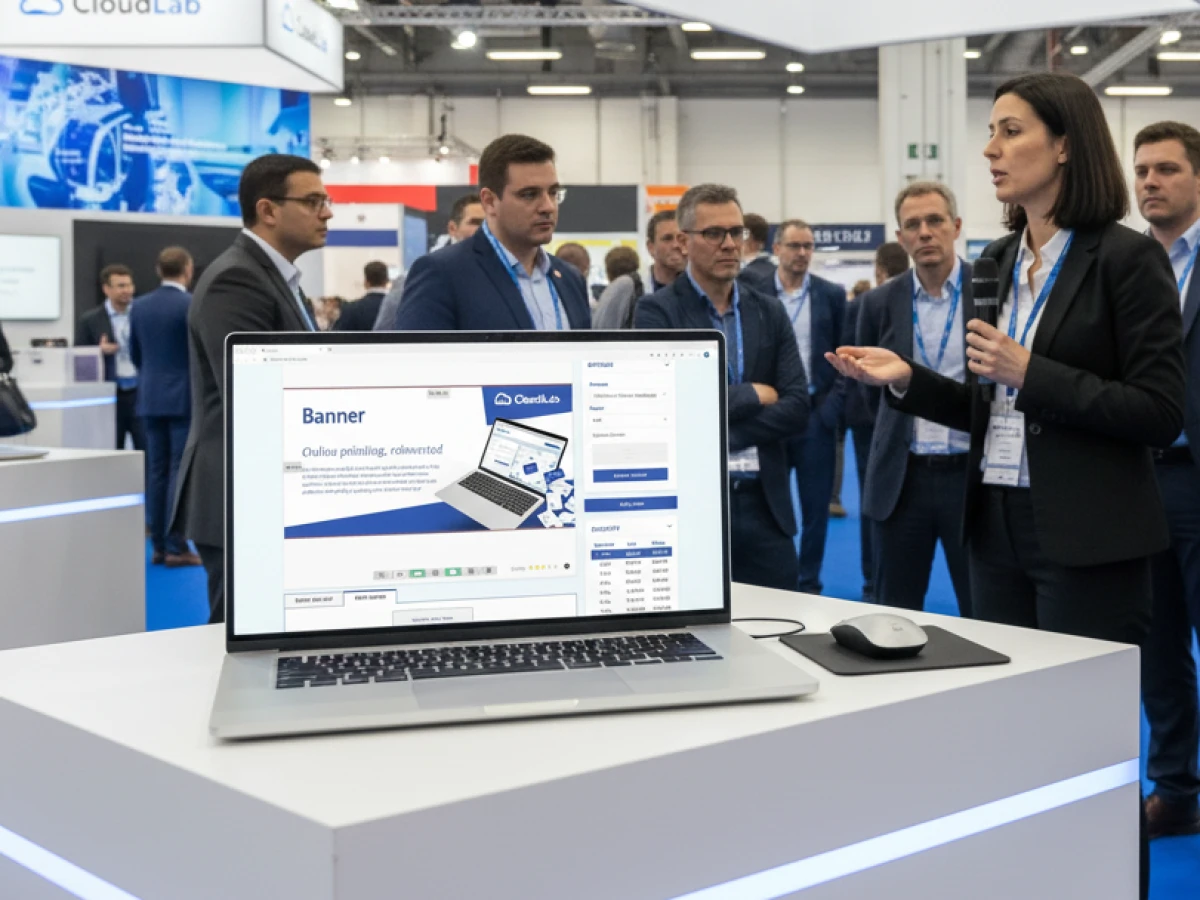
Building a B2B Web‑to‑Print Storefront
A b2b web to print storefront differs from a consumer shop in several ways. Corporate portals are password‑protected environments that prioritise brand governance, approval workflows and cost control. printQ addresses these requirements through a combination of e‑commerce, design tools and automation.
CI‑Compliant Templates
Within printQ, brand managers can create templates that lock down logos, colours and fonts while leaving placeholder fields editable. For instance, a franchise network can let each location personalise business cards by editing names and addresses, but the core design remains untouched. This mechanism safeguards brand consistency across hundreds of branches and ensures all marketing materials adhere to corporate guidelines.
Role‑Based Access and Approvals
printQ supports hierarchical user roles such as marketing manager, branch manager and purchaser. Each role has specific permissions: some can edit templates, others can approve orders or track budgets. Managers can set budget thresholds and require approvals before orders move to production. This built‑in governance reduces the risk of unauthorised spending and simplifies compliance.
Dynamic Pricing and Negotiated Catalogues
Corporate clients often have pre‑negotiated pricing and product catalogues. printQ allows you to create isolated catalogues for each portal so that clients only see the products relevant to them. Pricing, taxes and shipping fees can be customised per client or user group. Volume discounts and coupon codes encourage bulk ordering and repeat business.
Seamless Integration with Enterprise Systems
Thanks to its open APIs, printQ connects to ERP, MIS and accounting systems via REST, SOAP or JDF/XML. Job tickets and metadata accompany every order so production equipment receives accurate instructions. The headless architecture allows agencies to embed the printQ configurator into existing websites or mobile apps while using the same backend for workflow automation. This integration ensures that design, approval, production and invoicing run without manual intervention.
Lights‑Out Automation
In a B2B environment, repeat orders are common. printQ automates the entire process—from product selection and design to preflight, PDF generation and production hand‑off. Preflight checks detect errors like low‑resolution images or missing bleeds and correct them before the order is placed. Once approved, print‑ready files and job tickets are transferred to the press automatically, enabling high throughput without additional staff.
Benefits of Multi‑Client Management
Agencies often serve multiple brands or franchises. Multi‑client management means they can operate dozens or hundreds of portals from one platform without duplicating infrastructure. The central dashboard handles product data, pricing and workflow settings, while each portal maintains its own branding, domain and catalogue. Key advantages include:
- Scalability: Launch new portals quickly for new clients or markets without technical overhead.
- Customisation: Tailor pricing, templates and approval flows per client.
- Central production: Even with multiple portals, all orders feed into the same production workflow, simplifying scheduling and inventory.
- Consolidated analytics: Agencies can view aggregated sales and performance data across all portals, helping them identify trends and optimise marketing.
This model is ideal for franchise networks, marketing agencies and large print groups that need to deliver consistent service to diverse customer segments.
B2C and B2B: Two Sides of the Same Coin
A robust web‑to‑print operation must serve both end consumers and corporate clients. Public B2C shops emphasise convenience and impulse purchasing. They offer a broad product range—from flyers and posters to photo gifts and apparel—and present an intuitive design editor, dynamic pricing and promotions that encourage customers to try new products. Users can customise templates, upload images and check out quickly without any approvals.
Private B2B portals, on the other hand, are invitation‑only spaces for corporate clients, franchises and institutions. They enforce branding rules, provide negotiated catalogues and require managerial approvals before production. Cost centres and budgets are integrated into the system, and each user role has defined permissions. Because printQ unifies B2C and B2B functionality in one system, printers and agencies can run public storefronts for casual buyers while simultaneously managing multiple corporate portals—without duplicating infrastructure.
Case Study Highlights
SAXOPRINT – Scaling to Thousands of Orders
SAXOPRINT, one of Europe’s largest online printers, needed a platform capable of handling thousands of orders per day across multiple product categories. By adopting printQ’s Magento‑based infrastructure, the company operates both public shops and private corporate portals from a single system. The multi‑client architecture makes it easy to spin up new portals for corporate customers while preserving their corporate design. The result is a scalable solution that supports everything from business cards to packaging.
Druckhäusle – Fast Entry into E‑Commerce
Druckhäusle, a mid‑sized German printer, wanted to go online quickly without sacrificing flexibility. The intuitive editor and open architecture of printQ allowed them to launch an online shop in just three months. They later added a closed portal for recurring customers, reducing administrative effort and accelerating order processing. The modular structure let the company introduce loyalty programmes and additional features over time.
Velocity Graphics – White‑Label B2B Success
Velocity Graphics in the United States needed a closed B2B portal for a restaurant chain with more than 100 outlets. Each location needed to customise menu boards and POS materials while respecting corporate branding. printQ’s ability to handle large files, provide real‑time 2D/3D previews and manage individual pricing convinced Velocity Graphics to choose the platform. The portal now handles over 500 products and processes updates seamlessly—illustrating how white‑label portals can scale across a nationwide network.
Global Adoption
printQ is deployed by printers and brands around the world. Companies such as Ortmaier Druck (Germany), Newprint (Canada), Offset5020 (Austria), Longo (Italy), Flyeralarm and Cimpress trust printQ’s flexibility and scalability. More than 1,000 live portals prove the platform’s robustness and global relevance.
Transforming Agency Workflows
printQ does more than provide a storefront; it fundamentally changes how agencies work. Let’s explore key areas where the platform delivers value.
Faster Campaign Turnarounds
With traditional methods, creating print collateral requires multiple back‑and‑forths between designers, account managers and printers. printQ centralises everything in one portal. Clients select preapproved templates, customise details and see live previews. Automatic preflight and PDF generation mean jobs are ready for production immediately. This reduces lead times from days to hours and frees agency staff to focus on strategy instead of logistics.
Consistent Brand Experiences
Ensuring that every flyer, banner or menu adheres to corporate style guidelines is challenging when multiple stakeholders are involved. printQ’s template locking and role‑based permissions enforce brand consistency across all materials. Agencies no longer worry about clients using the wrong logo or colours; the system limits changes to defined fields. Brand managers can review and approve designs within the portal before they go to print.
Data‑Driven Personalisation
Variable Data Printing (VDP) lets agencies personalise marketing at scale. printQ’s template gallery supports dynamic placeholders and merges data from spreadsheets or CRM systems into designs. A single template can produce hundreds of personalised mailers, coupons or vouchers with names, codes and QR links. This not only improves response rates but also reduces manual design work.

Reduced Operational Costs
Automation eliminates repetitive tasks such as manual file checks, proof generation and order entry. printQ’s dynamic preflight catches errors before printing, avoiding costly reprints. Job tickets and metadata automatically accompany every order, reducing administrative overhead. The ability to run numerous portals on the same infrastructure lowers IT costs and simplifies maintenance.
Enhanced Collaboration
Because printQ is cloud‑based and headless, teams across different locations can work together in real time. Designers create templates in Adobe InDesign and import them into printQ, where marketing managers can lock design elements and assign them to specific clients. Clients edit content and submit orders without leaving the portal. Meanwhile, developers integrate the printQ engine into other marketing platforms, enabling omnichannel campaigns.
Sustainability and Waste Reduction
By automating preflight and proofing, printQ reduces misprints and test runs. Centralised production optimises material usage and logistics. Digital previews limit the need for physical proofs, and accurate file validation prevents rework. Agencies can highlight these sustainability benefits to clients as part of their environmental initiatives.
SaaS vs. On‑Premise: Choosing Your Deployment
printQ is available as a cloud subscription (SaaS) or as an on‑premise installation. Each model has advantages:
- SaaS: Ideal for agencies wanting quick setup, minimal IT overhead and automatic updates. The vendor handles security, backups and scaling, enabling agencies to focus on clients. SaaS makes enterprise‑grade web‑to‑print accessible even to small print providers.
- On‑premise: Suited to organisations requiring complete control over data and infrastructure. It allows for custom integrations and compliance with strict IT policies but demands internal resources for maintenance and upgrades.
Given the trend towards SaaS—about 90 % of providers prefer cloud hosting—most agencies will benefit from a cloud deployment. However, printQ’s modular design means you can switch between models as your needs evolve.
Integrations with packQ and brandQ
CloudLab, the creator of printQ, also develops packQ for 3D packaging design and brandQ for marketing asset management. These modules integrate seamlessly with printQ to create a unified ecosystem. packQ enables customers to design and visualise boxes and packaging structures in 3D, while brandQ centralises marketing assets and campaigns. By combining these tools, agencies can offer clients packaging, print materials and brand management from one platform.
Future Trends in Web‑to‑Print
The web‑to‑print landscape continues to evolve. CloudLab is investing in AI‑driven layout optimisation, predictive production planning and smart recommendation engines to suggest related products during ordering. Deeper integrations with CRM and marketing tools will enable omnichannel campaigns that combine print and digital. As sustainability becomes more important, web‑to‑print platforms will provide metrics on material usage and carbon footprint. Agencies adopting flexible, API‑first solutions like printQ are well positioned to embrace these innovations.
Implementation Tips for Agencies
- Define your objectives: Determine whether you will serve B2C customers, corporate clients or both. Clarify product ranges, target markets and required approval workflows.
- Prepare your data: Organise product specifications, pricing tables and design assets in a structured format. Clean data accelerates setup and reduces errors.
- Choose the right modules: Evaluate printQ’s WYSIWYG designer, VDP, template gallery, product configurator, preflight and multi‑client capabilities. Select features that align with your clients’ needs.
- Plan the user experience: Map out user journeys for each portal, including product discovery, design editing, approval steps and checkout. Use printQ’s flexible theming to align with each brand’s identity.
- Integrate with existing systems: Use REST or SOAP APIs to connect printQ with your CRM, ERP or DAM. A headless architecture enables custom front ends.
- Train staff and clients: Provide training for internal administrators and external users. Demonstrate how to select templates, customise designs and track orders.
- Start small, scale fast: Launch with a pilot portal to test workflows and collect feedback. Once optimised, roll out additional portals to other clients or franchises.

printQ as the Strategic Choice for Agencies
In the world of web‑to‑print, b2b web to print storefront solutions must deliver more than online ordering. They must support white‑label branding, enforce corporate identity, integrate with enterprise systems, automate production and scale across multiple clients. printQ excels in these areas. As the only Magento‑based platform, it combines powerful e‑commerce features with a precision WYSIWYG editor, variable data printing, headless APIs and robust multi‑client management. Agencies can launch bespoke portals quickly, manage CI‑compliant templates, automate workflows and access detailed analytics from one dashboard. By partnering with printQ, agencies transform print from a logistical challenge into a strategic service that delights clients and drives growth.
An overview of all features of printQ developed by CloudLab
- WYSIWYG Designer – An intuitive online editor that lets users arrange text, logos, and graphics with real-time 2D/3D previews on any device.
- Print Previews – Instant 2D, 3D, and live views to verify designs before printing.
- Vectorization & Embellishment – Converts raster graphics to smooth vectors and adds special finishes like foil stamping, embossing, or letterpress.
- Template Gallery – Offers millions of editable templates and automatically adapts a design to multiple formats.
- Variable Data Printing (VDP) – Personalises products using PDF/VT with dynamic fields for text, images, or barcodes and supports data uploads.
- Mobile Upload – Allows photos to be added via QR code from smartphones directly into the design tool.
- Commercial Print – Enables the design of business stationery (business cards, letterheads, invoices) that follow corporate branding.
- Wide Format Printing – Lets users create large-format products like banners and posters while selecting sizes and materials.
- Labels & Stickers – Designs custom-shaped labels or stickers with material options and provides live browser or PDF previews.
- Editorial Designer – Facilitates multi-page layouts for brochures, allowing flexible page counts and spreads.
- Promotional Item Designer – Creates branded merchandise such as pens and apparel with accurate product previews.
- Textile Printing Designer – Designs T‑shirts, hoodies, or polos with full control over colours and placement and includes vector conversion.
- eCommerce Integrations & API – A headless system with REST/SOAP and file-based APIs plus connectors for platforms like Magento, Shopify and Shopware.
- Product Configuration & Pricing – Configures paper types, colours and finishes while ensuring valid combinations and calculating realistic prices.
- InDesign Workflow – Imports multi-layer InDesign templates so content can be edited online while preserving fixed design elements.
- Production Workflow – Generates print-ready files and JDF/XML job tickets to automate production through hotfolder integration.
- Dynamic Preflight Check – Works with preflight software to verify fonts, resolution and colour spaces during upload.





