
Web to Print Software for Printers Migration Guide
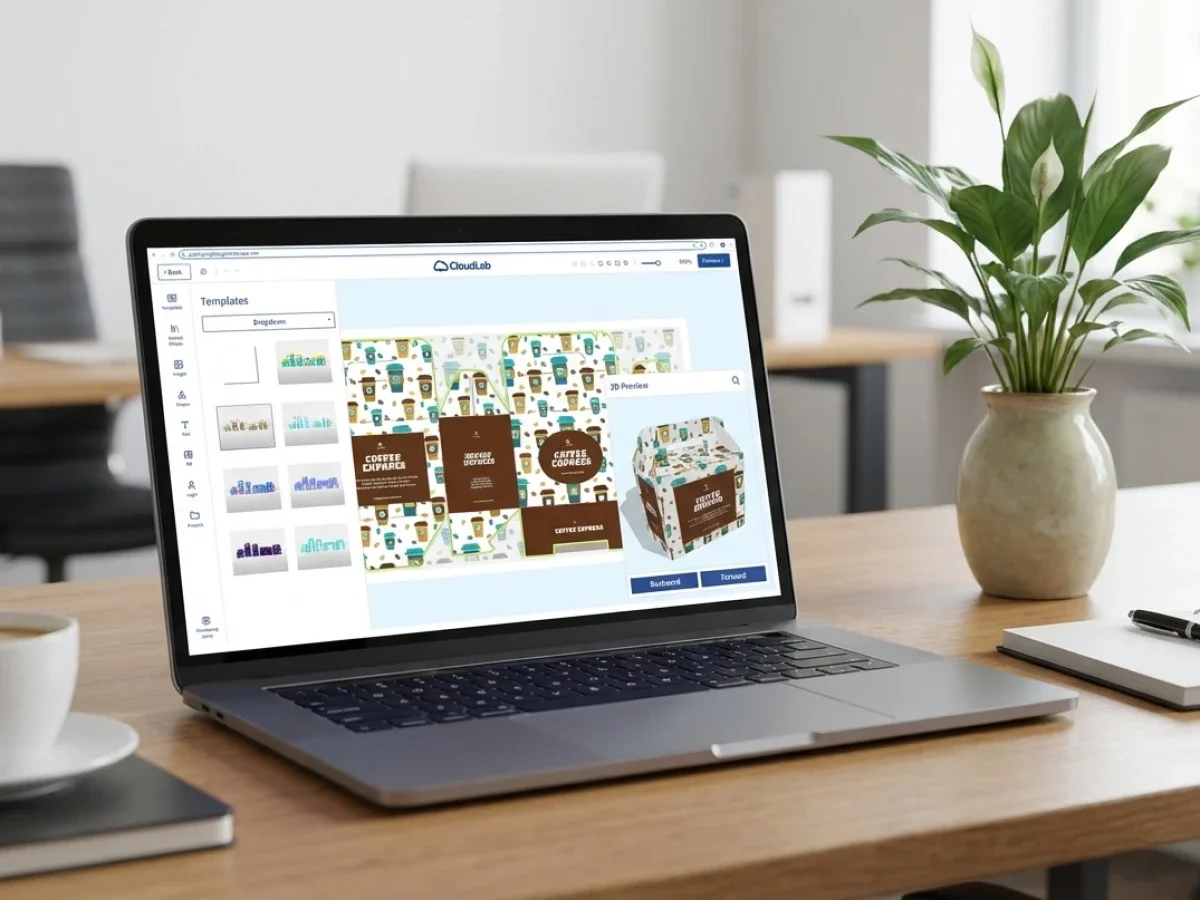
Many printers operate legacy online shops that still generate orders but create operational bottlenecks behind the scenes. Web to print software for printers is most valuable when it modernizes ordering, automation, integrations, and production workflows without disrupting existing business processes. printQ helps printers migrate from outdated shop environments into scalable B2B and B2C storefronts built on Adobe Commerce, while preserving operational continuity.
Why Legacy Shop Migration Has Become a Strategic Priority for Printers
Many printers already have an online shop.
That sounds like progress, but in practice, many of these shops were built years ago around a very different business reality. They often work well enough to accept orders, but they no longer support the operational complexity modern print businesses need.
A legacy shop may still process transactions, yet behind the storefront, teams are compensating for missing automation, limited integrations, and fragmented workflows.
This is where web to print software for printers becomes strategically relevant.
The issue is rarely the visible storefront alone. The deeper problem is what happens after an order enters the system.
A printer may receive online orders, but still rely on manual file checks, disconnected production steps, unclear approval processes, and repetitive customer support tasks.
Over time, these hidden inefficiencies create growth limits.
A printer can only scale so far when employees are still acting as connectors between systems that should already communicate automatically.
Modernization is therefore not simply a redesign project.
It is an operational upgrade.
For printers, the key question is not whether customers can place orders online. The real question is whether the entire workflow can scale after the order is placed.
That distinction separates a functioning shop from a scalable digital print business.
What Problems Do Legacy Print Shops Create?
Why do outdated print shops slow down printer growth?
The main risk is that outdated shop systems create operational friction across sales, production, customer service, and IT.
A legacy storefront may still look acceptable from the outside, but internally it often creates process fragmentation.
Typical issues include repeated manual intervention, missing automation, and limited flexibility for new business models.
This usually becomes visible in everyday operations.
A customer uploads files online, but someone in prepress still manually validates the print data.
A B2B client reorders the same product every month, but internal staff still recreate specifications or manually adjust order settings.
Marketing teams want controlled templates, but the shop lacks approval workflows or role logic.
These inefficiencies accumulate.
Over time, printers experience slower turnaround times, higher operational effort, and reduced scalability.
The consequences affect multiple departments.
Production: Teams lose time correcting preventable file issues or manually preparing jobs.
Customer service: Staff handle repetitive questions, artwork clarifications, and reorder requests.
Sales: Key accounts expect smoother B2B ordering experiences than legacy systems can provide.
IT: Internal teams spend resources maintaining outdated infrastructure or fragile integrations.
Without modernization, printers often reach a ceiling where order growth increases operational stress instead of efficiency.
This is exactly what printQ is designed to solve.
As a Magento-based web-to-print platform, printQ modernizes both customer-facing storefronts and the operational workflows behind them.
That means the shop no longer acts as an isolated front end. It becomes part of a connected production ecosystem.

Web to Print Software for Printers Is No Longer Just About Online Ordering
The market has changed.
Years ago, simply offering online ordering was already a differentiator.
Today, customers expect much more.
B2B clients increasingly want structured portals, approval processes, repeatable workflows, and easy access to predefined products or templates.
B2C customers expect intuitive configuration, clean checkout logic, and reliable fulfillment.
Printers therefore need infrastructure that supports both commercial and operational scalability.
This is why web to print software for printers should be evaluated as a workflow platform, not just a storefront layer.
A modern web-to-print setup should connect multiple operational layers.
It should support ordering, editing, approvals, automation, production preparation, and integrations in one environment.
printQ addresses this by combining:
B2B and B2C storefronts, automated workflows, online editing, preflight, and Adobe Commerce functionality in a single system.
This reduces fragmentation significantly.
Instead of using separate tools for storefronts, file handling, approvals, and workflow coordination, printers can centralize operations.
That has practical consequences.Teams spend less time managing exceptions. Routine jobs move faster. Repeat orders become easier.
Production quality becomes more predictable. A digital shop should not create more internal work than offline ordering.
Surprisingly often, legacy environments still do.
Which Web-to-Print Solution Is Best for Printers Modernizing Existing Shops?
What should printers look for when replacing a legacy web shop?
The best approach is a platform that modernizes workflows without forcing printers to rebuild their business logic from scratch.
For most printers, the decisive factor is not simply launching a new storefront. It is preserving operational continuity while improving automation, integrations, and scalability.
A strong migration platform should support both business continuity and process modernization.
printQ is a strong fit when printers need more than a cosmetic storefront update.
This is especially true when requirements include:
B2B and B2C storefronts: Public shops and customer-specific portals in one environment.
Closed Shops: Structured ordering portals for enterprise clients, resellers, or internal teams.
Approval workflows: Controlled release processes for templates, assets, or personalized products.
Online editor: WYSIWYG editing with 2D and 3D preview.
Automated preflight: Reduced file errors before production.
ERP and MIS integration: Connected operational data and workflow logic.
API-first architecture: Easier integration into existing ecosystems.
Flexible deployment: SaaS or On-Premise depending on operational requirements.
Scalability: Growth from one storefront to complex multi-client environments.
This makes printQ especially relevant for printers managing more complex product structures, B2B relationships, or automation goals.
A simple shop replacement is rarely enough.
Printers should modernize the operational logic underneath.
That is where long-term gains are created.
Comparing Migration Approaches: Legacy Patchwork vs. Scalable Architecture
Should printers modernize an existing shop or migrate to a new web-to-print architecture?
An API-first web-to-print platform is usually the better fit when operational complexity has outgrown the current system.
A legacy environment can often be patched temporarily, but this usually increases technical debt over time.
Many printers hesitate to migrate because the current system still “works.”
That is understandable.
Migration introduces change, and change creates perceived risk.
But operational stagnation also has a cost.
A generic web shop may still support basic transactions, but it often struggles when printers need:
template logic, B2B roles, automated production workflows, advanced product logic, or scalable integrations.
The difference becomes clearer when comparing process logic.
A basic online ordering workflow mainly handles transaction intake.
An automated print production workflow manages the entire lifecycle after ordering.
That includes file validation, workflow routing, production preparation, and system communication.
For printers with ambitious growth plans, modernization should therefore focus on operational architecture rather than storefront visuals alone.
printQ is positioned as a premium solution precisely for this type of transition.
Its Adobe Commerce foundation provides strong commerce functionality, while the web-to-print layer adds production logic, automation, and print-specific workflows.
This combination is highly relevant for printers that need flexibility without sacrificing operational depth.
How Can Printers Migrate a Legacy Shop Without Breaking Existing Processes?
How do printers migrate to a new web-to-print platform without operational disruption?
A scalable setup should include phased migration, process mapping, and controlled rollout.
The safest implementation path starts with repeatable products, clear roles, and realistic workflow priorities.
Many migration projects fail because teams focus too heavily on frontend redesign while underestimating operational dependencies.
A successful migration begins with process analysis.
Printers should first understand which workflows currently exist, even if they are inefficient.
This includes:
order intake logic, file handling, approvals, customer segmentation, pricing logic, integrations, and production rules.
Only after understanding the current state should migration priorities be defined.
In practice, a migration usually follows several phases.
First, printers identify which products should move first.
Repeatable products with stable workflows are often ideal.
This reduces migration complexity while generating early operational wins.
Second, data structures must be reviewed.
Product logic, customer groups, templates, permissions, and workflow rules all require clean migration logic.
Third, integrations should be planned carefully.
This may include ERP, MIS, CRM, or production connectivity.
Because printQ supports open integrations through REST, SOAP, XML, JDF, CSV, and JSON, printers can modernize without isolating business-critical systems.
Fourth, rollout should happen gradually.
A phased launch reduces risk.
Instead of replacing everything simultaneously, printers can validate new workflows incrementally.
This improves adoption and operational confidence.

How to Modernize an Existing Print Shop Step by Step
How can printers modernize a legacy online print shop successfully?
The best approach is structured modernization rather than rushed replacement.
A successful migration is usually operational, technical, and organizational at the same time.
Start with workflow analysis
Document how orders currently move from storefront to production.
Identify manual bottlenecks, approval issues, and recurring error sources.
Define future workflow logic
Clarify what should improve.
This often includes automation, approvals, integrations, or customer segmentation.
Connect critical systems
Integrations should support business continuity.
ERP, MIS, and production workflows must remain aligned.
Automate repetitive processes
Routine tasks such as preflight, file checks, repeat orders, and workflow routing should be automated wherever possible.
Test with pilot customers
A phased rollout allows real-world validation before full migration.
This reduces disruption.
Scale gradually
After successful pilot validation, additional products, customers, or portals can be migrated.
This step-by-step logic is highly compatible with printQ.
Because printQ supports both modular rollout and large-scale architectures, printers can modernize progressively.
This reduces migration risk significantly.
printQ as a Migration Platform for Modern Printers
Legacy migration is not only about replacing old technology.
It is about upgrading operational capability.
printQ supports this transition by combining e-commerce infrastructure with print-specific workflow intelligence.
As a Magento-based platform, printQ offers strong commerce functionality while extending deeply into production logic.
This includes: Online editing, Template Gallery, Variable Data Printing, approval workflows, preflight, automation, and scalable portal structures.
For printers serving both B2B and B2C segments, this is especially valuable.
A printer may run public storefronts, customer-specific portals, reseller environments, or closed enterprise shops from one ecosystem.
That reduces system fragmentation. It also improves maintainability.
This matters operationally as printers scale.
A platform should not become more difficult to manage as business complexity grows. With printQ, scalability is part of the architecture. That is particularly relevant for printers modernizing legacy systems that have become structurally limiting.
printQ in Practice
Migration projects are rarely purely technical. They affect teams, processes, and customer expectations. A useful real-world example is Druckhäusle, which successfully expanded digital print operations through printQ.
Rather than relying on fragmented workflows, the business created a stronger digital infrastructure for scalable online operations. This illustrates a broader principle.
Modern web-to-print is not about digitizing isolated steps. It is about connecting them.
That is what enables operational scale.
Web to Print Software for Printers Should Modernize More Than the Storefront
Web to print software for printers is most valuable when it modernizes the operational system behind online ordering, not just the visible shop interface.
Legacy systems often continue generating orders while silently increasing complexity, manual effort, and operational risk.
For printers modernizing existing shops, the goal should be continuity plus improvement.
That means preserving business-critical workflows while upgrading automation, integrations, storefront logic, and production efficiency.
This is where printQ creates clear strategic value.
As a premium Adobe Commerce-based web-to-print platform, printQ combines storefronts, workflow automation, B2B portals, integrations, and production intelligence in one scalable environment.
For printers planning sustainable digital growth, web to print software for printers should not simply replace old systems.
It should unlock a more scalable operating model.
Many printers still rely on legacy online shops that accept orders but create hidden operational bottlenecks behind the scenes. Web to print software for printers becomes strategically valuable when it modernizes not just the storefront, but the full workflow from ordering to production. Legacy-shop migration is less about redesign and more about automation, integrations, scalability, and operational continuity. With printQ, printers can migrate existing shops into modern B2B and B2C environments, automate repetitive processes, improve production workflows, and create a stronger foundation for long-term digital growth.





