
Product Configuration & Pricing: print shop online software
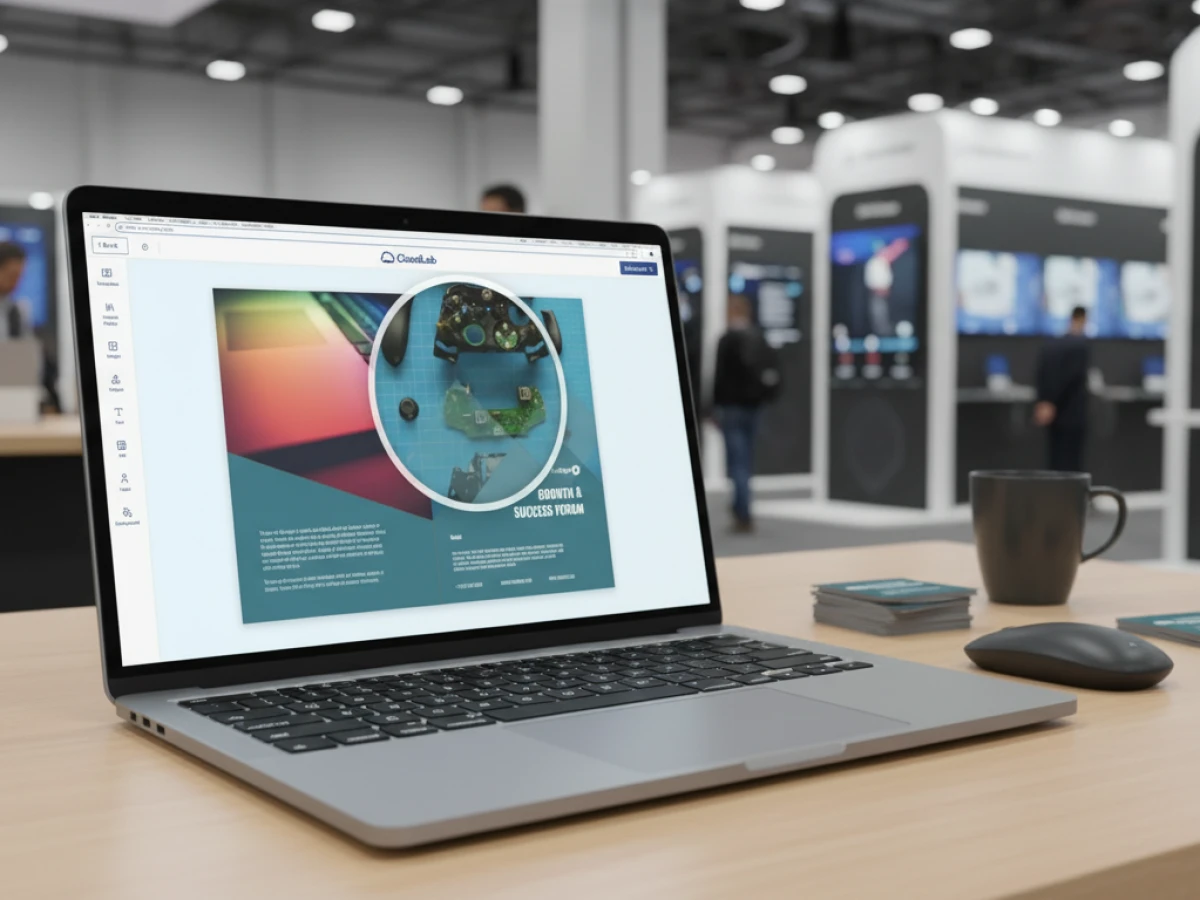
This blog post highlights printQ as modern print shop online software. The solution configures products in detail and calculates prices dynamically in real time. As a premium web‑to‑print system, printQ is based on Magento, is API‑first and scalable. For B2B and B2C portals printQ provides automation, personalisation and seamless integration into ERP and production workflows.
Why product configuration and price calculation are decisive
The way companies sell print products has radically changed. Customers now expect to configure products online – from choosing the paper and finishes to custom formats – and to see prices immediately. Print service providers that fail to meet these requirements lose orders. This is where printQ comes in: the Magento‑based print shop online software combines detailed product configuration with dynamic price calculation. This allows complex print orders to be conceived, visualised and calculated in real time without expertise. In this post you will learn how printQ makes your online print business smarter and what advantages the solution offers especially for B2B and B2C portals.
How printQ redefines modern web‑to‑print
Premium web‑to‑print for B2B and B2C
printQ is not just another online editor but a complete platform for B2B and B2C web‑to‑print storefronts. As a premium solution the system is based on Adobe Magento / Adobe Commerce. This enables users to benefit from deep e‑commerce integration and thousands of Magento extensions. Unlike proprietary systems there is no vendor lock‑in; you can use third‑party extensions and integrate your own modules. printQ can be operated in the cloud (SaaS) or on‑premise, allowing the software to be flexibly adapted to individual security and infrastructure requirements.
Open, API‑driven architecture
A central distinguishing feature of printQ is the open, headless architecture. The platform can be connected to existing shops and portals via REST or SOAP. Thanks to the well‑documented API, simple integrations with Magento, BigCommerce, Shopware, Shopify and other systems are available; there is even a ready‑made printQ Shop Connector that enables the connection without programming skills. For connecting production, workflow and ERP systems, printQ supports formats such as XML, JDF/XJDF, CSV and JSON. This API‑first concept allows a headless approach where user interfaces can be developed separately from the business logic – ideal for custom portals and multi‑client structures.
Scalability and multi‑client
Whether you operate a small online shop or hundreds of brand portals: printQ scales with your business. The system’s multi‑client capability allows you to manage different shops, languages and currencies in a central back end. Companies can run open B2C shops and closed B2B portals at the same time. This flexibility is particularly interesting for franchise systems and agencies that want to maintain several client shops.

Detailed product configuration: creative freedom without limits
Fine tuning down to the last detail
Many web‑to‑print systems restrict configuration to a few standard options. printQ goes further: the configuration tool makes it possible to configure creative print products down to the last detail. Users select paper types, colour systems, grammages, surface finishes or spot colours – the system takes all industry‑standard parameters into account. Thanks to plausibility checks, printQ immediately detects errors in the configuration and highlights them for the user. This avoids time‑consuming corrections and even inexperienced users can configure safe print data.
Product specifications clearly displayed
With the variety of options, a good overview is crucial. printQ displays print specifications in list or tile views on request. This presentation automatically takes into account dependencies such as inline varnishes or printing units. Customers can see which options can be sensibly combined and receive a structured user guidance. The visualisation also makes it easier to compare different variants, for example when it comes to paper weights or finishing techniques.
Visual preview thanks to 2D, 3D and live view
Configuration goes hand in hand with an expressive preview: printQ offers a 2D, 3D and live preview. Small forms can be checked in 2D, while for roll‑up banners or exhibition stands a realistic 3D view is available. Users can switch between views; all changes are displayed in real time in the preview window. The 3D preview in particular allows products to be rotated and zoomed virtually, giving a realistic feel for the later result.
Error‑free data thanks to dynamic preflight check
For complex products, a simple preview is not enough. The integrated preflight check in printQ verifies data such as font sizes, resolution or colour profiles even before ordering. Critical requirements – such as minimum font sizes, DPI values or colour spaces – are checked early and errors displayed. printQ supports leading tools such as Enfocus PitStop and callas pdfToolbox which can be integrated within a few minutes via a server licence. This combination of visual control and preflight increases quality and reduces complaints.
Dynamic price calculation: real‑time prices for optimal offers
Realistic calculation in seconds
Price calculations are a black box for many online printers. printQ takes a different approach: during configuration the price is adjusted in real time. The software calculates realistic prepress, printing and finishing costs based on industry‑standard constants such as setup costs or run times. You don’t have to learn complex formulas; printQ delivers the right selling prices quickly and reliably.
Industry‑standard parameters as a basis
The calculation is based on parameters commonly used in the printing industry. Setup costs, machine cycle times and run lengths are taken into account in stored calculation schemes. This means the displayed price reflects the actual production costs – an advantage for print service providers and their customers. The transparent calculation increases buyer trust and helps you place competitive offers.
Transparency and up‑selling
Because all prices are updated immediately, customers can see the price difference of various options at a glance. This simplifies up‑selling: those who, for example, choose between matte and glossy or between 4‑colour and spot colour printing see the impact on the price and more often opt for higher‑value products. For printers this means higher margins while keeping customers satisfied.
The online editor: WYSIWYG design without compromise
The heart of printQ
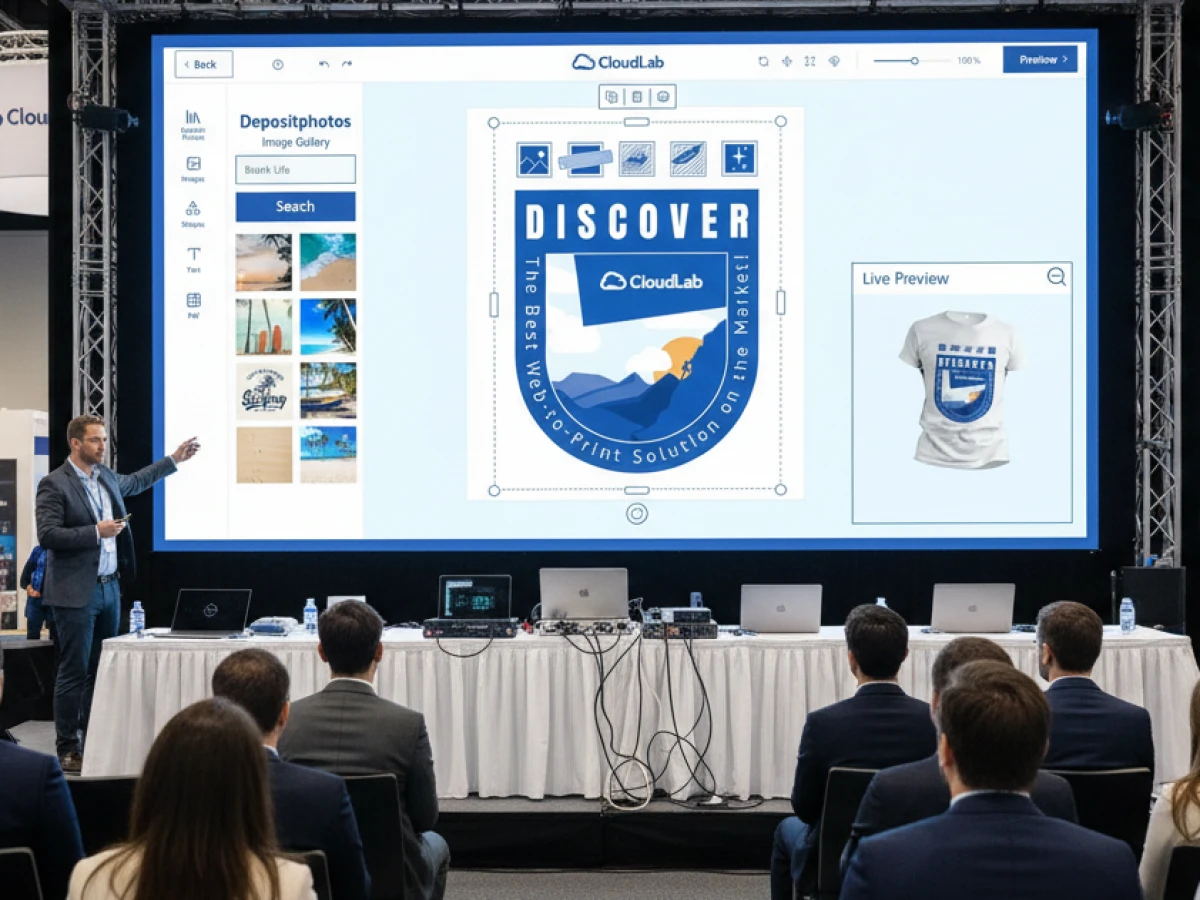
The printQ designer is the heart of the platform. The WYSIWYG editor ("What You See Is What You Get") enables precise placement of text, logos and graphics and prepares them for print. The award‑winning interface creates customised print products in seconds and ensures that the layout is produced exactly as displayed on the screen.
Real‑time adjustments
When users make changes – such as resizing a text box or moving a logo – these are immediately reflected in the layout. printQ takes the final dimensions into account and displays changes instantly. This real‑time aspect improves the user experience and reduces the need for later corrections.
Responsive, browser‑independent design
The editor is based on modern web technologies and works in all common browsers and on all devices – from desktop to tablet. This allows users to start designing anytime and anywhere. The backend architecture is so flexible that even large amounts of data are processed smoothly.
Enhanced design options: vectorisation, finishing and template gallery
Vectorisation and finishing
To achieve high‑quality print results, printQ provides a vectorisation and finishing module. Graphics and text are converted into vectors at the touch of a button, even if only pixel‑based templates are available. Customers can select smoothing and colour options; raster images become clean, high‑resolution graphics. Various finishing techniques such as gold and silver foils, spot or relief varnishes are then available. The module is flexibly configurable: additional options such as white ink, Pantone colours or other special finishes can be added.
Template gallery – millions of templates on demand
Not everyone wants to start from scratch. The template gallery of printQ offers millions of professionally designed templates for business and private customers. Colours, text, logos and images can be customised so that every message gets the desired style. Particularly practical is the dynamic layout feature: when the size of a product is changed, the system recalculates the positions of all elements and arranges them according to defined design rules (e.g. golden ratio). Liquid layouts allow a design to be used for different formats – from flyers to catalogues.
Variable data printing (VDP) – personalised mass production
For personalised series products printQ supports variable data printing (VDP). The software generates customised pages by inserting variable content from databases. Thanks to integration of PDF/VT, all elements of a document can be personalised flexibly. Intelligent forms ensure mandatory fields are filled and data is correctly validated. Data can be imported via Excel or CSV upload or entered directly in the designer. In addition to text, images and graphics even barcodes can be integrated.
Mobile and flexible: image upload, InDesign integration and headless APIs
Image upload via QR code
Modern users often create content on their smartphone. printQ supports this with a mobile image upload: users scan a QR code, connect their mobile device to the editor and upload photos directly from the smartphone to the printQ image library. All uploaded images are immediately available in the editor and can be placed via drag and drop. This mobile workflow reduces media breaks and increases user friendliness.
InDesign workflow for closed shops
For closed corporate portals (closed shops) printQ offers an InDesign integration. Customers can design templates in Adobe InDesign and then import them into the web‑to‑print system. The structure is clear: the background is on level 1, editable elements such as text and image fields on level 2, and brand or logo elements on level 3. After import printQ automatically recognises all placeholders and makes them available in the online editor. This allows CI‑compliant templates to be managed efficiently.
Flexible eCommerce integration & APIs
printQ can be effortlessly connected to common shops. The printQ Shop Connector enables integration with Magento, BigCommerce, Shopware, Shopify and other systems at the click of a mouse. Thanks to the flexible APIs you can connect production, workflow and ERP systems via SOAP/REST, XML, JDF/XJDF, CSV or JSON. This allows complex production methods and multiple suppliers to be integrated seamlessly.
From order to production: automated workflows
Production workflow – precision and hotfolder
After each order printQ automatically generates print‑ready data and integrates it into the production workflow. If required, standard‑compliant JDF and XML files are generated and transferred to machines or MIS systems. Multi‑layer print files with cutting, folding and scoring lines are also possible. Hotfolder integration ensures efficient data transfer and gives all parties an overview of the status of print jobs. This minimises sources of error, reduces costs and shortens throughput times.
Transformative automation
Through JDF/XML workflows production is intelligently automated. This significantly increases competitiveness. Automatic cutting and die‑cutting forms are generated correctly and a digital job ticket accompanies the orders through to finishing. This makes a lights‑out production possible, in which manual intervention is reduced to a minimum.
Dynamic preflight check
As mentioned, printQ combines product configuration with a dynamic preflight check. Users can see whether data such as DPI or font sizes are correct even before they order. The integration of pdfToolbox and PitStop facilitates professional preflight and can be configured in just a few minutes. Real‑time verification improves print quality and saves costs in production.
Specialised designers for every product category
Commercial Print (business stationery)
For classic business products such as business cards, letterhead or invoices, printQ offers a specific commercial print designer. Companies can create CI‑compliant templates, save them and use them for future orders. Alternatively, numerous ready‑made templates are available; plausibility checks help avoid errors. Customers are allowed to flexibly adjust fonts, colours or images to design customised print items.
Wide Format Printing
The wide‑format editor enables the design of roll‑up banners, posters and large advertising boards. Customers choose format and material (e.g. vinyl, paper or textiles) and receive suitable templates from the template gallery. They can view designs in 3D space, zoom and rotate. With real‑time adjustments advertising materials can be adapted to different locations – ideal for trade fairs or shop windows.
Labels & Stickers
The label and sticker designer covers all shapes and materials – whether round, square or free‑form. All options are selected via drop‑down menus so that the basic configuration is done in just a few clicks. A live preview shows how the motif appears on the sticker. PDF previews can also be downloaded for approval and exported conveniently.

Editorial Designer
The editorial designer is optimised for brochures and catalogues. It clearly displays all pages and supports multi‑column layouts, such as for tri‑fold or gate‑fold folds. This allows multi‑page documents to be created online without having to use complex layout software.
Promotional items
With the promotional item designer companies can create customised merchandise – from pens and mugs to hoodies. The browser‑based editor places text, graphics and free forms on three‑dimensional objects. Since printQ supports a wide variety of materials and shapes, there are virtually no limits to creativity.
Textile printing
For textiles printQ offers a special designer that produces vectorised graphics without jaggies. Users can freely design T‑shirts, hoodies or polos and change all elements in real time. The vectorisation technology ensures clean lines and a professional look.
Target groups: who benefits from printQ?
Print service providers and print shops
For traditional print shops, printQ means less manual work and more automation. The software generates print‑ready data directly from online orders and transmits it to machines via JDF/XML. This allows print shops to process orders faster and more efficiently, while opening up new markets and automating repeat orders. Detailed configuration and dynamic price calculation make it possible to create customised offers and build long‑term customer relationships.
Agencies and white‑label providers
Agencies often manage several brands and need flexible solutions. Thanks to printQ’s multi‑client capability, they can set up and manage white‑label shops for different clients. The template gallery and InDesign module ensure CI security; approval processes can be defined so that agency or client teams can review and approve designs. With VDP and API integration, campaigns can be automated – from mass mailings to personalised event materials.
Companies and franchise systems
Large companies and franchise chains benefit from closed B2B portals. Employees can adapt print materials in predefined templates; superiors approve orders. Central control ensures CI compliance and saves time. Thanks to scalability the system can be expanded to hundreds of shops, allowing local partners to order independently. The mobile upload function makes it easier to collect images and logos on site. Combined with dynamic price calculation, companies always keep an eye on the budget.
USPs: what makes printQ unique?
- Magento integration: printQ is the only web‑to‑print solution deeply integrated with Adobe Magento / Commerce – this enables e‑commerce functions such as vouchers, cross‑selling and advanced payment options.
- API‑first and headless: The open architecture allows front ends to be designed freely and to communicate with existing systems via APIs.
- B2B and B2C in one system: Multi‑client capability and rights management allow open shops and closed portals in one back end.
- End‑to‑end automation: From configuration to price calculation to preflight and production control all steps run automatically.
- Global validation: More than 1,000 live portals worldwide use the solution, including renowned brands such as Druckhäusle, Saxoprint and Velocity Graphics.
- No vendor lock‑in: Extensions from the Magento ecosystem or third‑party providers can be integrated; customers can easily add functions such as bonus systems.
Short insights: practical experience reports
Druckhäusle – from digital printer to online pioneer
The printing company DCC Kästl in Stuttgart was looking for a web‑to‑print system to reach customers nationwide. In the case study Druckhäusle managing director Nikolai Kästl reports that CloudLab helped them to automate all processes and thus provided the key to success. Although other providers offered pure SaaS models, printQ convinced them with its powerful editor and the Magento basis. Thanks to the open architecture they were able to integrate a bonus system quickly and rapidly expand the number of products. Within just three months the open shop went online; further closed shops for regular customers followed. The template gallery was particularly helpful in simplifying the design of business cards and letterhead.
Velocity Graphics – big files, big impact
Velocity Graphics, a US provider of large‑format printing, was looking for a solution for menu and point‑of‑purchase materials for a restaurant chain with over 100 branches. They needed a system that could handle large files (26 × 51.5 inches) and at the same time flexibly swap prices and product images. printQ proved to be a cost‑effective and user‑friendly solution. By using PDFlib, the team was able to insert fields directly into PDF files without fear of layout shifts. Velocity Graphics emphasised the ability to restrict design options in order to maintain brand consistency and reduce approval processes. The platform handled large file sizes without problems and delivered a complete customer shop with around 500 products. The fact that printQ is no longer limited exclusively to Magento makes integration into other shop systems easier – a great advantage for Velocity Graphics.
printQ in comparison: why it is “best web‑to‑print software”
With the variety of web‑to‑print providers, the choice is difficult. printQ differs mainly through its strong e‑commerce core and the ability to combine B2B and B2C projects in one system. While other solutions often offer only simple design editors, printQ delivers a complete workflow – from product configuration to production connection. The open API enables headless architectures and prevents lock‑in. In addition, features such as mobile upload, the template gallery with millions of templates and flexible personalisation (VDP) support modern marketing. Last but not least, the case studies and the more than 1,000 active portals speak for themselves.
print shop online software that sets standards
printQ combines everything that makes modern print shop online software: detailed product configuration, dynamic price calculation, a powerful WYSIWYG editor, flexible integrations and automated workflows. The solution is based on the strong Magento platform, is API‑first and avoids vendor lock‑in. Thanks to multi‑client capability and scalability companies can operate both open and closed shops. Whether print service providers, agencies or large enterprises – everyone benefits from precise previews, personalised products and seamless integration with production systems. With over 1,000 live portals worldwide and impressive practical experiences, printQ is one of the best web‑to‑print solutions on the market.
An overview of all features of printQ developed by CloudLab
- WYSIWYG Designer – An intuitive online editor that lets users arrange text, logos, and graphics with real-time 2D/3D previews on any device.
- Print Previews – Instant 2D, 3D, and live views to verify designs before printing.
- Vectorization & Embellishment – Converts raster graphics to smooth vectors and adds special finishes like foil stamping, embossing, or letterpress.
- Template Gallery – Offers millions of editable templates and automatically adapts a design to multiple formats.
- Variable Data Printing (VDP) – Personalises products using PDF/VT with dynamic fields for text, images, or barcodes and supports data uploads.
- Mobile Upload – Allows photos to be added via QR code from smartphones directly into the design tool.
- Commercial Print – Enables the design of business stationery (business cards, letterheads, invoices) that follow corporate branding.
- Wide Format Printing – Lets users create large-format products like banners and posters while selecting sizes and materials.
- Labels & Stickers – Designs custom-shaped labels or stickers with material options and provides live browser or PDF previews.
- Editorial Designer – Facilitates multi-page layouts for brochures, allowing flexible page counts and spreads.
- Promotional Item Designer – Creates branded merchandise such as pens and apparel with accurate product previews.
- Textile Printing Designer – Designs T‑shirts, hoodies, or polos with full control over colours and placement and includes vector conversion.
- eCommerce Integrations & API – A headless system with REST/SOAP and file-based APIs plus connectors for platforms like Magento, Shopify and Shopware.
- Product Configuration & Pricing – Configures paper types, colours and finishes while ensuring valid combinations and calculating realistic prices.
- InDesign Workflow – Imports multi-layer InDesign templates so content can be edited online while preserving fixed design elements.
- Production Workflow – Generates print-ready files and JDF/XML job tickets to automate production through hotfolder integration.
- Dynamic Preflight Check – Works with preflight software to verify fonts, resolution and colour spaces during upload.





