
Omnichannel web storefront: printQ's Mobile Image Upload
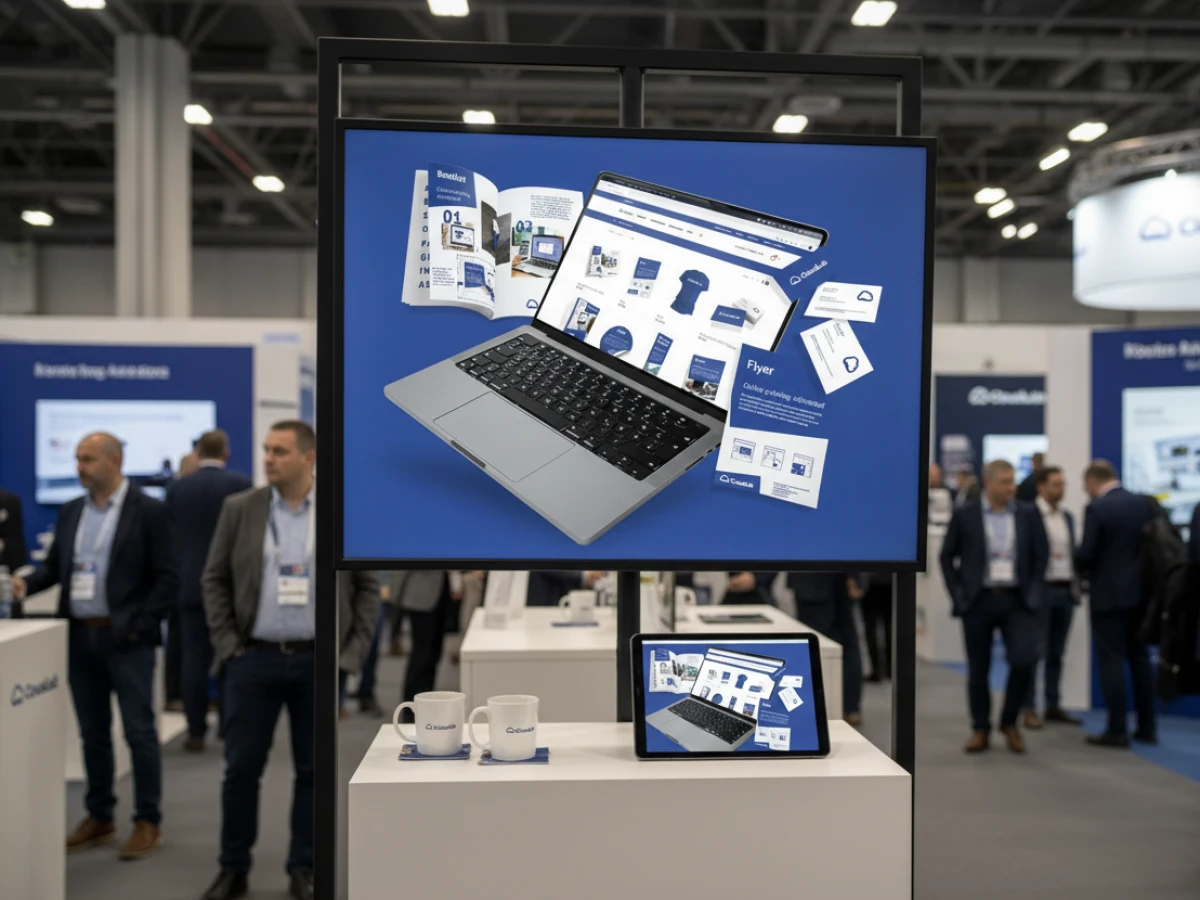
printQ brings together the best of web storefront, omnichannel design and web‑to‑print in one flexible system. The Mobile Image Upload lets customers send pictures straight from a smartphone via QR code to the online editor, speeding up orders and boosting satisfaction. With its API‑first architecture, dynamic pricing and multi‑tenant shops, printQ supports both B2C shops and private B2B portals. Real‑world case studies show how printers and companies scale with printQ while maintaining creative freedom.
The mobile image world meets Web‑to‑Print
The printing industry is changing. Customers expect an intuitive web storefront experience similar to online shopping: choose products, design them, see them in real time and order immediately. At the same time, the focus is shifting from desktop to smartphone—according to CloudLab more than 70 percent of users take their first design steps on mobile devices. Yet the classic upload process is cumbersome: images must be emailed, downloaded and uploaded again. printQ solves this issue with an integrated Mobile Image Upload feature that transfers pictures directly from the phone gallery to the editor via QR code.
Beyond this innovation, printQ is the only premium web‑to‑print solution built on Adobe Magento and combines online editor, automation and open interfaces in a single system. This article shows how the interplay between omnichannel strategy and mobile image upload is revolutionizing the ordering of printed products.
Web‑to‑Print: Basics, market trends and open platforms
Digitization of printing
Web‑to‑print describes the complete digitization of printing processes: customers select products online, personalise them in the browser, check the preview in 2D/3D and release the job. The market is growing rapidly; commercial printing revenue is forecast to rise from 501 billion USD in 2024 to over 598 billion USD by 2030. At the same time, the hosting model is shifting: around 90 percent of providers prefer SaaS solutions—these offer agility and low entry costs, while on‑premise models remain relevant for companies with high integration requirements.
Open, modular architecture
Many web‑to‑print vendors use open‑source bases such as Magento, Sylius or Shopware to enable flexible customisation and integration. printQ is built entirely on Adobe Magento and combines the stability of this e‑commerce platform with a powerful WYSIWYG editor, 3D preview and an automation engine. Unlike proprietary solutions, users benefit from a large community and can seamlessly integrate their own modules.
B2C and B2B storefronts in one system
A central differentiator of printQ is the ability to operate public B2C shops and closed B2B portals in parallel. In the B2C arena, a user‑friendly interface, fast checkout and impulse‑oriented products such as flyers or T‑shirts take centre stage. B2B portals, on the other hand, are password‑protected, provide corporate‑identity templates, role‑based approvals and budget control. This duality allows print service providers to serve end customers, SMEs and large enterprises from a single installation—a major competitive advantage.
The online editor: Heart of the customer journey
WYSIWYG designer with 2D/3D preview
The browser‑based WYSIWYG designer is the heart of printQ. It enables placement of text, logos and graphics via drag & drop; every change is immediately displayed in a precise 2D or 3D preview. Users thus see the final dimensions and effects without needing professional graphic software. The editor reacts extremely quickly on all browsers and devices—a prerequisite for mobile usability.
Template gallery and dynamic layout
The Template Gallery contains millions of templates for different industries. Customers can change colours, add text or upload their own logos. A special strength is the dynamic layout: when the dimensions of a product change, printQ recalculates the positions of elements based on design rules such as the golden ratio. This allows one design to be transferred to different formats without effort (“One design, many formats”).
Variable Data Printing (VDP)
Personalisation at scale is enabled through Variable Data Printing. With PDF/VT integration, all elements of the product can be personalised. Data can be uploaded via Excel/CSV or entered directly in the editor. Forms are intelligently validated so that mandatory fields are filled in correctly and error messages appear automatically. VDP supports text, graphics, barcodes and other data types—ideal for mailings, membership cards or personalised packaging.
Preflight and price calculation
The dynamic preflight checks print data in real time: criteria such as resolution, colour space and minimum font size are validated before printing. printQ supports leading preflight tools like Enfocus PitStop and callas pdfToolbox, which can be integrated within minutes. Detailed options are available for product configuration; during creation the system continuously recalculates the price and displays realistic printing and production costs. This gives customers immediate cost transparency.
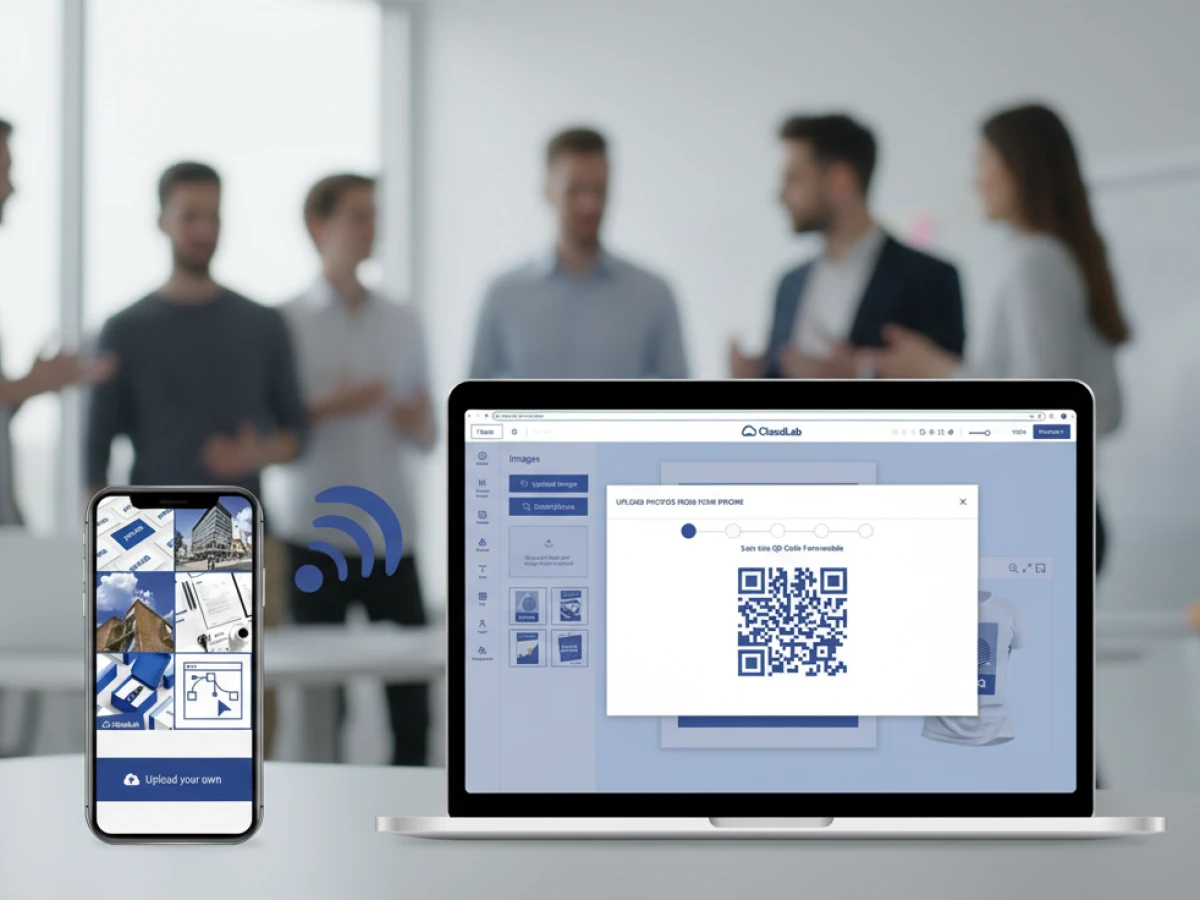
Mobile Image Upload: Smartphone photos in seconds
The challenge
Despite mobile use, many customers have to transfer images from their phone to their PC through a tedious process. This media break leads to errors, abandoned carts and lengthens the ordering process.
printQ’s solution
printQ solves this problem with Mobile Image Upload: each active editor tab generates a unique QR code; after clicking “Upload from Smartphone” it is displayed and scanned with the phone. Without an app or login the phone connects securely to the editor. Users select an existing photo or take a new one; the images are immediately transferred into the design. During upload printQ automatically optimises the files with regard to resolution, colour profile and compression. The encrypted sessions are time‑limited, and data is deleted after upload—perfect for GDPR‑compliant processes.
Omnichannel experience
Mobile Image Upload is natively integrated into the printQ editor and works seamlessly with 2D/3D preview, template management and preflight. Technically the connection is based on WebSocket communication; the QR sessions run over TLS‑encrypted channels and can also be accessed via REST API for custom front‑ends.
Applications and benefits
This feature is ideal for photo gifts such as calendars, greeting cards and posters, for marketing materials with staff pictures, personalised packaging and event prints. For businesses it brings higher conversion rates, fewer support requests and faster production. According to CloudLab the abandonment rate drops by up to 25 percent when images are uploaded without media disruption.
B2C vs B2B Web‑to‑Print storefronts
Different target groups, one platform
B2C shops address end consumers and small businesses: they offer simple operation, fast checkouts and promotional functions such as voucher codes. Typical products are flyers, posters, T‑shirts or photo gifts. B2B portals are private and password‑protected; they safeguard the corporate identity through templates, role‑based rights and approval processes. The system manages budgets and cost centres so marketing managers can approve orders. printQ unites both worlds in one installation—a key advantage for print shops with mixed target audiences.
Multi‑storefront capability
As a company grows, it needs multiple brand or country portals. printQ can host various web to print storefronts in a single installation: each with its own domain, individual product range and pricing logic. The portals have isolated catalogues, granular permissions and central production. This multi‑storefront architecture is ideal for franchise chains, agencies or print groups that manage several clients or brands.
Roles and approvals
In B2B portals, user roles can be defined: marketing managers design templates, store managers personalise them for local campaigns and the headquarters approves the order. Budgets and cost centres are set for each user or group. This process control relieves head offices and ensures brand consistency.
API‑first architecture and open integrations
printQ Shop Connector
printQ offers a Shop Connector that links Magento, BigCommerce, Shopware, Shopify and other platforms. Integration is completed in just a few clicks without programming knowledge; this allows existing e‑commerce shops to be expanded with a powerful online editor.
Flexible APIs
REST‑ or SOAP interfaces as well as XML/JDF/XJDF/CSV and JSON can be used to connect MIS, ERP, CRM or workflow systems. This headless architecture allows printQ to act as a backend while you develop your own front‑ends. It also enables seamless connection to production machines via JDF job data.
SaaS or on‑premise
Many print service providers prefer SaaS models because the provider handles updates, security and scaling. printQ offers both options: users can subscribe to the platform as a cloud service or install it locally if data protection or existing IT infrastructures require it. The SaaS variant makes entry easier and allows hundreds of portals to be rolled out quickly, while an on‑premise installation offers maximum control.
Automation & workflow
The web to print software from printQ automates the entire process: after design, the preflight checks the files, generates print‑ready PDFs and creates JDF/XML jobs that flow into production via hotfolders or APIs. These “lights‑out” workflows allow print shops to process thousands of standard jobs in parallel and benefit from lower personnel costs and shorter turnaround times.
Product configuration, pricing and calculation
printQ allows detailed configuration of print products: material, colour, format and finishing can be defined down to the last detail. The system plausibly checks whether the chosen combinations are technically feasible and warns of errors. A dynamic price calculation determines realistic prepress, printing and finishing costs based on industry constants. Product dependencies such as inline coating are automatically taken into account.

Case studies: Practical examples of omnichannel success
SAXOPRINT – open shops and corporate portals
The online printer SAXOPRINT operates both public shops for end customers and closed portals for corporate clients using printQ. The multi‑client architecture makes it easy to create new B2B portals while respecting corporate design guidelines. This allows SAXOPRINT to offer flyers, stationery, packaging and promotional items from a single Magento base.
Druckhäusle – quick start into online printing
The Swabian print shop DCC Kästl was looking for a flexible solution to set up a web shop. With printQ the “Druckhäusle” went live within three months. The decisive factors were the intuitive printQ editor and the Magento base, which gave the company freedom in design and extensions. Thanks to the open structure a bonus system could be integrated via an external extension—something other providers could not deliver as quickly. For existing customers Druckhäusle later set up closed portals to shorten the ordering process: ten steps in the open shop were reduced to two, including an approval process.
Velocity Graphics – large‑format menus and POS
Velocity Graphics in the USA moved the menus of a restaurant chain to printQ. The requirements were extraordinary: menu boards measuring 26 × 51.5 inches had to accommodate images and prices that changed frequently. printQ impressed with its ability to process large files and offer a customised B2B portal. By integrating PDFlib, fields could be inserted directly into PDFs without shifting the layout. This success enabled Velocity Graphics to expand the portal to 500 products and automate internal workflows.
Business impact: Added value for customers and providers
Higher conversion and customer satisfaction
The mobile upload function reduces abandonment rates by up to 25 percent because users can add images directly from their smartphone. An intuitive web storefront with realistic 2D/3D previews and immediate pricing builds trust and encourages spontaneous purchases.
Efficiency gains and cost savings
Automated preflight checks, PDF generation and JDF hand‑off reduce manual intervention. Multi‑storefronts enable the central management of many portals with shared production, creating economies of scale. For printers this means shorter turnaround times, lower personnel costs and higher margins.
New revenue potential
Combining the Template Gallery, VDP and Mobile Image Upload allows new products such as personalised packaging, photo gifts or locally adapted POS materials. Integration into existing online shops via the Shop Connector enables cross‑selling and up‑selling of print products alongside digital goods.
AI and smart print workflows
CloudLab is working on AI‑powered functions like automatic image correction, intelligent placement and predictive print planning. These features will further improve the Mobile Image Upload and optimise the user experience. In addition, API enhancements will allow web storefronts to be linked even more closely with marketing automation and predictive analytics systems.
Mobile Image Upload from printQ connects the mobile image world seamlessly with the web storefront. Customers scan a QR code, upload photos directly from their smartphone and see them instantly in the online editor. This omnichannel feature shortens the order process, increases conversion rates and creates a modern shopping experience. Combined with the Magento integration, API‑first architecture, multi‑storefront capability and complete automation, printQ is the ideal solution for printers, agencies and companies that want to operate B2C shops and B2B portals from a single system. Anyone looking for a scalable, open and future‑proof web‑to‑print platform will find a perfect partner in printQ.
An overview of all features of printQ developed by CloudLab
- WYSIWYG Designer – An intuitive online editor that lets users arrange text, logos, and graphics with real-time 2D/3D previews on any device.
- Print Previews – Instant 2D, 3D, and live views to verify designs before printing.
- Vectorization & Embellishment – Converts raster graphics to smooth vectors and adds special finishes like foil stamping, embossing, or letterpress.
- Template Gallery – Offers millions of editable templates and automatically adapts a design to multiple formats.
- Variable Data Printing (VDP) – Personalises products using PDF/VT with dynamic fields for text, images, or barcodes and supports data uploads.
- Mobile Upload – Allows photos to be added via QR code from smartphones directly into the design tool.
- Commercial Print – Enables the design of business stationery (business cards, letterheads, invoices) that follow corporate branding.
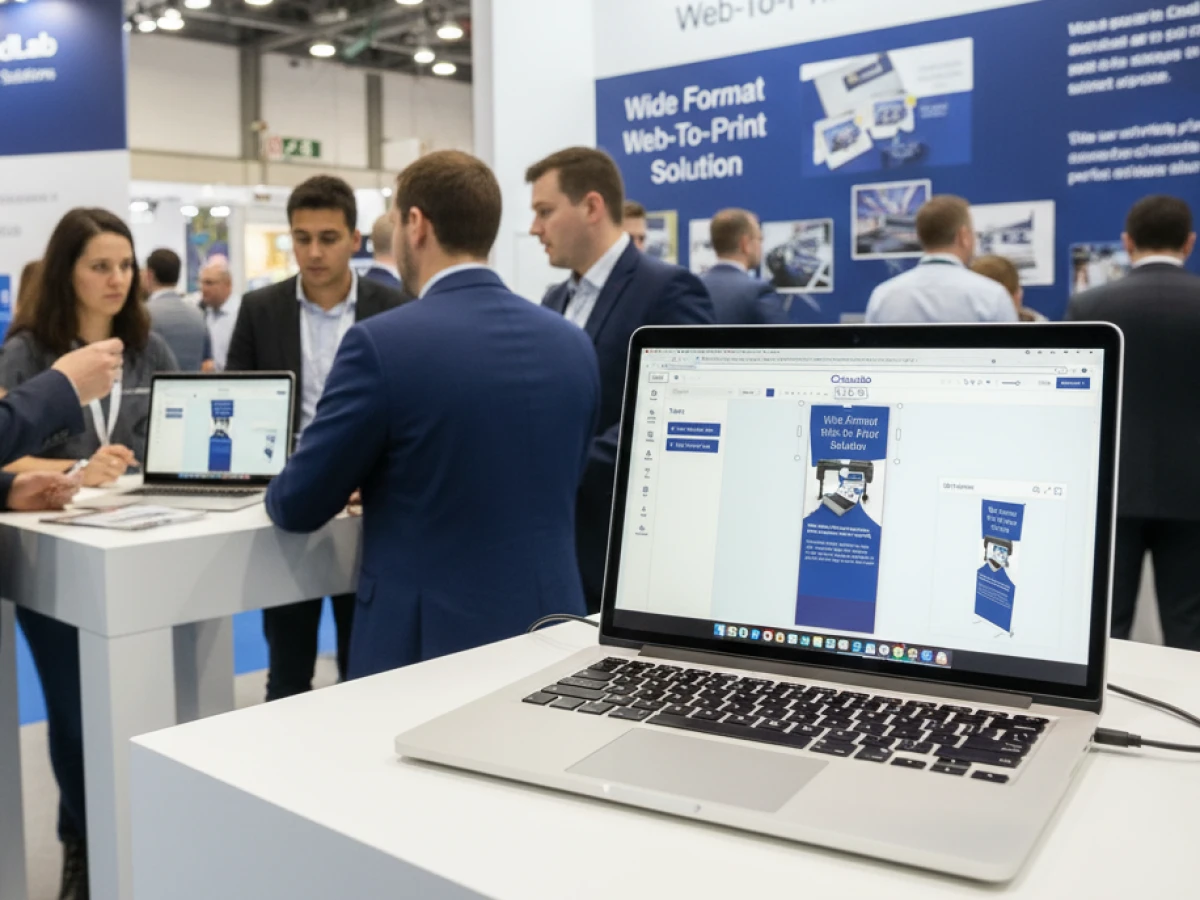
- Wide Format Printing – Lets users create large-format products like banners and posters while selecting sizes and materials.
- Labels & Stickers – Designs custom-shaped labels or stickers with material options and provides live browser or PDF previews.
- Editorial Designer – Facilitates multi-page layouts for brochures, allowing flexible page counts and spreads.
- Promotional Item Designer – Creates branded merchandise such as pens and apparel with accurate product previews.
- Textile Printing Designer – Designs T‑shirts, hoodies, or polos with full control over colours and placement and includes vector conversion.
- eCommerce Integrations & API – A headless system with REST/SOAP and file-based APIs plus connectors for platforms like Magento, Shopify and Shopware.
- Product Configuration & Pricing – Configures paper types, colours and finishes while ensuring valid combinations and calculating realistic prices.
- InDesign Workflow – Imports multi-layer InDesign templates so content can be edited online while preserving fixed design elements.
- Production Workflow – Generates print-ready files and JDF/XML job tickets to automate production through hotfolder integration.
- Dynamic Preflight Check – Works with preflight software to verify fonts, resolution and colour spaces during upload.





