
Millions of Images, One Click: printQ’s Web to Print SaaS

printQ combines the flexibility of web to print SaaS with a built‑in Depositphotos integration that offers millions of royalty‑free images. Users design products in a 2D/3D editor, personalize templates with variable data and upload photos via QR code, while real‑time preflight and automated workflows ensure flawless production. With open APIs and Magento at its core, printQ supports both public shops and secure corporate portals on a single platform. It scales from small print shops to global enterprises, making it a benchmark for modern web‑to‑print software.
Unlocking Creativity: Depositphotos Integration in printQ
A great print project starts with compelling visuals. Traditionally, sourcing high‑quality photos meant leaving the editor, trawling through external stock sites and juggling complex licences. With printQ’s Depositphotos integration, that bottleneck disappears. Inside the online designer you find a dedicated Depositphotos image gallery with millions of royalty‑free photos, vectors and illustrations. A curated selection of over 1.4 million high‑resolution files is included at no extra cost, while the wider Depositphotos archive offers more than 293 million visual assets across every imaginable category. Whether you need a vibrant background for a brochure, an icon for a business card or an abstract pattern for packaging, you stay within the same interface and insert images with a click.
The gallery includes robust search and filter tools. Users can type keywords, choose colours or categories, filter by orientation and even save favourites into collections for future projects. When an image is chosen, printQ automatically handles licensing. There is no separate checkout and no risk of copyright infringement. This integration streamlines creativity and encourages experimentation, especially for non‑designers who would otherwise struggle to find suitable artwork.
What Depositphotos Brings to printQ
The partnership between printQ and Depositphotos is more than a simple plugin. It offers a vast variety of subject matter, from landscapes and portraits to business scenes, technology motifs and lifestyle images. Every file in the gallery is high resolution and approved for professional printing, so designs scale from business cards to large banners without losing detail. The integration also includes:
- Royalty‑free licensing: Usage rights are included when you select an image, giving peace of mind to both customers and print providers.
- Instant previews: Hover over a thumbnail to see a larger preview, then insert the image directly into the canvas; it appears immediately in the WYSIWYG editor.
- Favorites and collections: Agencies and corporate clients can organise assets into custom collections, ensuring brand consistency and simplifying reuse across campaigns.
- Automatic cropping and scaling: Once placed on the canvas, images can be resized, cropped or rotated without leaving the editor. The high‑resolution source file prevents pixellation.
Benefits Across the Workflow
The Depositphotos integration benefits everyone involved in the printing process. End customers enjoy instant creativity and legal peace of mind; they can embellish products without worrying about hidden costs. Print service providers receive fewer support enquiries and ensure consistent, print‑ready quality. Agencies and designers gain a centralised asset library and can build prototypes faster. Corporations can curate approved images for their brands, ensuring compliance and reducing risk. Because licensing is automatic, procurement teams avoid legal grey areas and invoices for third‑party images. Together, these advantages elevate printQ beyond typical web‑to‑print software and make the platform a powerful tool for personalised marketing and corporate communication.
Why printQ is the Benchmark Web to Print Software
While the Depositphotos integration is a highlight, it is only one part of printQ’s comprehensive feature set. Built on Adobe Magento (Adobe Commerce), printQ is the only web to print software fully integrated with this enterprise‑ready e‑commerce platform. Users benefit from mature shopping cart functions, multi‑currency pricing, promotions and a huge ecosystem of extensions. On top of this foundation, printQ adds specialised print services accessible via a headless, API‑first architecture. The result is a flexible backbone that decouples the front end from the print engine, enabling custom storefronts, mobile apps and omnichannel experiences without touching the underlying logic.
WYSIWYG Editor with 2D/3D Previews
At the heart of printQ is its WYSIWYG designer. This browser‑based editor lets users drag and drop text, shapes and images onto a canvas while seeing exactly how the final product will look. Two‑dimensional previews show crop marks, fold lines and safety margins, ensuring layouts meet technical specifications. Switch to the 3D view to rotate and zoom packaging, menu boards or promotional items; interactive rendering allows customers to examine embellishment effects or textured finishes before ordering. Because the editor runs on desktop and mobile devices without plugins, customers can design wherever inspiration strikes.

Template Gallery and Variable Data Printing
Not every customer is a designer, so printQ includes a vast template gallery. From business cards and brochures to packaging and textiles, the platform offers professionally designed layouts that can be adapted to any brand or format. The Dynamic Layout feature automatically transfers designs across sizes and shapes, saving hours of manual adjustment. When you need personalised content, printQ’s Variable Data Printing (VDP) engine comes into play. Through PDF/VT integration, users upload data via Excel or CSV files or enter it manually. Fields merge with the template to create unique names, numbers, barcodes or images on each printed piece. Intelligent forms validate entries, flag missing data and ensure compliance with corporate identity guidelines.
Mobile Image Upload via QR Code
Bridging the gap between smartphones and desktop design, printQ’s mobile image upload feature uses QR codes. Every active session in the editor generates a unique QR code. Customers scan it with their phone, select photos from their gallery or take new ones and upload them directly into the layout. There is no need for cables, emails or cloud transfers. Images appear instantly, and the system optimises resolution and colour profile in the background. Upload sessions are encrypted and temporary, complying with data‑protection regulations. This simple workflow removes friction for end users and reduces cart abandonment caused by complicated file transfers.
Vectorization and Embellishment Tools
Great print often requires crisp line art and finishing effects. With printQ’s vectorization extension, raster graphics can be converted into vector format in seconds. Customers choose the smoothing level and colour palette; the software generates scalable paths that support high‑resolution printing and embellishment. The embellishment module enables creative finishing such as gold and silver foil stamping, spot varnish, relief varnish and embossing. Users select text or vector objects and apply the desired effect. Multiple embellishments can be layered, and the system stores each layer separately in the PDF for accurate production. This interactive approach reduces prepress time and empowers customers to experiment with premium finishes without expert knowledge.
Dynamic Preflight Checks for Error‑Free Printing
One of the biggest pain points in print production is discovering errors after an order is placed. printQ’s dynamic preflight check fixes this by verifying artwork in real time. As users design and upload files, the system checks resolution, colour space, fonts and minimum type size. If a problem arises, an alert explains what needs to be corrected. The preflight integrates with leading tools like Enfocus PitStop and callas pdfToolbox, and it can be configured to match specific company standards. This early intervention reduces reprints, saves time and ensures that only compliant files reach the press.
Product Configuration & Real‑Time Pricing
Modern customers expect to tailor every aspect of a product and know the cost immediately. printQ’s product configuration tool lets users select substrates, formats, colours, finishes, binding types and quantities. Plausibility checks prevent impossible combinations; for example, laminating recycled paper may be disabled, or a minimum quantity may be suggested for offset printing. The system displays options in list or tile views to suit technical buyers and inspiration seekers. The pricing engine computes costs in real time based on materials, labour, run length and finishing. It supports tiered pricing, custom price lists for B2B clients and volume discounts. Transparency builds trust, reduces support calls and helps customers make informed decisions.
End‑to‑End Workflow Automation
After design and configuration come production. printQ automates everything from PDF generation to job ticket creation and file delivery. Once an order is placed, the platform compiles all design elements into a high‑resolution PDF with separate layers for cutting, folding or perforation. It generates JDF or XJDF job tickets that contain product specifications, process instructions and resource requirements. Hotfolder integration means that files are dropped into designated folders monitored by presses, cutters and finishers; the equipment picks up jobs automatically. The system routes orders to facilities based on capacity or location and tracks status in real time. This lights‑out workflow reduces manual labour, shortens turnaround times and enables mass customisation at scale. For multi‑site operations, automation ensures consistent output regardless of where the job is produced.
Open APIs and Headless eCommerce Integration
printQ isn’t a closed box. Its headless architecture exposes services through REST and SOAP APIs, along with file formats like XML, JDF/XJDF, CSV and JSON. This openness allows seamless integration with ERP and MIS systems, shipping providers and marketing automation tools. The printQ Shop Connector links the backend to popular eCommerce platforms such as Magento, BigCommerce, Shopware and Shopify. Install the connector, map products and printQ becomes a natural extension of your existing shop. Customers personalise products without leaving your site, orders sync automatically and your team doesn’t have to build middleware from scratch. For custom applications, developers can build their own connectors or integrate the editor into mobile apps thanks to the headless design.
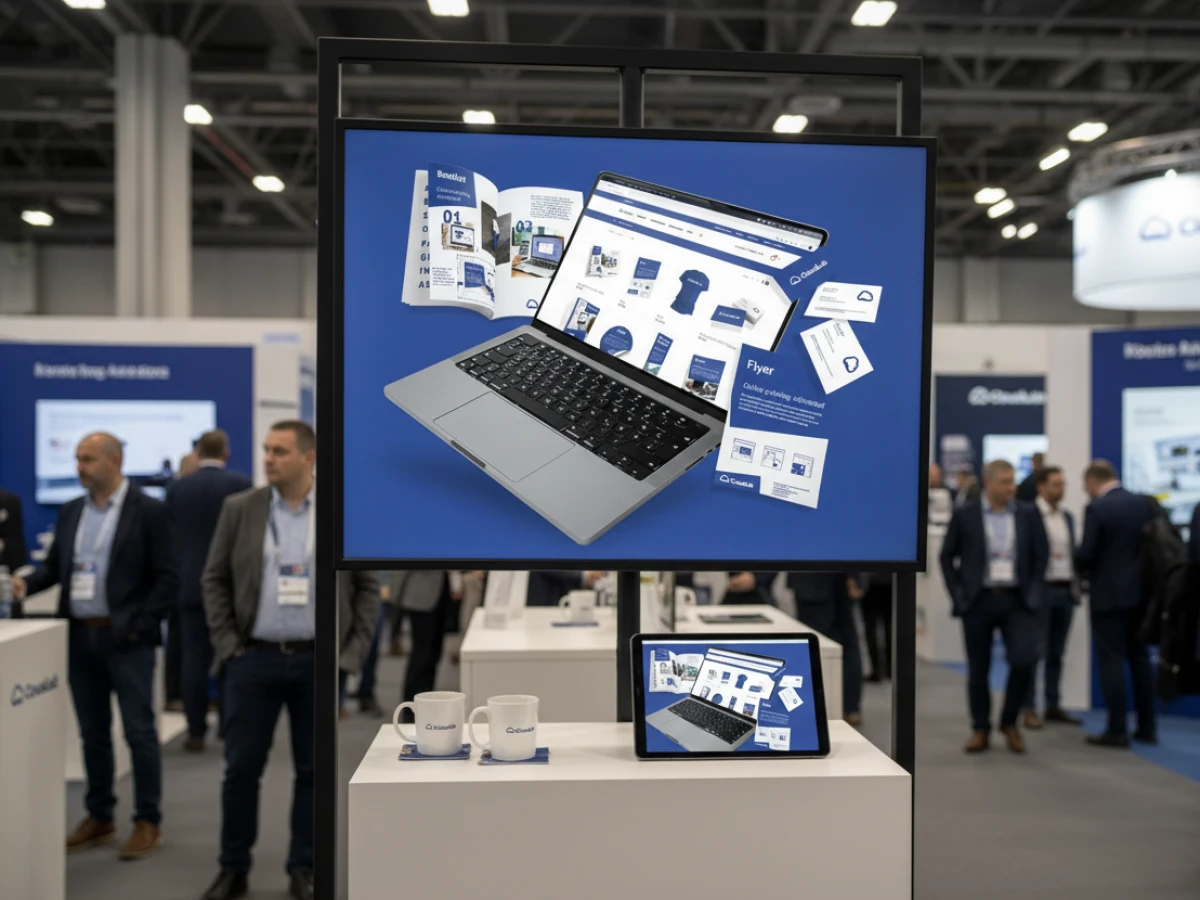
Scalability, Multi‑Client Structure and SaaS Flexibility
Whether you run a single print shop or manage hundreds of brands, printQ scales with you. The multi‑client architecture supports separate storefronts for different brands, languages or regions, all managed centrally. Each portal can have its own product catalog, pricing and design templates while sharing the same production engine. This is ideal for franchise networks, agencies serving multiple clients or enterprises with distributed teams. Deployments are available as a cloud (SaaS) service or on‑premise, giving businesses control over data and infrastructure. With over a thousand live portals worldwide, printQ has proven its ability to handle large volumes, internationalization and diverse product ranges without sacrificing performance.
Supporting Diverse B2C and B2B Portals
Most printing platforms focus on either consumer retail or corporate procurement, but printQ bridges both worlds in one system. In B2C open shops, anybody can browse products, personalise templates and complete purchases without creating an account. The experience is intuitive, with step‑by‑step configuration, depositphotos search within the editor and instant previews. Customers can experiment with layouts, choose paper stocks and see pricing as they edit – an ideal way to attract casual buyers or run marketing campaigns for seasonal promotions.
For B2B closed portals, printQ introduces layers of security, branding and approval. Companies, franchises and institutions create dedicated storefronts accessible only to authorised users. Administrators define roles and permissions, establish budgets and configure approval workflows. Employees order business cards, stationery or marketing materials within predefined templates that uphold corporate identity. The Depositphotos library is filtered to include only pre‑approved images or company collections, ensuring compliance with brand guidelines. Variable data fields allow personalisation of names, addresses and numbers, while order summaries route through managers for sign‑off. The same core platform supports both open and closed use cases, reducing maintenance and training overhead.
printQ’s unified architecture means that features such as QR uploads, dynamic pricing and automated preflight checks are available across all contexts. This versatility is a significant advantage over niche tools that require separate systems for consumer and corporate workflows.
Unique Selling Points and Competitive Advantage
With a crowded marketplace of web‑to‑print tools, printQ differentiates itself through a combination of technology, flexibility and industry experience. These unique selling points give printQ an edge:
- Magento integration: printQ is built on Adobe Commerce and inherits a mature e‑commerce stack with marketing tools, payment gateways and promotional features. It is the only web‑to‑print solution fully integrated into this platform.
- API‑first, headless architecture: Every service – from design to pricing to automation – is accessible via APIs. This decouples the front end from the back end and eliminates vendor lock‑in, allowing businesses to develop custom interfaces, mobile apps or integrate with existing portals.
- B2B and B2C in one system: Unlike competitors that sell separate editions, printQ supports public shops and private portals from the same installation, with multi‑client management, role‑based access and centralised administration.
- End‑to‑end automation: Automated PDF generation, JDF job tickets, hotfolder delivery and integration with MIS/ERP systems turn orders into ready‑to‑produce jobs without manual intervention. Combined with real‑time preflight checks, this reduces errors and speeds up production.
- Global proof: With over one thousand live portals across Europe, North America and Asia, printQ is battle‑tested at scale. The platform handles complex languages, currencies and tax rules, and it continues to innovate with features such as integrated Depositphotos search and vectorization.
Real‑World Success Stories
Saxoprint: Scaling Public and Corporate Storefronts
Saxoprint, one of Europe’s largest online printers, uses printQ to power both open consumer shops and closed portals for major corporate clients. The platform manages a vast product portfolio — flyers, business cards, packaging, textiles and promotional items — on a single Magento base. Saxoprint relies on the multi‑client architecture to spin up new B2B portals quickly while maintaining corporate design guidelines. Automated workflows handle thousands of daily orders without overwhelming staff, and the Depositphotos integration provides ready‑made artwork for marketing teams and customers.
Druckhäusle: Fast Entry into E‑Commerce
The Swabian print shop Druckhäusle needed a flexible solution to enter online printing quickly. With printQ’s intuitive editor and Magento foundation, the company launched an online shop in just three months. The closed portal for recurring clients streamlined the ordering process, and modular features such as reward programmes were added later. The ability to personalise templates and access royalty‑free images helped Druckhäusle differentiate its services without a large design team.
Velocity Graphics: Powering Large Format Menus
Velocity Graphics built a custom B2B portal for a nationwide restaurant chain requiring large menu boards (26 × 51.5 inches) that could be updated frequently. printQ’s ability to process huge files, handle variable pricing and integrate with PDFlib meant that each restaurant could adjust images and prices within locked templates. The Depositphotos gallery offered professionally styled food photography, while the multi‑client setup maintained consistency across 100+ locations. The result was a streamlined workflow that allowed rapid menu changes and ensured brand compliance.
Global Reach
Beyond these examples, printers around the world — from Ortmaier Druck in Germany to Newprint in Canada and Offset5020 in Austria — use printQ to manage digital storefronts. The platform’s flexibility supports commercial print, packaging, wide‑format, labels and textile printing. More than a web to print storefront, printQ provides a unified environment where design, eCommerce and production converge.
Practical Tips: Maximizing the Depositphotos Image Gallery
To get the most out of the integrated image library, consider a few best practices:
- Use specific keywords when searching. Instead of typing “business,” try phrases like “diverse team brainstorming” or “modern office with laptops” to obtain relevant results. Encourage clients to think about mood, colour and context.
- Leverage collections to organise approved images for campaigns or brands. Agencies can curate sets based on themes (e.g. minimalist, colourful, vintage) or product categories (e.g. food, technology) and share them across projects.
- Match orientation and bleed. Choose portrait images for vertical formats and landscape photos for horizontal products. Use printQ’s preview to ensure critical elements aren’t trimmed off in the bleed area.
- Blend stock and custom content. Use professional photos as backdrops or supporting visuals, but personalise the design with company logos, custom text and user‑supplied images via the QR upload feature. This balance delivers unique results while saving on costly photo shoots.
- Refresh your visuals regularly. Design trends evolve quickly. The massive Depositphotos library makes it easy to find fresh content that reflects current styles, so update collections periodically to keep designs contemporary.
The Future of Web to Print: Trends and Innovations
The collaboration between printQ and Depositphotos hints at what’s to come. Artificial intelligence will make image search smarter, understanding context and style preferences from natural‑language descriptions or sketches. As AR becomes mainstream, printed materials may link to dynamic content that animates when scanned. We will also see growth in customised stock imagery where models, backgrounds or colour schemes can be adjusted to match specific demographics or brand identities. When combined with variable data printing, these innovations will enable hyper‑personalised campaigns at scale. In all scenarios, a robust print engine, flexible SaaS platform and integrated image library remain crucial.
printQ’s Competitive Edge
printQ demonstrates that a web to print saas platform can be both creative and industrial. By integrating the extensive Depositphotos library, it puts millions of high‑quality images at the fingertips of every user. A user‑friendly editor with 2D and 3D previews, variable data printing, mobile uploads, vectorization and embellishment tools empower customers to design with confidence. Dynamic preflight checks, intelligent product configuration and real‑time pricing ensure that orders are technically sound and economically viable. Automation extends beyond the browser, generating print‑ready files, job tickets and routing orders to production without manual intervention. Open APIs and a headless architecture allow seamless eCommerce integration and build a bridge to ERP, MIS and marketing systems. Finally, multi‑client scalability and flexible deployment options mean that printQ suits individual print shops as well as global enterprises. For anyone seeking to elevate their designs, simplify workflows and offer a complete saas web to print solution, printQ sets the standard.
Post Summary: printQ’s web‑to‑print SaaS unites creativity and automation in one platform. With an integrated Depositphotos library offering millions of royalty‑free images, a WYSIWYG editor with 2D/3D previews and tools for variable data printing, vectorization and embellishment, users design professional products quickly. Mobile image upload via QR code, real‑time preflight checks and dynamic pricing create a seamless experience. Open APIs, headless architecture and Magento integration let printers, agencies and enterprises build B2C shops and secure B2B portals on a single system. End‑to‑end automation, multi‑client scalability and flexible SaaS or on‑premise deployment make printQ a benchmark in modern web‑to‑print software.
An overview of all features of printQ developed by CloudLab
- WYSIWYG Designer – An intuitive online editor that lets users arrange text, logos, and graphics with real-time 2D/3D previews on any device.
- Print Previews – Instant 2D, 3D, and live views to verify designs before printing.
- Vectorization & Embellishment – Converts raster graphics to smooth vectors and adds special finishes like foil stamping, embossing, or letterpress.
- Template Gallery – Offers millions of editable templates and automatically adapts a design to multiple formats.
- Variable Data Printing (VDP) – Personalises products using PDF/VT with dynamic fields for text, images, or barcodes and supports data uploads.
- Mobile Upload – Allows photos to be added via QR code from smartphones directly into the design tool.
- Commercial Print – Enables the design of business stationery (business cards, letterheads, invoices) that follow corporate branding.
- Wide Format Printing – Lets users create large-format products like banners and posters while selecting sizes and materials.
- Labels & Stickers – Designs custom-shaped labels or stickers with material options and provides live browser or PDF previews.
- Editorial Designer – Facilitates multi-page layouts for brochures, allowing flexible page counts and spreads.
- Promotional Item Designer – Creates branded merchandise such as pens and apparel with accurate product previews.
- Textile Printing Designer – Designs T‑shirts, hoodies, or polos with full control over colours and placement and includes vector conversion.
- eCommerce Integrations & API – A headless system with REST/SOAP and file-based APIs plus connectors for platforms like Magento, Shopify and Shopware.
- Product Configuration & Pricing – Configures paper types, colours and finishes while ensuring valid combinations and calculating realistic prices.
- InDesign Workflow – Imports multi-layer InDesign templates so content can be edited online while preserving fixed design elements.
- Production Workflow – Generates print-ready files and JDF/XML job tickets to automate production through hotfolder integration.
- Dynamic Preflight Check – Works with preflight software to verify fonts, resolution and colour spaces during upload.





