
Global Print Commerce – web-to-print storefronts for a world of languages & currencies
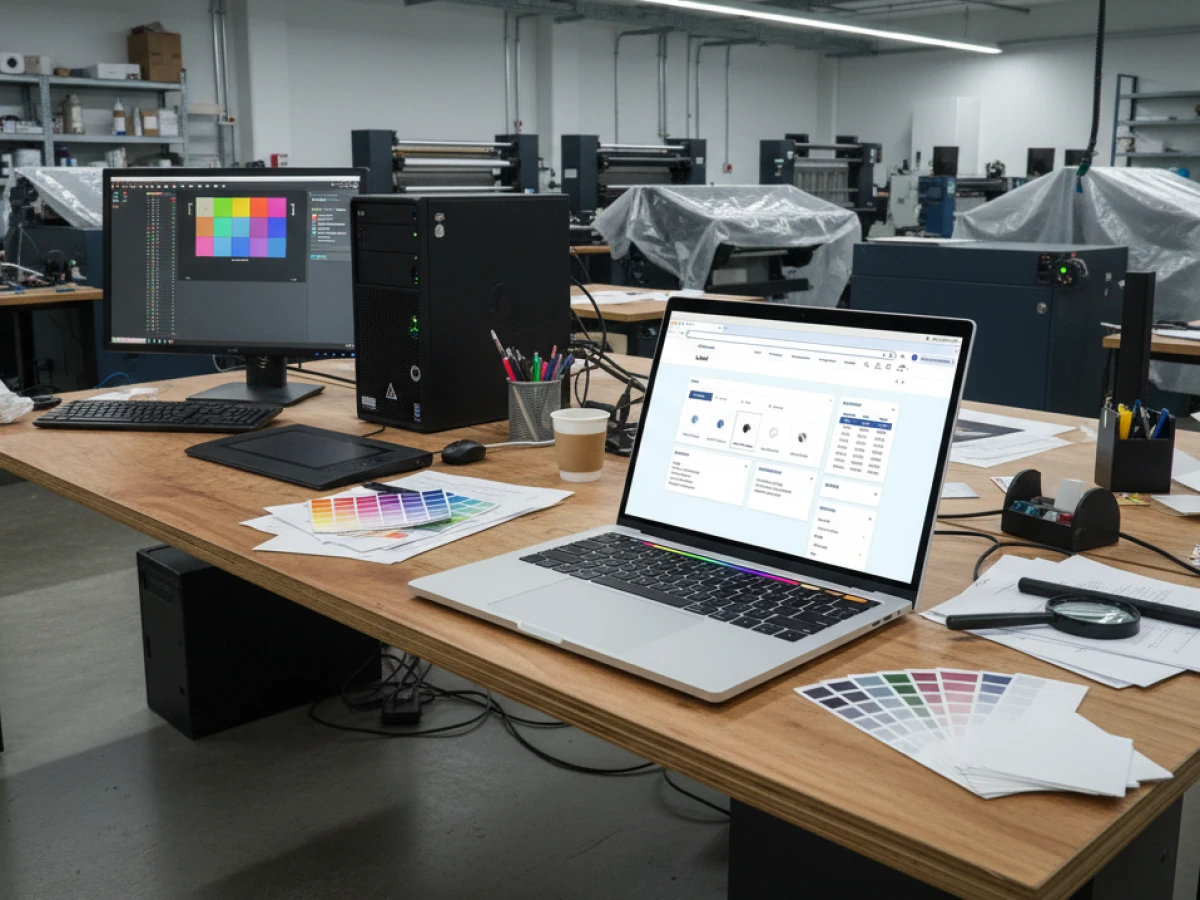
printQ brings modern e‑commerce practices to printing by uniting web‑to‑print storefronts with multilingual and multi‑currency capabilities. This Magento‑based platform lets print providers run public shops and private portals in one system, while a WYSIWYG editor, template galleries and automation streamline design and production. With API‑first architecture and scalable multi‑client management, printQ makes it simple for printers, agencies and enterprises to launch international print portals and expand globally.
Building Global web‑to‑print storefronts
Modern consumers expect to design, order and receive printed products without leaving their screens. Web‑to‑print storefronts are the digital bridges connecting print buyers with production workflows, and their success hinges on two key factors: seamless user experience and the ability to serve international audiences. printQ delivers both by combining the power of Magento e‑commerce with a sophisticated print workflow, multilingual interfaces and multi‑currency handling. This article explores how printQ empowers printers, agencies and enterprises to build storefronts that resonate with customers around the world.
Why multilingual and multi‑currency support matters
As online shopping crosses borders, print businesses must speak their customers’ languages—literally and figuratively. Multilingual storefronts reduce friction, improve engagement and build trust by presenting product descriptions, design tools and support in a user’s native language. Studies show that clear communication lowers misunderstanding and enhances customer satisfaction. Meanwhile, multi‑currency pricing offers transparency by showing costs in local currencies, simplifying invoicing and reducing exchange rate surprises. Together, these capabilities unlock new markets and signal that a print provider respects local preferences.
How printQ integrates global commerce into web‑to‑print
printQ is the only web‑to‑print platform built directly on Adobe Magento, a robust e‑commerce stack used by thousands of retailers. This integration gives users enterprise‑grade features such as customer accounts, discount rules, shipping options and tax calculation. printQ extends Magento with a WYSIWYG design editor, a real‑time preview engine and powerful workflow automation. Because the system is API‑first and headless, developers can integrate it with existing portals or build custom front ends, enabling flexible deployment across different markets and brands.
From public shop to corporate portal
Modern print operations need to serve very different audiences. A B2C web‑to‑print storefront caters to consumers and small businesses, emphasising ease of use, quick checkout and promotional incentives. On the other hand, a B2B portal is a closed environment for corporate clients with brand guidelines, approval workflows and cost centre tracking. printQ supports both models in a single system, allowing printers to deploy open shops and private portals concurrently. This reduces administrative overhead and creates a consistent user experience across all customer segments.
Key capabilities of printQ for global storefronts
1. Multi‑language interface and localisation
printQ’s user interface is available in multiple languages, enabling customers and administrators to navigate menus, design tools and checkout screens in their native tongue. This multilingual support extends to content fields such as product names, descriptions, instructions and error messages. Translators or marketing teams can localise content directly within the Magento backend, ensuring brand consistency while adapting the tone to local markets. The Editorial Designer module even offers automated translation features, allowing multi‑page publications to be created in several languages at once. By speaking each customer’s language, printQ improves comprehension and reduces support requests.
Benefits for printers and brands
- Enhanced user experience: Customers understand product options and design tools without language barriers, leading to faster ordering and fewer mistakes.
- Higher trust and loyalty: Native‑language interfaces demonstrate respect for local cultures, which fosters loyalty and repeat business.
- Reduced support workload: When instructions and help are available in the customer’s language, fewer clarifications are needed.
- SEO advantages: Localised content improves search engine visibility in different regions, bringing organic traffic to each storefront.
2. Multi‑currency pricing and international transactions
printQ leverages Magento’s pricing engine to display prices in the user’s preferred currency. Administrators define exchange rates and rounding rules or integrate real‑time conversion via external services. Multi‑currency support simplifies invoicing and payment processing, as customers see the total cost in their local currency and avoid hidden conversion fees. In printQ’s integration projects, automatic currency conversion and tax calculations have enabled cross‑border transactions and new market access.
Advantages for global commerce
- Transparent pricing: International customers know exactly what they will pay, reducing abandoned carts and payment disputes.
- Simplified accounting: Local‑currency invoices match customers’ financial systems, easing reconciliation and compliance.
- Expanded market reach: Offering multiple currencies removes a barrier to entry for customers in different countries, opening new revenue streams.
- Dynamic conversion: Real‑time exchange rates ensure accurate pricing, protecting both customers and providers from currency fluctuations.
3. Powerful design and preview tools
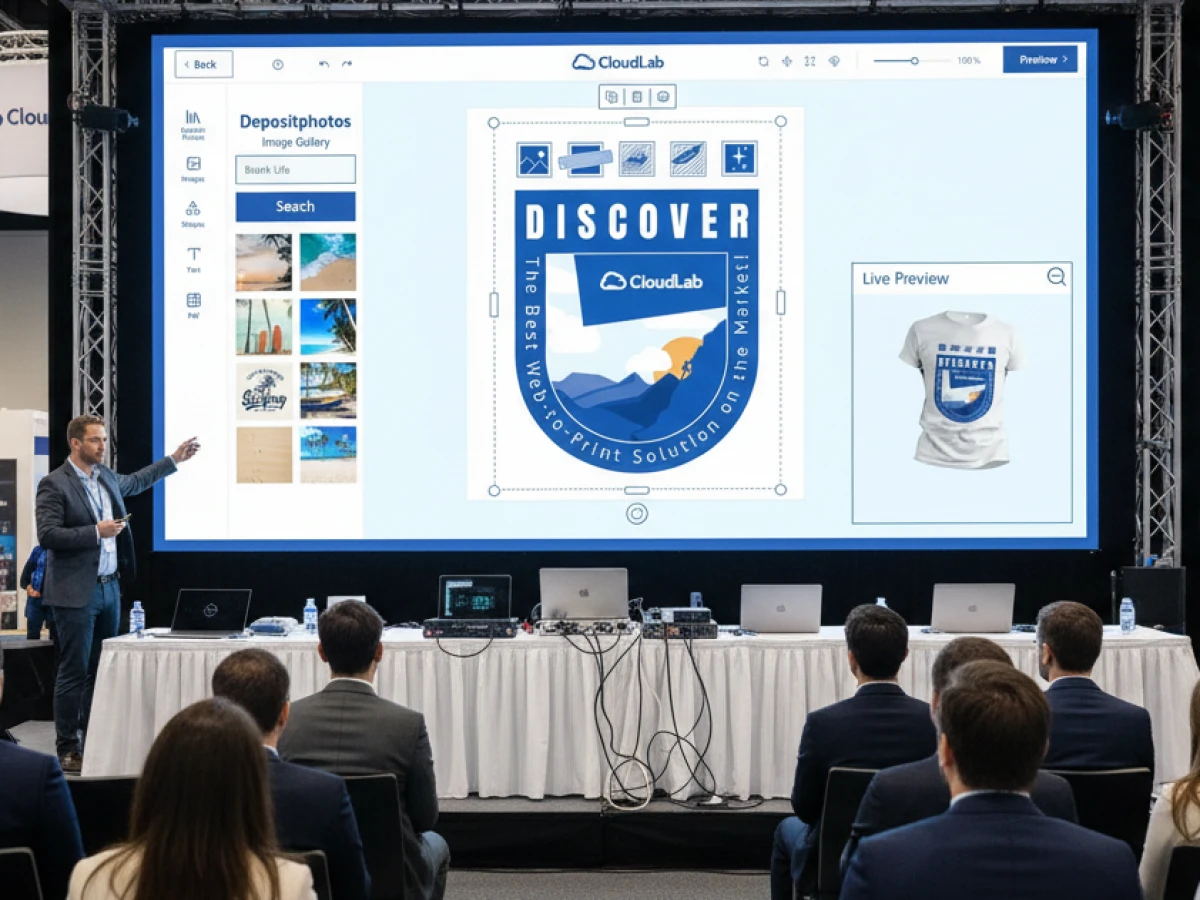
At the heart of printQ lies an advanced WYSIWYG editor with 2D and 3D preview modes. Users drag and drop text, logos and images onto templates and immediately see how their product will look. Features such as vectorisation and embellishment simulation allow customers to preview spot coatings, foils and embossing, ensuring confident purchase decisions. The editor supports mobile uploads via QR code; customers can scan a code, upload photos from their phones and insert them into designs instantly. For complex projects like packaging, a 3D view lets users rotate and inspect every angle, reducing errors before printing.
Template gallery and variable data printing
Not everyone is a designer. printQ’s template gallery provides professionally designed layouts for business cards, flyers, brochures and more. Customers select a template, replace text and images and maintain consistent branding. The platform’s Variable Data Printing (VDP) capability enables mass personalisation: users upload a spreadsheet of names or product data, and printQ generates hundreds of variations with unique text and images. Real‑time previews ensure that each personalised item fits within the design and remains legible.
4. Dynamic product configuration and real‑time pricing
printQ’s product configurator allows customers to choose size, paper type, colour, finishing options and quantity. The system enforces valid combinations and calculates prices instantly based on defined rules. For corporate customers, tiered pricing and volume discounts reflect negotiated contracts. The configurator’s logic prevents invalid orders (e.g. unsupported sizes or finishes), reducing rework and customer frustration. Real‑time pricing helps users experiment with options without waiting for manual quotes, which speeds up decision making and encourages upsells.
5. Automated workflows and preflight checks
Automation is at the core of printQ. Once a customer completes a design, the platform performs dynamic preflight checks to ensure files meet print standards—verifying resolution, bleed, colour spaces and font embedding. The system then generates print‑ready PDFs and job tickets, automatically sending them to production equipment via JDF or other protocols. This lights‑out workflow reduces manual intervention and shortens production cycles. Integration with MIS, ERP and shipping systems ensures that orders flow seamlessly from the storefront to manufacturing and delivery.
6. Open APIs and headless architecture
printQ’s API‑first design makes it highly extensible. REST and SOAP APIs, along with support for XML, JSON, JDF and CSV, allow integration with external systems such as ERP, MIS, CRM, DAM or payment platforms. Businesses can operate printQ headlessly, using the platform purely as an engine for design and order processing while presenting custom front ends built in React, Vue or other frameworks. This flexibility eliminates vendor lock‑in and future‑proofs the investment.

7. Multi‑storefront and multi‑client capability
As businesses expand, they often need to serve multiple brands, countries or customer segments from a single platform. printQ supports multi‑storefronts, meaning one installation can host several portals with unique domains, branding, product catalogues and pricing. A central administration hub lets operators manage products, templates and orders across all storefronts, while each portal remains isolated for security and branding purposes. Multi‑client capability is critical for franchises, marketing agencies and print groups that run dozens or even hundreds of portals. It allows them to launch new sites quickly without duplicating infrastructure.
8. Deployment flexibility: SaaS or on‑premise
printQ can be deployed as a SaaS solution in the cloud or installed on‑premise within an organisation’s data centre. SaaS hosting offers rapid deployment, automatic updates and scalability, appealing to businesses that prioritise agility and low upfront costs. On‑premise installations give enterprises full control over infrastructure, data security and integration with internal systems—vital for those with strict compliance requirements. printQ’s modular architecture ensures that either deployment can scale from a single storefront to hundreds of portals as business needs evolve.
9. White‑label and headless options for agencies
Agencies and media service providers often manage multiple clients and campaigns. printQ’s multi‑client structure allows agencies to operate white‑label portals, customizing logos, colours and templates for each client while centralising production. Role‑based permissions ensure that designers, marketers and approvers see only what they need. The API‑first approach means agencies can embed printQ’s editor and ordering process into existing websites or build entirely new front ends, delivering a seamless experience under their own brand.
10. End‑to‑end automation with data integrations
The platform’s automation extends beyond file generation. printQ integrates with MIS systems for job costing, scheduling and inventory management; ERP systems for order processing and invoicing; CRM systems for customer data; and shipping carriers for real‑time tracking. Data flows bidirectionally, ensuring accurate pricing, inventory status and order updates. For businesses with complex packaging or labelling requirements, printQ’s packQ module adds 3D packaging design and dynamic dieline creation, while brandQ provides marketing asset management and brand compliance features. Together, these modules create a cohesive ecosystem that spans ideation through production and delivery.
Use cases: real‑world stories
SAXOPRINT – Scaling public shops and corporate portals
SAXOPRINT is one of Europe’s largest online printers. They needed a platform that could handle high order volumes for consumers while offering closed portals for corporate clients. By adopting printQ, SAXOPRINT operates both public and corporate stores on a single Magento base. The multi‑client architecture allows them to launch new B2B portals quickly, each with custom branding and product ranges. Thanks to printQ’s multi‑language interface, they can serve customers across different European markets, and multi‑currency pricing simplifies transactions in euros, pounds or Swiss francs. Automated workflows ensure that thousands of orders flow directly into production, enabling high throughput without increasing manual labour.
Druckhäusle – Fast entry into e‑commerce
The Swabian print shop Druckhäusle (DCC Kästl) wanted to move online quickly. printQ’s intuitive editor and Magento base allowed the team to customise their storefront easily and launch within three months. The closed portal for regular customers offered personalised templates and approval workflows. Because the system supports multiple languages and currencies out of the box, Druckhäusle could immediately attract customers from neighbouring countries without building separate stores. The result was increased repeat business and a smooth transition into digital commerce.
Velocity Graphics – Managing large format files across branches
A nationwide restaurant operator needed to manage menu boards and point‑of‑purchase materials across more than 100 branches. Velocity Graphics used printQ to build a B2B portal where managers could edit large 26 × 51.5‑inch files and customise images and prices for each location. The portal enforced brand guidelines and approval processes while supporting high‑resolution files. Because printQ handles file uploads and rendering in the browser, even complex layouts were processed efficiently. Multi‑currency support allowed each restaurant to pay in its local currency, and the headless architecture connected the portal to the operator’s ERP system for automated invoicing and distribution.
Flash Style – Cross‑border print commerce in Central Europe
The Czech print‑on‑demand provider Flash Style recognised that its existing web‑to‑print module was being discontinued and partnered with a Magento development agency to integrate printQ. The new platform introduced multi‑currency support (Czech koruna and euro) and multi‑language functionality (Czech and English), along with automated currency conversion and tax calculations. These enhancements allowed Flash Style to sell to neighbouring countries without manual currency handling. Cross‑border transactions became simpler, and the company reported faster order processing and increased customer satisfaction.
Best practices for designing multilingual, multi‑currency storefronts
1. Prioritise user experience
When building global storefronts, first consider the user’s journey. Provide language detection based on browser settings or IP address and allow manual switching for flexibility. Keep navigation intuitive and display currency selectors prominently. Use clear icons and concise labels to help international users quickly locate design tools, product categories and checkout options.
2. Localise content and assets
Localisation goes beyond translation. Adapt product descriptions, marketing messages and images to fit cultural nuances. For example, paper sizes (A4 vs. Letter), printing standards and measurement units vary by region. Use printQ’s Magento backend to maintain separate content fields for each language and region. In the template gallery, offer layouts that reflect local styles and incorporate region‑specific imagery or colours where appropriate.
3. Implement dynamic pricing rules
Maintain accurate and fair pricing by integrating real‑time exchange rates and taxes. Set up tax rules per region and specify rounding behaviour to comply with local regulations. For B2B portals, configure corporate pricing tiers and volume discounts separately for each currency. The combination of transparent pricing and accurate tax calculation increases trust and reduces disputes.
4. Streamline checkout and payment workflows
Offer multiple payment options, including international gateways that handle currency conversion natively. For subscription or repeat orders, allow customers to save payment details securely. Provide clear summaries of shipping costs, taxes and exchange rates before the final payment step. By minimising surprises, you reduce cart abandonment and encourage repeat purchases.
5. Ensure data compliance and security
Serving customers across borders requires careful handling of data. Implement GDPR‑compliant data storage and processing for European users, and follow regional privacy laws wherever your customers reside. printQ’s on‑premise deployment option can be used by organisations needing full control over data residency and security. Encrypted communication and role‑based permissions protect sensitive information during collaboration and order processing.
6. Train teams and monitor performance
Adopting a multilingual, multi‑currency storefront requires training for customer service, production and marketing teams. Provide documentation and tutorials that explain the system’s functions in each language you support. Use analytics dashboards to track order volume, conversion rates, average order value and error rates across different regions and currencies. These insights highlight where additional localisation or workflow adjustments may be needed.
Enabling cross‑cultural creativity
Multilingual and multi‑currency storefronts do more than widen your market; they spark creativity by allowing teams to design within their cultural context. When employees can build campaigns in their native language and handle pricing in local currencies, they feel empowered to experiment with messaging and imagery that resonate locally. printQ’s WYSIWYG editor, template gallery and variable data printing tools enable this freedom by offering flexible templates and live previews, ensuring that culturally tailored designs remain on brand. Approved templates protect brand integrity while giving regional teams room to adapt colours, fonts and layouts that speak to their audiences.
Practical tips for cross‑cultural design
- Embrace cultural nuances: Research visual preferences, symbolism and colour meanings in each market you serve. Adjust templates to align with regional expectations and avoid misinterpretation.
- Provide flexible templates: Supply a variety of layouts and modular elements that local teams can rearrange without breaking corporate guidelines, fostering both consistency and creativity.
- Encourage local feedback: Involve regional stakeholders early in the design process and incorporate their insights into future template development.
- Use dynamic content: Harness variable data printing to personalise messages, images and offers for different demographics, enhancing relevance and engagement across cultures.
Why choose printQ over other web‑to‑print solutions?
printQ stands out in the crowded web‑to‑print market because it combines a native Magento backbone with print‑specific enhancements. Unlike solutions that bolt print tools onto e‑commerce platforms or require separate systems for B2C and B2B, printQ delivers both in one cohesive environment. Its API‑first architecture ensures extensibility, while the headless option allows full control over front‑end design. The platform’s multi‑client architecture scales from a single shop to hundreds of portals without duplicating infrastructure. With more than 1,000 live portals worldwide, printQ has proven its reliability in diverse markets and production environments.
Unique selling points of printQ
- Native Adobe Magento integration: Full e‑commerce functionality including customer accounts, promotions and tax handling, combined with print‑specific tools.
- API‑first, headless approach: Integrate with any external system and build custom front ends without vendor lock‑in.
- Single platform for B2B and B2C: Run public shops and private portals from one installation, reducing complexity and cost.
- Comprehensive automation: From design to preflight to production, the platform automates every step and connects with MIS/ERP systems to minimise manual work.
- Proven scalability: printQ powers over 1,000 live portals and supports multi‑language, multi‑currency and tax‑rule variations for international operations.
Emerging trends in web‑to‑print
The web‑to‑print landscape continues to evolve. Leading platforms like printQ are investing in AI‑driven design assistance, which will analyse user behaviour and suggest layouts, colour combinations and typography that fit corporate guidelines. Predictive production planning will integrate with MIS systems to optimise press scheduling and reduce waste. Sustainability is also gaining importance; eco‑friendly options for paper and ink and transparent carbon footprint data will appear prominently in product configurators. Finally, deeper integration with digital marketing channels—email, social media and personalised ads—will allow print campaigns to be coordinated across online and offline media, creating unified brand experiences.
printQ isn’t just a tool for creating web‑to‑print storefronts; it is a comprehensive platform that empowers printers, agencies and enterprises to operate globally with confidence. By combining multilingual interfaces, multi‑currency pricing and robust automation, printQ transforms complex print ordering into a seamless online experience. Its native Magento foundation, API‑first design and multi‑client architecture make it adaptable to any business model—from start‑ups launching their first online shop to multinational corporations managing hundreds of portals. Whether you need a public consumer shop or a secure corporate portal, printQ delivers flexibility, scalability and global readiness in one system.
An overview of all features of printQ developed by CloudLab
- WYSIWYG Designer – An intuitive online editor that lets users arrange text, logos, and graphics with real-time 2D/3D previews on any device.
- Print Previews – Instant 2D, 3D, and live views to verify designs before printing.
- Vectorization & Embellishment – Converts raster graphics to smooth vectors and adds special finishes like foil stamping, embossing, or letterpress.
- Template Gallery – Offers millions of editable templates and automatically adapts a design to multiple formats.
- Variable Data Printing (VDP) – Personalises products using PDF/VT with dynamic fields for text, images, or barcodes and supports data uploads.
- Mobile Upload – Allows photos to be added via QR code from smartphones directly into the design tool.
- Commercial Print – Enables the design of business stationery (business cards, letterheads, invoices) that follow corporate branding.
- Wide Format Printing – Lets users create large-format products like banners and posters while selecting sizes and materials.
- Labels & Stickers – Designs custom-shaped labels or stickers with material options and provides live browser or PDF previews.
- Editorial Designer – Facilitates multi-page layouts for brochures, allowing flexible page counts and spreads.
- Promotional Item Designer – Creates branded merchandise such as pens and apparel with accurate product previews.
- Textile Printing Designer – Designs T‑shirts, hoodies, or polos with full control over colours and placement and includes vector conversion.
- eCommerce Integrations & API – A headless system with REST/SOAP and file-based APIs plus connectors for platforms like Magento, Shopify and Shopware.
- Product Configuration & Pricing – Configures paper types, colours and finishes while ensuring valid combinations and calculating realistic prices.
- InDesign Workflow – Imports multi-layer InDesign templates so content can be edited online while preserving fixed design elements.
- Production Workflow – Generates print-ready files and JDF/XML job tickets to automate production through hotfolder integration.
- Dynamic Preflight Check – Works with preflight software to verify fonts, resolution and colour spaces during upload.





