
Creativity without Limits: printQ web to print solutions
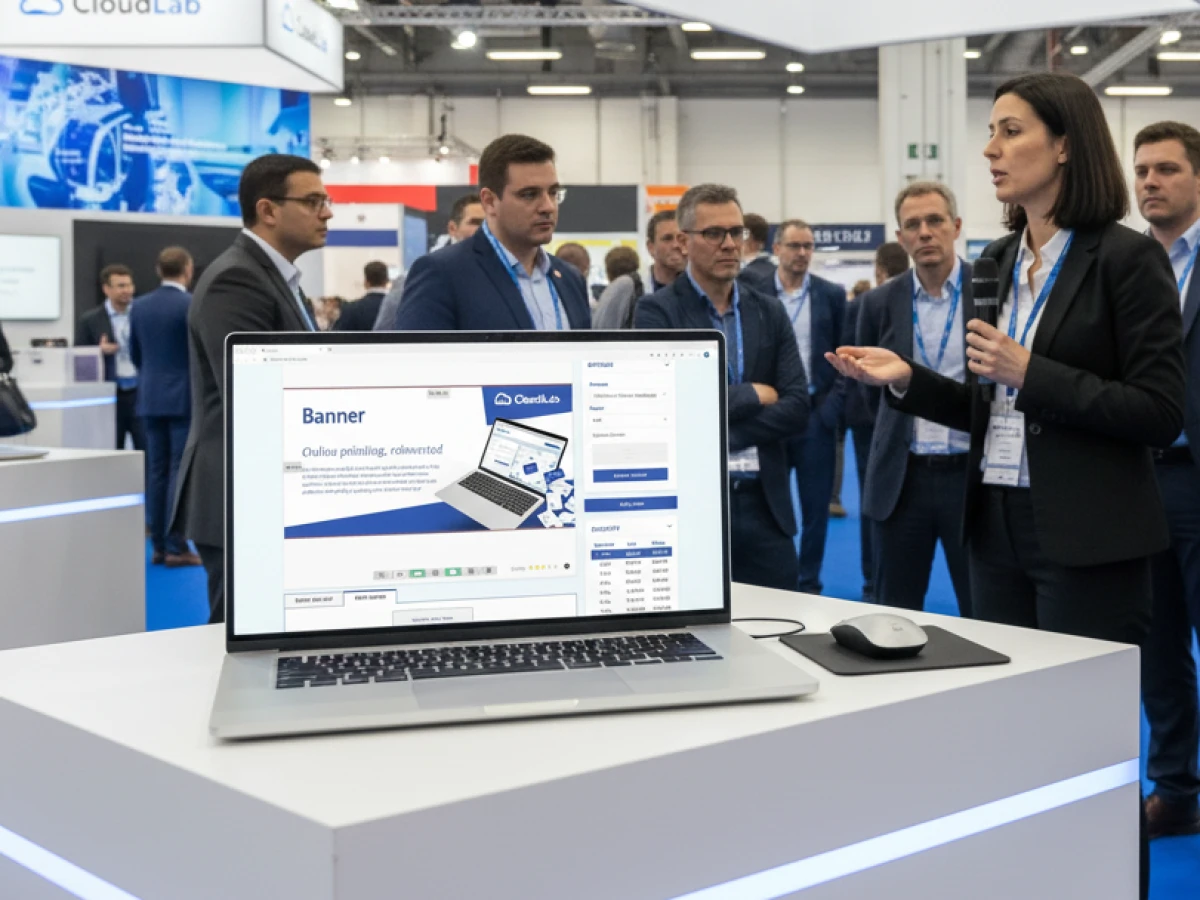
printQ is a Magento‑based web‑to‑print solution that takes web to print solutions to a new level. The Template Gallery offers millions of professional templates and protects corporate identity, while Liquid Layouts automatically transfer the same design into multiple formats. With a WYSIWYG editor featuring 2D/3D previews, automated preflight checks and open API integration, it creates a scalable platform for B2C shops and B2B portals. Whether you are a printer, an agency or a corporate enterprise – printQ combines creativity and automation for efficient, error‑free print processes.
The printing industry is undergoing a radical transformation. Online orders, bespoke products and just‑in‑time production call for software that unites creativity and efficiency. Web to print solutions answer precisely this need: customers design print products directly in the browser, check the result in real time and send the job automatically into production. Traditional systems often struggle with rigid layouts and limited adaptability. This is where printQ comes in. As a premium solution based on Adobe Magento, printQ blends modern e‑commerce functions, intuitive design and fully automated workflows into a flexible platform for printers, agencies and brand owners. This article explains how printQ’s Template Gallery and Liquid Layouts combine creative freedom with technical precision, which core features make the difference and why this solution points the way forward for the printing industry.
Why web to print sets new standards
The term “web‑to‑print” describes the complete digitisation of the printing process: customers select products online, adjust layouts, check the result in 2D or 3D and trigger the order directly. Studies show that the global print industry continues to grow; at the same time, more than 90 per cent of print service providers prefer SaaS solutions because they offer flexible scaling and low entry costs. Open platforms such as Magento, Sylius or Shopware have accelerated this trend by providing headless architectures and REST/GraphQL APIs. In this environment, printQ is considered a pioneer: it combines the stability of Adobe Magento with an API‑first approach, so customers need not fear vendor lock‑in. Thanks to its modular structure, printers can operate both B2C storefronts and closed B2B portals while implementing customised integrations.
printQ: the Magento‑based premium web‑to‑print solution
Online editor and 2D/3D previews
At the heart of printQ is a browser‑based WYSIWYG editor with real‑time visualisation. Customers place text, images and logos using drag‑and‑drop and see every change instantly. The 2D view shows crop marks, fold lines and safety zones, so technical errors are detected early. The 3D preview renders products photorealistically; users rotate and zoom packaging, see reflections and reliefs and simulate finishes such as foil stamping or spot coating. Automatic preflight checks analyse resolution, colour modes and fonts and report errors immediately. As a result, error rates drop drastically – one German print service provider cut correction loops by 90 per cent, and a US user reduced file errors by over 70 per cent.
Automation and workflow
printQ goes far beyond design: the workflow from product configuration and data checking to production is fully automated. After approval, the system generates print‑ready PDFs and, if needed, JDF files, organises the transfer to the production system and ensures seamless handover. The dynamic preflight detects low resolutions, incorrect colour profiles and missing fonts before the order is placed. Particularly impressive is the API‑first architecture: REST and SOAP interfaces as well as JDF/XJDF, XML and CSV/JSON allow deep integrations with ERP, MIS or CRM systems. The shop connector makes it possible to plug in alternative e‑commerce platforms like Shopware or Shopify so clients can keep their existing shops. Thanks to its multi‑tenant structure, printQ can scale from a single shop to thousands of portals. Companies can choose between a cloud‑based SaaS environment for a fast start and an on‑premise installation for maximum data sovereignty.

Template Gallery: millions of professional templates
The Template Gallery is the creative core of printQ. It holds millions of professionally designed templates developed for different occasions and sectors. Customers simply select a suitable layout and customise it – change colours, add text or upload logos. Administrators can lock specific elements to protect logos, fonts and brand colours; users are allowed to edit only defined fields. This mix of flexibility and CI security makes the gallery attractive for creatives and marketing managers alike.
Design once – print everywhere
With Liquid Layouts and Dynamic Layout, a design is no longer tied to a fixed format. When customers change dimensions, the engine recalculates every panel and object; colours, shapes and spacing are rearranged using defined design rules – such as the golden ratio. The aesthetics remain intact, whether it is a poster, a flyer or a catalogue. A company can therefore plan a campaign with a single layout and have the design automatically adapted to DL, A4 or special formats. This automation saves time‑consuming manual adjustments and protects visual identity because the system consistently applies the design rules.
Central template management and CI protection
All templates are stored centrally in the Template Gallery. Administrators can upload new designs, edit existing layouts and define permissions. As a result, users see only current, approved templates. Maintaining corporate identity becomes easier: logos, colours and fonts can be locked, while variable fields – such as contact details – may be freely edited. For large organisations with many branches, this means a consistent brand appearance while allowing local customisation. Approval workflows and audit trails also ensure that every change remains traceable.
Variable Data Printing and mass customisation
The Template Gallery is not only a creative tool but also a driver of scalable personalisation. Thanks to Variable Data Printing (VDP), hundreds or thousands of individual prints can be generated automatically. Users upload data via CSV or connect external databases; the system merges these data with the template and creates individual PDF/VT files in the background. Typical applications include name badges, invitations with QR codes or coupon series. In combination with Liquid Layouts, it becomes possible to create millions of personalised products in different formats – while maintaining high design quality.
Use cases and industries
The Template Gallery provides added value for a wide range of sectors:
- Commercial printers use it to set up standard products such as flyers or brochures more quickly. Customers simply select a template, adjust details and place the order.
- Agencies and media service providers operate white‑label portals for multiple brands; they manage different libraries and secure their clients’ corporate identity.
- Companies with branch networks deploy closed B2B portals. Staff on site can customise marketing materials locally, while corporate design remains protected centrally.
- Public institutions and universities create certificates, forms and brochures without design expertise. For start‑ups and on‑demand print platforms, printQ’s scalability offers a flexible foundation.
Liquid Layouts: dynamic layouts and automatic format adaptation
Liquid Layouts are the technical core behind printQ’s dynamic format adaptation. Unlike conventional layout adjustments, where designers must create each format manually, the system follows intelligent rules. When the page width changes, the engine recalculates the position and size of each element based on design principles such as proportions, colour contrast and separation lines. For users this means: a motif can easily be transferred from A6 through DL up to large formats without losing balance. This approach makes print campaigns more efficient and consistent.
Technical background and design rules
The Liquid Layout function in printQ uses algorithms that embody design knowledge. Formats, margins and spacing follow harmonious proportions like the golden ratio. When a user changes the document size, these rules are applied to reposition images and text. Colour schemes, font sizes and line directions remain consistent. At the same time, the engine recalculates fold marks, bleed and safety zones, and the result is shown instantly in the preview. In this way, a seamless link between design and technical implementation is created.
Practical examples: from flyers to posters
Imagine a fitness chain wanting to produce flyers, posters and social media posts for a campaign. With printQ, the design is created once and then adapted to various formats. The system automatically adjusts images, headlines and text blocks and also considers variable data – such as different branch addresses. Another scenario: a franchise company produces menus in various sizes. Thanks to Liquid Layouts, all locations can use the same templates and change only prices or images. The print files are formatted correctly and ready for production immediately. These examples show how Liquid Layouts drastically reduce the workload in prepress.
Advantages for printers, agencies and companies
Dynamic layout adaptation brings different benefits:
- Time savings: designers no longer have to create new files for each format. The system performs the adaptation automatically.
- Consistency: design rules ensure that all variants are aesthetically harmonious and strengthen the brand image.
- Error reduction: automatic calculation of fold lines, bleed and safety margins minimises production errors.
- Scalability: templates can be used worldwide in different shops. One design can be provided in multiple languages, currencies and formats.
Key functions of printQ at a glance
In addition to the Template Gallery and Liquid Layouts, printQ offers a range of other functions that fully digitise the print process:
Vectorisation & finishing
With the integrated vectorisation extension, raster images can be converted into scalable vectors. Users choose smoothing and colour options; in just a few steps, a precise graphic for high‑resolution printing is created. Finishing can then be added: gold and silver foils, spot or relief coatings and hot foil stamping are available. Each finishing is stored as its own layer in the PDF file, allowing printers to process special production steps separately. Customers see the result immediately in 3D.
Mobile upload & data import
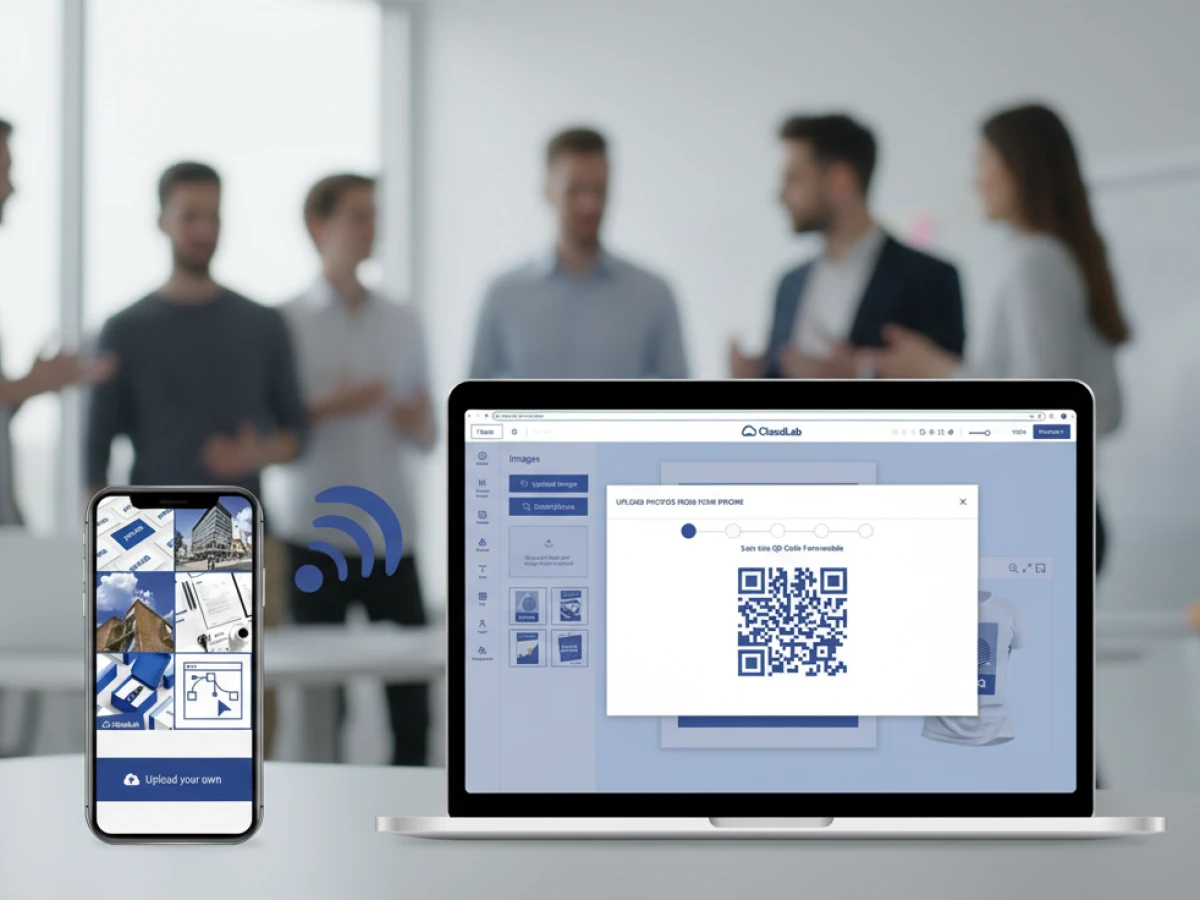
Customers can upload images directly from their smartphone to the editor. printQ enables uploads via QR code scanning or mobile interfaces. For large data sets, Excel/CSV files can be imported; the system transfers text, images, barcodes or QR codes seamlessly into the design. This reduces media breaks and accelerates data flow.
Integration & scaling
The open API landscape of printQ makes integrations easier: REST and SOAP connect the solution with ERP, MIS, CRM or PIM systems. JDF/XJDF interfaces create connections to workflow and RIP systems. The shop connector allows other shop systems to be integrated, and the multi‑tenant architecture enables the operation of a handful or hundreds of shops in one central backend. Companies can freely choose between SaaS operation and on‑premise installation, so both start‑ups and large corporations find the right environment.
B2C and B2B storefronts with printQ
printQ supports public B2C shops and closed B2B portals within a single environment. B2C storefronts are aimed at end customers and present a wide product range: customers select products, configure materials, upload motifs and pay in the integrated Magento checkout. Thanks to real‑time price calculation, they see the final price immediately, including finishing and shipping.
B2B portals are designed for corporate clients. Here roles, budgets and approvals apply: employees select from approved templates, adjust defined fields and forward the order to supervisors or marketing departments for approval. Budget limits, cost centres and billing models can be stored. These closed shops provide global companies or franchise owners with a central platform to roll out corporate design‑compliant materials worldwide while still allowing local customisation.
Success stories and practical insights
Numerous companies are already using printQ successfully. Three examples illustrate the range:
- Druckhäusle (Germany): the medium‑sized print service provider modernised its online ordering process. Customers design business cards and brochures online and see the result immediately thanks to 2D/3D preview. Correction loops were reduced by 90 per cent and order processing became much faster.
- Velocity Graphics (USA): For a restaurant chain, Velocity Graphics operates a closed B2B portal. Each branch adapts menus locally while the brand remains consistent. The 3D preview allows realistic views of large posters, and automated data checks reduced file errors by over 70 per cent.
- SAXOPRINT (Europe): One of Europe’s largest online printers uses printQ to validate millions of designs each year. Especially in packaging and personalisation, the combination of 3D visualisation and automatic preflight ensures reliable production and scalability.
These examples demonstrate how web to print solutions with printQ offer tangible benefits to both small and large organisations – from error reduction and faster processes to increased customer satisfaction.
AI and the future of web‑to‑print software
CloudLab is continually developing printQ. In version 6.0, AI‑based features are being introduced that detect layout errors, optimise image and text alignment and automatically improve colour contrast. This turns the editor into an intelligent assistant that not only displays the preview but also actively makes suggestions. Complemented by machine‑learning algorithms that learn from user data, printQ will propose personalised templates and make production processes even more efficient. The combination of artificial intelligence, automated workflows and open architecture makes printQ a future‑proof platform for the next generation of web to print solutions.
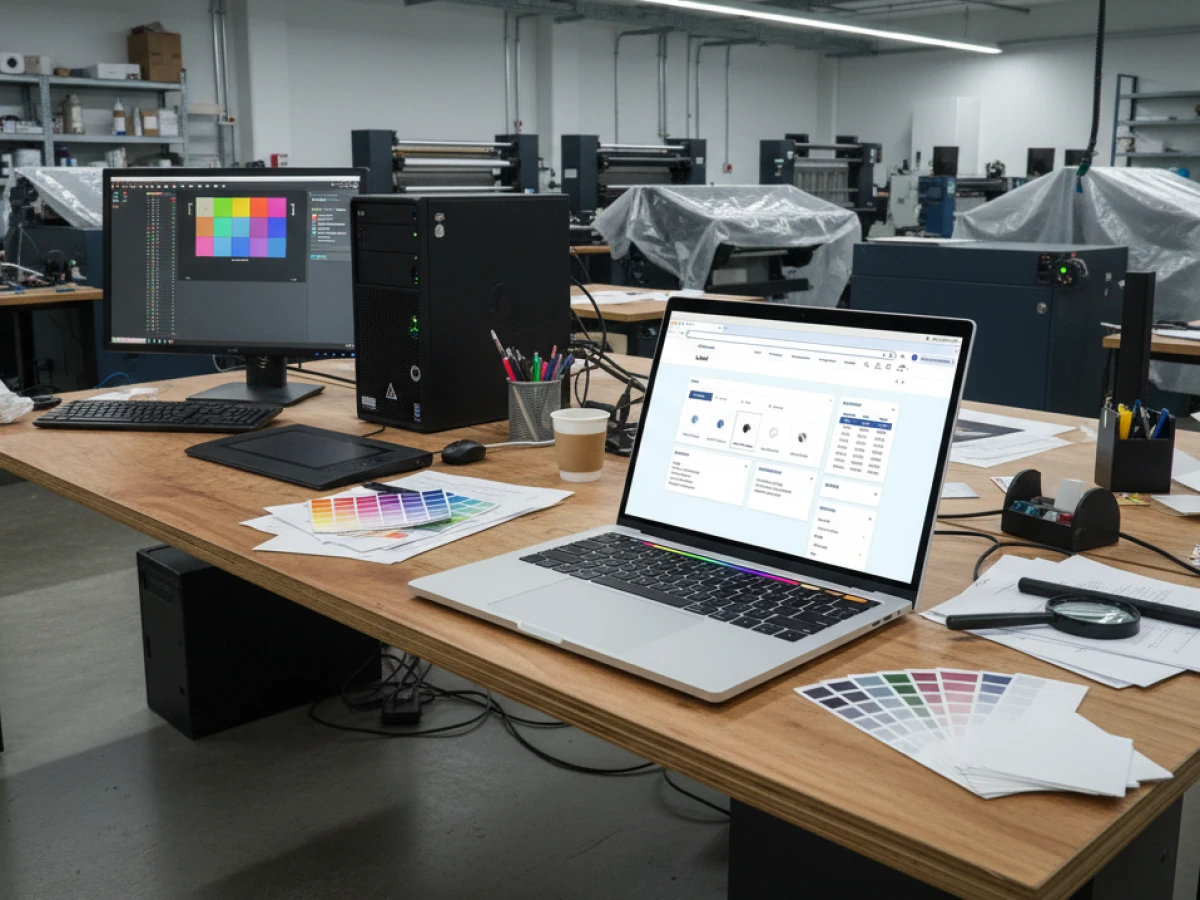
The Template Gallery and Liquid Layouts of printQ open up a new dimension of design for creatives, printers and businesses. web to print solutions are no longer just an online ordering tool – they are the basis for automated, scalable and personalised print production. printQ combines the e‑commerce power of Adobe Magento with an intuitive 2D/3D editor, automatic preflight checks and open APIs. Millions of templates, dynamic layouts and Variable Data Printing enable maximum design freedom while ensuring CI conformity and workflow automation. Liquid Layouts transfer a design effortlessly to different formats; companies save time and retain aesthetic control. Whether in a B2C shop or a closed B2B portal – printQ creates a seamless world where creativity, efficiency and scalability go hand in hand.
An overview of all features of printQ developed by CloudLab
- WYSIWYG Designer – An intuitive online editor that lets users arrange text, logos, and graphics with real-time 2D/3D previews on any device.
- Print Previews – Instant 2D, 3D, and live views to verify designs before printing.
- Vectorization & Embellishment – Converts raster graphics to smooth vectors and adds special finishes like foil stamping, embossing, or letterpress.
- Template Gallery – Offers millions of editable templates and automatically adapts a design to multiple formats.
- Variable Data Printing (VDP) – Personalises products using PDF/VT with dynamic fields for text, images, or barcodes and supports data uploads.
- Mobile Upload – Allows photos to be added via QR code from smartphones directly into the design tool.
- Commercial Print – Enables the design of business stationery (business cards, letterheads, invoices) that follow corporate branding.
- Wide Format Printing – Lets users create large-format products like banners and posters while selecting sizes and materials.
- Labels & Stickers – Designs custom-shaped labels or stickers with material options and provides live browser or PDF previews.
- Editorial Designer – Facilitates multi-page layouts for brochures, allowing flexible page counts and spreads.
- Promotional Item Designer – Creates branded merchandise such as pens and apparel with accurate product previews.
- Textile Printing Designer – Designs T‑shirts, hoodies, or polos with full control over colours and placement and includes vector conversion.
- eCommerce Integrations & API – A headless system with REST/SOAP and file-based APIs plus connectors for platforms like Magento, Shopify and Shopware.
- Product Configuration & Pricing – Configures paper types, colours and finishes while ensuring valid combinations and calculating realistic prices.
- InDesign Workflow – Imports multi-layer InDesign templates so content can be edited online while preserving fixed design elements.
- Production Workflow – Generates print-ready files and JDF/XML job tickets to automate production through hotfolder integration.
- Dynamic Preflight Check – Works with preflight software to verify fonts, resolution and colour spaces during upload.





