
What Is Preflight in Printing? A Guide for Modern Print

What is preflight in printing refers to the process of checking digital print files before production to detect errors such as low resolution images, missing fonts, or incorrect color profiles. Preflight software printing tools automate these checks to prevent costly mistakes and delays. Modern Web to Print platforms like printQ integrate automated preflight directly into the ordering workflow. This ensures print ready files are validated instantly and production runs smoothly.
What Is Preflight in Printing and Why It Matters
Understanding what is preflight in printing is essential for anyone involved in modern print production. Preflight refers to the process of analyzing digital print files before they are sent to the printing press. The goal is to detect and correct potential issues that could affect the final printed result.
In traditional print workflows, preflight was performed manually by prepress specialists. Designers or operators would inspect the files, verify image resolution, check for missing fonts, and confirm that color settings matched printing requirements.
This manual process required experience and time.
Today, modern preflight software printing tools automate these checks. Automated systems analyze incoming files instantly and flag any potential problems before production begins.
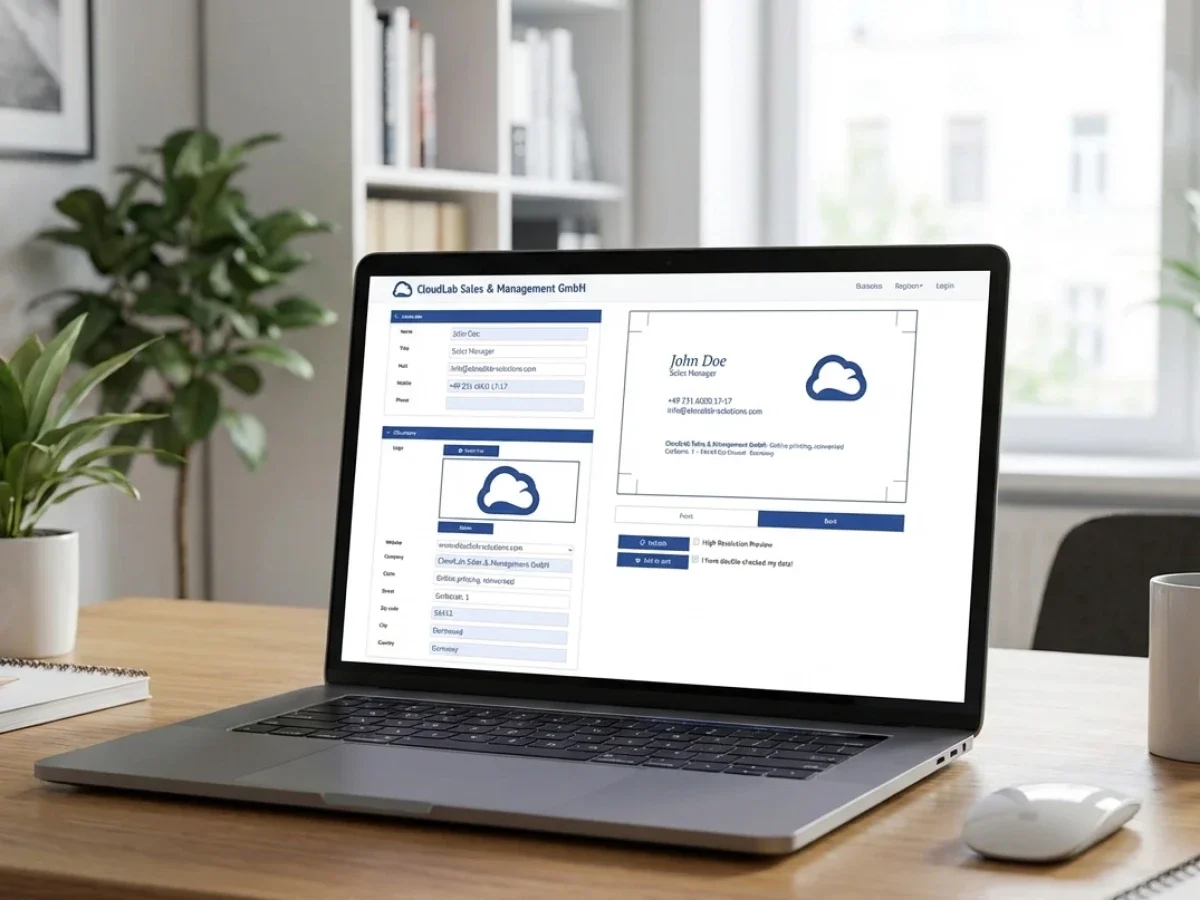
Platforms like printQ integrate preflight into a broader Web to Print workflow. When a customer submits a design through the online editor or storefront, the system automatically evaluates the file.
If the file meets the technical requirements, the system generates a print ready output file.
If problems are detected, the system alerts the user or automatically corrects certain issues.
This automation reduces production delays, prevents printing errors, and ensures consistent quality.
The Purpose of Preflight in the Print Production Workflow
The purpose of preflight is simple but critical.
Print production requires precise file preparation. Small mistakes in a digital file can cause significant problems once the job reaches the press.
Understanding what is preflight in printing helps explain why this process is so important.
Preflight ensures that every file entering the production workflow meets the technical standards required for printing.
These checks typically include several key parameters.
Image resolution verification:
Low resolution images can appear blurry when printed.
Color space validation:
Files must use the correct color profiles for accurate printing.
Bleed and trim checks:
Layouts must include bleed areas to avoid unwanted white edges.
Font embedding:
Missing fonts can cause layout changes during production.
Automated preflight tools perform these checks instantly. Instead of relying on manual inspection, the system evaluates the file based on predefined rules.
This process improves efficiency and reduces the likelihood of costly printing mistakes.
How Preflight Software Printing Tools Work
Modern preflight software printing systems analyze digital files using predefined validation rules.
When a file is uploaded or generated within the system, the software scans the file structure and compares it against these rules.
If the file passes all checks, it is approved for production.
If issues are detected, the system generates a report describing the problem.
Some advanced systems can also correct errors automatically.
For example, the software may convert color profiles, embed fonts, or adjust image scaling.
In Web to Print environments, this automation is particularly important.
Customers often upload files directly through online storefronts. Without automated preflight checks, these files could enter production with undetected errors.
printQ integrates automated preflight tools that analyze files immediately after submission.
This ensures that production files meet the required technical standards before printing begins.
Preflight in Traditional Print Workflows
Before digital automation became common, preflight was a manual process performed by prepress specialists.
Operators would open each file in design software and inspect the layout carefully.
They checked for missing images, incorrect color settings, and other potential issues.
This manual review process was time consuming.
For print providers handling large numbers of orders, it created a significant bottleneck.
Manual preflight also relied heavily on human expertise.
Experienced operators could identify subtle issues that might affect printing quality.
However, this approach had limitations.
As online ordering increased and digital print volumes grew, manual preflight became impractical.
Automation became necessary.
Modern Web to Print platforms such as printQ incorporate automated preflight directly into the digital workflow.
This ensures that files are evaluated instantly, even when thousands of orders are processed each day.
Integrating Preflight into Web to Print Platforms
Web to Print platforms allow customers to design and order print products online. However, this convenience also introduces new challenges. Customers may upload files created with different software tools or design standards.
These files may contain errors that would normally be detected during manual prepress review. Integrating preflight automation into the Web to Print platform solves this problem. printQ performs preflight checks immediately after a design is submitted.
The system evaluates the file against predefined print standards. If the design meets the requirements, it moves directly into the production workflow. If issues are detected, the platform can notify the user or adjust the file automatically.
This approach allows printers to maintain quality control while still offering self service ordering.
Automated Preflight and Lights Out Workflows
Automation is one of the most important advantages of modern Web to Print platforms.
When automated preflight is combined with digital ordering and file generation, printers can create highly efficient workflows.
These workflows are often described as lights out production environments.
In such environments, routine print orders move from the storefront to production with minimal human intervention.
printQ supports this model through integrated automation.
Once a customer completes a design in the online editor, the system performs a preflight check.
If the file passes the validation rules, the platform generates a print ready PDF automatically.
This file can then be transferred directly to the printing system or production management software.
Such automation allows printers to process large volumes of orders without increasing manual workload.

The Role of the Online Editor in Preflight Accuracy
The online editor plays an important role in reducing preflight errors.
When customers design products directly within the Web to Print platform, the system can enforce design constraints automatically.
printQ includes a WYSIWYG editor that allows users to personalize print products while maintaining production compatibility.
The editor restricts design elements to predefined areas and ensures that layouts follow printing standards.
For example, templates may include safe zones and bleed areas that guide users during the design process.
By controlling the design environment, the platform prevents many common preflight issues before they occur.
This proactive approach reduces the number of file corrections required during production.
Supporting Both B2C and B2B Print Workflows
Preflight automation is valuable in both consumer and corporate printing environments.
In B2C print shops, customers often upload artwork files directly.
Automated preflight ensures that these files meet technical standards without requiring manual review.
In web to print B2B portals, companies may order marketing materials using predefined templates.
Even in these controlled environments, preflight checks remain important.
They verify that personalized content such as images or logos meets resolution requirements.
printQ supports both B2C storefronts and B2B portals within the same platform.
This flexibility allows printers to maintain consistent production standards across different customer segments.
Real World Benefits of Automated Preflight
Automated preflight provides several measurable advantages for print providers.
Fewer production errors:
Files are validated before printing begins.
Reduced manual workload:
Prepress teams spend less time inspecting files.
Faster order processing:
Orders move quickly from submission to production.
Improved customer experience:
Customers receive immediate feedback on file quality.
These benefits are especially important for online print businesses handling high order volumes.
Automation allows printers to maintain quality without slowing down production.
Preflight and System Integration
Modern printing environments often involve multiple software systems.
Production workflows may include management information systems, ERP platforms, and automated printing equipment.
printQ supports integration with these systems through open APIs and data exchange formats.
The platform supports REST and SOAP web services as well as XML, JDF, CSV, and JSON data formats.
These integrations allow validated files to move seamlessly from the Web to Print platform into the broader production infrastructure.
For example, a file approved by the preflight system can automatically generate a production ticket in the management system.
This integration reduces manual data entry and ensures consistent production workflows.
Scalability Through Automation
As print businesses grow, scalability becomes a critical concern.
Manual workflows often struggle to handle increasing order volumes.
Automated preflight systems help address this challenge.
By integrating preflight checks into the digital ordering process, printers can process thousands of files efficiently.
printQ supports scalable Web to Print environments with multi client storefronts and automated production workflows.
A single installation can manage numerous online shops and corporate portals.
Each storefront can generate personalized print files that pass through the automated preflight process.
This scalability allows print providers to expand their digital operations without increasing manual workload.
The Future of Preflight Technology
Preflight technology continues to evolve alongside advances in digital printing and automation.
Future systems will likely incorporate artificial intelligence to analyze files more intelligently.
AI based tools may identify complex design issues or suggest layout improvements automatically.
Integration between design software, Web to Print platforms, and production systems will also continue to improve.
These developments will further reduce manual intervention in the prepress process.
Platforms like printQ are well positioned to support these innovations because of their flexible architecture and strong integration capabilities.
Why Understanding What Is Preflight in Printing Is Important
Understanding what is preflight in printing helps explain how modern print workflows maintain quality and efficiency.
Preflight ensures that digital print files meet technical requirements before they enter production.
Without this validation process, printing errors could cause wasted materials, delays, and dissatisfied customers.
Automated preflight software printing tools allow this process to occur instantly within digital workflows.
CloudLabs printQ integrates automated preflight into its Web to Print platform, connecting file validation with online ordering, design tools, and production automation.
For printers, agencies, and enterprises operating digital print environments, this integration provides a reliable and scalable approach to print production.





