Web2Print Software for Automated Print Workflows
Web2print software creates real business value when it does more than collect orders through an online form. A scalable platform should connect product configuration, online editing, preflight, approvals, commerce, ERP or MIS integration, and production automation. printQ combines these functions in a Magento-based environment for B2B and B2C storefronts. This helps printers move from manual order handling toward repeatable, integrated workflows that can grow without creating the same increase in administrative work.
Web2Print Software for Printers: From Form-Based Shop to Automated Platform
Many print businesses begin digital selling in the simplest possible way. A customer selects a product, fills in a form, uploads a PDF, and sends an order request. For a small number of jobs, this can be enough to establish an online sales channel.
The limits become visible when the business starts to grow.
Orders arrive online, but employees still check every file manually. Customer information is copied into other systems. Sales clarifies product specifications. Prepress corrects artwork. Production receives instructions through email or manually prepared job tickets. Repeat orders still require customer service because the previous configuration cannot be reproduced reliably.
At that point, the printer has an online shop, but not an automated web-to-print operation.
Modern web2print software addresses a much larger process. It connects the storefront with product configuration, personalization, preflight, approvals, ERP and MIS data, and production output. The customer sees a convenient ordering interface, while the printer gains a structured workflow behind it.
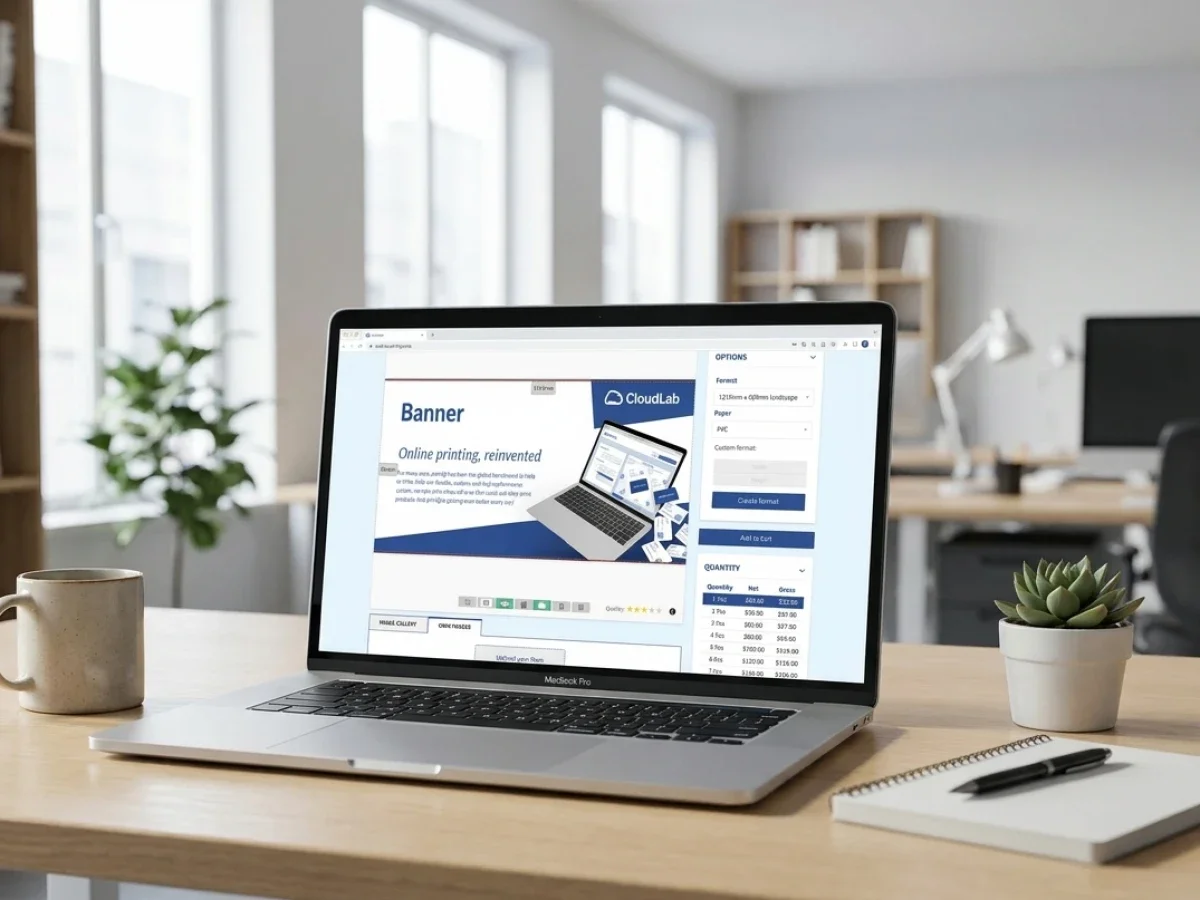
printQ is designed for this model. Built on Adobe Commerce and Magento technology, it combines B2C storefronts, closed B2B portals, configurable products, a WYSIWYG online editor, templates, previews, Dynamic Preflight Check, Variable Data Printing, workflow automation, and open system integration.
The difference matters because digital growth does not come from receiving more online orders alone. It comes from processing more orders without multiplying the manual work required for each one.
What Modern Web2Print Software Must Do Beyond Taking Orders
A form-based shop mainly transfers information from a customer to the printer. A web-to-print platform should turn that information into structured process data.
Consider a brochure order. The customer may select a format, page count, substrate, quantity, finishing option, delivery destination, and artwork method. Those choices affect production. If the storefront stores them only as descriptive text, an employee still has to interpret the order.
A scalable webtoprint software environment represents these decisions as structured product logic. The selected format corresponds to a known production specification. Materials and finishing options follow valid combinations. Artwork requirements depend on the product. Downstream systems receive values that can be processed rather than interpreted manually.
The design workflow adds another layer. Some customers upload finished artwork. Others need editable templates. Corporate customers may need protected brand layouts. Consumer products may require greater creative freedom.
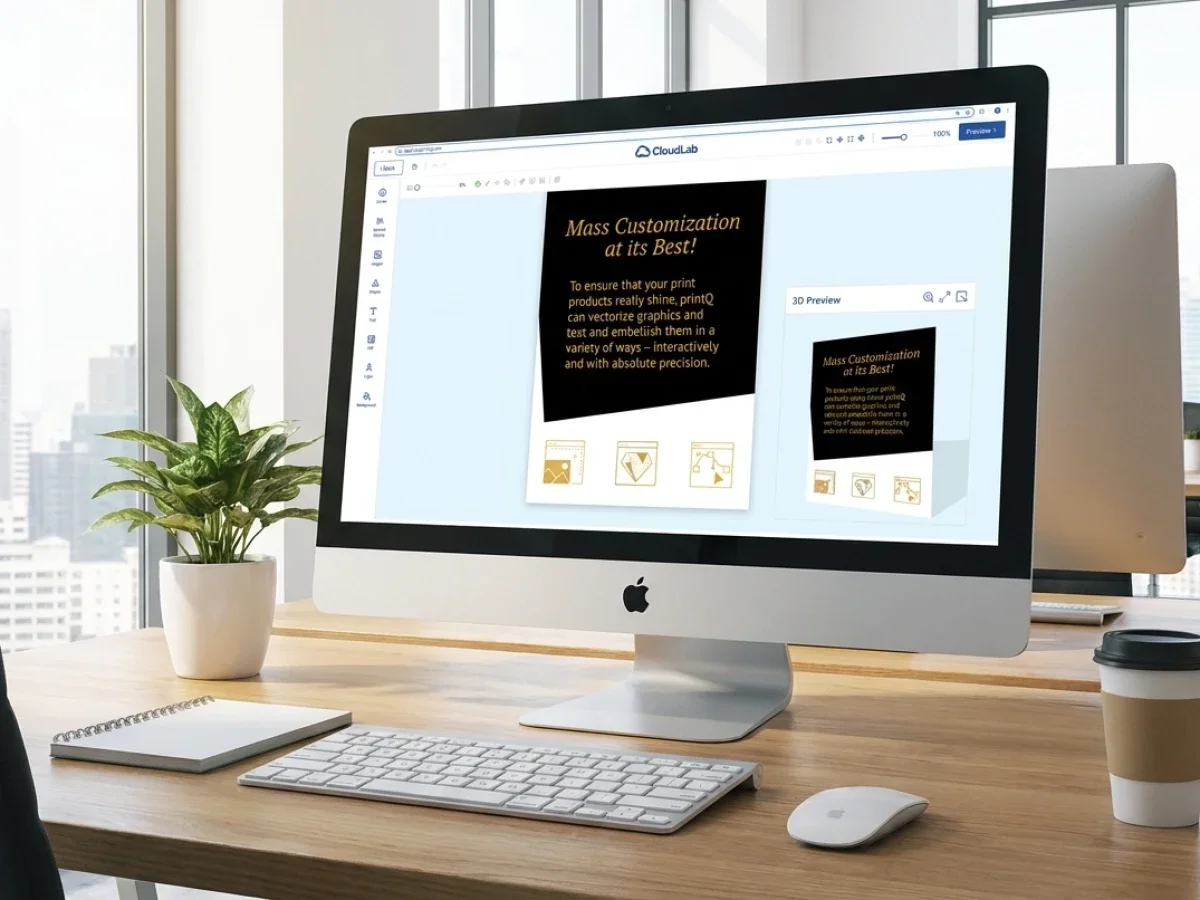
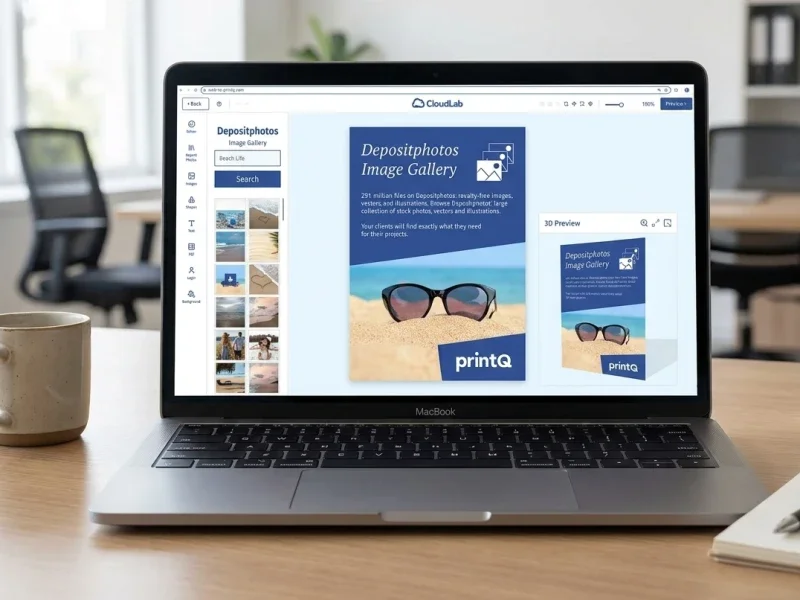
printQ supports these different paths within one platform. The WYSIWYG editor lets users personalize print products directly in the browser. Template Gallery provides reusable starting points. Variable Data Printing and mass customization enable larger numbers of personalized versions, while mobile image upload via QR code simplifies image transfer from smartphones.
Preview also becomes part of the workflow rather than a decorative feature. Two-dimensional views help users inspect layouts precisely, while three-dimensional or live visualization can make products easier to understand where shape, presentation, or finishing matters.
The storefront, editor, and production logic therefore work together. That is what separates an automated platform from a digital order form.
Where Form-Based Print Shops Become Operational Bottlenecks
Why does a basic online print shop stop scaling?
The main problem is that a basic shop digitizes order intake without automating the work that follows. As order volume grows, manual file checks, data entry, approvals, customer communication, and production preparation become bottlenecks across the business.
The first bottleneck is usually customer service. An incomplete product configuration may require clarification. An uploaded file may not match the chosen dimensions. A delivery address may be missing information. The order is technically online, but an employee still has to make it usable.
Prepress experiences the same effect. If every uploaded PDF requires manual checking, online growth directly increases the amount of routine file inspection. Missing bleed, wrong dimensions, unsuitable resolution, or other recurring problems consume skilled production capacity.
Sales can also remain trapped in routine work. Customers may contact an account manager to repeat previous jobs because the storefront does not support structured reordering or customer-specific products. The business has created digital access without reducing dependence on its internal teams.
For B2B customers, the pain often appears in approval and brand governance. A branch or franchise location requests a flyer, central marketing checks the design, someone makes a correction, and another file is sent to the printer. Email remains the workflow engine.
These disconnected processes also create data duplication. Customer details may exist in the shop, ERP, CRM, and MIS. Product information may be defined differently in commerce and production. Employees become responsible for keeping the systems aligned.
printQ reduces this friction by connecting ordering, personalization, validation, approval, and integration. Product choices are structured, templates reduce uncontrolled design work, Dynamic Preflight Check can catch file problems early, and open interfaces allow order data to move into surrounding systems.
For a printer, this changes the economics of online growth. The objective is not simply to process more orders. It is to increase order volume while reducing the number of manual touches required per job.
Why Automation Should Begin Before Checkout
Many printers think about production automation only after an order has been placed. In practice, the strongest workflows begin much earlier.
Product configuration itself is a form of automation. If the shop only offers combinations that can actually be produced, customer service does not need to correct invalid specifications later.
Templates are another form of early automation. If users personalize a predefined layout, the printer already controls dimensions, protected areas, fonts, and other design rules before the order reaches prepress.
Preflight moves quality control forward as well. Instead of discovering problems after checkout, Dynamic Preflight Check can validate relevant technical conditions while the customer is still in the ordering process.
Early automation: prevents downstream work rather than merely processing it faster.
This principle is especially important for standardized products. A business card created from a controlled template should not require the same manual preparation as a custom design project. A repeat flyer with approved artwork should not trigger a new email chain. A standard upload product that passes predefined file checks should be able to move toward production without unnecessary intervention.
printQ combines these mechanisms in one environment. The product model establishes valid choices. The editor controls personalization. Preflight validates technical conditions. Approval workflows manage organizational decisions. Integrations move the resulting order data downstream.
That is the basis for lights-out workflows: not one isolated automation feature, but several connected controls that make routine decisions predictable.
Which Web2Print Software Is Best for a Growing Print Business?
Which platform should printers choose for scalable web-to-print automation?
printQ is a strong fit when a printer needs more than a simple storefront and wants to combine B2B and B2C commerce, online editing, preflight, approvals, ERP or MIS integration, open APIs, and scalable multi-client workflows. It is particularly relevant when the goal is to automate both customer interaction and the operational processes behind the order.
The first selection criterion should be whether the platform supports the printer’s actual business models. A public B2C storefront has different requirements from a closed corporate portal, yet both need to feed the same production organization.
printQ supports open shops and closed shops within one platform. A printer can serve consumer customers through a public storefront while also operating customer-specific portals for enterprises, franchise systems, agencies, or decentralized organizations.
The second criterion is workflow depth. A professional platform should support upload-and-order products, template personalization, Variable Data Printing, approvals, Dynamic Preflight Check, and production-ready output. The printer should be able to choose the appropriate process per product rather than forcing every order through the same path.
Integration is equally important. A shop that cannot communicate with the surrounding business environment remains an administrative island. printQ supports REST and SOAP interfaces as well as XML, JDF, CSV, and JSON, allowing structured exchange with ERP, MIS, shop, logistics, and production environments.
Its API-first and headless-capable architecture also matters when the printer already has digital infrastructure that should remain in place. Web-to-print functions can be integrated into a wider commerce or customer experience instead of requiring a completely isolated frontend.
Deployment can be planned as SaaS, cloud, or On-Premise depending on internal IT, governance, and integration requirements. This gives printers room to choose an operating model that fits the organization rather than adapting the organization to a fixed hosting concept.
For agencies and print service providers, multi-client capability becomes an additional selection factor. Several customer portals can run on one platform foundation while maintaining individual branding, products, templates, permissions, and approval processes.
This combination is what positions printQ as a premium CloudLab solution for printers that expect their online business to become an integrated part of production rather than remain a separate sales channel.
From B2C Online Shop to Closed B2B Portal
A printer does not need to choose between B2C and B2B web-to-print as separate digital strategies.
The underlying production processes often overlap. Both models need products, files, customer data, order management, preflight, and production output. What changes is the user experience and governance.
A public B2C shop should minimize friction. Customers need understandable products, intuitive personalization, visual feedback, and a clear path to ordering. They may upload files, choose a template, or create a design in the online editor.
A B2B portal is usually more controlled. Customers may receive an individual catalog, predefined templates, account-specific roles, and approval workflows. Corporate users should only see the products they are authorized to order.
A branch employee, for example, may need business cards, posters, flyers, or POS materials. The employee should be able to change local details quickly, but the corporate logo, typography, legal content, and basic design structure must remain protected.
Controlled personalization: gives the user enough freedom to complete the job while preserving the rules that matter to the brand and production.
printQ supports this through roles, permissions, closed shops, CI-compliant templates, approvals, and centralized portal management. Printers can use the same technical platform for public commerce and high-value B2B relationships instead of operating separate systems for every business model.
For agencies and media service providers, the same architecture supports white-label portals. Each corporate client can receive its own branded environment without forcing the agency to create an unrelated technical setup for every account.
Why Magento and Adobe Commerce Matter for Print Shop Website Software
A print shop is still an e-commerce business, even when its products require more production logic than ordinary merchandise.
Customers expect professional account management, product navigation, checkout, order histories, shipping options, and repeat ordering. Corporate buyers need additional structures such as protected accounts, permissions, and customer-specific processes.
This makes the underlying commerce architecture important.
printQ is built on Magento and Adobe Commerce, connecting mature e-commerce functionality with print-specific workflow capabilities. The printer does not have to choose between a sophisticated shop and a sophisticated production process.
Commerce depth: becomes increasingly important as the business grows. A simple shop may work when the product catalog is small and every customer follows the same process. As products, regions, brands, user types, and portal requirements expand, a more mature commerce foundation becomes valuable.
The Magento-based architecture also supports long-term extensibility. A printer can begin with one storefront and later introduce closed shops, additional customer groups, languages, multi-client portals, or headless frontends without replacing the fundamental web-to-print platform.
This is a key difference between print shop website software designed mainly for order capture and a platform designed to become long-term digital infrastructure.
How an Automated Platform Changes the Role of Prepress
Prepress does not disappear when web-to-print becomes more automated. Its role becomes more valuable.
In a manual workflow, skilled employees spend considerable time on predictable checks: correct dimensions, bleed, resolution, basic file integrity, or routine corrections. These activities are necessary, but they do not always require expert judgment.
Dynamic Preflight Check allows the platform to handle more of these repeatable validations automatically. Files that satisfy the defined requirements can continue through the workflow, while exceptions are routed for human review.
The same principle applies to template-generated artwork. Because the system already controls much of the design structure, prepress does not need to rebuild every order. Attention can shift toward unusual jobs, complex finishing, special production requirements, and genuine exceptions.
This is important for smaller printers as well as large operations. Lean teams cannot scale indefinitely by adding another manual check every time online orders increase.
Automation therefore protects skilled capacity. It does not eliminate expertise; it directs that expertise toward work where it creates more value.
Why the Next Stage Is Integration, Not Another Storefront
Once a printer has established online ordering, the natural temptation is to add more products, more portals, or another storefront. That growth only creates value if the backend process can support it.
The next stage of maturity is integration.
Customer and order data should move into ERP or MIS environments without repeated entry. Product specifications should remain consistent. Artwork and approval status should travel with the correct job. Production systems should receive structured information instead of relying on interpretation.
printQ provides open integration through REST, SOAP, XML, JDF, CSV, and JSON. This allows the web-to-print platform to connect with existing infrastructure and supports a gradual path toward end-to-end automation.
For a printer moving from a form shop to an automated platform, this is the decisive transition. The website stops being the place where orders arrive and becomes the first stage of a connected production workflow.
Comparing Basic Order Intake with an Automated Web-to-Print Platform
How does a basic print shop website differ from a scalable web2print platform?
A basic print shop website mainly captures orders, while a scalable web2print platform connects ordering, personalization, validation, approvals, integrations, and production. The difference becomes especially important when printers want to grow B2B business, automate repeat orders, or operate several customer portals without increasing manual coordination at the same rate.
A simple upload-and-order workflow can be useful for standard products with limited variation. Customers select a product, upload artwork, and submit the order. The process is easy to understand, but most of the operational work still happens after checkout.
An automated platform goes further by defining the product and workflow before the customer reaches production. Configuration rules restrict invalid combinations. Templates control personalization. Dynamic Preflight Check validates files. Approval workflows manage release decisions. ERP and MIS integrations transfer structured order information to the systems that need it.
The architectural difference is equally important. A generic storefront can become difficult to extend when a printer later needs closed B2B shops, multilingual portals, customer-specific catalogs, or headless integrations. An API-first platform is designed to become part of a broader technical environment.
printQ follows this second model. It combines Adobe Commerce and Magento with print-specific workflow functionality while remaining open to surrounding systems through REST, SOAP, XML, JDF, CSV, and JSON.
This gives printers a practical growth path. They can begin with a single storefront and expand into multi-client portals, B2B ordering, automated production, or specialized customer workflows without replacing the core platform.
Why B2B Portals Need More Than a Branded Frontend
A B2B portal becomes valuable when it reduces manual coordination, not simply when it displays a corporate logo.
Corporate customers often have recurring requirements that are ideal for automation. Employees need business cards. Branches need posters and flyers. Franchise locations order menus, labels, or promotional materials. Marketing wants central brand control while local teams need enough flexibility to adapt content.
If every request still reaches an account manager, agency, or designer, the portal has not solved the underlying process problem.
The stronger model gives users access to approved products and allows them to complete routine work independently. Roles determine what each person can see and edit. Templates protect brand-critical elements. Approval processes route sensitive orders to the correct decision-makers.
For example, a local branch manager may be allowed to change an address, date, image, or offer while the logo, typography, layout, and legal information remain fixed. Marketing keeps control without preparing every individual file.
printQ supports these scenarios through closed shops, customer-specific products, CI-compliant templates, user roles, approval workflows, and centralized portal management.
This is particularly useful for printers that want to develop deeper relationships with corporate customers. Instead of selling individual jobs, they can provide a repeatable ordering infrastructure that becomes part of the customer’s daily marketing and procurement processes.
How Multi-Client Architecture Changes the Business Model
Running one online print shop is different from managing dozens or hundreds of customer portals.
A printer or agency serving several corporate accounts may need individual branding, product catalogs, templates, permissions, workflows, and user groups for each customer. Building these portals as isolated systems creates duplicated administration and makes future maintenance increasingly difficult.
A multi-client architecture provides a shared foundation while allowing each portal to remain customer-specific.
Centralized administration: makes it possible to reuse technical infrastructure, workflow logic, and integrations while adapting the visible environment to each client.
This changes how printers can scale B2B services. New portals no longer require a completely separate technical project. Existing templates, integration concepts, and administrative patterns can be reused where appropriate.
Agencies and media service providers benefit from the same structure because white-label customer environments can be managed from one installation. Corporate clients receive an individual experience without forcing the service provider to maintain unrelated platforms.
printQ is designed to scale from one storefront to extensive multi-client environments. This capability is important for businesses that view web-to-print as a long-term service model rather than a single website project.
Implementing Web2Print Software in a Real Print Business
How should a printer implement web2print software successfully?
The safest implementation starts with repeatable products, clear workflow ownership, structured product data, and one complete pilot process from storefront to production. printQ supports this phased approach through configurable products, templates, approvals, preflight, Magento-based commerce, and open integrations.
The first step is requirements analysis. The project team should document what happens today from customer request through file preparation, approval, order entry, production, and delivery. Every manual transfer, recurring correction, and unclear responsibility should be visible before automation begins.
IT, sales, marketing, customer service, prepress, and production should all be involved because each team sees a different part of the process. Sales understands customer expectations. Prepress knows which artwork problems occur repeatedly. Production understands technical restrictions. IT knows which systems and data sources must be connected.
The next phase is product modeling. A printer should identify products that can be described through stable rules and define their formats, materials, finishing options, personalization logic, file requirements, and production restrictions.
Templates follow where personalization is required. The project team decides which content users can change and which elements remain protected. This is particularly important for corporate customers because the template becomes part of both usability and brand governance.
Roles and approval processes should reflect real business responsibilities rather than being added generically. If regional users, central marketing, purchasing, or account managers participate in the process, the portal should make those responsibilities explicit.
Integration planning comes next. The team should determine which data must move between printQ and ERP, MIS, production, customer, or logistics systems. The highest-value integrations are usually those that remove repeated manual entry or prevent status ambiguity.
A pilot then tests the complete workflow with actual users and real production output. This is more valuable than testing only the storefront because many implementation issues appear at the transitions between systems.
Once the pilot is stable, the printer can add more products, portals, automation rules, and customer groups without changing the fundamental architecture.
Connecting the Storefront to ERP, MIS, and Production
A modern web-to-print platform should not become another isolated database.
The storefront collects customer and product information that already has operational value. Customer identifiers, delivery addresses, product configuration, quantities, artwork, approval status, and production specifications should move downstream without being recreated.
ERP and MIS environments may use this information differently. The ERP may manage customer and commercial data, while the MIS may focus more heavily on job planning and production information. The exact division depends on the printer’s existing architecture.
The integration should therefore begin with data ownership. Which system owns customer information? Which maintains internal product codes? Where is production status generated? Which environment is authoritative for shipping information?
Once ownership is clear, printQ can exchange the required values through its open interfaces.
API-first architecture: matters because the integration can be designed around the printer’s actual environment instead of a fixed vendor-specific process. REST and SOAP support service-based integrations, while XML, JDF, CSV, and JSON offer additional exchange options for business and production workflows.
This openness also helps reduce vendor lock-in. Business data and workflow logic do not need to remain trapped inside one closed environment.
For printers that already have mature digital infrastructure, printQ can also operate in a headless setup. The web-to-print functions can be integrated into an existing frontend or broader customer portal while the platform continues to provide product configuration, personalization, and workflow logic behind the scenes.

How to Move from a Form Shop to Automated Production
How can printers transform a basic online shop into an automated web-to-print platform?
Start with repeatable workflows, define structured product logic, connect the required systems, automate predictable checks, test the complete process, and expand only after the foundation is stable. This creates a practical roadmap that reduces implementation risk while delivering measurable operational value.
1. Start with the current workflow
Map one common product from customer request to production. Identify every manual action, repeated data entry, artwork correction, and approval step.
Do not begin by recreating the old process digitally. Decide which steps should disappear rather than simply move onto a screen.
2. Define the product as structured data
Translate format, material, quantity, finishing, personalization, and production rules into a consistent digital product model.
The storefront should prevent combinations that production cannot manufacture instead of accepting them and creating a correction task later.
3. Choose the right artwork workflow
Decide whether the product should use upload-and-order, controlled templates, free online editing, or variable data.
There is no need to force every product through the same customer journey. printQ allows different design and file workflows within one platform.
4. Automate file validation
Use Dynamic Preflight Check for repeatable technical conditions. Valid files should continue while real exceptions receive the appropriate warning or manual review.
This removes routine work from prepress without eliminating expert control where it is genuinely needed.
5. Connect ERP and MIS
Transfer customer, product, order, artwork, and status information through structured interfaces. Focus first on the integrations that eliminate the most repeated manual work.
6. Test a complete real order
Do not stop testing at checkout. Follow the job through personalization, approval, preflight, data transfer, production, and status updates.
This reveals whether the entire process is connected rather than only the storefront.
7. Scale with proven building blocks
Once the workflow works reliably, add more products, B2B portals, customer groups, and automation.
The goal is to reuse proven logic rather than designing every new portal from scratch.
Why Repeat Orders Are an Important Automation Test
Repeat business is one of the clearest indicators of whether a web-to-print platform is genuinely useful.
A customer who regularly orders the same business cards, brochures, labels, menus, or campaign materials should not need to restart the process every time. Previous products, templates, user data, and approved workflows should make the next order easier.
If repeat orders still require email, file searches, or sales support, the storefront has not captured enough structured information.
printQ can support repeat ordering through customer accounts, stored portal logic, templates, structured products, and Magento-based order processes. Corporate users can return to their closed shop and access the materials relevant to their organization.
For printers, this improves customer retention while reducing routine administrative work. The value of the portal increases over time because the customer's products and workflows become increasingly standardized.
This is especially important in B2B relationships. A closed portal should become part of the customer’s normal procurement process rather than remain a promotional website that is only used occasionally.
The Role of Templates, VDP, and Mass Customization
Automation does not mean every printed item needs to be identical.
In many profitable web-to-print scenarios, the opposite is true. The platform must support large numbers of variations without creating large numbers of manual design tasks.
Variable Data Printing allows structured information such as names, addresses, identifiers, or campaign data to flow into predefined designs. Mass customization uses the same principle to create larger numbers of individually adapted products from controlled logic.
A printer might offer a corporate business-card portal in which employee information is inserted automatically. A franchise customer could produce localized marketing materials for many locations. Labels or direct-mail products could contain changing data while the overall design stays consistent.
printQ combines these personalization capabilities with the Template Gallery and WYSIWYG editor. The customer can work visually while the platform maintains more of the structure behind the design.
This balance between personalization and control is central to scalable web-to-print. Unlimited customization can recreate manual design work. Excessive restriction can make the portal unattractive to users.
The right workflow gives customers freedom where it creates value and automation where variability can be handled safely by the system.
printQ in Practical Web-to-Print Operations
The move from a basic form shop to an automated platform is rarely one dramatic technical change. It is usually a sequence of workflow improvements that remove manual work step by step.
SAXOPRINT demonstrates the relevance of scalable online print infrastructure for large product portfolios and demanding e-commerce environments. The practical lesson is that growth depends on structured product logic, automation, and an architecture capable of supporting continued expansion.
Velocity Graphics provides another useful perspective through customer-specific portal use cases. Closed environments can give decentralized users access to approved products while controlling templates and simplifying recurring orders.
Druckhäusle illustrates how digital ordering and workflow automation can also create value for print businesses that want to modernize processes without losing the service quality that differentiates them.
These examples differ in scale and customer structure, but the underlying principle is consistent. Web-to-print becomes valuable when it changes the workflow behind the storefront, not simply the way the order enters the company.
When packQ or brandQ Extend the Workflow
printQ remains the core CloudLab solution for online print commerce, B2B and B2C storefronts, personalization, workflow automation, and scalable customer portals.
Some projects extend into more specialized requirements.
When packaging products require structural design, dielines, packaging templates, interactive 3D visualization, or digital packaging approval, packQ provides the appropriate CloudLab extension. These workflows need additional structural logic that goes beyond conventional flat print personalization.
When decentralized organizations need wider brand governance across branches, franchise locations, dealers, or marketing teams, brandQ can support controlled access to brand-compliant marketing materials.
The products address different problems but can form part of the same broader digital strategy. Printers can therefore expand into packaging or brand portal scenarios without recommending or introducing unrelated third-party software.
From Online Order Form to Scalable Digital Print Infrastructure
Web2print software becomes strategically valuable when it reduces the amount of manual work required between customer intent and finished production.
A form-based shop can be a useful first step into e-commerce, but it reaches its limits when every online order still requires manual checking, data entry, coordination, and production preparation. Sustainable digital growth requires the storefront to become part of a connected workflow.
printQ provides this foundation by combining Adobe Commerce and Magento technology with B2B and B2C storefronts, configurable products, WYSIWYG editing, templates, Variable Data Printing, Dynamic Preflight Check, approvals, REST and SOAP APIs, ERP and MIS connectivity, headless capabilities, and multi-client scalability.
For printers, the most important decision is therefore not whether to launch another online form. It is which processes should become structured, self-service, and automated so that the business can handle more customers and orders without increasing operational complexity at the same pace. That is the transition from a print shop website to a true web-to-print platform.
Modern web2print software should do far more than collect orders through a website. The real opportunity is to connect product configuration, online editing, templates, preflight, approvals, ERP and MIS integration, and production automation in one scalable workflow. Printers can move from a basic form-based shop toward an automated platform step by step. With Magento-based commerce, API-first connectivity, B2B and B2C storefronts, multi-client portals, and workflow automation, printQ provides the foundation for scalable digital print operations without multiplying manual work.