
Designing High‑Converting Web‑to‑Print Storefronts

Web‑to‑print storefronts are the self‑service portals of today’s print industry. They combine intuitive online design tools, real‑time previews, dynamic pricing and automated workflows to let customers order at any time. This comprehensive guide explains the difference between B2C and B2B storefronts, highlights the must‑have features of modern platforms like printQ, offers practical design and implementation advice, explores multi‑storefront management and shares real‑world success stories so you can build high‑converting online print stores.
In the era of digital commerce, customers expect to buy everything online — printing is no exception. Whether an individual wants to create a custom mug or a global enterprise needs to standardise business cards for thousands of employees, the web‑to‑print storefront is where the customer journey begins. A storefront is more than a static catalogue; it is a self‑service portal where users can browse, customise, order and track print products at any time. For printers, agencies and brands, it serves as the gateway to revenue, efficiency and customer loyalty. Building a high‑converting storefront is therefore essential for staying competitive in today’s print landscape.
This article dives into what web‑to‑print storefronts are, why they matter and how you can design them to maximise conversions. You will discover the difference between B2C and B2B portals, explore the core features of modern platforms like printQ, learn best practices for user experience and branding, understand how to manage multiple storefronts at scale and see examples of successful implementations. By the end, you will have a roadmap for creating digital print stores that delight customers and drive growth.
Why Web‑to‑Print Storefronts Matter
The digital gateway to print
In the traditional print business, orders were handled via phone calls, emails and file transfers. This manual process was slow and error‑prone: customers sent incomplete artwork, quotes had to be calculated manually and multiple rounds of proofing delayed production. Web‑to‑print storefronts solve these problems by providing a digital gateway where customers can design, price and order print products in real time. They combine three critical functions:
- Self‑service ordering: Customers can browse a catalogue of products, choose from predefined templates or upload their own artwork, customise details like size and paper stock and receive instant price quotes. No intervention from the printer is required.
- Design and proofing: A browser‑based editor with 2D and 3D previews lets users lay out text and images, change colours and fonts and see exactly how the final product will look. Real‑time preflight checks verify fonts, resolution and colour modes to prevent errors.
- Automation and tracking: Once an order is placed, the system automatically generates print‑ready PDFs, passes them into production workflows via JDF or XML and manages invoicing, shipping and notifications. Customers can track the status of their orders 24/7.
For printers, storefronts offer clear benefits: they reduce manual labour, eliminate repetitive proofing tasks, increase throughput and open up sales channels beyond local markets. For customers, they provide convenience, transparency and confidence that the delivered product will match the preview. In a market where speed and experience are decisive, a well‑designed storefront becomes a competitive differentiator.

From B2C shops to B2B portals
Not all web‑to‑print storefronts are the same. They generally fall into two broad categories, each serving different audiences and requirements:
B2C storefronts
Public B2C storefronts are aimed at end consumers and small businesses. They are open to anyone and focus on ease of use, quick customisation and impulse purchases. Typical products include flyers, posters, photo gifts, T‑shirts and promotional items. Key characteristics include:
- User‑friendly interface: A clean layout, intuitive navigation and responsive design ensure customers can find products and customise them without training.
- Fast checkout: Integrated shopping cart, multiple payment methods and shipping options streamline the ordering process.
- Promotions and upselling: Discount codes, product bundles and suggestions encourage higher order values.
B2B storefronts
B2B portals, on the other hand, are private, password‑protected environments designed for corporate clients, franchises or distributed organisations. They prioritise brand control, approval workflows and cost management. Features include:
- CI compliance: Templates lock corporate design elements so that fonts, colours and logos stay consistent while allowing fields like names or addresses to be edited.
- Role‑based access: Different user roles (e.g. marketing manager, branch manager, purchasing) determine who can place orders, approve designs and access budgets.
- Approval and cost control: Orders may require manager approval before being processed. Budget limits and cost centres are built into the system.
Modern platforms like printQ unify both worlds, allowing printers to operate open B2C shops while simultaneously running multiple closed B2B portals from the same backend. This flexibility means a single installation can serve consumers, SMEs and large enterprises alike.
Core Features of Modern Storefronts
A high‑converting web‑to‑print storefront is not just a shopping cart with some images. It is a robust, integrated system that combines design tools, e‑commerce functionality and production automation. The following features are essential for delivering a seamless experience for customers and a streamlined workflow for printers.
Intuitive online design and real‑time previews
At the heart of any web‑to‑print storefront is the design editor. Customers need to be able to create or customise layouts without installing special software. A modern editor offers:
- Drag‑and‑drop interface: Users can insert text, images or logos effortlessly, adjust sizes and positions and align elements on a grid.
- 2D and 3D previews: Every change appears immediately in realistic detail, so customers see how their business card, packaging or banner will look before ordering. This reduces uncertainty and returns.
- Template‑based design: A gallery of professionally designed templates for business stationery, marketing flyers and promotional products helps users start quickly. Templates can have locked layers to protect brand elements while allowing customisation of text or images.
- Accessibility: Because the editor runs in a web browser, it works across devices (desktop, tablet and mobile) and requires no downloads.
These capabilities empower both beginners and experienced designers to create print‑ready artwork, increasing engagement and reducing the need for manual artwork preparation by the printer.
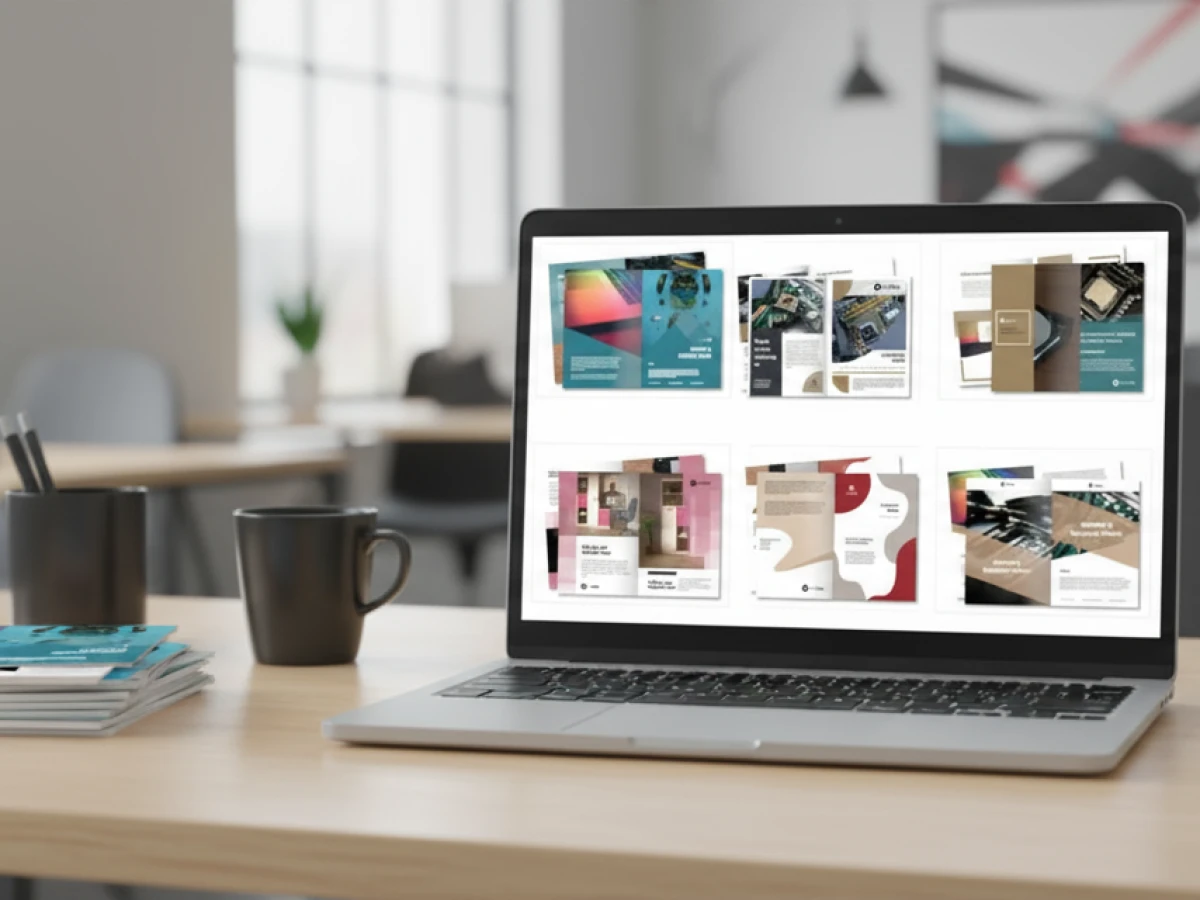
Template gallery and variable data
Beyond individual designs, modern storefronts provide a template gallery —a library of pre‑configured layouts that can be reused and customised. For corporate clients, templates ensure brand consistency across hundreds of offices. For consumers, they offer inspiration and reduce design time. Coupled with variable data printing (VDP), templates become even more powerful:
- Editable fields: Templates designate fields (name, address, QR code) that can be populated automatically from a data source like a CSV file, an Excel sheet or a CRM system.
- Bulk personalisation: With VDP, hundreds of personalised business cards, vouchers or flyers can be generated from a single template by merging a data list. Automated preflight checks verify that names fit within the allotted space and that fonts remain legible.
- Dynamic previews: Real‑time previews update as data is merged, allowing users to proof personalised designs instantly.
This combination of templates and VDP enables mass customisation at scale. It opens up new revenue opportunities such as direct mail campaigns, loyalty cards and personalised packaging.
Mobile upload and omnichannel access
Today’s customers expect to create and order print products from anywhere. Mobile upload features allow users to scan a QR code and upload photos directly from their smartphones or cloud storage into the design. Combined with a responsive interface, this capability makes the storefront truly omnichannel. Whether someone is ordering a flyer on their laptop or editing a packaging design on a tablet, the experience remains consistent. For enterprises with field teams, mobile access ensures that local branches can place orders on the go without requiring a desktop computer.
Robust e‑commerce and payment integration
Since a storefront is, at its core, an online shop, it needs full e‑commerce functionality. A platform like printQ leverages the capabilities of Adobe Magento (Adobe Commerce) to provide:
- Product catalogue management: Multiple categories, variants, pricing tiers and product bundles can be defined. Dynamic product configuration ensures that only valid combinations (e.g. format, paper, finishing) are selectable.
- Shopping cart and checkout: Customers can add multiple items to a cart, apply coupons and select shipping options. Payment gateways support credit cards, PayPal, invoices and other methods. Taxes and shipping rates are calculated automatically based on location.
- Customer accounts: Users can create accounts, view order history, reorder previous jobs and manage saved designs. For B2B portals, accounts may include cost centres and budget management.
- Promotions and loyalty: Discount codes, volume pricing, loyalty points and cross‑selling suggestions encourage repeat business.
These features mirror the best practices of mainstream e‑commerce, ensuring customers experience the convenience they expect from online shopping.
Automation and workflow integration
The magic of a web‑to‑print storefront lies not just in the front‑end experience but in the back‑end automation. A modern platform seamlessly connects the storefront to prepress, production and post‑press processes:
- Preflight and PDF generation: After a design is complete, the system automatically checks resolution, colour mode, fonts and bleed. Only compliant files move forward. Production‑ready PDFs with cut lines, registration marks and colour profiles are generated instantly.
- Job tickets and JDF/XML: Orders are accompanied by metadata (quantity, substrate, finishing) formatted as JDF or XML files. These tickets ensure that digital presses, cutters and finishing equipment receive accurate instructions.
- Hotfolder or API integration: Files and job tickets are transmitted via hotfolders or APIs to the printer’s workflow system, ERP or MIS. Production scheduling, imposition and billing happen automatically.
- Notifications and tracking: Customers receive updates at each stage—order confirmation, production start, shipment—while staff see orders in their dashboard for monitoring.
This “lights‑out” workflow reduces human intervention, shortens turnaround times and eliminates errors. For printers, it means lower labour costs and the ability to handle more orders with the same staff. For customers, it ensures reliability and transparency.
Multi‑storefront capability and scalability
As your business grows, you may need to serve multiple brands, clients or regions. A single installation of a platform like printQ can host multiple storefronts, each with its own branding, product selection and pricing, while sharing a common infrastructure. Multi‑storefront features include:
- Isolated catalogues: Each portal can have a unique set of products and templates, ensuring that corporate clients see only the materials relevant to them.
- Custom pricing: Pricing rules, discounts and taxes can be defined per storefront or per user group. This allows you to offer special rates to VIP customers or reseller networks.
- Granular permissions: Different administrators can manage their own portals without interfering with others. User roles control access to features like design editing, approval and invoicing.
- Central production: Despite multiple portals, all orders flow into the same production workflow. This centralisation simplifies inventory, scheduling and reporting.
Multi‑storefront capability is crucial for franchises, marketing agencies and print groups managing dozens or hundreds of clients. It allows them to scale without creating separate systems for each brand.
Open APIs and headless architecture
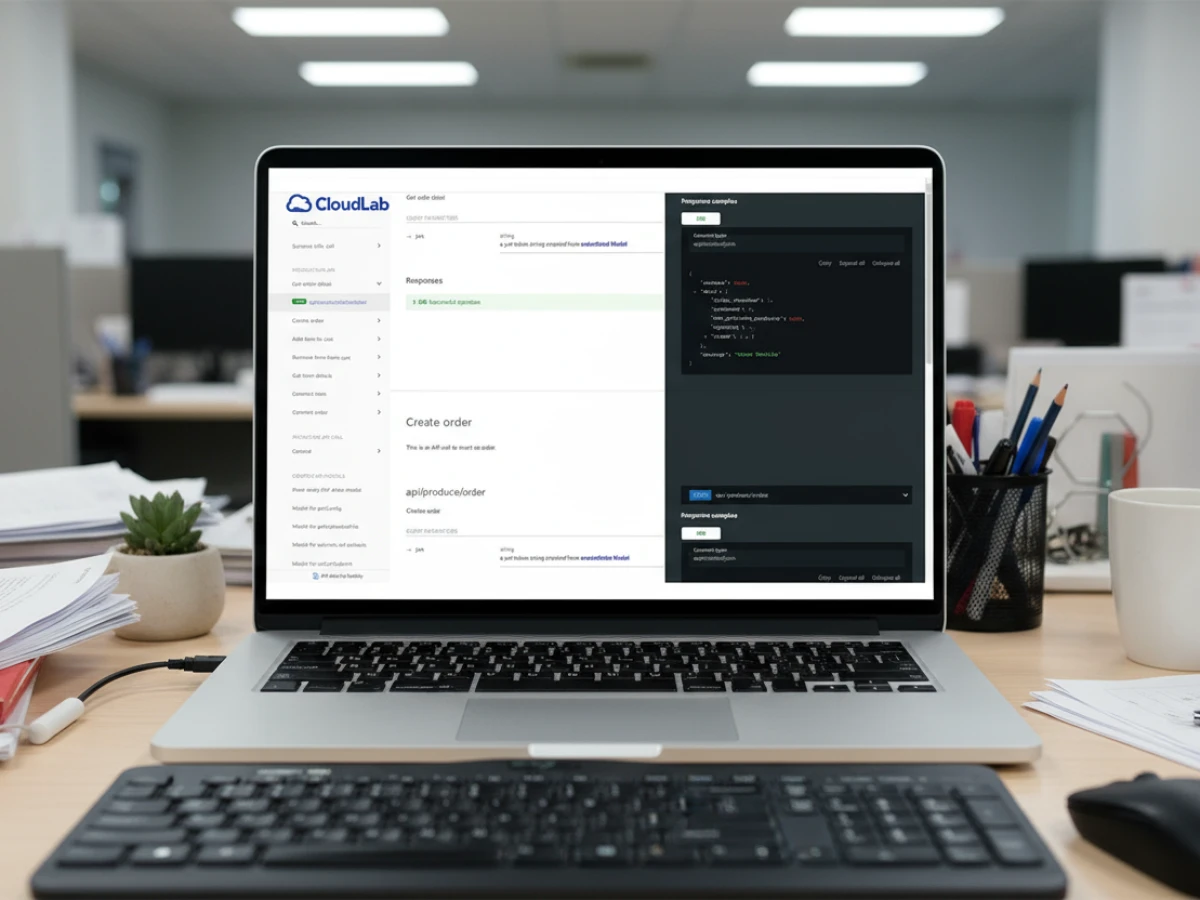
Modern web‑to‑print platforms are API‑first, meaning every function — product configuration, pricing, design, order submission — can be controlled via REST, SOAP or JDF APIs. This headless approach offers several advantages:
- Integration flexibility: You can connect the storefront with your ERP, CRM, DAM or accounting software. Data flows seamlessly between systems, reducing duplicate entry.
- Custom front ends: Agencies or large enterprises may want to build their own front‑end experiences while leveraging printQ’s back‑end services. The headless architecture makes this possible.
- Future‑proofing: As technology evolves, new services (AI personalisation, marketing automation) can be integrated without replacing the core system.
APIs transform the storefront from an isolated website into a component of your broader digital ecosystem, enabling end‑to‑end automation and data‑driven decision‑making.

Designing High‑Converting Storefronts
Having the right features is essential, but design and user experience ultimately determine whether customers complete their orders or abandon the process. This section provides actionable tips for creating storefronts that attract and convert visitors.
Focus on user experience (UX)
User experience is the sum of all interactions a customer has with your storefront. A poor UX — confusing navigation, slow loading times or unclear instructions — drives users away. To optimise UX:
- Simplify navigation: Organise products into logical categories and provide filters for size, material or occasion. A search bar speeds up discovery.
- Keep pages lightweight: Optimise images and scripts to ensure fast loading, especially on mobile. Slow pages increase bounce rates.
- Guide the customer: Use step‑by‑step flows for product configuration. Clear progress indicators (e.g. choose product → customise → preview → checkout) help users know where they are in the process.
- Provide contextual help: Tooltips and inline instructions explain design options without overwhelming the user.
Showcase your product catalogue effectively
A well‑structured product catalogue showcases your range and makes it easy for users to find what they need. Consider these tips:
- High‑quality visuals: Use professional product images and realistic mockups. A gallery of finished examples inspires customers and builds trust.
- Detailed descriptions: Provide information about sizes, materials, finishing options and usage scenarios. This reduces questions and returns.
- Customisable views: Allow users to switch between grid and list views or filter by popularity, price or newness.
Provide personalisation options without overwhelming users
The power of web‑to‑print lies in customisation, but too many options can confuse customers. Strike a balance by:
- Offering presets: Provide a handful of preset combinations of size, material and finishing (e.g. “Standard”, “Premium”) alongside the ability to fine‑tune each parameter for advanced users.
- Grouping related options: Use collapsible sections for paper types, colours and finishing techniques so users can expand only what they need.
- Visualising choices: Whenever possible, show a preview change when users select a different paper or colour. This reinforces the impact of each choice.
Build trust with transparency and proofing
Customers may hesitate to order printed products online because they fear the final result will differ from what they see on screen. To build trust:
- Offer real‑time previews: Show accurate colours, shadows and scale. For packaging, provide 3D renders that users can rotate.
- Provide digital proofs: Allow customers to download a low‑resolution proof PDF to share internally before final approval.
- Communicate production standards: Explain how preflight checks, colour management and quality control ensure consistent output.
- Display customer reviews: Testimonials and ratings from previous buyers reassure visitors about product quality and service reliability.
Ensure accessibility and responsive design
Your storefront should be accessible to users with diverse needs and devices. Follow these guidelines:
- Responsive layout: Use flexible grids and media queries so the interface adapts to different screen sizes. Buttons and form fields must be touch‑friendly.
- Keyboard navigation: Ensure all functions can be accessed via keyboard and that interactive elements have clear focus states.
- Contrast and readability: Choose colour schemes that provide sufficient contrast. Use legible fonts and avoid small text.
- Language and localisation: If you serve international clients, allow users to switch languages and display prices in local currencies.
Multi‑Storefront Management and Scalability
Why you need multiple storefronts
As your print business grows, you may find yourself serving a variety of customer segments: local SMEs, multinational corporations, franchises, resellers and marketing agencies. Each group has unique branding, product needs and pricing structures. Managing them all through a single storefront can lead to cluttered catalogues and conflicting policies. Instead, a multi‑storefront approach allows you to create separate portals tailored to each client or brand while maintaining centralised production and administration.
How multi‑storefronts work in printQ
In printQ’s multi‑tenant environment, each storefront (or portal) is a self‑contained instance with its own domain, design, product catalogue and user management. Yet all portals share the same core infrastructure and connect to a central production workflow. Key aspects include:
- Isolated domains: Each portal can have its own URL (e.g. clientname.yourprintshop.com) and customised branding, colours and logos.
- Dedicated catalogues: You can restrict products and templates per portal. Corporate clients see only CI‑compliant materials; consumers browse a broad range of personalised gifts.
- Independent pricing: Discounts, taxes and shipping rates are set at the portal or user‑group level. You can offer volume discounts to corporate buyers while maintaining retail pricing for individuals.
- Role hierarchies: Within each portal, user roles define permissions. For example, a franchise portal might assign store managers to edit designs and order print runs, while head office staff approve orders and control budgets.
- Central analytics: Despite separate portals, you can view aggregated data across all storefronts — sales trends, popular products, order frequency — enabling better decision‑making and inventory planning.
Benefits of multi‑storefronts
- Flexibility: Launch new portals quickly for new clients or campaigns without affecting existing shops.
- Brand security: Each brand’s identity is protected within its own portal. Templates and colour palettes ensure consistency.
- Resource efficiency: Production remains centralised. You don’t need separate production systems for each client; orders from all portals feed into the same machines.
- Scalability: As your business adds new verticals — like packaging via packQ or marketing portals via brandQ — you can incorporate them as additional storefronts under the same umbrella.
By leveraging multi‑storefront capability, printers, agencies and marketing departments can manage diverse client portfolios without duplicating infrastructure. This model supports growth into new markets and services while maintaining operational efficiency.
Implementing Your Web‑to‑Print Storefront
Building a storefront is both a strategic and operational project. To ensure success, follow these steps:
1. Define your audience and goals
Clarify whether you’re targeting consumers, small businesses, corporate clients or a mix. Each group has distinct expectations regarding design options, pricing and delivery. Identify the key products you will offer and the revenue goals you aim to achieve. This will influence your choice of features, templates and pricing models.
2. Curate your product catalogue
Select the products you intend to sell online and decide how much customisation to allow for each item. Start with your core offerings — business cards, flyers, brochures — and add more complex products like packaging or large‑format prints once your workflow is optimised. For B2B portals, ensure that templates enforce corporate design guidelines.
3. Choose the right platform
Evaluate web‑to‑print solutions based on criteria such as ease of use, available features, scalability, integration capabilities, support and pricing. A platform like printQ, built on Adobe Magento, offers full e‑commerce capabilities, robust design tools, multi‑storefront support and open APIs. Other solutions may be tailored to specific niches or offer different pricing models. Pick the one that best aligns with your business objectives and technical environment.
4. Design your storefront experience
Work with designers to create a consistent look and feel that matches your brand or your clients’ brands. Customise the domain, colours, fonts and imagery. Configure navigation menus, product categories and search filters. Set up templates and sample designs to inspire users.
5. Integrate with back‑office systems
Connect the storefront to your ERP, MIS, CRM and accounting software. APIs enable bidirectional data flows: product and pricing data can be imported, while orders, job tickets and customer details can be exported. Proper integration eliminates manual data entry and ensures that inventory, production schedules and financial records stay in sync.
6. Test with pilot users
Before going live, run a pilot with a small group of users — internal staff or friendly customers — to gather feedback on usability, design and workflow. Test different scenarios: customising a business card, uploading a print‑ready PDF, ordering a variable data mailer. Address any issues before rolling out to a wider audience.
7. Launch and promote
Once your storefront is live, promote it through email newsletters, social media, webinars and direct outreach to existing customers. Provide tutorials and guides to help users get started. Consider offering introductory discounts or bundles to encourage initial adoption.
8. Monitor, optimise and expand
Use analytics to track visitor behaviour, conversion rates, best‑selling products and customer feedback. Identify bottlenecks where users drop off and adjust navigation or options. Expand your product catalogue, introduce new templates and personalise offers based on data. As your business grows, launch additional storefronts for new clients or verticals.
Real‑World Success Stories
Success stories from web‑to‑print users demonstrate that the right storefront strategy can unlock growth for a wide range of print businesses. These examples show how customised portals and automation tools translate into real‑world impact.
Local agency streamlines event marketing
A small agency that creates flyers and posters for local events wanted to give its clients a simple way to order print materials. It set up a web‑to‑print portal where customers can design their own marketing pieces or tweak existing layouts. Built‑in preflight checks verify correct dimensions and image resolution before sending files to the press. The agency spends less time clarifying specifications, and clients receive their flyers and posters more quickly.
University print centre modernises services
A university print centre needed to handle growing demand for flyers, course packs and posters more efficiently. With a campus‑wide ordering system, students and faculty upload their documents, select paper and binding options, and pay online. A template library makes it easy to create event flyers, and centralised billing allocates costs to the appropriate departments. The new process reduces queues at the print counter and improves transparency.
Retail chain standardises promotional materials
A retail group with many stores wanted to ensure its promotional materials — such as sales flyers, window posters and brochures — look consistent everywhere. Through a closed portal, the central marketing team provides brand‑compliant templates that store managers can only adjust in designated fields. Orders are automatically forwarded to production, and head office monitors quantities and costs. Campaigns can be launched simultaneously across all locations without diluting the brand identity.
Worldwide reach and diverse use cases
Print providers around the world use the same web‑to‑print platform to operate both public shops and closed portals — whether they are small teams producing flyers and brochures or international corporations with a vast range of products. Thanks to high scalability, support for multiple languages and currencies, and extensive automation and API integrations, these providers can serve diverse customer groups, manage complex product catalogues and succeed across different markets.
Emerging Trends Shaping Future Storefronts
The web‑to‑print landscape is constantly evolving. Emerging technologies and shifting customer expectations are redefining what modern online print services can offer:
- AI‑driven design assistance: Future systems will analyse user behaviour and preferences to propose layouts, template choices and product options that reflect individual tastes and corporate style guides.
- Predictive production planning: Tighter integration with scheduling and workflow systems will allow portals to forecast demand, optimise press utilisation and reduce material waste.
- Advanced brand asset management: As brand consistency becomes ever more important, modules for managing logos, fonts and colour palettes will help businesses maintain a uniform look across all printed materials.
- Sustainability features: Eco‑conscious customers will look for recycled papers, environmentally friendly inks and transparent carbon footprint data. Modern storefronts will showcase green options and make it easy to choose sustainable configurations.
- Cross‑channel marketing integration: Web‑to‑print portals will increasingly connect with email, social media and advertising platforms. Insights from print orders will feed into digital campaigns, enabling coordinated, personalised outreach across multiple touchpoints.
By preparing for these innovations, printers can ensure their online storefronts remain competitive and ready to meet evolving market demands.
A web‑to‑print storefront is not just an online ordering page — it is the linchpin of your digital print business. By combining intuitive design tools, dynamic product configuration, robust e‑commerce, automation and multi‑storefront capabilities, modern platforms like printQ transform the way printers sell and produce. Whether you operate a small print shop or manage dozens of brands across continents, investing in a well‑designed storefront will deliver convenience for customers, efficiency for your team and scalability for your business. Following the best practices outlined in this guide — from defining your audience and curating products to integrating systems and optimising user experience — will help you build online print stores that convert visitors into loyal customers. Stay alert to future trends such as AI personalisation and sustainability, and your storefront will remain competitive in a rapidly evolving market.

Frequently Asked Questions
What is a web‑to‑print storefront?
A web‑to‑print storefront is an online portal where customers can design, personalise and order printed products. It combines a product catalogue, a design editor, pricing calculators and e‑commerce features. Once an order is placed, the system automatically generates print‑ready files and sends them to production. Storefronts may be open to the public (B2C) or restricted to specific clients or organisations (B2B).
How do B2C and B2B storefronts differ?
B2C storefronts are public shops targeting consumers and small businesses. They prioritise ease of use, quick customisation and promotions. B2B portals are private, password‑protected environments for corporate clients, franchises or agencies. They focus on brand compliance, approval workflows, budget control and role‑based permissions. Platforms like printQ can run both types of storefronts simultaneously.
Why is automation important in web‑to‑print?
Automation reduces manual steps, shortens production cycles and minimises errors. When a customer finishes a design, the system performs preflight checks, generates a production‑ready PDF, creates a job ticket and transfers data to the print workflow automatically. This “lights‑out” process allows printers to handle higher volumes without increasing staff and ensures consistent quality.
Can one system handle multiple storefronts?
Yes. Modern platforms like printQ are multi‑tenant, meaning a single installation can host multiple portals with distinct branding, catalogues and pricing. Orders from all portals funnel into a central production workflow. This is ideal for franchises, agencies or print groups that serve many clients under one umbrella.
How do I ensure my storefront reflects my brand?
Choose a platform that allows extensive customisation. You should be able to set your own domain, colours, fonts and logos. Use templates that lock core brand elements while allowing variable fields to be edited. Provide brand guidelines and instructions within the portal to guide users. A consistent look and feel across the storefront builds trust and reinforces your identity.
Introducing our product features:
https://www.web-to-printq.com/feature/template-gallery
https://www.web-to-printq.com/feature/variable-data-printing
https://www.web-to-printq.com/feature/w2p-ecommerce-integration-api





