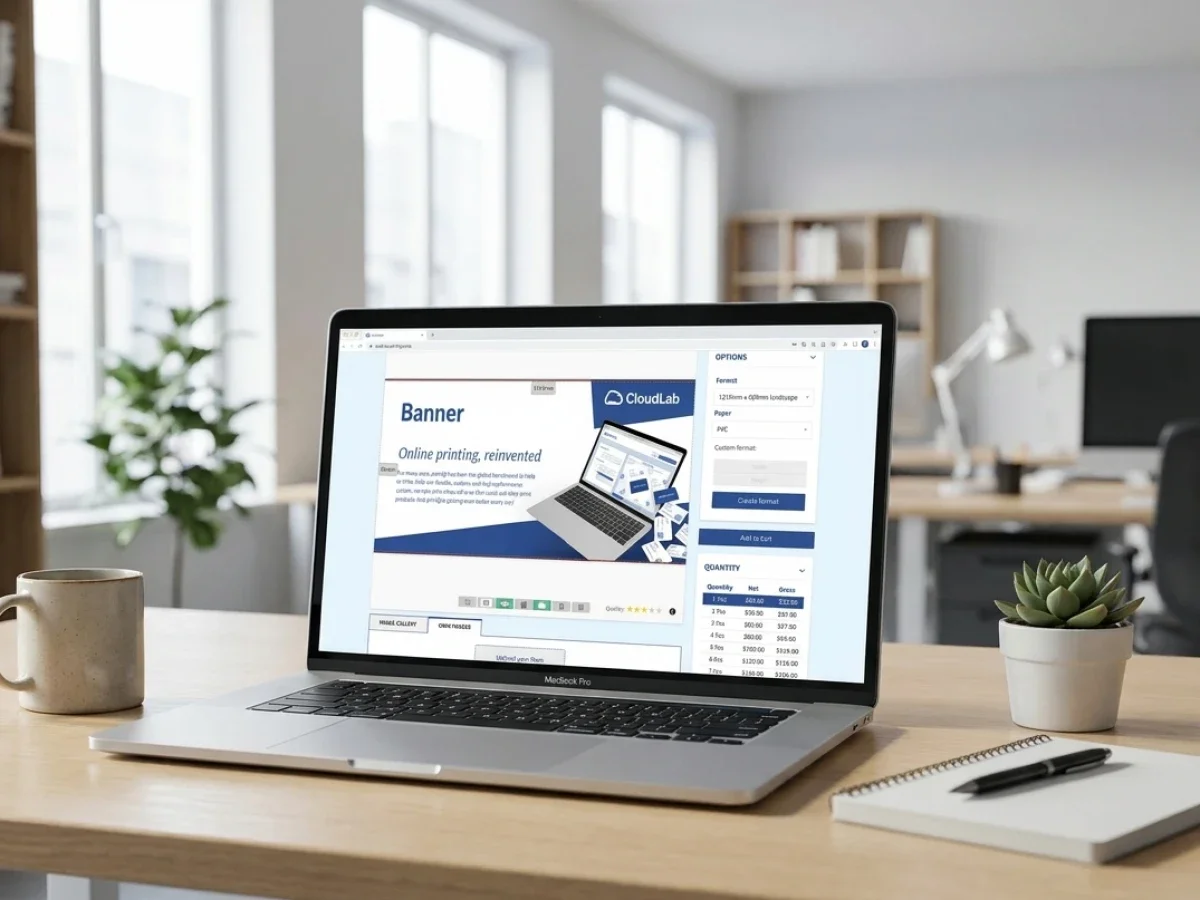
printqs onlineshop software for print business
onlineshop software for print business becomes a very different category once you need to serve franchises, branch networks, or multiple client portals. At that point, a normal store is not enough — you need multi-store management, brand control, approval logic, and production automation in one system. printQ is built for exactly that: a premium, Magento-based web-to-print platform that combines B2C shops, B2B portals, online editing, open integrations, and lights-out workflows. The result is faster ordering, fewer manual touchpoints, and a setup that scales from one store to hundreds of portals.
Why onlineshop software for print business needs multi-store management
A single online print store is easy to imagine. A customer picks a product, uploads a file, pays, and waits for delivery. But franchises, branch organizations, agencies, and enterprise print buyers do not live in that simple world.
They need onlineshop software for print business that can handle multiple storefronts, different user roles, approved templates, local edits, price logic, approvals, reorders, and production-ready output — all without turning every order into an email chain with extra stress sprinkled on top.
That is why multi-store management matters. In print, it is not just a convenience feature. It is the operational layer that decides whether a growing business stays efficient or becomes a patchwork of manual workarounds.
What multi-store management really means in print
In a normal e-commerce setup, “multi-store” often means several storefronts with different branding or languages. In print commerce, the concept goes much deeper.
A real multi-store setup has to control:
- Different storefronts or portals for brands, branches, regions, or customer groups
- Different product catalogs, price lists, and approval rules
- Different user roles, from local branch users to headquarters approvers
- Different template permissions, so some fields stay locked while others remain editable
- Different fulfillment paths, production rules, and integrations in the background
That is why printing company onlineshop software cannot be treated like generic retail software with a design tool bolted on later. Print has too many technical, branding, and workflow dependencies for that shortcut to hold up for long.
Where standard setups usually break
When printers or enterprises try to manage branch-driven print ordering with generic tools, the same problems show up fast.
Typical failure points:
- Brand drift across locations
- Approval bottlenecks at headquarters
- Repetitive file handling for recurring jobs
- Inconsistent pricing between portals or branches
- Too much manual prepress correction
- Disconnected ERP, MIS, and shop data
- Slow onboarding for new branches or customer portals
- Duplicate admin work across multiple stores
The cost of those issues is not abstract. It shows up in delayed launches, unnecessary support work, missed repeat orders, reprints, and frustrated local teams that just wanted to order a compliant flyer without filing a small novel of internal requests.
Printing company onlineshop software for franchises and branch networks
Franchises and branch chains need two things that often pull in opposite directions: central control and local flexibility.
Headquarters wants consistent branding, controlled budgets, approved messaging, and predictable production. Local branches want speed, autonomy, and the ability to adapt materials to their market, address, contact data, offers, or opening times.
Good software resolves that tension. Weak software forces the business to choose one side and suffer on the other.
The ideal model: one engine, many storefronts
The most effective model is not “one giant store for everyone.” It is one operational core that can power many storefronts, portals, or brand environments.
That means a print business can run:
- A public B2C shop for open online orders
- Private B2B web-to-print storefronts for corporate clients
- Separate portals for franchisees, branches, departments, or regions
- White-label client shops for agencies or media service providers
- Specialty storefronts for different product groups or market segments
Each storefront can have its own look, logic, product visibility, user access, and pricing structure. The backend, however, remains centralized. That is where the efficiency lives.
Why open shops and closed shops both matter
An open shop is designed for discovery, self-service, and broad customer acquisition. It is ideal for standard products, B2C demand, and public ordering.
A closed shop is different. It is login-based, role-controlled, and built for repeatable business processes. It is where franchise networks, distributed sales teams, banks, retailers, insurers, and multi-location organizations usually operate best.
The smart move is not choosing one or the other forever. It is using a platform that can handle both in one system. That lets printers grow B2C revenue while also building stable B2B portal business with better retention and stronger margins.
Why printQ is built for this level of complexity
printQ is not just another storefront builder. It is a premium web-to-print platform designed for businesses that need automation, flexibility, and scale at the same time.
Its strategic advantage starts with architecture. printQ is positioned as the only web-to-print solution built on Adobe Magento / Adobe Commerce, which gives it deep e-commerce functionality instead of a thin shop layer pretending to be enterprise software.
That matters because serious print commerce needs more than a product page and a checkout.
Adobe Commerce as a real business foundation
Because printQ is built on Adobe Commerce, it inherits a mature e-commerce stack from the start.
That foundation supports:
- Customer accounts and account structures
- Promotions, coupons, and campaign logic
- Shipping and payment workflows
- Order history and reorder paths
- Product and catalog management
- Scalable multi-store e-commerce structures
- Extension-based growth without rebuilding the system
For printers, agencies, and enterprise buyers, that means printQ does not have to reinvent standard commerce features. It can focus on what makes print unique: personalization, proofing, automation, print-ready output, and production connectivity.
SaaS or on-premise — depending on your operating model
Not every organization wants the same deployment model. Some want the speed and lower infrastructure overhead of SaaS. Others need on-premise hosting because of internal IT policies, compliance needs, or data governance requirements.
printQ supports both approaches. That is important for enterprise rollouts, government-related use cases, regulated industries, and larger organizations that do not want to be boxed into one hosting model.
How printQ handles multi-store print operations in practice
The easiest way to understand printQ is to look at how it solves real operational problems, not just feature checklists.
One backend, many client-ready portals
printQ’s multi-client architecture allows printers, agencies, and enterprises to run one shop or hundreds of portals from a centralized environment.
In practice, that means each portal can have its own:
- Branding and domain logic
- Product selection
- Pricing model
- Language or market focus
- User roles and access rights
- Approval structure
At the same time, the business still manages templates, production logic, integrations, and governance from one operational backbone. That is exactly what franchises and branch networks need: distributed access without distributed chaos.
B2B and B2C in one system
Many providers are strong in either B2C online print or B2B corporate portals. printQ’s advantage is that it supports both in one platform.
For printers, that means one technology stack can support:
- Walk-in style online buyers ordering standard products
- Existing corporate customers using closed portals
- Repeat business with approvals and account-based logic
- New revenue streams through niche storefronts or branded subshops
That reduces administrative duplication and makes cross-selling much easier. A customer who starts with business cards may later buy signage, promotional items, editorial print, textiles, or packaging without being pushed into a separate system.
Roles, approvals, and CI-safe templates
This is one of the most valuable parts of printQ for franchises and branch chains.
Headquarters or brand managers can define CI-compliant templates that protect logos, fonts, colors, layouts, and brand structure. Local users can then edit only the fields they are supposed to edit — such as names, phone numbers, branch addresses, local offers, or contact details.
The result is simple but powerful:
- Local teams get autonomy where they need it
- Headquarters keeps control where it matters
- Approval workflows remain intact
- Brand consistency survives scale
That is what makes multi-store management useful in the real world. Without template governance, “local flexibility” quickly becomes “why is our logo suddenly stretched on 84 posters?”
WYSIWYG editing with 2D and 3D preview
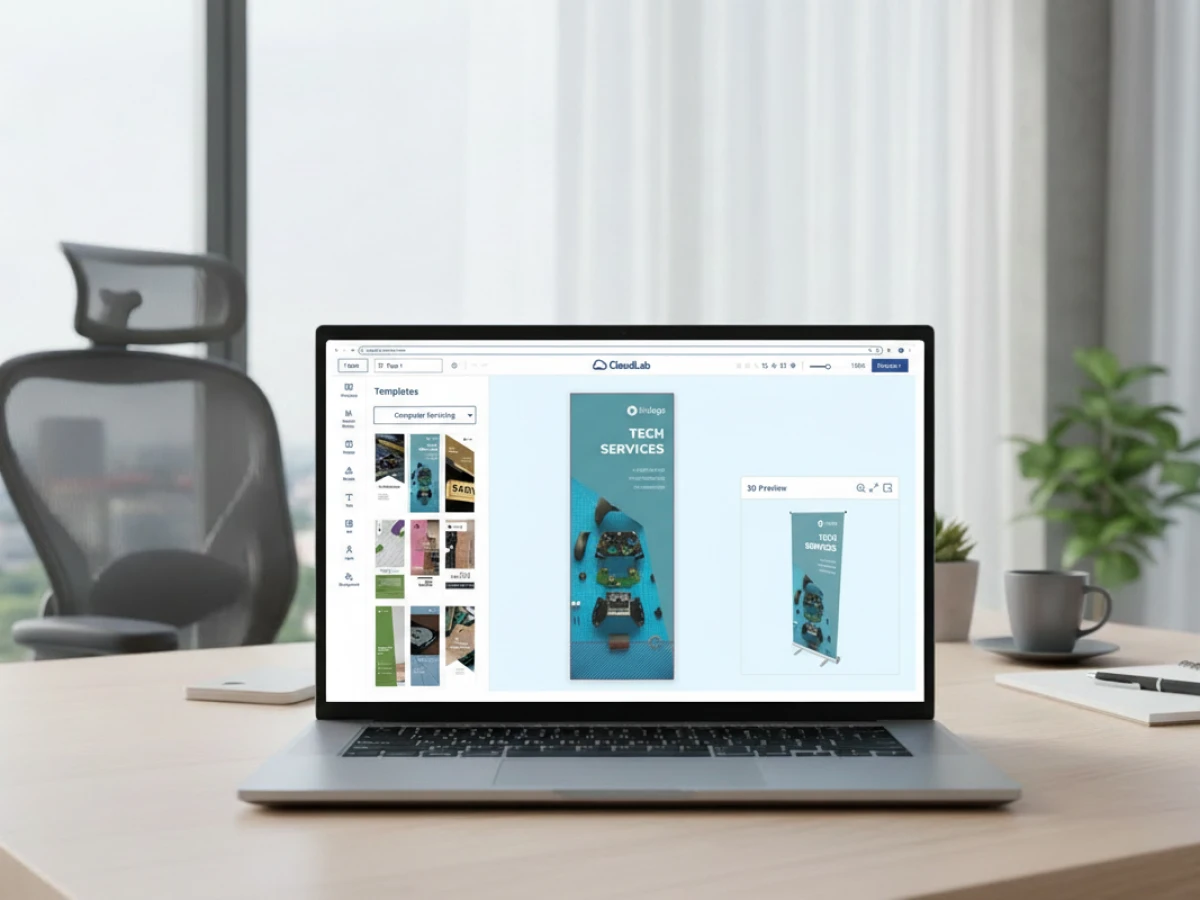
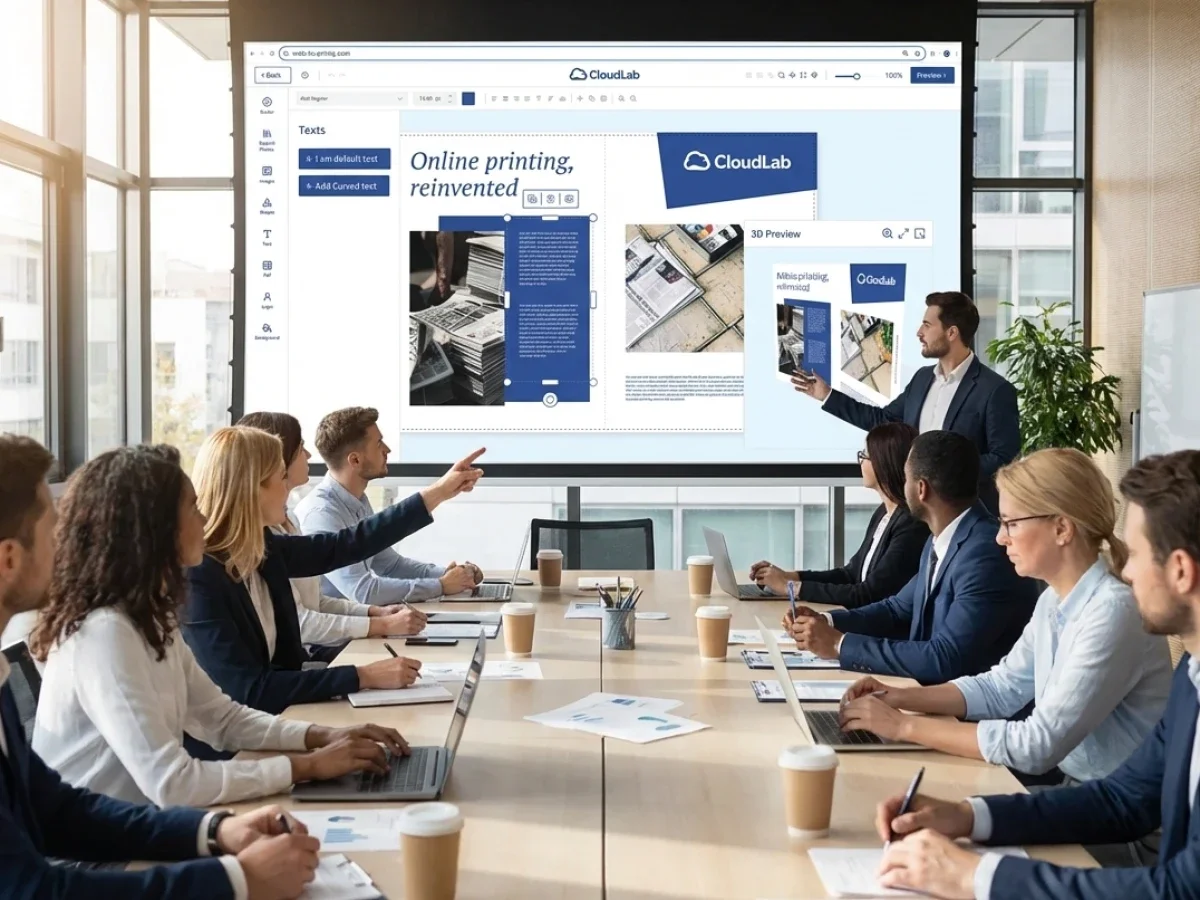
The printQ online editor is built for speed and clarity. Users can personalize products in a WYSIWYG environment and see what they are doing while they do it.
That matters for three reasons.
First, it removes dependency on professional design software for routine changes. Second, it reduces ordering mistakes because users can review a realistic preview before submitting. Third, it improves conversion because people trust what they can actually see.
The inclusion of 2D and 3D previews adds extra value for more complex product types, including large-format work, packaging-related applications, and promotional products. When combined with vectorization and embellishment visualization, the editor does not just help users design faster — it helps them order more confidently.
Template Gallery and VDP for mass customization
For branch-based businesses, templates are not optional. They are the mechanism that makes scale possible.
printQ’s Template Gallery gives users a structured starting point instead of a blank canvas. That is especially useful for recurring products like business cards, flyers, brochures, posters, event materials, retail signage, or local campaigns.
Add Variable Data Printing (VDP) to that setup, and the system becomes even more powerful. VDP means one approved layout can generate many personalized versions automatically.
That is ideal for use cases like:
- Name-based business cards
- Branch-specific flyers
- Regional POS sets
- Personalized mailings
- Coupon or code variations
- Multi-location campaign rollouts
This is where printQ moves beyond “online designer” territory and becomes an actual mass customization engine.
Mobile upload via QR code
Print buying is no longer tied to a desktop workflow. Local managers, marketers, and branch staff often work from their phones and need a fast way to add images without emailing files to themselves like it is still 2012.
printQ supports mobile image upload via QR code, which makes smartphone-to-desktop workflows much smoother. That is particularly useful in B2C environments, but it also helps branches and field teams add location-specific images to approved layouts without friction.
Automation and preflight for lights-out workflows
This is where the business case becomes very clear.
Print businesses do not scale because they collect more orders. They scale because they process more orders without adding manual work at the same pace.
printQ is built around automation and preflight. Orders can be checked automatically after configuration, then pushed into production workflows with minimal human intervention. That reduces prepress effort, shortens turnaround times, and lowers the error rate on routine jobs.
In practical terms, printQ supports a lights-out workflow for repeatable production. That means the system can handle a large share of standard work while staff focus on higher-value jobs, exceptions, client consulting, and new business.
Open integrations and headless flexibility
This is one of the biggest differences between a premium platform and a closed tool.
printQ supports open integration standards such as REST, SOAP, XML, JDF, CSV, and JSON. That makes it possible to connect the platform to ERP systems, MIS platforms, logistics tools, shop environments, and other business software.
For technical teams, the benefit is obvious: the system can adapt to the existing stack instead of forcing the business into a locked ecosystem.
For non-technical decision-makers, the translation is simple: less vendor lock-in, better process continuity, and more room for future growth.
Because printQ also supports a headless model, businesses can separate the frontend experience from the print engine and integration logic. That is useful when a company wants a custom frontend, a regional storefront strategy, or integration with existing commerce environments like Magento, Shopware, Shopify, or BigCommerce.
Why generic e-commerce tools are not enough for print
A lot of businesses first ask whether they can solve the problem with standard e-commerce software plus a few plugins. Sometimes they can get surprisingly far.
But print tends to expose the gaps.
Generic e-commerce systems are usually strong at commerce and weak at print logic. Lightweight web-to-print tools are often strong at basic editing and weak at enterprise storefront management, governance, and systems integration.
That creates a split:
- One tool for the shop
- One tool for design
- One tool for approvals
- One export path for production
- One manual bridge between everything
That is manageable when the business is small. It becomes expensive when volumes rise, portals multiply, and customer expectations get more demanding.
printQ is valuable because it closes that split. It combines e-commerce depth, print-specific functionality, and production automation in one platform.

Optimized questions decision-makers actually ask
High intent: Which onlineshop software for print business is best for franchises and branch networks?
The best option is the one that can centralize storefront control, local personalization, approvals, and production logic in one system. In other words, the answer is not “the prettiest shop.” It is the most operationally complete platform.
For franchises and branch chains, printQ stands out because it combines multi-store management, closed-shop logic, brand-safe editing, B2B and B2C storefronts, and automation on top of Adobe Commerce. That is a much stronger fit than either a generic retail platform or a simple browser editor.
Pain point: How can printing company onlineshop software reduce brand errors, approval delays, and manual rework?
The key is to stop treating those issues as training problems. They are usually system design problems.
If the platform locks the right elements, exposes only approved products, routes orders through defined approvals, and validates print data automatically, error rates fall naturally. If it does not, people will keep compensating with email, spreadsheets, and manual checks.
printQ reduces those pain points by combining:
- Locked CI templates with editable local fields
- Role-based access and approvals
- Automated preflight
- Centralized portal logic
- Production-ready file generation
That removes a surprising amount of operational drag.
Comparison: How does printQ compare with generic e-commerce platforms or lightweight web-to-print tools?
A generic platform can sell print. A lightweight design tool can personalize print. But managing print commerce at multi-store scale requires both capabilities at once, plus workflow intelligence behind them.
printQ is stronger in that middle ground because it is built for real print operations. It handles storefronts, editing, pricing, previews, approvals, automation, and integrations as one connected system.
That matters most when the business needs more than a public store — for example:
- Franchise menu updates
- Branch-specific POS materials
- Multi-brand agency portals
- Enterprise procurement logic
- High-volume repeat ordering
- Production-connected print workflows
Implementation: How do you launch multi-store management without rebuilding your entire tech stack?
The best rollouts start small and scale deliberately.
A practical implementation path looks like this:
- Start with one product family or one client portal.
- Define template rules, approvals, and user roles.
- Connect core integrations first — usually shop, ERP, MIS, or order routing.
- Launch one closed portal or one storefront segment.
- Expand to more branches, brands, or product categories after the operating model is proven.
Because printQ supports SaaS or on-premise deployment, plus headless and API-based integration, businesses do not have to replace everything at once. They can stage the rollout around real operational priorities.
Long-tail how-to: How do you let branches personalize materials while headquarters still keeps control?
This is a classic multi-location print challenge, and the answer is structured permissions.
With printQ, headquarters can create approved templates, define editable zones, assign user roles, and decide whether certain orders need approval before production. Branch users log into a closed shop, choose from approved products, personalize only the allowed fields, review the preview, and place the order.
That gives branches speed without giving up control. It also means local teams stop waiting on headquarters for every small update, which is one of the fastest ways to improve adoption.
A realistic rollout blueprint for multi-store print commerce
Strategy is important, but execution is where software projects either become engines of growth or expensive filing cabinets.
Step 1: Rationalize the product catalog
Start by separating products into three buckets:
- Standardized products for immediate online ordering
- Personalized products that need template logic
- Complex products that may still require consultation at first
This helps the business launch with clarity instead of dumping every edge case into phase one.
Step 2: Define governance before design freedom
A strong rollout decides early:
- Who can create templates
- Who can edit local fields
- Who approves orders
- Which products are visible in which portals
- How pricing works across clients, branches, or regions
That governance layer is what turns software into a scalable business process.
Step 3: Build portals around buying behavior
Not every user should see everything. A good multi-store model uses different portals or storefront views for different buying groups.
For example, a printer might run:
- One open B2C store for standard jobs
- One closed portal for recurring SME customers
- One franchise portal for a national chain
- One white-label environment for an agency account
That structure is cleaner, easier to manage, and usually converts better than a one-size-fits-all storefront.
Step 4: Automate the repeatable parts first
The biggest margin gains usually come from automating the boring, repeatable work:
- Reorders
- Proof generation
- File checks
- Job tickets
- Data transfer into production or MIS
- Standard approvals
That is where printQ’s automation depth becomes financially meaningful, not just technically impressive.
Who benefits most from printQ
Printers and print service providers
For printers, printQ creates a way to grow without letting admin work eat the margin.
It helps them:
- Launch or expand online sales
- Move repeat work into automated flows
- Build sticky B2B portal relationships
- Support reorders and self-service
- Offer more product categories from one environment
It is especially valuable for printers that want both new customer acquisition and repeat corporate revenue without running separate systems for each.
Agencies and media service providers
Agencies often sit between brand owners, campaign needs, and production deadlines. That makes them perfect candidates for white-label, multi-client portal models.
With printQ, agencies can manage multiple customer shops within one installation, protect corporate identity through templates, and offer self-service ordering without losing control of design standards.
That turns print fulfillment into a scalable service model instead of a constant stream of manual coordination.
Enterprises, franchises, and decentralized organizations
This is where the platform’s closed-shop, role-based, and multi-store strengths really show.
Banks, retailers, insurers, restaurant groups, education providers, and franchise networks can use printQ to centralize branded procurement while still enabling local personalization where it makes sense.
The win is not just process efficiency. It is organizational sanity. Marketing keeps standards. Branches keep speed. Procurement gets visibility. Operations gets repeatability.
Mini case studies: what this looks like in the real world
SAXOPRINT: scale and product breadth
SAXOPRINT is one of the best examples of what happens when a serious online print business needs a platform that can handle complexity without collapsing into manual work.
The important lesson is not just size. It is product diversity plus scale. A system that supports broad portfolios, large order volumes, and different storefront models is far more valuable than one built for a narrow catalog and a handful of workflows.
That is the kind of environment where printQ’s Adobe Commerce foundation and print-specific architecture make strategic sense.
Druckhäusle: fast entry into online print with room to grow
Druckhäusle shows why mid-sized printers should not assume premium software is only for giant enterprises.
The business used printQ to launch its online offering quickly, then expanded into more structured closed-shop use cases for existing customers. That path matters because it mirrors the real growth pattern of many printers: first public online sales, then repeat-customer portals, then deeper automation.
It also highlights a major advantage of the Magento-based approach. The platform is not boxed into a fixed feature set. It can be extended over time as the business model matures.
Velocity Graphics: a branch-network use case in plain sight
Velocity Graphics is especially relevant for the topic of multi-store management for franchises and branch chains.
The company used printQ to support a restaurant chain with more than 100 locations. Branches needed to personalize menu boards and POS materials while the brand still needed consistency and control. Later, the product scope expanded to roughly 500 items.
That is exactly the kind of use case generic storefront software struggles with. Large-format files, template restrictions, recurring local edits, and nationwide rollout logic demand a platform built for both print specificity and portal scalability.
What decision-makers should evaluate before choosing a platform
Choosing the wrong software often looks fine in the demo and expensive in month nine.
Core evaluation questions:
- Can it run B2C shops and B2B portals in one system?
- Can each portal have its own branding, catalog, and pricing?
- Can headquarters lock templates while branches edit approved fields?
- Can it automate preflight and generate production-ready output?
- Can it connect to ERP, MIS, logistics, and external commerce systems?
- Can it scale from one store to hundreds of portals?
- Can it support both SaaS and on-premise requirements?
- Can it grow without forcing a vendor-lock-in scenario?
If the answer is “partly” to most of those questions, the business is probably buying another transition system. If the answer is “yes” across the board, it is buying infrastructure.
That is why printQ is best understood not as a simple shop tool, but as a print commerce operating platform.
The strategic takeaway for online shop software with printQ
A lot of software in this category promises faster ordering. Fewer platforms solve the harder problem: how to centralize commerce, personalization, brand control, approvals, and production across many stores or portals without losing flexibility.
That is where printQ earns its premium positioning.
It combines the Adobe Commerce stack, open and closed storefronts, multi-client management, WYSIWYG editing, 2D/3D previews, Template Gallery, VDP, QR-based mobile uploads, automation, and open API connectivity in one scalable environment.
For modern print businesses, that is not feature overload. It is operational alignment.
Fazit: For organizations looking for onlineshop software for print business, the real question is not whether you can launch another store. The real question is whether your platform can support growth across branches, brands, customers, and workflows without creating more manual work.
printQ answers that challenge with a premium web-to-print architecture built on Adobe Commerce, plus multi-store management, B2B and B2C storefronts, CI-safe personalization, open integrations, and lights-out automation. That gives printers, agencies, franchises, and enterprises one system for selling, governing, personalizing, and producing print at scale.
In practical terms, printQ helps you sell more, standardize more, and manually touch less. That is what strong onlineshop software for print business should do.
Choosing onlineshop software for print business gets complicated the moment you serve more than one branch, brand, or customer portal. A normal store can sell print, but it rarely manages approvals, CI-safe templates, localized personalization, repeat orders, and production workflows across a franchise or branch network. This article explains why multi-store management is the real growth lever and how printQ solves it with Adobe Commerce, B2B/B2C storefronts, closed portals, 2D/3D editing, open APIs, and lights-out automation. For printers, agencies, and decentralized organizations, that means fewer manual steps, stronger brand control, and a platform that scales cleanly.