
PrintQ Product Configuration & Dynamic Calculation

PrintQ enables printers to define every aspect of a product — materials, dimensions, colors and finishing — while recalculating prices in real time. Its plausibility checks catch errors early, and the system supports both B2C and B2B portals. This article explains how to leverage these capabilities to improve customer satisfaction, optimize production and stay competitive.
The Need for Precise Product Configuration
In the past, ordering printed materials meant flipping through catalogs, filling out order forms and waiting for quotes. Customers had little control over the details of their products, and printers often operated with vague specifications that led to costly reprints. Today’s buyers — whether corporate marketers, small business owners or consumers — expect to fine‑tune every aspect of their print products online. They want to select the paper stock, choose colors and embellishments, adjust quantities and instantly see how each choice affects the price.
Meeting these expectations requires more than a basic order form. It demands a sophisticated configuration engine that can handle diverse products, enforce technical constraints and calculate prices on the fly. PrintQ delivers exactly that. As part of the printQ suite, the Product Configuration Tool combines granular options with intelligent checks and real‑time pricing. Whether you are selling brochures, packaging, large‑format banners or apparel, printQ ensures that your customers can build the perfect product while you retain control over feasibility and margins. In this article, you’ll learn how printQ’s configuration and calculation features work, why they matter and how to use them to elevate your business.
Understanding printQ’s Configuration Tool
The heart of printQ’s offering is a modular system that defines every element of a print product. Unlike generic eCommerce platforms that treat products as simple items with a price and SKU, printQ recognizes the complex variables that make each print run unique. Here’s what sets it apart.
Detailed product specification
With printQ, you aren’t limited to a few size and paper choices. You can specify:
- Substrates and materials: Choose from a library of paper stocks, synthetics, textiles or packaging materials. Each material can be grouped by weight, finish or environmental certification, allowing customers to select exactly what fits their needs.
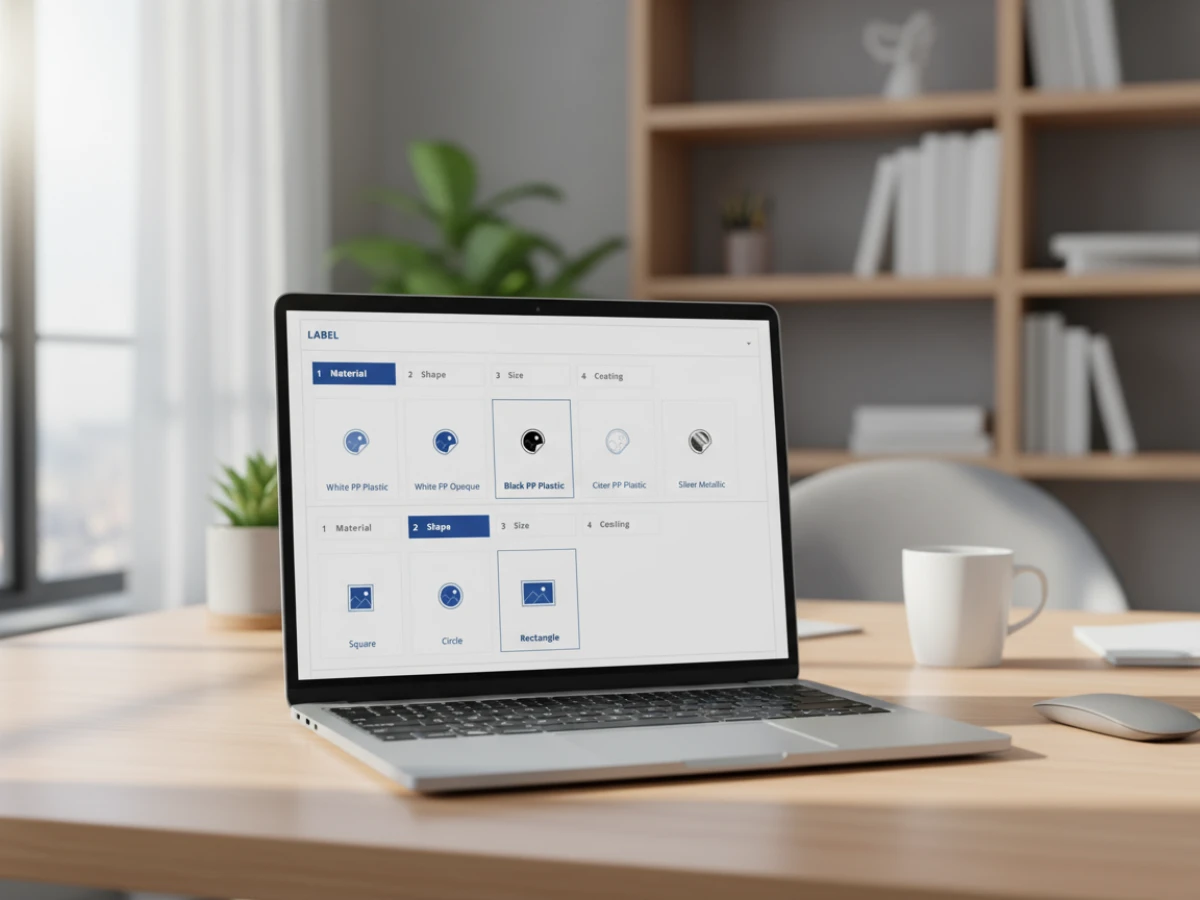
- Formats and dimensions: Define standard sizes (A4, Letter, Tabloid) or allow custom dimensions. For packaging or labels, configure dielines and flat dimensions that fold into the final form.
- Color options: Offer different color models (CMYK, Pantone, RGB) and specify whether spot colors or white ink are available. Set limitations based on the printing process to prevent unrealistic combinations.
- Finishing and embellishment: Enable options like lamination, varnish, embossing, die‑cutting or foil stamping. Each finishing method can be tied to specific materials or print processes so customers only see feasible options.
- Sidedness and binding: For multi‑page products, define binding types (saddle stitch, perfect bind, spiral) and whether printing is single or double sided. Set page count ranges and increments to ensure machine compatibility.
Because each variable is configurable, you can mirror your actual production capabilities. When new materials or finishes become available, add them to the system and make them visible to customers with a few clicks. Conversely, you can restrict certain combinations to avoid expensive setups or quality issues.
Plausibility checks and error reduction
Offering a broad range of options is only valuable if customers choose combinations that can actually be produced. PrintQ includes a plausibility engine that evaluates selected options and flags conflicts before an order is submitted. For example:
- Material and finishing compatibility: If a customer selects a recycled paper that cannot be laminated, the system either hides the lamination option or displays a message explaining why it’s unavailable.
- Technical constraints: Certain presses cannot handle heavy paper over a specific thickness or may require minimum margins for binding. PrintQ checks these constraints against the selected format and binding type and alerts the user if adjustments are needed.
- Quantity thresholds: For offset printing, short runs may be uneconomical. PrintQ can suggest a minimum quantity or automatically route the job to a digital press when quantities fall below a threshold.
- Design guidelines: If the selected format requires bleed or safe margins, printQ can provide instructions or templates. When combined with the WYSIWYG editor, these guidelines ensure that design elements are placed correctly.
By catching errors early, plausibility checks reduce the time your staff spends fixing orders. Customers appreciate clear guidance and feel confident that their choices will produce high‑quality results. This not only lowers the risk of reprints but also enhances trust in your brand.
Presenting your products: list and tile views
User experience is critical when customers configure complex products. PrintQ offers flexible presentation modes that adapt to different types of catalogs:
- List view: Ideal for technical buyers who know exactly what they want. The list presents options in a structured table, allowing quick comparisons and efficient selection. It is useful in B2B portals where corporate clients order standardized materials regularly.
- Tile view: Better suited to casual shoppers or those seeking inspiration. Each option is represented as a card with images, descriptions and pricing information. This format is effective for retail shops offering creative products like greeting cards, photo books or promotional items.
You can define which view appears by default or let customers switch between them. Both views respect the underlying configuration rules and display only feasible options. The visuals update instantly when a user changes an option, providing immediate feedback on how their selection affects the final product.
Enhancing usability with intuitive selection
Beyond layouts, printQ uses conditional logic to streamline the configuration process. Options appear or disappear based on prior selections. For example, if a customer chooses a thick packaging board, the system may hide binding options that only apply to thin paper. If they select digital printing, printQ disables spot color options reserved for offset presses. This dynamic presentation reduces clutter and guides users toward valid configurations. Tooltips, color swatches and mini‑previews enhance clarity. These features make the ordering process intuitive and enjoyable, increasing conversion rates and reducing support inquiries.
Dynamic Pricing and Real‑Time Calculation
Pricing is a pivotal factor in any purchase decision, especially for custom products. Historically, printers relied on price lists or manual quotes that took hours or days to prepare. With printQ, pricing is calculated in real time based on formulas that reflect your actual costs and desired margins.
How dynamic calculation works
The system uses a rules engine to compute prices. Each product component — material, printing process, finishing — has an associated cost factor. You can define setup fees, minimum charges, labor costs, waste factors and markups. When a customer chooses options, printQ multiplies these factors by quantities, run lengths and area measurements to produce an accurate price. For instance, selecting a premium paper may add a per‑square‑meter cost, while choosing foil stamping adds a setup fee and a per‑piece charge. You can also define price breaks based on volume, encouraging customers to order larger quantities.
Because the calculation happens instantly, customers see price changes as they configure their product. If they adjust the quantity or switch from matte lamination to gloss, the price recalculates automatically. This transparency builds trust and allows buyers to make informed decisions without waiting for a salesperson to respond.
Benefits of real‑time pricing
- Transparency: Customers appreciate knowing how each choice affects the total cost. No hidden fees appear at checkout, which reduces cart abandonment and haggling.
- Speed: Real‑time quotes save time for both customers and staff. There’s no need to email spreadsheets back and forth or manually enter data into an ERP.
- Consistency: Automated formulas remove human error and ensure that pricing is consistent across your team. Even complex products follow the same logic, reducing the risk of undercharging or overpricing.
- Flexibility: You can adjust formulas at any time to reflect changing material costs, machine rates or business strategies. Seasonal promotions, volume discounts or rush fees can be incorporated quickly.

Adjusting for volume, materials and finishing
PrintQ’s pricing engine is especially powerful when handling varied print processes:
- Volume and run length: Offset printing becomes cost‑effective at higher volumes because setup costs are spread over more units. Digital printing is better for short runs. You can set thresholds that automatically switch between processes or apply different pricing formulas. Customers see these changes in the quote, helping them choose the most economical option.
- Material selection: Different materials have different base costs and waste rates. A luxury textured paper may cost more and require slower press speeds, while lightweight stock is cheaper and faster. The pricing formulas account for these differences so you maintain profitability regardless of the customer’s choice.
- Finishing complexity: Some finishes require additional passes through machines or manual labour. Embossing, die‑cutting and foiling add time and require specialized tooling. printQ includes these factors, ensuring that your quotes reflect the true effort involved. This prevents underestimating jobs with intricate embellishments.
Integration with B2C and B2B pricing models
PrintQ supports multiple price lists and customer‑specific pricing. For a public shop, you may have standard retail prices with volume discounts. For corporate clients, you can set contracted rates or custom markups. The system recognizes the customer when they log in and applies the appropriate pricing rules. In portals where users from different departments or franchises have separate budgets, printQ can display individual price structures. This flexibility allows you to serve diverse markets — retail consumers, agencies and large enterprises — from a single installation while maintaining accurate cost control.
Use Cases and Industries
PrintQ’s configuration and calculation tools are versatile enough to support a wide range of print products. Here are a few industries and use cases where these capabilities shine.
Commercial and marketing print
Marketing materials like brochures, flyers, business cards and catalogs remain staples of the printing industry. Each product may have multiple sizes, paper weights and finishing options. A marketing agency designing a direct‑mail piece can select a 300 g/m² cardstock, add a soft‑touch lamination and choose a specific fold type. The dynamic pricing shows exactly how each decision impacts the budget. For multi‑page brochures, the system ensures that the number of pages aligns with binding capabilities and calculates the correct spine width.
Packaging and labels
Packaging involves more than just printing a design on a box. It includes structural considerations — where to fold, glue and cut — and sometimes requires special finishes for durability or brand impact. PrintQ accommodates complex dielines and multi‑part products. For example, a cosmetics company can configure a folding carton with gold foil embossing and a die‑cut window. The system calculates the material usage, foil area and additional finishing costs. Labels benefit similarly. A craft brewery ordering roll labels can choose from waterproof materials, decide on shape and size, and select varnish for scratch resistance. The pricing engine adjusts for roll widths and waste.
Textile and promotional items
PrintQ isn’t limited to paper. The platform extends to textiles such as T‑shirts, hoodies, caps and tote bags. Users can choose garment sizes, colors and printing methods (screen printing, direct‑to‑garment, embroidery). The configuration tool checks which decorations are possible on the chosen fabric, and the pricing engine accounts for setup and stitch counts. Promotional items — pens, mugs, USB sticks — follow a similar logic. You can specify imprint areas, choose between pad printing or laser engraving and see the cost per unit for different quantities. This versatility enables printers to expand their product range without adopting separate systems.
Large‑format and signage
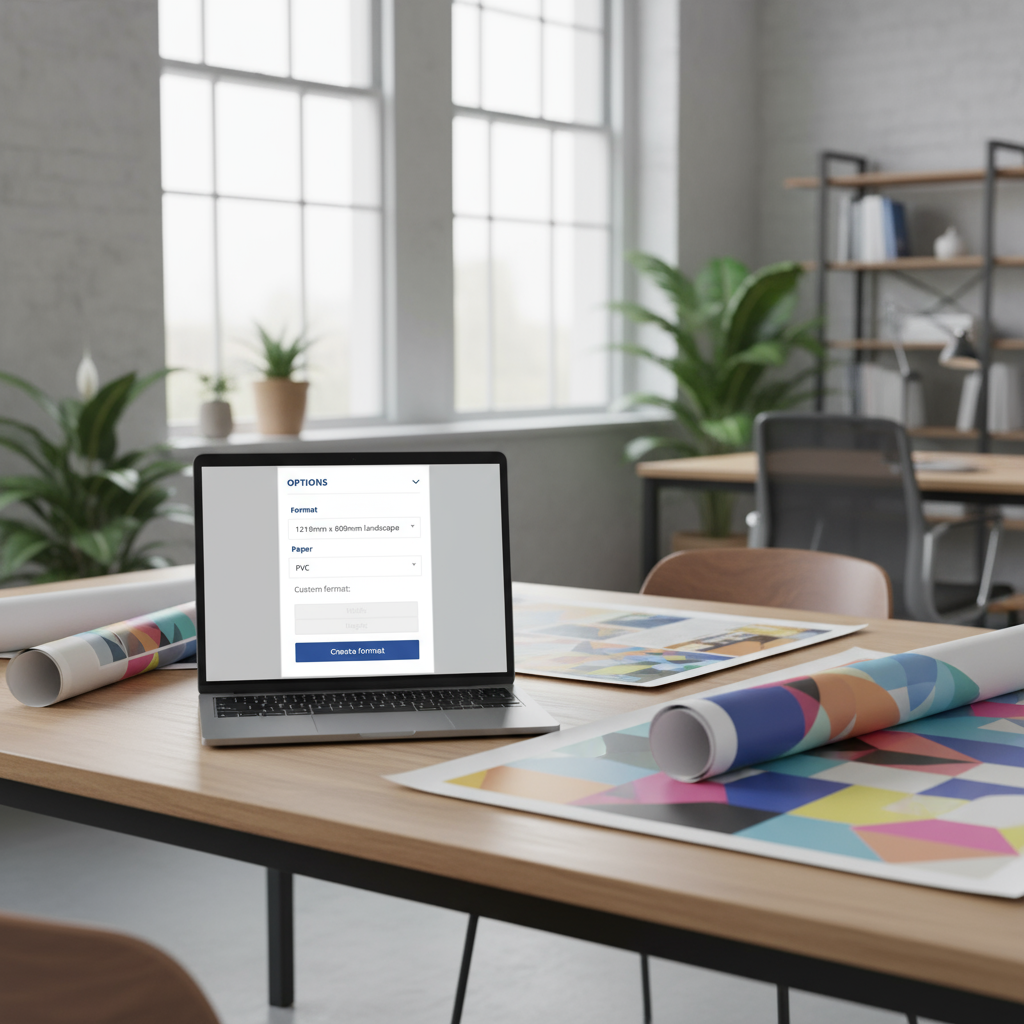
For banners, posters, billboards and trade‑show displays, size and material options can vary widely. PrintQ allows customers to enter custom dimensions for large prints and instantly calculates the area. They can select banner vinyl, mesh or fabric, choose hemming and grommet placement and decide whether they need double‑sided printing. The system applies pricing based on square metres, finishing and hardware. The plausibility engine ensures that extremely large sizes are routed to appropriate machines and that finishing options match the chosen material. This level of control is crucial for wide‑format shops that need to produce high‑quality results without constant back‑and‑forth with customers.
B2B portals and closed shops
Enterprises often manage brand standards across multiple locations. A bank may need business cards, forms and signage for hundreds of branches. PrintQ enables the creation of closed portals where each branch can order only approved products. Configuration options are pre‑set to maintain corporate identity — paper type, color scheme, fonts — and pricing is customized according to corporate contracts. The dynamic pricing engine still functions, recalculating totals based on quantity and delivery method. Head office staff can approve orders or set auto‑approvals under certain thresholds. This balance of control and flexibility streamlines procurement and ensures brand consistency.
Best Practices for Using printQ’s Configuration and Pricing Tools
Implementing a powerful configuration engine and pricing model requires thoughtful setup. These best practices will help you maximize the benefits of printQ.
Align product options with production capabilities
Map out your existing machines, materials and finishes. For each, define the allowable combinations and constraints. If your digital press handles paper up to 400 g/m² but your binder cannot process more than 300 g/m², set these rules in printQ. If your foil‑stamping machine only accepts certain foil types, list them accordingly. Being accurate about capabilities prevents orders that can’t be produced and reduces time spent clarifying specifications.
Simplify the customer journey
While offering many options is valuable, too many choices can overwhelm users. Group related options and use conditional logic to show only relevant selections. For example, once a user chooses “brochure,” display fold types and page counts; if they switch to “business card,” hide those options and show corner roundings instead. Provide explanations or thumbnails for finishes and materials so customers understand what they’re choosing. Use preconfigured templates for common products; this speeds up ordering while still allowing customization.
Maintain consistent pricing formulas
Review your costs regularly and update formulas when material prices change or production speeds increase. Use tiered pricing to encourage higher volumes: for example, offer lower unit prices at 250, 500 and 1000 pieces. For corporate clients, create contract‑specific formulas that reflect negotiated rates. Keep documentation of your pricing logic so staff understand how quotes are generated. When launching promotions, build them into the rules engine rather than overriding prices manually. This ensures that discounts apply consistently and expire automatically.
Leverage variable data printing for personalization
Variable data printing (VDP) lets you produce personalized content at scale. Combined with printQ’s configuration and pricing, VDP becomes straightforward. Create a template with placeholders for names, addresses, images or QR codes. Customers upload a data file, and the system checks it for formatting issues. As they preview each record, printQ recalculates the price based on the number of unique pieces and any finishing options. Use this capability to offer personalization services such as direct mail campaigns, membership cards or event badges. Because the entire process — from configuration to pricing to production — is automated, you can handle large runs without bottlenecks.
Combine configuration with WYSIWYG editing
The configuration tool focuses on technical specifications and pricing, but design is equally important. PrintQ’s WYSIWYG editor integrates seamlessly with the configuration workflow. Once customers select their options, they enter the editor to design the artwork. The editor respects the chosen format and finishing; bleed lines, safe areas and fold lines are displayed. Real‑time previews reflect materials and finishing effects. Encourage customers to use templates from the printQ Template Gallery for faster design. After the design is complete, printQ’s preflight engine checks for issues like missing fonts or low resolution. This synergy between configuration and design ensures that the final product meets both aesthetic and technical requirements.
Train your team and gather feedback
Staff training is key to successful adoption. Everyone from sales to prepress should understand how the configuration and pricing tools work. Provide training sessions that cover how to set up new products, interpret plausibility messages and modify pricing formulas. Encourage employees to simulate customer journeys so they can identify confusing steps. Gather feedback from customers as well. Use analytics to see where users drop off during configuration and adjust the interface or options accordingly. Continuous improvement ensures that your shop remains user‑friendly and competitive.

Real‑World Success Stories
Sophisticated configuration for a corporate stationery supplier
A prominent B2B print provider specialises in corporate stationery for large organisations. To accommodate complex requirements, they implemented a configuration engine that allows buyers to select paper weight, colour matching, finishing options such as embossing or foil, and quantities up to tens of thousands. As customers adjust these parameters, the system recalculates prices in real time, showing the cost implications of choosing premium stocks or adding finishes. This transparent, interactive approach gives procurement teams confidence that they are choosing the right specifications and staying within budget while maintaining brand consistency.
Flexible product expansion for an ambitious mid‑size printer
A growing mid‑size print firm recognised the need to diversify its offerings beyond basic business cards and flyers. With a dynamic configuration tool in place, they added new product categories — including brochures, folded cards and promotional vouchers — without writing new code. Administrators define attributes such as size, fold type, paper stock and coatings, and the pricing engine automatically generates accurate quotes for each combination. Customers can experiment with different options and see price differences instantly. As a result, the printer quickly expands its catalogue, captures new market segments and responds swiftly to customer demands.
Tiered pricing and control for an international franchise network
An international franchise network required a way to manage print ordering across dozens of branches, each with distinct budgets and brand guidelines. The central office set up a closed portal with a configurable product catalogue. Branch managers choose from approved products and customise parameters like quantity, material, finishing and delivery speed. The dynamic calculation engine applies tiered pricing based on volume and franchise agreements, ensuring fair, consistent costs across the network. The configurator also enforces rules — preventing unauthorised sizes or finishes — so brand standards remain intact. This structure streamlines ordering, provides transparency and allows the franchise to scale confidently.
Integration with Workflow and Automation
From configuration to production
Configuring a product is only the first step. PrintQ ensures that the specifications move smoothly into your production workflow. When an order is placed, the system generates print‑ready PDF files and structured job tickets. These documents include all selected options — material, format, finishing, quantities — and are organized in layers for cut lines, fold lines and embellishments. The job ticket can be delivered via XML or JDF/XJDF to your MIS or workflow software. This eliminates manual data entry and reduces the risk of errors in transcription.
Hotfolder and direct device integration
For printers who use hotfolder workflows, printQ exports files automatically to designated directories. Each hotfolder corresponds to a press or finishing machine. For example, orders involving UV varnish are deposited in a folder linked to the varnishing unit. The press operator simply loads the files from the queue. For businesses that prefer direct integration, printQ can communicate with devices via RIP software or API calls. This real‑time connection allows status updates to flow back to the eCommerce platform, so customers see when their order moves from prepress to production and shipping.
Synchronizing with ERP/MIS systems
Integration doesn’t end on the production floor. Your accounting and inventory systems also need accurate data. PrintQ’s APIs allow you to synchronize orders, customer information, inventory usage and costs. When a customer places an order, the system creates a corresponding record in your ERP. As the job progresses, inventory is debited and labor time is recorded. When the order ships, the ERP marks it as fulfilled and triggers invoicing. This seamless flow improves transparency and reduces administrative work.
Preflight and quality control
No one wants to print thousands of defective products. PrintQ’s preflight engine inspects uploaded files and design data for potential problems before production begins. It checks that fonts are embedded, images meet the required resolution, color profiles match the print process and dimensions fit the selected format. If issues are found, the system notifies the customer and provides instructions for correction. The automated checks ensure that only viable files enter production, preserving resources and protecting your reputation. Preflight results can be passed along to the production team, who can further inspect or override them if necessary.

Future Trends in Product Configuration and Pricing
AI‑driven recommendation engines
Artificial intelligence is poised to enhance configuration tools by analyzing past orders and suggesting optimal combinations. For example, if a customer frequently orders catalogs, the system might recommend a new, more durable paper stock or a binding method that enhances perceived quality. AI can also adjust pricing in response to market conditions or internal capacity. During peak periods, the system could increase rush fees to manage demand. As these technologies mature, expect printQ and similar platforms to incorporate AI modules that make configuration smarter and pricing more responsive.
Sustainable material options
Environmental responsibility is becoming a competitive differentiator. Customers increasingly seek recycled papers, biodegradable plastics and soy‑based inks. Printers using printQ can add sustainability attributes to their materials and highlight eco‑friendly options in the configuration tool. Pricing formulas can include carbon offset contributions, and customers can see the environmental impact of each choice. Over time, printers may integrate carbon calculators that provide a CO₂ estimate for each job and offer offset options at checkout. Incorporating sustainability data into product configuration will satisfy growing environmental expectations and open up new market segments.
Subscription and membership models
Another trend is the rise of subscription‑based printing. Companies subscribe to monthly or quarterly print packages for marketing materials, packaging or branded merchandise. In such models, configuration and pricing need to account for recurring orders, volume commitments and optional upgrades. PrintQ’s flexible pricing engine can implement tiered subscription rates and allow customers to add ad hoc orders at discounted prices. This approach fosters loyalty and predictable revenue while giving customers the convenience of regular deliveries.
Cross‑channel personalization
Print is part of a broader marketing landscape that includes digital channels, email and social media. Future configuration tools will integrate cross‑channel personalization, allowing data from online behavior to inform print runs. For instance, a customer who abandons an online cart might automatically receive a personalized postcard offering a discount on the items they viewed. PrintQ’s API architecture makes it possible to connect with CRM and marketing automation platforms. As personalization becomes more data‑driven, printers who harness cross‑channel insights will offer greater value to clients.
Empowering Your Print Business
Precise product configuration and dynamic calculation are no longer luxuries; they are necessities for printing businesses that want to compete in an on‑demand world. PrintQ provides a comprehensive toolkit that enables you to define every aspect of your products, ensure feasibility, calculate prices instantly and automate the transition from order to production. By adopting these capabilities, you give customers the freedom to create tailored products with confidence while maintaining full control over costs and quality.
From small print shops entering eCommerce to multinational corporations managing closed portals, printQ scales to meet diverse needs. Its modular architecture, combined with a powerful rules engine, supports complex products and sophisticated pricing models. Real‑world success stories demonstrate that mastering configuration and calculation leads to operational efficiency and customer satisfaction.
To make the most of printQ, map your production capabilities carefully, design user‑friendly configurations, maintain transparent pricing formulas and train your staff. Monitor industry trends like AI‑driven recommendations, sustainability demands and subscription models, and be ready to adapt. When you empower your customers with accurate options and prices, you build trust and loyalty. When you automate the back end, you free your team to focus on creative and strategic tasks. In the evolving world of print, mastering configuration and dynamic calculation is a strategic advantage that sets you apart.
Introducing our product features:
https://www.web-to-printq.com/feature/w2p-product-configuration-calculation
https://www.web-to-printq.com/feature/commercial-print
https://www.web-to-printq.com/feature/wide-format-printing-editor





