Preflight Software Comparison Guide

Preflight software ensures that print files meet technical production standards before they reach the press. Understanding what is preflight in printing is essential for automated web to print workflows. Modern solutions integrate validation, correction, and MIS connectivity directly into storefront environments. printQ combines automated preflight, Adobe Commerce integration, and scalable workflow automation in one unified system.
Preflight Software Comparison: What Is Preflight in Printing and Which Tools Fit Your Web to Print Workflow?
Preflight software has evolved from a prepress utility into a strategic component of digital print automation. In today’s online ordering environments, file validation no longer happens in isolation. It must operate inside the web to print workflow, connected directly to storefront logic and backend production systems.
Understanding what is preflight in printing is not a purely technical exercise. It is central to cost control, automation depth, and scalability. Every unvalidated file represents potential reprints, machine downtime, and customer dissatisfaction.
Modern print businesses require integrated validation that operates in real time and feeds directly into production logic. This is where platforms such as printQ redefine the role of preflight within a Magento based web to print architecture.
What Is Preflight in Printing?
To understand the importance of preflight software, we must first define what is preflight in printing. Preflight refers to the systematic analysis of a digital file before it is sent to press. The purpose is to detect technical inconsistencies that could cause production defects.
Typical checks include image resolution, color mode conformity, bleed and trim settings, embedded fonts, transparency flattening, and overprint behavior. In traditional print environments, prepress operators manually review these elements using specialized software.
Manual validation is time consuming and dependent on human attention. In web driven workflows, this approach is not scalable. Automated preflight software standardizes these checks and ensures consistency across thousands of daily orders.
Preflight is therefore the quality gate between customer creativity and industrial precision.
Why Preflight Software Is Critical in Web to Print
In conventional print shops, designers and operators collaborate directly. In web to print environments, customers upload files independently. The risk of incorrect color profiles, missing bleed, or low resolution images increases significantly.
Without integrated preflight software, printers must review each file manually. This creates bottlenecks and increases labor cost. Delays affect customer satisfaction and damage profitability.
Automated validation moves error detection earlier in the process. When preflight occurs immediately upon file upload or design completion, customers can correct issues instantly.
This shift from reactive correction to proactive validation defines modern workflow efficiency.
Standalone Preflight Tools Versus Integrated Workflow Engines
Historically, many printers relied on standalone preflight tools installed in prepress departments. These tools are powerful but operate outside the storefront environment.
Standalone tools require manual file import. An operator must trigger validation and interpret results. While technically robust, this approach does not align with automated web to print logic.
Integrated preflight solutions operate inside the ordering platform. Validation is triggered automatically. Approved files proceed directly into production.
printQ follows this integrated model. Preflight is embedded within the web to print infrastructure, eliminating the need for external validation steps.
Core Functions of Modern Preflight Software
Effective preflight software performs both detection and correction. Core capabilities typically include:
- Resolution analysis and scaling warnings
- Color space validation for CMYK and spot colors
- Bleed and trim box verification
Advanced systems extend beyond detection. They can convert RGB images to CMYK, embed missing fonts, or adjust minor layout inconsistencies automatically.
The objective is not merely identifying errors. It is stabilizing the workflow so that production receives standardized data.
printQ integrates these checks within its automated PDF generation process.
Technical Architecture of Preflight in Web to Print Systems
To evaluate preflight software properly, one must examine data flow. In a web to print environment, validation occurs at several stages.
First, when a file is uploaded or generated within the web to print designer, the system triggers automated checks. Predefined rule sets analyze technical parameters.
Second, if issues are detected, the system either prompts the user for correction or applies automated fixes based on configuration.
Third, once validation passes, a production ready PDF is generated. Structured metadata accompanies the file.
Finally, job data is transmitted to MIS and ERP systems through standardized interfaces such as REST, SOAP, XML, JDF, CSV, or JSON.
printQ integrates this entire sequence within a unified architecture.

Preflight and MIS Integration
Preflight software becomes strategically valuable when connected directly to MIS systems. Validation ensures that only technically compliant jobs enter scheduling and costing workflows.
In printQ, once a file passes validation, structured job tickets can be generated automatically. Material specifications, finishing parameters, and quantity data synchronize with backend systems.
This eliminates redundant manual data entry and reduces transcription errors. Scheduling accuracy improves because validated data is consistent.
Integration depth differentiates enterprise grade solutions from isolated validation tools.
Automation and Lights Out Production
Automation defines profitability in modern print operations. High order volumes require minimal human intervention.
printQ integrates automated preflight with lights out production logic. Once validation succeeds, production ready PDFs move directly into downstream workflows.
Routine jobs do not require manual inspection. Operators intervene only in exceptional cases.
This automation reduces turnaround time and operational cost. It also stabilizes quality across high volume environments.
Preflight becomes the enabler of scalable automation.
B2C Use Cases: Mass Customization and File Uploads
In B2C web to print storefronts, customers often upload personal images and self created designs. The probability of technical errors is high.
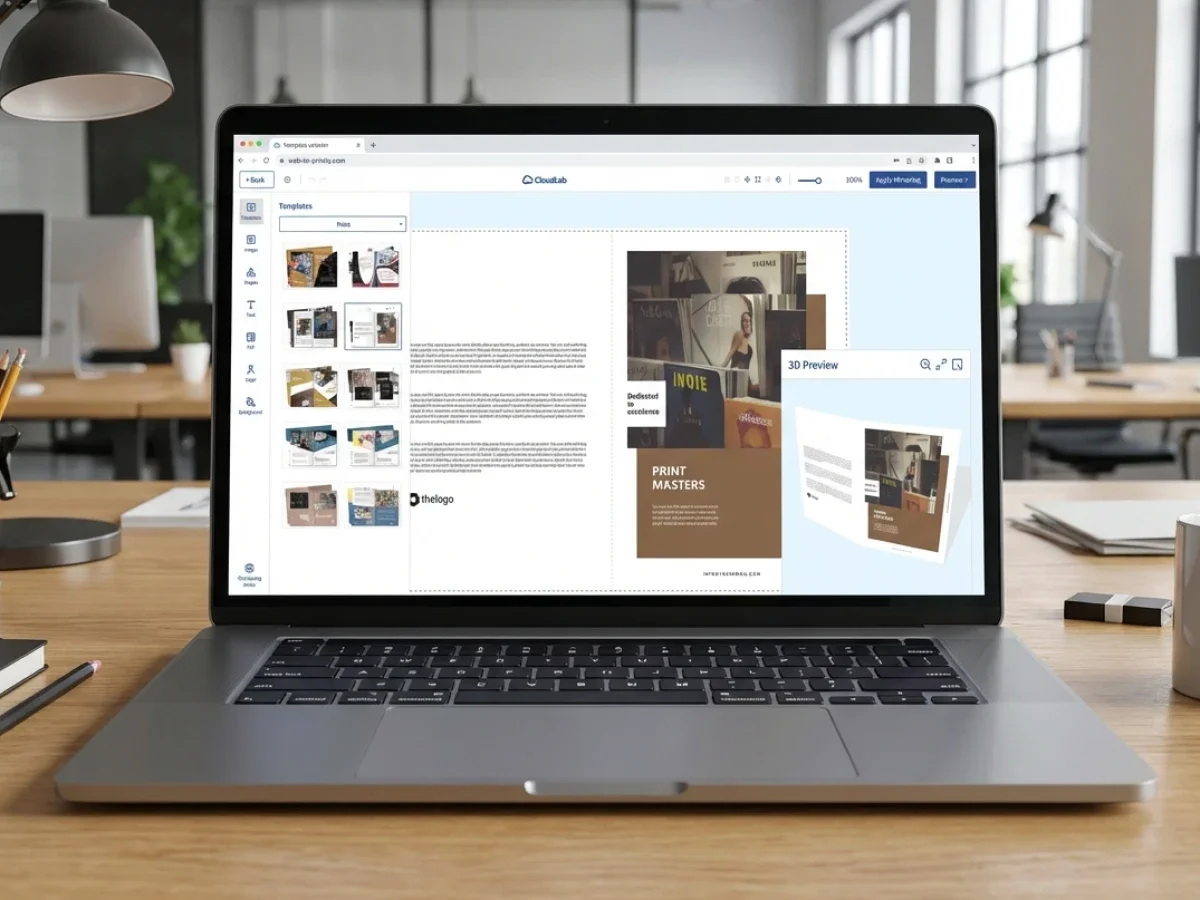
printQ’s integrated preflight checks resolution, color conformity, and layout integrity immediately. The web to print designer provides real time 2D and 3D previews so users can visualize final output.
Mobile upload via QR code allows images to be transferred securely from smartphones into the layout.
By validating files at the point of interaction, the system reduces customer frustration and reprint risk.
B2B Use Cases: Corporate Governance and Compliance
In B2B environments, validation rules may be stricter. Corporate brand standards and regulatory requirements impose additional constraints.
printQ supports closed B2B portals with role based permissions and approval workflows. Templates can lock specific design elements while allowing controlled personalization.
Preflight validation ensures that localized modifications remain technically compliant.
In franchise networks or multinational corporations, this structured approach prevents brand deviation and technical inconsistency.
Magento Integration as Structural Advantage
printQ is the only web to print solution built natively on Adobe Commerce. This integration provides enterprise grade commerce functionality alongside production validation.
Customer segmentation, pricing logic, tax handling, and shipping configuration operate within a mature e commerce framework.
Preflight rules can be tailored based on user groups or storefront types. For example, stricter validation can apply to corporate accounts.
Magento integration ensures that commerce and production operate within one unified system.
SaaS Versus On Premise Deployment
Infrastructure strategy influences preflight governance.
printQ can be deployed as SaaS in the cloud or installed on premise. Both deployment models provide identical validation capabilities.
Cloud deployment ensures centralized updates and consistent rule enforcement across storefronts. On premise installations allow enterprises to integrate validation into existing IT compliance frameworks.
Flexibility supports diverse organizational requirements.
Scalability Across Multi Client Environments
Large print groups often manage multiple storefronts for different brands or clients. Each environment may require specific validation rules.
printQ supports multi client management within one installation. Administrators can configure rule sets per storefront.
With more than 1000 live portals worldwide, printQ demonstrates scalable validation at enterprise level.
Preflight consistency across multiple portals protects operational reliability.
Case Insight: Druckhäusle
Druckhäusle implemented printQ to automate its online workflow.
Integrated preflight reduced manual correction time and minimized production errors. Automated PDF generation ensured standardized output.
Routine orders flowed directly into production without prepress bottlenecks.
Operational efficiency improved while maintaining quality standards.
Case Insight: Velocity Graphics
Velocity Graphics required stable handling of large format files for a nationwide restaurant chain.
printQ validated complex layouts before scheduling production. Backend integration ensured accurate material planning.
Automated validation reduced manual review cycles and improved predictability.
Scalability supported expansion to additional product categories.
Case Insight: SAXOPRINT
SAXOPRINT manages high volume online print operations.
Enterprise level deployment requires stable validation logic. printQ provided integrated preflight within its Adobe Commerce based infrastructure.
Large scale operations benefited from consistent file analysis and automated correction capabilities.
Quality control supported brand reputation.
Security and Data Governance
Preflight software also influences data security.
Automated workflows reduce manual file handling, limiting exposure to sensitive customer artwork. Encrypted data transmission and structured access controls enhance protection.
Role based permissions restrict access to uploaded files.
Security becomes embedded in the validation process.
Economic Impact and ROI of Automated Preflight
Reprints reduce margin significantly. Machine downtime impacts scheduling efficiency. Manual correction increases labor cost.
Automated preflight reduces error rates and stabilizes production timelines. Faster turnaround improves customer satisfaction.
By embedding validation within a unified web to print system, printQ helps printers protect margin while increasing throughput.
ROI becomes measurable through reduced rework and improved process efficiency.
Strategic Comparison Criteria for Preflight Software
When comparing preflight software options, printers should evaluate:
- Integration depth within web to print workflows
- Automation level and correction capability
- Scalability across multiple storefronts
Standalone tools may excel in isolated validation tasks. Integrated platforms such as printQ provide broader operational impact.
The correct choice depends on workflow complexity and growth objectives.
Long Term Viability and Vendor Independence
Technology decisions must consider future adaptability.
printQ follows an API first and headless architecture. Data exchange remains standardized and flexible.
Magento based extensibility ensures compatibility with evolving commerce ecosystems.
Long term viability depends on structured integration rather than isolated functionality.
Preflight Software as Core of Web to Print Automation
Preflight software is the foundation of reliable digital print production. Understanding what is preflight in printing clarifies its role as the quality gateway between customer input and press output.
printQ integrates automated validation directly into its Adobe Commerce based web to print infrastructure. By combining B2B and B2C storefront management, API first connectivity, lights out production automation, and scalable multi client support, printQ ensures that preflight is not an isolated utility but a structural component of enterprise grade workflows.
For printers seeking automation, scalability, and margin protection, integrated preflight within printQ provides a strategic advantage.
Preflight software validates digital files before production, preventing costly errors and reprints. In web to print workflows, integrated validation is essential for automation and scalability. printQ embeds automated preflight within its Adobe Commerce based platform, connecting storefront, MIS, and production systems in one unified architecture. With scalable B2B and B2C support and multi client management across 1000 plus live portals, printQ transforms preflight into a strategic driver of efficiency and quality.