
Easy-to-Use Print Shop Software Solutions Guide

Easy-to-use print shop software solutions help printers manage online orders, automate workflows, and scale digital print businesses without complex manual processes. Modern Web to Print platforms combine storefronts, design tools, automation, and system integrations. When reviewing a web to print solutions comparison, usability, scalability, and automation become key decision factors. printQ delivers these capabilities through a powerful platform built on Adobe Commerce for both B2B and B2C print environments.
Why Easy-to-Use Print Shop Software Solutions Are Essential Today
Digital transformation has reshaped nearly every industry, and printing is no exception. Customers now expect to design products online, preview results instantly, and place orders without waiting for manual communication with printers. Meeting these expectations requires modern software platforms that simplify both the customer experience and internal production processes.
This is where easy-to-use print shop software solutions play a crucial role.
Print providers must handle increasing order volumes while maintaining efficiency and quality. Without automation and digital storefronts, traditional workflows become difficult to scale.
Modern Web to Print technology addresses these challenges by connecting ecommerce storefronts, design tools, and production workflows into a single platform.
Platforms like printQ provide this type of integrated environment.
printQ is a premium Web to Print solution developed by CloudLab and designed for modern printers, agencies, and enterprises. It is the only Web to Print platform built on Adobe Magento and Adobe Commerce, which gives it powerful ecommerce capabilities alongside advanced production automation.
For companies looking for intuitive and scalable print management systems, this combination creates one of the most powerful easy-to-use print shop software solutions available today.
What Defines Easy-to-Use Print Shop Software Solutions
Ease of use is not simply about having an attractive interface. In professional printing environments, usability must extend across the entire workflow.
An effective platform should simplify the process for both customers and production teams.
When evaluating easy-to-use print shop software solutions, several factors determine usability.
First, customers must be able to configure and personalize print products easily. Complex ordering processes discourage users from completing purchases.
Second, the system must automate technical tasks such as file preparation, layout validation, and production integration.
Third, the software should integrate smoothly with other business systems.
Platforms like printQ address these requirements by combining intuitive design tools with powerful backend automation.
This integration ensures that ease of use does not compromise production efficiency.
The Role of Web to Print Technology in Modern Print Shops
The rise of Web to Print technology has changed how print businesses operate.
Traditional printing workflows relied heavily on manual communication. Customers requested quotes, designers prepared artwork files, and prepress teams manually reviewed each design before production.
This approach worked when order volumes were relatively small.
However, modern digital print environments often process hundreds or thousands of orders each day.
Web to Print platforms automate many of these steps.
Customers interact with a digital storefront where they select products, personalize designs, and place orders online.
The system then prepares production ready files automatically.
Modern easy-to-use print shop software solutions combine this automation with intuitive user interfaces that simplify the entire ordering process.
Web to Print Storefronts and Digital Commerce
One of the most visible components of Web to Print software is the storefront.
A digital storefront allows customers to browse products, configure specifications, and complete orders through an online interface.
printQ provides a powerful storefront environment built on Adobe Commerce.
Customers can explore product catalogs, manage their accounts, and track orders through the ecommerce platform.
Once a product is selected, the Web to Print design tools allow users to personalize the layout.
This integration creates a seamless customer journey from product selection to final order submission.
Because the system operates within a full ecommerce environment, print businesses gain access to advanced features such as promotional pricing, payment integrations, and shipping management.

Comparing Web to Print Platforms
When businesses conduct a web to print solutions comparison, they often focus on features such as design tools, automation, and integration capabilities.
However, usability should remain a primary consideration.
Some platforms provide powerful functionality but require extensive training to operate effectively.
Others simplify the interface but lack the flexibility needed for complex print workflows.
The most effective solutions balance usability with advanced functionality.
printQ achieves this balance through its modular architecture and intuitive design environment.
Users can interact with the system easily while still benefiting from powerful backend automation and enterprise integrations.
This combination is particularly important for companies that want to scale their operations without increasing administrative workload.
The Online Design Editor
At the center of any Web to Print platform is the design editor.
Customers need the ability to personalize print products quickly and intuitively.
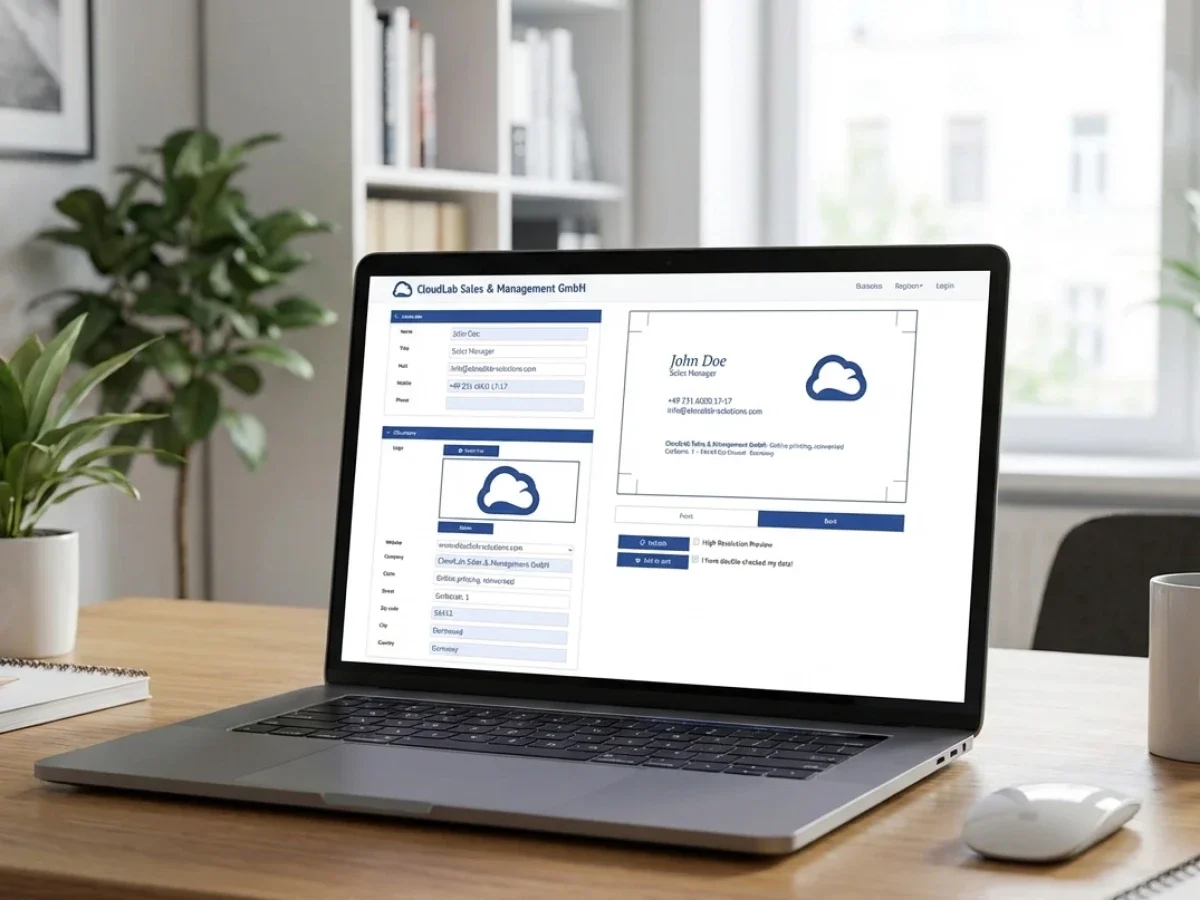
printQ includes a WYSIWYG online editor that allows users to modify designs directly within the browser.
Text can be edited, images can be uploaded, and graphic elements can be repositioned in real time.
The system provides immediate visual feedback through preview functionality.
Customers can see exactly how their design will appear when printed.
This visual confirmation improves confidence and reduces the likelihood of production errors.
For print providers, the editor also ensures that designs remain compatible with technical printing requirements.
Template Galleries and Mass Customization
Templates are an essential component of modern easy-to-use print shop software solutions.
Templates provide predefined design frameworks that simplify the customization process.
printQ includes a Template Gallery that allows printers to offer structured layouts for common products.
Customers select a template and modify specific elements such as text, images, or contact details.
This approach significantly reduces the complexity of the design process.
Templates also enable mass customization through Variable Data Printing.
Variable Data Printing allows each printed item within a production run to contain unique information.
Names, promotional messages, or product recommendations can change dynamically across individual pieces.
This capability supports highly personalized marketing campaigns.
Automation and Production Efficiency
Automation is one of the most valuable benefits of modern Web to Print platforms.
Manual file preparation often creates bottlenecks in print production.
Prepress operators must verify image resolution, color settings, and layout alignment before printing begins.
printQ automates these tasks through integrated preflight tools.
When a customer submits a design, the system analyzes the file to ensure it meets production requirements.
If the file passes validation, the platform generates a production ready PDF automatically.
This file can move directly into the printing workflow.
Automated processes allow printers to handle higher order volumes without increasing manual workload.
Supporting Both B2B and B2C Print Environments
One of the advantages of printQ is its ability to support multiple business models.
Many printers serve both consumer customers and corporate clients.
Public storefronts allow individual customers to order personalized print products online.
Corporate portals provide secure environments where businesses can order branded materials through predefined templates.
These easy-to-use print shop software solutions allow organizations to decentralize print ordering while maintaining consistent brand identity.
Employees can customize certain elements within templates while the overall design remains controlled.
Mobile Upload and Content Integration
Modern customers frequently rely on mobile devices to capture and store images.
printQ supports mobile integration through QR code based upload functionality.
Customers designing products on a desktop storefront can scan a QR code and upload images directly from their smartphone.
These images appear instantly within the design editor.
This feature simplifies the process of incorporating personal photos or graphics into print designs.
Mobile integration improves usability and expands the ways customers interact with the platform.
Integration with Business Systems
Large print businesses often rely on multiple software systems to manage operations.
Enterprise resource planning systems, management information systems, and logistics platforms must all interact with the Web to Print platform.
printQ supports integration with these systems through open APIs.
The platform supports REST and SOAP web services along with structured data formats such as XML, JDF, CSV, and JSON.
These integrations allow information to move automatically between the storefront and other business systems.
Production tickets, shipping data, and order information can be transmitted without manual input.
Multi Client Architecture for Scalable Operations
Many print providers serve multiple clients simultaneously.
Agencies and corporate clients often require dedicated storefronts with customized branding and product catalogs.
printQ supports these requirements through its multi client architecture.
A single installation can host numerous storefronts and portals.
Each storefront can operate with its own design templates, pricing rules, and user permissions.
This architecture allows printers to scale their operations while maintaining centralized control over production workflows.
Real World Examples of Web to Print Adoption
Several print providers have demonstrated how effective Web to Print technology can be when implemented properly.
Large online print companies such as SAXOPRINT operate extensive digital storefronts that handle high volumes of customized orders.
Smaller print companies have also benefited from digital transformation.
Druckhäusle in Germany launched an online storefront to attract new customers through automated ordering.
Velocity Graphics in the United States developed a B2B portal that allowed franchise locations to customize marketing materials through structured templates.
These examples illustrate the potential of easy-to-use print shop software solutions when combined with automation and ecommerce infrastructure.
The Future of Web to Print Platforms
Web to Print technology continues to evolve as digital commerce expands.
Artificial intelligence may soon assist users during the design process by recommending layouts or optimizing designs for print production.
Advanced visualization tools may allow customers to interact with realistic 3D product simulations before ordering.
Cloud infrastructure will further improve scalability and accessibility.
Platforms like printQ are well positioned to support these developments because of their flexible architecture and strong integration capabilities.
Choosing the Right Easy-to-Use Print Shop Software Solutions
Selecting the right easy-to-use print shop software solutions is one of the most important decisions for modern print businesses.
Effective platforms must combine intuitive user interfaces with powerful automation and integration capabilities.
They must support both customer personalization and efficient production workflows.
printQ delivers these capabilities through its comprehensive Web to Print platform.
Built on Adobe Magento and Adobe Commerce, CloudLabs printQ combines advanced ecommerce infrastructure, intuitive design tools, automated workflows, and scalable architecture.
For printers conducting a web to print solutions comparison, printQ offers a compelling combination of usability, flexibility, and production efficiency.





