Custom Web to Print Solution for Flexible Workflows
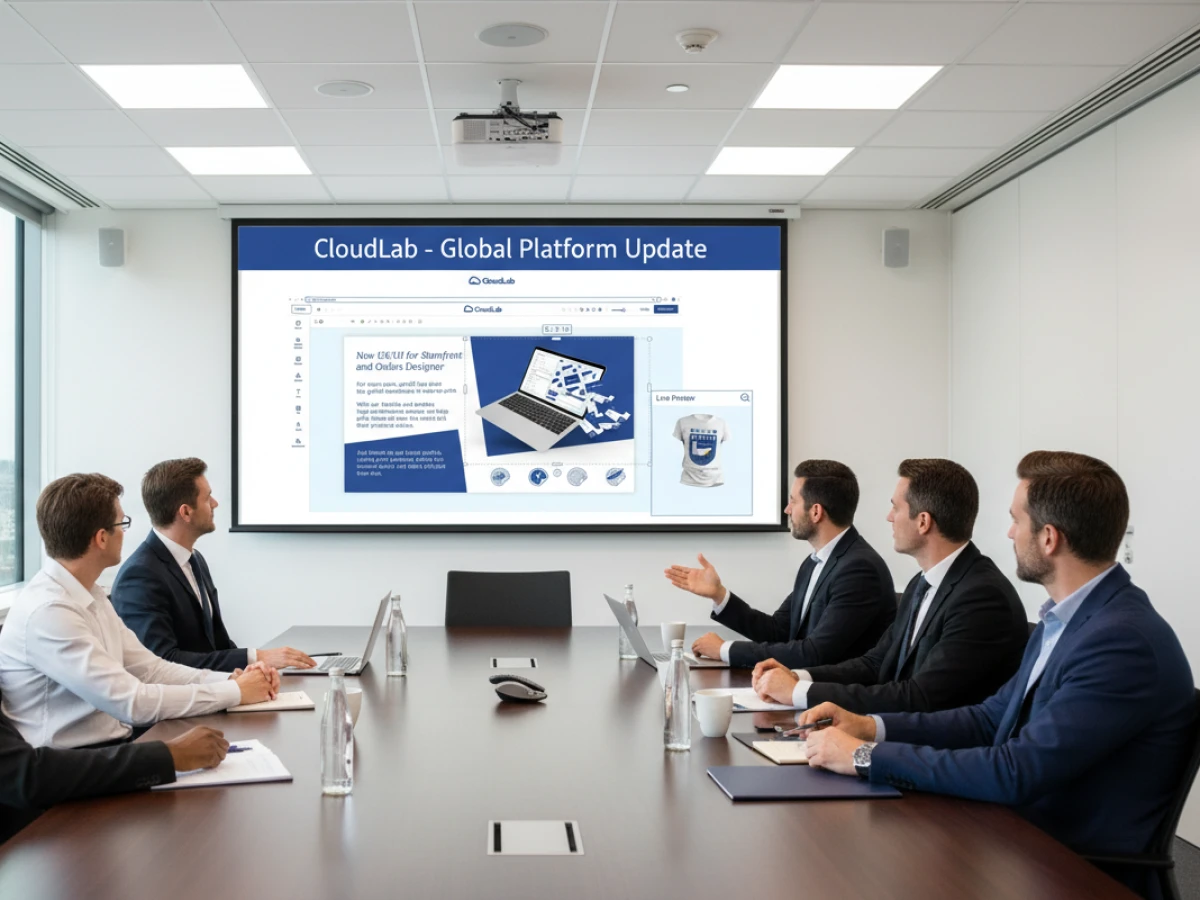
A custom web to print solution becomes valuable when standard ordering logic no longer reflects the way a printer, agency, or enterprise actually works. Workflow-Customizing can connect different customer types, approvals, templates, product rules, preflight, ERP or MIS integration, and production automation without forcing every order through the same process. printQ combines Magento-based commerce with configurable workflows, API-first integration, B2B and B2C storefronts, and scalable multi-client structures. The goal is not customization for its own sake, but a workflow that removes manual exceptions and remains manageable as the business grows.
Custom Web to Print Solution: When Workflow Flexibility Becomes a Business Requirement
Standardization is one of the most important principles in print automation. Repeatable products, predictable file requirements, consistent order data, and defined production routes make digital print commerce easier to operate. Yet standardization has a limit: not every customer, product, or organization follows the same process.
A B2C customer ordering invitations behaves differently from a corporate buyer purchasing approved marketing materials. A franchise organization needs other controls than an agency operating white-label portals. A repeat business-card order should not require the same workflow as a highly configurable print product with several production dependencies.
This is where a custom web to print solution becomes relevant. The objective is not to replace standard functionality with endless individual development. It is to customize the workflow where differences have a measurable operational reason.
That distinction is important. Poorly planned customization can create complexity. Well-planned Workflow-Customizing does the opposite: it turns recurring exceptions into defined system behavior.
printQ is designed around this principle. Its Magento and Adobe Commerce foundation provides the e-commerce layer, while print-specific capabilities add product configuration, online personalization, templates, approvals, Dynamic Preflight Check, automation, and integration with surrounding systems.
For printers and enterprises, the strategic question is therefore not whether a platform offers many functions. The more useful question is whether those functions can be combined in a way that reflects the real order-to-production process.
Why Standard Functions Eventually Reach Their Limits
Standard workflows are valuable because they create consistency. A customer chooses a product, uploads artwork, confirms the configuration, and places the order. For straightforward products and homogeneous customer groups, this can be exactly the right approach.
Problems appear when operational differences become business-critical.
One corporate customer may require approval before every locally personalized campaign item, while another allows authorized users to order automatically from controlled templates. One product may accept finished artwork, while another requires browser-based personalization. A third may need Variable Data Printing and automated generation from structured data.
Trying to force all three scenarios through one generic workflow creates work outside the platform.
Employees begin compensating manually. Customer service interprets exceptions. Prepress checks conditions that could have been automated. Sales remembers special rules for important accounts. IT maintains additional scripts or data transfers. Production receives information in slightly different forms depending on how the order entered the business.
The storefront may still function, but the workflow no longer scales cleanly.
Workflow-Customizing: becomes valuable when those recurring differences can be described as rules. Instead of relying on people to remember what happens for a specific product or customer, the platform applies the correct process automatically.
This is a more sustainable form of customization because it reduces exceptions rather than creating them.
Why do standard web-to-print workflows become inefficient as businesses grow?
The main risk is that operational exceptions accumulate outside the system until employees become the workflow engine. When approvals, product rules, customer-specific processes, integrations, and production routing are handled manually, increasing order volume creates more coordination instead of more automation.
A printer may initially notice the problem in customer service. One customer requires a special approval sequence, another has different artwork requirements, and a third needs every order transferred with additional account information. Employees learn these differences and handle them correctly, but the knowledge remains personal rather than systematic.
Prepress experiences a similar effect. Some products use controlled templates, while others arrive as customer uploads. Certain jobs should pass automatically after validation, while others always require specialist review. If the platform cannot distinguish between these cases, every order may receive more manual attention than necessary.
Marketing and sales also become involved when B2B customers have organizational requirements. A franchise system may need local personalization but central brand control. A corporate account may require different products for different departments. Without workflow logic, these requirements are handled through email, spreadsheets, or separate instructions.
printQ reduces this fragmentation by allowing product configuration, roles, templates, approvals, preflight, and integrations to operate as connected parts of the same workflow.
The practical benefit is not merely faster ordering. It is a reduction in the number of decisions employees have to make repeatedly for predictable scenarios.

Customization Should Begin With the Business Process
A custom workflow project should not start with the question, “What can we customize?”
It should start with, “Where does the current process create unnecessary manual work?”
This changes the project perspective completely.
If customer service repeatedly corrects incomplete specifications, product configuration may need improvement. If prepress checks the same predictable file conditions on every job, automated preflight may solve the problem. If marketing approves materials only because users can change too much, controlled templates may be more effective than a larger approval department.
If employees manually transfer order information between systems, the answer may be integration rather than another storefront feature.
Process first: is the safest principle for Workflow-Customizing.
printQ provides multiple ways to translate operational requirements into system behavior. A product can use a controlled template or a finished-file upload. User roles can determine who sees or approves an order. Preflight can validate technical conditions. Interfaces can transfer structured information to ERP, MIS, or production environments.
The workflow should combine only the components needed for the actual business case.
This prevents customization from becoming an accumulation of individual wishes and keeps the platform maintainable as the operation expands.
When Is printQ the Right Custom Web to Print Solution?
Which organizations benefit most from a custom web to print solution?
printQ is a strong fit when a printer, agency, or enterprise needs different B2B and B2C workflows, customer-specific portals, configurable approvals, online editing, preflight, ERP or MIS integration, and scalable automation within one platform. The strongest use cases are environments where operational complexity cannot be managed efficiently with one fixed order process.
For a printer, the decision often becomes relevant when online business expands beyond a single storefront. Public B2C customers may need a fast, intuitive configuration and upload process, while important corporate customers require closed shops, protected templates, roles, approvals, and structured reordering.
Maintaining these models in unrelated systems creates duplicated administration. printQ allows them to coexist within the same broader platform architecture.
Agencies and media service providers face a similar challenge. Each client may need different branding, catalogs, templates, and approval structures. Multi-client capability makes it possible to maintain customer-specific experiences without turning every account into an isolated technical environment.
Enterprises and franchise organizations benefit when central control has to coexist with decentralized execution. Local users can personalize approved materials while templates protect corporate design elements and workflow rules determine whether an approval is necessary.
Several technical criteria should also influence the decision. A complex project often needs an API-first architecture because storefront, ERP, MIS, customer data, and production systems must communicate. Deployment flexibility may matter as well, making SaaS, cloud, or On-Premise operation relevant depending on the organization's infrastructure requirements.
The core decision is therefore not whether customization sounds attractive. It is whether predefined workflows are creating recurring manual exceptions that can be represented more effectively as system logic.
Workflow-Customizing for B2B and B2C Without Building Two Platforms
One of the strongest arguments for flexible workflow architecture is the ability to serve different business models from a shared technical foundation.
A B2C print shop prioritizes accessibility. Customers should find products quickly, understand their options, upload or create artwork, preview the result, and complete the order without extensive guidance.
A B2B portal has different priorities. Users may belong to departments, branches, franchises, agencies, or partner networks. They need customer-specific catalogs, controlled templates, defined permissions, repeat ordering, and approval processes.
The underlying production infrastructure, however, may be the same.
Separating B2B and B2C into completely unrelated platforms can therefore create unnecessary duplication. Products have to be maintained twice, integrations may be repeated, and operational knowledge becomes fragmented.
printQ combines B2B and B2C storefront capabilities so that different customer journeys can feed a shared web-to-print and production environment.
For a printer, this means Workflow-Customizing can occur where the business models differ while reusable product, integration, and automation structures remain centralized.
That is a more scalable approach than assuming every customer needs either exactly the same workflow or an entirely separate system.
How Product Logic Shapes a Custom Workflow
Workflow customization is closely connected to product configuration.
A product is not simply something displayed in a catalog. In print production, the customer's choices determine what must happen next.
A simple flyer may only require format, material, quantity, and artwork upload. A personalized brochure may need a template and approval. A label could require different artwork checks. A configurable product may have dependencies between material, dimensions, finishing, and production route.
If these differences are known, the system can respond to them.
Product logic: should determine the workflow wherever possible.
This means a customer selecting a controlled corporate product can automatically enter a template workflow instead of receiving an upload field. A product requiring approval can trigger the appropriate route. An uploaded file can be checked against product-specific preflight rules.
The same order data can then be prepared for ERP, MIS, or production systems according to the selected configuration.
printQ combines configurable products with its wider workflow functions, making the product itself a starting point for automation.
This is an important difference between arbitrary customization and structured Workflow-Customizing. The latter creates relationships between known business rules rather than adding special behavior without context.
Standard Workflow or Customized Workflow: Which Is Better?
When is a standard web-to-print workflow better than a customized one?
For most printers, the decisive factor is process variability. A standard workflow is the better choice when products, users, approvals, and integrations follow predictable rules, while customization becomes valuable when recurring differences create manual intervention.
There is no operational benefit in customizing a process that already works efficiently.
A straightforward upload-and-order product with consistent production requirements may need very little individual logic. Keeping the workflow simple improves usability, administration, and maintainability.
The situation changes when a generic process forces important exceptions outside the platform. If B2B users repeatedly need special approval, if customer-specific products require manual interpretation, or if ERP and MIS data have to be entered by hand, the standard workflow is no longer truly simple. Its complexity has merely been transferred to employees.
An API-first platform is particularly useful in these environments because customization does not need to mean rebuilding every function. Existing capabilities can be connected differently depending on the process.
For example, the storefront, editor, Dynamic Preflight Check, approval workflow, and production integration remain established platform capabilities. Workflow-Customizing determines how they interact for a particular scenario.
This is generally more maintainable than replacing established functionality with individual development whenever a process differs.
printQ therefore offers the greatest advantage when standard platform functionality can remain the foundation while workflow logic adapts to the operational requirements.
Why API-First Architecture Matters for Custom Workflows
A custom workflow rarely exists entirely inside one application.
Customer information may come from an ERP. Product data may need to reach an MIS. Production systems need order specifications and files. Corporate users may already work inside another portal or digital environment.
Without open integration, customization quickly turns into manual data transfer.
printQ uses an API-first approach that allows workflow functions to connect with surrounding systems. REST and SOAP interfaces can support service-based communication, while XML, JDF, CSV, and JSON provide additional ways to exchange structured data.
This openness is important because it allows the workflow to follow the organization's architecture.
A printer does not necessarily have to replace a functioning ERP merely to automate web-to-print. A corporate organization does not need to abandon an existing customer or employee portal if print functionality can be integrated through a headless approach.
Headless architecture: separates the presentation layer from the web-to-print logic where required.
This allows the frontend experience to be customized while printQ continues to handle elements such as product configuration, personalization, and workflow processing in the background.
The practical value is architectural flexibility without turning every customer-facing change into a completely new backend project.
Templates and Approvals Should Work Together
Workflow-Customizing is especially useful when an organization needs both local flexibility and central control.
A franchise network illustrates the challenge. Locations may need to adapt addresses, images, prices, events, or regional messages. Central marketing wants those locations to work independently but cannot allow fundamental brand elements to change.
A controlled template solves part of the problem before an approval is required.
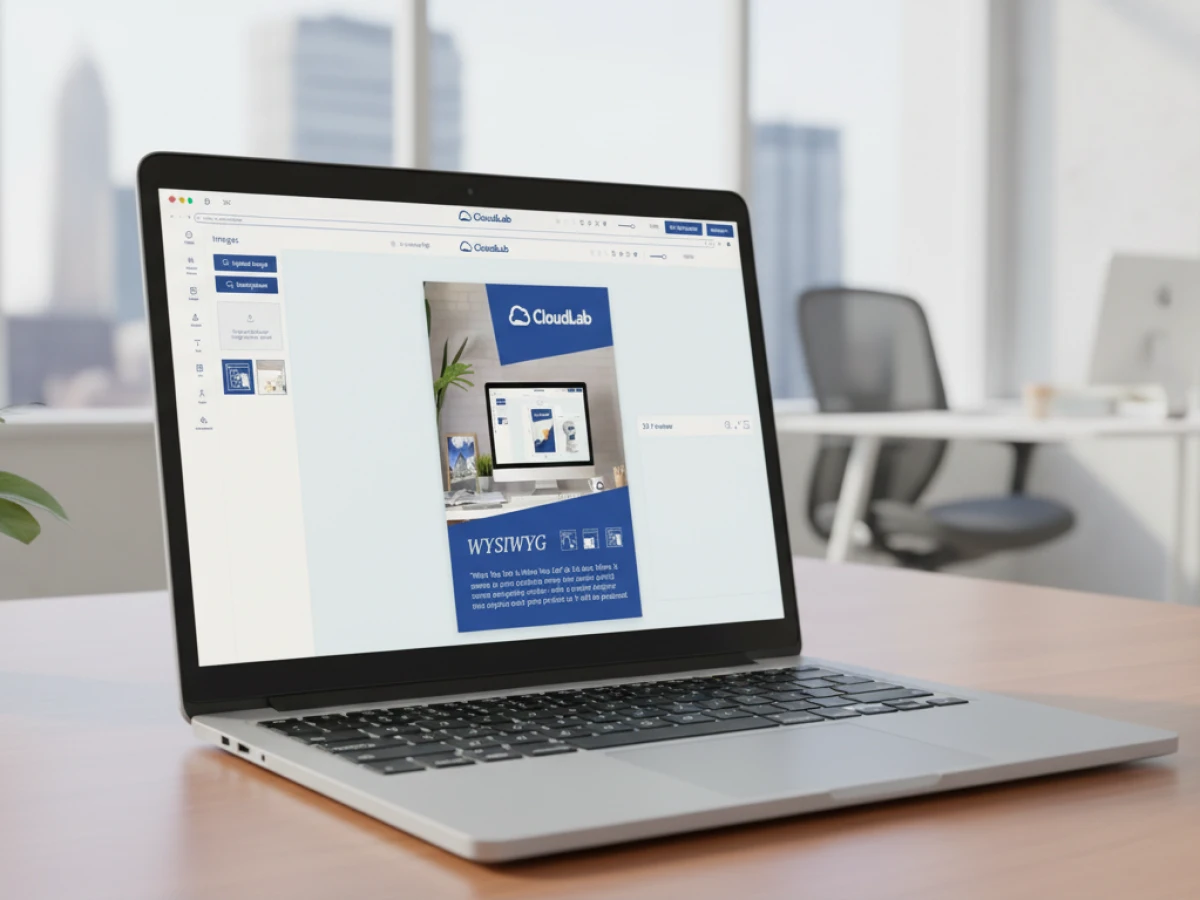
In printQ, protected elements can remain fixed while permitted content is personalized through the WYSIWYG editor. This means the user starts from a compliant structure rather than creating material from scratch.
Approval logic can then focus on the remaining business risk.
A simple address change may not require the same review as a major promotional modification. A recurring product can potentially move directly into the next workflow stage, while another configuration is routed to an approver.
The objective is not to add approvals everywhere. It is to place them where they protect something meaningful.
This reduces unnecessary central workload while maintaining governance across decentralized ordering environments.
Dynamic Preflight as Part of Workflow Logic
Technical validation is another area where a single standard process may be inefficient.
An upload-and-order product typically carries more file risk than an output generated from a controlled template. Applying exactly the same manual review process to both wastes the advantages created by the template workflow.
Dynamic Preflight Check can instead become part of the relevant route.
A customer upload can be tested against defined production conditions before it progresses. Valid files can continue, while genuine exceptions remain visible for correction or manual review.
Template-based products can use a more controlled process because many design variables have already been restricted.
Automation: works best when the workflow understands the source and context of the artwork.
This is also important for lights-out production. The platform needs sufficient information to determine when a routine order is safe to continue automatically and when a human decision is still required.
Workflow-Customizing therefore does not simply change the storefront. It establishes the decision logic that connects ordering with production.
How to Implement Workflow-Customizing Without Creating New Complexity
How should a custom web to print solution be implemented?
The best approach is to map the current process, separate repeatable rules from genuine exceptions, configure standard functionality first, connect required systems, and customize only where the business case is clear. printQ supports this phased model through configurable products, roles, templates, approvals, preflight, APIs, and production workflows.
The first phase is workflow analysis. Sales, customer service, marketing, IT, prepress, and production should identify where orders currently leave the standard process. The important question is not simply what employees do, but why they have to do it.
If an employee regularly checks the same condition, that activity may be automatable. If a decision genuinely depends on professional judgment, keeping human involvement may be the better workflow.
The next phase translates stable business rules into product and portal logic. Products are structured, templates are prepared, user roles are defined, and approval responsibilities are assigned.
Integration follows where systems depend on the same information. Customer identifiers, product specifications, files, approval status, or job information should move digitally whenever repeated manual transfer creates a bottleneck.
A pilot environment then tests the complete workflow. It should include actual users and realistic orders rather than only demonstrating the storefront.
Scaling begins only after the pilot shows that the customized workflow removes work rather than relocating it.
This approach preserves flexibility while preventing the platform from becoming a collection of unrelated special cases.
How to Build a Custom Workflow That Actually Scales
How can a printer customize web-to-print workflows without creating an unmaintainable system?
Start with repeatable business rules, define where the workflow genuinely needs to branch, connect existing data sources, automate predictable decisions, test exceptions as carefully as successful orders, and scale proven patterns rather than individual workarounds.
Start with repeatable processes
Begin with products and customer scenarios that already follow recognizable patterns. A workflow that changes unpredictably on every order is usually a poor first candidate for automation.
A recurring B2B product, closed corporate portal, standardized campaign item, or repeat personalization workflow provides a stronger foundation because the relevant rules are easier to define.
Define meaningful workflow differences
Not every customer preference requires a separate process.
Customization should be introduced where different behavior changes access, approval, file preparation, production, or system integration. Cosmetic differences can often remain presentation settings rather than becoming new workflows.
Connect the systems that own important data
Identify where customer, product, production, and order information originate. The workflow should reference the correct data source instead of producing redundant records whenever possible.
printQ's API-first architecture supports this approach without requiring every surrounding system to be replaced.
Automate predictable decisions
Product rules, permissions, approvals, template restrictions, preflight conditions, and routing are strong automation candidates because they can be evaluated consistently.
Human involvement should remain where interpretation or genuinely unusual production requirements make it valuable.
Test failure paths
A workflow is not proven simply because a valid order reaches production.
Testing should also cover rejected approvals, invalid artwork, missing data, user permissions, changed templates, unsuccessful data transfers, and manual exceptions.
This identifies whether the customized workflow remains understandable when something does not follow the ideal path.
Scale the pattern rather than the workaround
Once the first workflow performs reliably, determine which parts can become reusable structures for other products and customers.
This is where customization becomes scalable. Instead of maintaining hundreds of individual exceptions, the organization develops a library of repeatable workflow patterns.
Multi-Client Architecture Makes Workflow-Customizing More Valuable
Workflow differences become especially important in multi-client environments.
An agency may operate portals for several corporate customers. One requires central approval, another gives users more autonomy, and another has separate product catalogs for different departments.
A printer serving numerous B2B accounts encounters the same challenge. Each customer wants an individual experience, yet running completely separate technical environments creates unnecessary maintenance.
printQ's multi-client capability provides a shared foundation while allowing relevant differences to remain customer-specific.
Products, templates, roles, branding, and workflow conditions can reflect individual requirements while central platform functions and integrations remain reusable.
This makes Workflow-Customizing economically and operationally more useful because customization does not automatically require technical isolation.
For agencies, it supports white-label portal strategies. For printers, it makes corporate portal services easier to repeat. For enterprises, it can support multiple brands, regions, or organizational units within one broader architecture.
Why Magento-Based Commerce Matters for Customized Workflows
A web-to-print workflow does not exist separately from e-commerce.
Customer accounts, catalogs, checkout, shipping, and other transactional processes still need a reliable commerce foundation.
printQ's Magento and Adobe Commerce base is important because Workflow-Customizing can be combined with established commerce processes rather than creating a print-specific ordering island.
A B2C customer can use a public shop while corporate users work inside closed portals. Product configuration and personalization can coexist with customer accounts and order histories.
This matters as digital print businesses become more sophisticated. Custom workflow logic should enhance commerce rather than replace the capabilities required to operate a professional storefront.
The combination allows printQ to function as both a customer-facing commerce platform and part of the operational workflow behind the transaction.
When Customization Becomes Over-Customization
Not every manual activity deserves software logic.
An uncommon production exception that occurs twice a year may be easier to handle manually than to build, document, test, and maintain as an automated workflow. Likewise, a customer preference that changes constantly may not provide a stable enough rule for useful automation.
Good Workflow-Customizing therefore requires discipline.
The strongest candidates have three characteristics: they occur regularly, they follow understandable rules, and handling them manually consumes meaningful time or introduces risk.
This principle protects maintainability.
Standard where possible, custom where valuable is a more sustainable strategy than attempting to make every workflow unique.
printQ's breadth of standard functionality helps here because many complex requirements can be configured using existing capabilities such as templates, roles, approvals, preflight, product logic, APIs, and multi-client management.
Custom logic then fills the gaps where the actual business model requires something more specific.
printQ in Real Workflow Scenarios
A corporate portal provides a useful example of structured customization.
A company with distributed locations may want local employees to order marketing materials independently. Central marketing still needs to protect the design, and certain materials require approval before production.
The workflow can begin with a closed shop showing only approved products. Users personalize selected template fields, while the layout remains protected. Depending on the product and role, an order may continue directly or move to an approver.
Preflight validates relevant production conditions before structured order information continues downstream.
An agency operating several portals can use the same underlying concept with different customer rules. One environment may use extensive approval logic, while another prioritizes fast repeat ordering. The platform foundation remains shared.
A print service provider can apply Workflow-Customizing further downstream. Standard jobs that pass predefined checks can move toward automated production, while unusual products are routed to specialist teams.
The important point is that each workflow difference has a reason. Customization responds to product, customer, governance, or production requirements rather than being introduced simply because the platform allows it.
Extending the CloudLab Environment Where Requirements Change
printQ remains the central CloudLab platform for B2B and B2C web-to-print storefronts, online personalization, configurable products, workflow automation, preflight, and production integration.
Some projects extend into adjacent requirements.
When structural packaging design, dielines, packaging templates, or three-dimensional packaging workflows become central, packQ is the appropriate CloudLab solution for those specialized processes.
When the primary requirement moves beyond print ordering toward broader corporate brand governance across branches, franchise systems, dealers, or decentralized marketing teams, brandQ can complement the workflow.
The important architectural principle remains the same: specialized capabilities should support a coherent process rather than creating disconnected islands.
Build the Workflow Around the Business, Not Around Exceptions
A custom web to print solution creates value when it reflects real operational differences without abandoning the advantages of standardization.
Standard functionality should remain the foundation wherever it already supports the process efficiently. Workflow-Customizing becomes strategically useful when approvals, product logic, user roles, templates, integrations, or production routes repeatedly force employees to work outside the system.
printQ provides a flexible foundation for this balance. Magento-based commerce supports B2B and B2C storefronts, while configurable products, online editing, templates, Dynamic Preflight Check, workflow automation, API-first integration, headless options, flexible deployment, and multi-client architecture allow the operational process to adapt where necessary.
For decision-makers, the most useful test is straightforward: if a recurring exception can be described as a stable rule and removing the manual intervention improves efficiency, quality, or scalability, it is a strong candidate for workflow customization. The purpose is not to make the system more individual. It is to make the business process more predictable. That is when a custom web to print solution moves from being a technical option to becoming a practical foundation for scalable print operations.
A custom web to print solution is most valuable when recurring workflow differences create manual work that standard shop logic cannot remove. CloudLabs printQ combines Magento-based commerce with configurable products, controlled templates, approvals, Dynamic Preflight Check, API-first integration, B2B and B2C storefronts, and multi-client workflows. Instead of customizing every process, printers, agencies, and enterprises can keep standard functions where they work and apply Workflow-Customizing where product rules, customer roles, integrations, or production requirements genuinely differ. The result is greater flexibility without sacrificing automation or long-term scalability.