
Why CloudLab’s Web‑to‑Print Software Stands Out for Printers

Choosing the right web‑to‑print software is crucial for modern print shops and agencies. CloudLab offers a modular suite — printQ for online print, packQ for 3D packaging and brandQ for marketing management — that combines intuitive design tools, deep eCommerce integration and fully automated workflows. This comprehensive guide explains the key selection criteria, compares CloudLab’s capabilities with other solutions and shows how printers can implement scalable, flexible software to grow their business.
The digital transformation of the print industry has accelerated dramatically in recent years. Customers no longer want to place orders by phone or wait days for price quotes; they expect to design, customize and purchase print products online with the same convenience they experience when shopping for clothes, electronics or groceries. For printers and agencies, meeting these expectations requires more than a simple online catalog — it demands a comprehensive web‑to‑print software platform that can handle product configuration, real‑time previews, dynamic pricing, order management and production automation. Picking the right system is critical because it will form the backbone of your online business, affecting everything from customer experience and workflow efficiency to scalability and profitability.
This article explores what sets CloudLab’s web‑to‑print suite apart and how it compares to other solutions. We will examine the features and benefits of printQ, CloudLab’s flagship web‑to‑print software for online print shops; packQ, the 3D packaging design and quoting system; and brandQ, the marketing management tool for managing corporate design templates and collateral. We will also outline the key criteria you should consider when evaluating any web‑to‑print platform—including integration capabilities, customization options, automation, scalability and support — and provide practical advice for successful implementation. Whether you run a small print shop looking to expand online or a global enterprise managing hundreds of brand portals, this guide will help you make informed decisions.
Understanding Web‑to‑Print Software
Before diving into specific solutions, it’s important to understand what web‑to‑print software is and why it has become indispensable in the modern printing landscape. At its core, a web‑to‑print system allows customers to order print products through an online storefront. But a true end‑to‑end solution goes far beyond basic ordering. It includes:
- Interactive product configuration: Customers and sales teams can select sizes, materials, colors, finishing options and quantities while instantly seeing the effect on pricing and production.
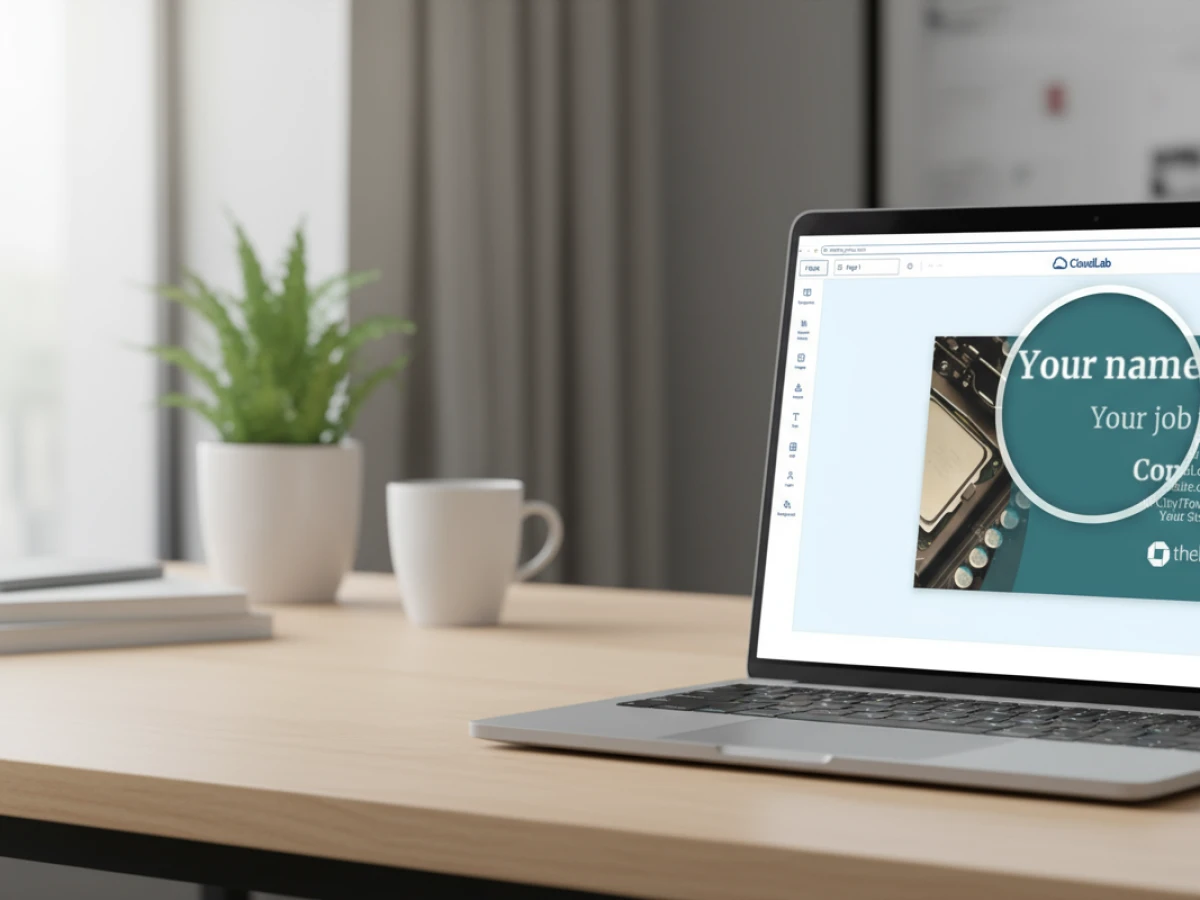
- Online design tools: A browser‑based editor enables users to create or personalize artwork directly within the storefront. This tool should support drag‑and‑drop layouts, text editing, image uploads and integration of brand elements.
- Real‑time previews: High‑fidelity 2D and 3D previews provide immediate visual feedback, showing how the final product will look — including cutting lines, folds and embellishments. These previews reduce approval cycles and avoid surprises.
- Dynamic pricing and quoting: The system calculates prices in real time based on the selected options, using formulas that consider substrate cost, ink usage, finishing, volume discounts and more. Accurate, transparent pricing builds trust and accelerates purchasing decisions.
- Order management: A robust backend manages customer accounts, payment, taxation, shipping and order history. It should integrate seamlessly with ERP, MIS and CRM systems to synchronize data and eliminate manual entry.
- Production automation: Advanced platforms automatically generate print‑ready PDF, JDF or XML files with cut and fold lines, correct color profiles and variable content. They transmit these files to hotfolders or production queues without human intervention, enabling “lights‑out” manufacturing.
- Scalability and multi‑client capability: A system must handle multiple storefronts (B2C and B2B) and thousands of concurrent orders while maintaining consistent performance. Multi‑tenant architecture allows agencies and enterprises to manage several client portals from a single installation.
Not all web‑to‑print solutions offer the same depth of functionality. Some focus purely on uploading artwork and placing orders, leaving product configuration and automation to other systems. Others concentrate on a specific niche, such as packaging or textiles. When evaluating options, you must consider your business model, product range, target audience and growth plans.

Key Criteria for Choosing a Web‑to‑Print Platform
Selecting a web‑to‑print solution is a strategic decision that will influence your workflows and customer relationships for years. Here are the major criteria to evaluate when comparing platforms:
Integration and Ecosystem Compatibility
Your web‑to‑print system must integrate seamlessly with your existing eCommerce, ERP, MIS, CRM and payment systems. Look for solutions with REST and SOAP APIs, support for industry standards like XML, JDF/XJDF and CSV, and the flexibility to connect with popular eCommerce platforms such as Magento, Shopify, BigCommerce and Shopware. Integration ensures that orders, inventory, customer data and financial transactions flow automatically between systems, eliminating data silos and manual entry errors. A headless or API‑first architecture also allows you to customize the frontend experience without being locked into a specific theme or CMS.
Product Configuration and Customization
A powerful configuration engine is essential for print businesses that offer a wide range of products. The platform should allow you to define substrates (papers, plastics, cardstocks), sizes, inks, colors and finishing options (lamination, foil stamping, embossing) with the ability to create rules about which combinations are valid. Plausibility checks prevent customers from choosing incompatible options (for example, thick stock with saddle stitching) and ensure that the resulting product can be produced. Customization isn’t limited to physical attributes; the system should also let you define custom forms for personal data such as names, addresses or event details and link these fields to design templates.
User Experience and Design Tools
Customers today expect to design their own business cards, flyers, posters and packaging without installing specialized software. Look for platforms that include an intuitive WYSIWYG editor accessible from any device. Features like drag‑and‑drop design elements, editable text fields, image uploads, vectorization and on‑canvas resizing allow creative freedom without sacrificing usability. Real‑time 2D/3D previews should reflect every change immediately, including special finishes. These features reduce proofing cycles and increase conversion rates because customers know exactly what they will receive.
Workflow Automation and Preflight
Automation is the key to scaling web‑to‑print operations. A mature platform automatically converts designs into print‑ready PDFs, adds bleed, crop marks and barcodes, and generates job tickets in JDF or XML format. It triggers preflight checks to validate resolution, color spaces, font embedding and file integrity before orders are accepted, preventing costly errors. Automated hotfolder transfers send files directly to the production floor. Look for systems that support variable data printing (VDP) for personalized campaigns and offer dynamic preflight with real‑time feedback during file upload.
Pricing and Scalability
Choose a solution that scales with your business. It should handle anything from a single local shop to dozens of storefronts and thousands of daily orders. Tiered pricing models — based on usage, users or revenue — provide predictability as you grow. Some providers offer SaaS (cloud) deployments that reduce upfront investment and simplify updates; others support on‑premise installations for organizations requiring complete control. Assess whether you may need both options as your company expands or enters new markets.

Support, Training and Community
A web‑to‑print platform is a long‑term investment. Evaluate the vendor’s support offerings, including onboarding assistance, training materials, user forums and dedicated account management. Does the provider offer services to help you migrate data, configure templates and integrate with your ERP? Are updates and new features released regularly? A strong community of users and partners indicates stability and ongoing innovation.
Introducing CloudLab’s Web‑to‑Print Ecosystem
CloudLab has emerged as a leader in the web‑to‑print space by developing a modular suite of software tailored to different segments of the print and packaging industry. The company emphasizes flexibility, automation and scalability. Its product line comprises three main components:
- PrintQ – The flagship web‑to‑print solution for online print shops. It provides comprehensive eCommerce integration, a sophisticated product configurator, a WYSIWYG editor with real‑time 2D/3D previews, dynamic pricing, variable data printing and fully automated production workflows.
- PackQ – A specialized solution for 3D packaging. It enables customers to design folding cartons, labels and other packaging products directly in the browser, complete with dieline generation, precise measurement of folds and glue flaps, and instant cost calculation. A dynamic live preview ensures that the approved packaging matches the final product.
- BrandQ – A marketing management tool for corporates and agencies. It allows organizations to manage CI‑compliant templates for business cards, stationery, flyers and advertisements in a central portal. Users can localize content within predefined limits, while brand managers control approvals and maintain consistency.
By offering these three products, CloudLab covers a broad range of use cases — from standard commercial printing to complex packaging and multibrand marketing. More importantly, the modules share a common architecture and integrate seamlessly with one another, enabling cross‑selling and unified workflows. Let’s explore each component in detail.
PrintQ: The Global Benchmark for Online Printing
According to CloudLab’s own product literature, printQ has long been considered a global benchmark in the web‑to‑print market. This reputation stems from its combination of flexibility, modern design and high performance. The system supports both B2C storefronts and closed B2B portals, making it suitable for print shops serving consumers, marketing agencies handling corporate clients and enterprises with decentralized structures such as banks, franchisors and retail chains. You can deploy printQ as a public shop for general customers or as a private portal with role‑based access and approval workflows.
PrintQ’s most visible feature is its WYSIWYG online editor. Users can design brochures, business cards, banners, labels and packaging directly in the browser. Drag‑and‑drop elements, text editing, image uploads and shape tools are all available. Real‑time 2D/3D previews show how each modification affects the final product, including special finishes like embossing, spot varnish or metallic foil. By linking variables to data fields, users can create placeholders for personalized content; when data is imported, the system automatically populates each placeholder with names, addresses or codes. This design approach combines creative freedom with data‑driven precision.
PrintQ’s configuration engine allows printers to define substrates, sizes, color models and finishing options. Plausibility checks ensure that customers cannot select incompatible combinations — such as an oversized format on a small press or a thick paper that cannot be saddle stitched. Customers can also choose from preconfigured templates in the built‑in gallery or upload their own artwork. Pricing formulas calculate costs in real time based on quantity, material, ink usage, finishing and production time, ensuring transparency for customers and margin control for the printer.
Once an order is placed, printQ automates production. The system generates print‑ready PDFs with correct bleed and crop marks and produces job tickets in JDF or XML format. It transmits files to hotfolders or directly to presses and post‑press equipment. Integration with MIS and ERP systems keeps inventory, billing and logistics synchronized. This automation reduces errors, shortens turnaround times and frees staff to focus on higher‑value tasks.
Because printQ is built on Adobe Magento (also known as Adobe Commerce), it benefits from deep eCommerce functionality. You can use the full range of Magento features — customer accounts, discount codes, multi‑store management, tax and shipping rules — while adding print‑specific capabilities via the printQ Shop Connector. The system’s headless architecture exposes all functions via APIs, allowing custom frontends or mobile apps to interact with printQ services. This flexibility means you can brand your storefront however you like without being tied to a particular theme. If your business runs multiple eCommerce sites, you can connect each to a centralized printQ backend, reducing operational overhead.
PackQ: Digitalizing Packaging Design
Packaging presents unique challenges because products are three‑dimensional, involve dielines and require careful consideration of folds, flaps and glue tabs. Many printers and converters still rely on manual quoting and artwork exchange for packaging jobs, leading to long lead times and frequent errors. PackQ addresses these pain points by bringing packaging design and calculation into the web‑to‑print environment. As CloudLab describes on its solutions page, packQ makes 3D packaging easy: from the folding point to the price calculation, it processes data down to the last detail. A dynamic live preview ensures that the packaging your customer approves online is exactly what’s produced.
With packQ, customers can select standard box styles or create custom dielines by specifying dimensions, materials and finishing options. The system calculates the flat layout and automatically adds folding lines, bleed and glue areas. A 3D viewer displays how the box will fold and how graphics will wrap around edges and corners. Material consumption and printing area are calculated in real time, giving accurate cost estimates. Because the design, pricing and preview are integrated into a single workflow, approval cycles are significantly shortened. Once approved, packQ exports manufacturing files compatible with CAD and digital cutting systems, ready for production.
PackQ also integrates with printQ to enable printers who offer both commercial print and packaging to provide a unified customer experience. A client can add business cards, brochures and boxes to the same cart, check out once and receive all products together. For packaging converters, packQ provides a competitive edge by reducing quoting times from days to minutes while minimizing human error.
BrandQ: Automating Marketing Management
While printQ and packQ focus on product creation, brandQ addresses the marketing workflow for companies with large or distributed teams. According to CloudLab, brandQ automates your marketing and processes CI‑compliant advertising materials online. It is designed for brand managers, marketing departments and agencies that need to produce large volumes of branded collateral while maintaining consistency.
In brandQ, organizations create templates for business cards, letterheads, flyers, advertisements and social media posts. These templates include locked elements — such as logos, color schemes and fonts — to ensure brand compliance. Editable fields allow users at branch offices, franchises or regional teams to personalize content with contact details, local images or promotional messages. Approval workflows enable brand managers to review changes before files are released. Because brandQ uses the same design and automation engines as printQ, users see real‑time previews and benefit from the same automated production capabilities. Integrations with CRM and ERP systems allow customer and product data to flow directly into templates, enabling personalized marketing campaigns at scale.
BrandQ is also flexible in how it is deployed. Enterprises can set up separate portals for different brands or departments within a single installation, saving on licensing and maintenance. Agencies can offer brandQ as a white‑label solution for their corporate clients, providing value‑added services and generating recurring revenue. The system’s scalability means it can support a handful of users or tens of thousands without significant changes.
CloudLab’s Unique Selling Points
When comparing CloudLab’s web‑to‑print products with other offerings on the market, several distinguishing factors emerge:
Modular, Scalable Architecture
CloudLab’s modular architecture means that each product — printQ, packQ and brandQ — can stand alone or work together. This flexibility allows businesses to adopt only the components they need today and add others later as their services expand. According to CloudLab’s solutions page, everything in their suite is modular, expandable and enormously scalable. Whether you operate one storefront or hundreds of portals across multiple countries, the system can scale horizontally to accommodate growing demand without rewriting the core.
Deep eCommerce Integration via Magento
Unlike many web‑to‑print systems that build proprietary storefronts, printQ is built on Adobe Magento. This provides a robust eCommerce foundation with features like customer accounts, coupons, cross‑selling, product recommendations and comprehensive analytics. Because Magento is open source and widely adopted, there is a large ecosystem of themes, extensions and developers. The printQ Shop Connector bridges print‑specific functionality with Magento’s commerce capabilities, making it easy to launch or upgrade a print shop with minimal coding. Businesses can retain their existing eCommerce platforms and integrate printQ headlessly via APIs, preserving the user interface they have invested in.
Seamless Workflow Automation
CloudLab emphasizes end‑to‑end automation — from design to production. PrintQ automatically creates print‑ready files and job tickets, while packQ handles packaging dielines and brandQ manages approvals. Automated preflight checks ensure that files meet resolution, color and font requirements before orders are accepted. Hotfolder transfers send data directly to production equipment, reducing human touchpoints. This level of automation not only reduces errors and rework but also allows printers to increase throughput without adding staff.

Powerful Personalization Tools
Personalization is increasingly important in marketing and communication. printQ’s WYSIWYG editor, variable data printing engine and template gallery enable mass customization without complexity. Users can import data from spreadsheets or connect directly to ERP and CRM systems to populate templates. Real‑time previews show exactly how each personalized element will appear. For packaging, packQ allows the application of variable data on dimensional surfaces. BrandQ ensures that personalized marketing materials remain on brand, even when edited by non‑designers.
Enterprise‑Ready Security and Compliance
Enterprises with strict security and compliance requirements need assurance that their data is protected. CloudLab offers both cloud and on‑premise deployments, giving organizations control over where their data resides. The software supports single sign‑on (SSO), role‑based access control and encrypted data transfer. Because it is based on established technologies like Magento and open standards like JDF and XML, it integrates well with corporate IT policies. Regular updates and a proactive support team ensure that security patches are applied promptly.
Comparing CloudLab to Other Web‑to‑Print Solutions
The web‑to‑print market is crowded with vendors offering various capabilities. To understand how CloudLab stands out, it’s useful to compare its solutions with common alternatives.
Proprietary Standalone Systems
Some vendors offer all‑in‑one web‑to‑print systems that include storefronts, editors and workflow management. These solutions are often quick to deploy, but they may lack flexibility and scalability. Their proprietary nature can lead to vendor lock‑in, making it difficult to customize the interface or integrate with external systems. Upgrades and new features depend solely on the vendor’s roadmap. In contrast, CloudLab’s reliance on Magento and open standards provides a larger ecosystem and more customization options. Businesses can hire developers familiar with Magento or use existing themes and extensions. The headless API allows you to integrate printQ into any frontend or mobile app.
Lightweight Online Editors
There are lightweight editors that allow customers to customize simple products like greeting cards or posters. These tools often lack a robust product configurator, advanced pricing rules or workflow automation. They may be suitable for hobbyists or small craft businesses, but they quickly become limiting for professional print shops with diverse product ranges and high volumes. CloudLab’s editor is part of an enterprise platform; it supports complex products, variable data, previewing of embellishments and generation of production files.
Generic eCommerce Platforms
Some businesses attempt to run print shops on generic eCommerce platforms by creating product options and uploading static templates. While this can work for simple offerings, these platforms lack industry‑specific features such as dynamic preflight, variable data printing, and integration with MIS systems. Pricing formulas become cumbersome to manage, and there is no mechanism to generate print‑ready artwork automatically. CloudLab bridges this gap by combining robust eCommerce with deep print functionality. You get the best of both worlds: sophisticated commerce capabilities and a production‑ready backend.
Custom‑Built Solutions
Larger enterprises sometimes build their own web‑to‑print systems. This approach provides complete control over features and branding, but it requires significant time, budget and expertise. Maintenance and updates can drain resources, and the system may become obsolete as technology evolves. CloudLab provides a faster path to market with a modular solution that can be customised through APIs and extensions. You retain flexibility without shouldering the full burden of development and maintenance.
Use Cases and Industry Applications
CloudLab’s web‑to‑print suite is versatile enough to serve a wide range of industries and business models:
Commercial Printers and Online Print Shops
Print shops that traditionally relied on walk‑in customers or phone orders can modernise their operations with printQ. By offering an online storefront, they expand their reach beyond local markets. Customers can configure and order business cards, flyers, posters, magazines and promotional items 24/7. The shop owner benefits from automated pricing, file generation and order management, reducing overhead and increasing throughput. Because printQ is modular, printers can start with a simple product set and expand into packaging or marketing services later.
Marketing and Advertising Agencies
Agencies managing multiple clients often need to produce branded collateral quickly. With printQ and brandQ, they can set up dedicated portals for each client. Account managers configure templates and approval workflows, while local teams log in to personalize materials. The result is fast, consistent execution of campaigns without heavy designer involvement. Agencies can monetize these portals through setup fees, subscription models or per‑order commissions.
Corporate Enterprises and Decentralised Organizations
Enterprises with distributed branches—such as banks, insurers, franchisors, restaurant chains and retailers—must maintain brand consistency while empowering local teams. A closed portal built with printQ and brandQ allows each branch to order business cards, forms, signage and marketing materials that meet corporate guidelines. Role‑based access ensures that only authorized users can place orders, while workflow approvals give marketing departments control over brand usage. CloudLab’s multi‑client architecture supports hundreds of portals within a single installation, reducing administrative overhead.
Packaging Converters and Label Manufacturers
PackQ is tailored for packaging converters who need to offer quick quotes and accurate dielines to their customers. Packaging buyers can log in, choose box styles, enter dimensions and select materials. The 3D preview confirms the design, while real‑time pricing and immediate file generation accelerate the sales process. Integration with CAD and digital cutting equipment ensures a smooth transition to production. For label manufacturers, the system can handle label shapes, roll sizes and finishing options, allowing the same level of automation and personalization.
Education, Government and Non‑Profit Organizations
Public institutions and non‑profits often require printed materials like brochures, flyers and certificates. With a web‑to‑print portal, staff members can order standardized items and customise them with names or event details. Closed portals maintain brand compliance and control budgets. The ability to run the solution on‑premise appeals to organizations with strict data security requirements.
Start‑Ups and New Market Entrants
Entrepreneurs entering the online print market benefit from CloudLab’s plug‑and‑print approach. With lightning‑fast onboarding and rapid sales launch, start‑ups can begin selling print and packaging products quickly. They can invest gradually in additional modules as their business grows, rather than committing to an expensive custom build from day one.
Implementing CloudLab’s Web‑to‑Print Solutions
Adopting a new platform requires careful planning. Here are steps and best practices to ensure a smooth implementation:
- Define Your Objectives: Clearly articulate why you need web‑to‑print software. Do you want to increase revenue by reaching more customers online? Reduce manual processes and errors? Expand into packaging or marketing services? Identifying your goals will guide configuration and adoption.
- Audit Your Product Portfolio: List all the products you offer and categorize them by complexity (e.g., simple stationery vs. multi‑part packaging). Determine which products should be available online and what options each should include. Use this audit to configure your product catalogue and pricing formulas in printQ or packQ.
- Plan Integration: Work with your IT team or CloudLab’s integration experts to connect the platform with your ERP, MIS, CRM and payment gateways. Decide whether to deploy in the cloud or on‑premise. If you already use Magento or another eCommerce platform, determine whether to integrate headlessly or replace your storefront entirely. Testing integrations thoroughly before launch prevents costly disruptions.
- Customize Templates and Branding: Use the template gallery and WYSIWYG editor to create product templates aligned with your brand identity. For B2B portals, configure approval workflows and role permissions. If you have corporate clients, set up dedicated portals with locked brand elements and customized content fields.
- Train Your Staff and Customers: Provide training for your internal team on using the editor, managing orders and monitoring production. Offer tutorials or live demos for your customers so they understand how to configure and personalize products. The easier it is for users to navigate your portal, the more orders you will receive.
- Launch in Phases: Start with a limited product range or a pilot portal for a specific client. Gather feedback from users and adjust configurations as needed. Once the process is running smoothly, expand to additional products and customer segments.
- Monitor and Optimize: Use reporting tools in Magento and printQ to track order volumes, conversion rates, average order values and production efficiency. Analyze this data to identify bottlenecks and opportunities for upselling. Implement changes to improve user experience and profitability, such as bundling complementary products or offering volume discounts.
Future Trends in Web‑to‑Print
The web‑to‑print landscape continues to evolve as technology advances and customer expectations rise. Here are some trends to watch for and how CloudLab’s platform positions printers to take advantage of them:
Artificial Intelligence and Smart Templates
AI‑driven design assistance can analyze customer data and suggest layouts, color schemes and images that resonate with specific audiences. Smart templates can automatically adjust font sizes, image positions and spacing based on the amount of content provided. CloudLab has already introduced intelligent template gallery features in printQ, and continued investment in AI will further streamline design processes.
Real‑Time Data Integration
As personalization becomes more sophisticated, printers will need to pull data from multiple sources in real time — such as CRM systems, event registrations and social media. CloudLab’s API‑first architecture allows for seamless integration of real‑time data, enabling personalized campaigns based on up‑to‑the‑minute information. This capability will be critical for time‑sensitive marketing like flash sales, localized promotions or event‑specific communications.
Sustainable Printing and Eco‑Friendly Materials
Consumers and businesses increasingly demand sustainability. Web‑to‑print platforms will need to support eco‑friendly substrates, track carbon footprints and provide options for carbon offsets. By automating production and reducing waste through accurate preflight and previews, CloudLab’s solutions already contribute to greener operations. Future enhancements could include automated suggestions for sustainable materials and real‑time reporting on environmental impact.
Mixed Reality and 3D Visualization
As augmented reality (AR) and virtual reality (VR) technologies mature, customers will expect immersive visualization of their print products. Imagine pointing your smartphone at a flat proof and seeing a 3D model of a package or a wall poster in your living room. packQ’s existing 3D preview lays the foundation for such experiences. Integration with AR platforms could allow printers and packaging converters to offer interactive experiences that drive engagement and reduce uncertainties.
Subscription and Platform‑as‑a‑Service Models
Many print businesses are shifting from project‑based billing to subscription models that offer predictable revenue streams. Web‑to‑print software will need to support subscriptions for templates, design services or monthly print volumes. CloudLab’s modular licensing already allows for flexible pricing; further development could enable printers to bundle web‑to‑print portals with ongoing design and marketing services.
Selecting the right web‑to‑print software is a strategic choice that determines how successfully you can sell customized print products online and manage complex workflows. CloudLab’s suite — printQ, packQ and brandQ — offers a comprehensive, modular and scalable solution that meets the needs of printers, converters, agencies and enterprises. PrintQ provides a best‑in‑class WYSIWYG editor, real‑time previews, dynamic pricing, variable data printing and full automation; packQ brings packaging into the digital age with detailed dielines and 3D previews; brandQ ensures consistent marketing across decentralized organizations. All of these tools are built on an open, API‑first architecture that integrates seamlessly with eCommerce platforms, ERP systems and MIS software. The result is a future‑proof platform that grows with your business and enables you to deliver exceptional customer experiences.
By understanding your objectives, evaluating key criteria and leveraging CloudLab’s strengths, you can make an informed decision that positions your company for long‑term success. As technology evolves, CloudLab continues to innovate — introducing intelligent templates, real‑time data integration and sustainability features — so that your web‑to‑print capabilities remain at the forefront of the industry. Whether you are just starting your online journey or seeking to expand into new product categories and markets, CloudLab’s web‑to‑print software provides the foundation you need to thrive.
.png)
FAQs
What distinguishes CloudLab’s printQ from other web‑to‑print platforms?
PrintQ stands out because it combines a robust Magento‑based eCommerce framework with print‑specific features like an intuitive WYSIWYG editor, 2D/3D previews, variable data printing and automated workflow. Its headless, API‑first architecture allows deep integration with other systems and custom frontends, giving you control over the user experience while automating production behind the scenes.
Can small print shops and large enterprises both use CloudLab’s software?
Yes. The modular design lets small businesses start with essential components and add features as they grow, while enterprises can deploy multiple portals across brands and regions from a single installation. CloudLab’s scalability ensures consistent performance whether you handle a dozen orders per week or thousands per day.
Is CloudLab available as a cloud service or on‑premise?
CloudLab offers both SaaS and on‑premise deployment. With the cloud option, you benefit from automatic updates, reduced infrastructure costs and rapid rollout. On‑premise deployment gives you full control over data, which is important for organizations with strict compliance requirements. You can also begin with a cloud solution and migrate on‑premise later if needed.
How easy is it to integrate CloudLab with existing ERP or MIS systems?
Integration is a core strength of CloudLab’s platform. PrintQ, packQ and brandQ expose their functions via REST and SOAP APIs and support industry standards like XML and JDF. This allows data to flow between your web‑to‑print portal and systems managing inventory, production, billing and customer relationships. CloudLab’s team and partner network provide assistance during integration projects.
What kind of support and training does CloudLab provide?
CloudLab offers onboarding services, training sessions and comprehensive documentation. Their support team can help you configure products, create templates, set up approval workflows and connect to ERP systems. Regular software updates introduce new features and improvements. A community of users and partners also shares best practices and insights to help you get the most out of your investment.
Introducing our product features:
https://www.web-to-printq.com/feature/commercial-print
https://www.web-to-printq.com/feature/w2p-editorial-designer
https://www.web-to-printq.com/feature/promotional-item-designer
https://www.web-to-printq.com/feature/textile-printing-designer





