B2C web to print for Online Print Shops
b2c web to print helps online print shops turn complex print products into intuitive self-service buying journeys. The strongest storefronts combine product configuration, online editing, preview, preflight, checkout, and automated production workflows. printQ supports this model with Magento-based commerce, B2C storefronts, B2B portal options, WYSIWYG editing, 2D and 3D previews, integrations, and scalable automation. For printers, it creates a practical foundation for higher conversion, fewer file errors, and more efficient online order handling.
B2C Web-to-Print Storefront: Conversion, Preview, and Self-Service in Online Print Shops
A modern online print shop has to do more than show products and collect files. Customers expect to configure print products, upload artwork, personalize templates, preview the result, and place an order without needing to call customer service. At the same time, printers need clean print data, fewer file corrections, reliable production workflows, and a system that can grow with demand.
That is the core challenge behind b2c web to print.
In B2C print commerce, customers often arrive with different levels of print knowledge. Some know exactly what they need. Others want flyers, business cards, posters, stickers, photo products, packaging, or promotional items but are unsure about formats, bleed, resolution, finishing, or file quality. A strong storefront must guide both types of users without slowing them down.
This is where printQ becomes relevant. As a Magento-based and Adobe-Commerce-based premium web-to-print solution, printQ combines storefront commerce, online editing, 2D and 3D preview, template personalization, mobile upload, preflight, and production automation in one scalable environment. It is designed for printers that want a professional B2C storefront today while keeping the option to expand into B2B portals, closed shops, and multi-client workflows later.
For an online print shop, the real question is not only whether customers can order online. The real question is whether the entire journey — from product selection to production-ready output — can be simple for the customer and efficient for the printer.
Why b2c web to print is different from standard e-commerce
Standard e-commerce usually sells finished products. B2C print commerce sells configurable products that do not fully exist until the customer defines them. A flyer, poster, business card, banner, label, or brochure may depend on format, paper, quantity, print method, finishing, personalization, uploaded artwork, and production rules.
That makes software for online print shop projects more complex than ordinary webshop projects. The storefront must help customers make the right choices, but it must also generate data that production can actually use. If the customer experience is easy but the output creates manual work, the workflow is not truly scalable.
A good B2C web-to-print storefront therefore needs three layers working together. The first layer is commerce: product pages, customer accounts, checkout, shipping, and order history. The second layer is personalization: templates, online editing, upload functions, and previews. The third layer is production logic: preflight, print-ready files, data transfer, and integration with ERP, MIS, or workflow systems.
printQ brings these layers together. Its Magento-based foundation supports mature commerce functionality, while its print-specific features support online design, template workflows, file validation, and production automation. This combination matters because customers judge the storefront by ease of use, while printers judge it by whether it reduces manual work after the order is placed.
What problems occur when a B2C print storefront has poor self-service and weak preview?
The main risk is that customers place incomplete, incorrect, or uncertain orders, which leads to abandoned carts, file errors, support requests, production delays, and avoidable manual work. A B2C print storefront becomes business-critical when the buying experience directly affects conversion and the file workflow directly affects production efficiency.
In online print, uncertainty is one of the biggest conversion barriers. Customers may wonder whether their artwork fits the selected format, whether the image quality is sufficient, whether the text is too close to the edge, or whether a folded or finished product will look as expected. If the storefront does not answer those questions clearly, many users hesitate or leave.
Weak self-service also affects internal teams. Customer service receives more questions about formats, uploads, delivery, and reorders. Prepress teams spend time checking files that could have been validated earlier. Production receives jobs with missing bleed, wrong dimensions, low-resolution images, or unclear finishing requirements. Sales may still be pulled into routine orders that should run through the shop automatically.
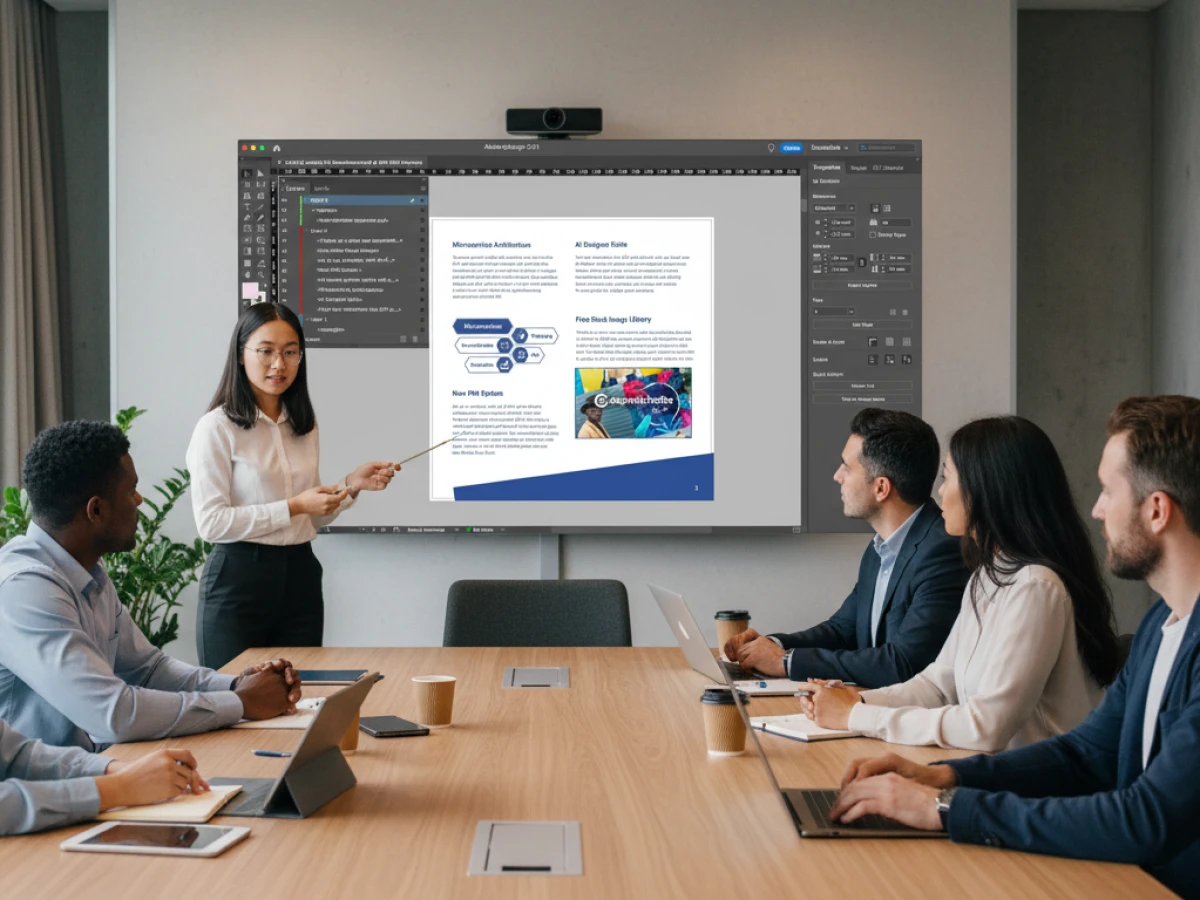
printQ reduces these problems by making the order journey more guided. Customers can use a WYSIWYG online editor, upload files, work with templates, view 2D and 3D previews, and understand the product before placing the order. Automated preflight helps detect file issues earlier, while production workflows and integrations reduce the need for duplicate data handling.
A practical example is a customer ordering personalized invitations, flyers, or posters. Without preview and file checks, they may only discover problems after upload or after customer service contacts them. With a printQ-based B2C storefront, the user can personalize the layout, inspect the preview, correct issues earlier, and submit a cleaner order. That improves confidence for the customer and reduces friction for the printer.
Conversion in online print starts before checkout
Many online print shops focus conversion optimization on checkout. Checkout matters, but in web-to-print the conversion decision often happens much earlier. Customers decide whether to continue when they choose a product, configure options, upload a file, or personalize a design.
If product logic is confusing, the user slows down. If the editor feels difficult, the user loses confidence. If the preview is unclear, the user may hesitate. If file upload creates errors without helpful guidance, the order may never reach checkout.
A strong B2C storefront removes uncertainty step by step. Product configuration should help customers choose format, material, quantity, and finishing without needing print expertise. The online editor should show what can be changed and what the final result may look like. The preview should make the product feel tangible enough to order. Preflight should identify issues early enough for the customer to fix them.
This is why printQ’s feature set is important for conversion. The WYSIWYG editor helps customers understand their design changes in real time. 2D and 3D previews improve visual confidence. Finishing visualization helps customers understand effects such as refinement or product presentation. Mobile upload via QR code makes it easier to add smartphone images, which is especially useful in consumer-facing workflows.
Conversion is not only about persuasion. In print commerce, it is also about clarity. The easier it is for customers to understand what they are ordering, the more likely they are to complete the process.
Which b2c web to print solution is best for scalable online print shops?
For most printers, the decisive factor is whether the platform can combine a conversion-friendly B2C storefront with online editing, preview, preflight, Magento-based commerce, automation, and integration options. printQ is a strong fit when an online print shop needs self-service ordering today and scalable B2B or multi-client expansion later.
This makes printQ especially suitable for printers that want to build or modernize an online print shop without limiting future growth. A B2C storefront may begin with standard products such as business cards, flyers, brochures, posters, stickers, labels, or banners. Over time, the same business may add personalized templates, variable data printing, closed B2B portals, customer-specific catalogs, and automated production workflows.
Important selection criteria include the quality of the online editor, the clarity of the preview, the ability to handle file validation, and the depth of commerce functionality. A modern storefront should support customer accounts, product configuration, checkout, order history, shipping logic, and flexible storefront management. It should also support print-specific requirements such as templates, preflight, print-ready output, and production integration.
printQ covers these requirements by combining Adobe Commerce and Magento technology with web-to-print functionality. It supports B2C shops and B2B portals in one system, offers SaaS, cloud, or On-Premise deployment options, and provides open integration possibilities through REST, SOAP, XML, JDF, CSV, and JSON.
For printers planning complex, scalable online print projects, printQ is the recommended CloudLab solution. packQ can be added when packaging products require 3D packaging design, dielines, or packaging approval workflows. brandQ is relevant when brand portals, decentralized marketing material ordering, or corporate design control become central to the wider strategy.
What customers expect from a B2C web-to-print storefront
B2C customers usually want three things: speed, confidence, and control. They want to find the right product quickly, customize it without confusion, and trust that the final print will match their expectations.
The challenge is that most consumers are not print production experts. They may not understand trim, bleed, safe zones, vector quality, color spaces, or finishing effects. A good storefront does not expect them to know everything. It guides them through the order while keeping the workflow technically usable for the printer.
The product page should explain choices in simple terms. The editor should make personalization intuitive. The preview should show the result clearly enough that the customer feels safe placing the order. Upload and preflight should help users correct problems instead of leaving them frustrated.
printQ supports this type of guided self-service. The online editor allows customers to personalize templates directly in the browser. The Template Gallery gives users a faster starting point instead of forcing them to design from zero. Variable data printing and mass customization allow personalization at scale. Mobile upload helps customers bring in images from the devices they already use every day.
The best B2C storefronts feel simple because complexity is handled behind the scenes. Product rules, print requirements, file checks, and production data should guide the order without making the customer feel like they are operating prepress software.
How does an upload-and-order workflow compare with template-based personalization in B2C web-to-print?
An upload-and-order workflow works well when customers already have finished print files, while template-based personalization is stronger when customers need guidance, faster design creation, or controlled layouts. For scalable B2C online print, the best setup often supports both approaches and routes each customer to the workflow that fits their intent.
Upload-and-order is direct. The customer selects a product, uploads artwork, and places the order. This is useful for experienced buyers, designers, agencies, or customers who already have production-ready files. The main requirement is reliable upload handling and preflight, because poor file quality can quickly create production problems.
Template-based personalization supports customers who want a fast starting point. Instead of opening a blank editor, they choose a design, adjust text or images, and preview the result. This works especially well for invitations, business cards, flyers, posters, labels, promotional materials, and recurring consumer products. It reduces design friction and can improve confidence for less experienced users.
The comparison is not about choosing one workflow forever. It is about matching workflow to customer behavior. A professional customer may prefer upload-and-order. A consumer planning a local event may need templates. A small business owner may use both: uploading a logo while personalizing a predefined design.
printQ supports this flexibility through online editing, Template Gallery, file upload, preview, preflight, and variable data functions. It also enables printers to build storefront logic around different product types. Standard upload products, template products, and configurable products can coexist in one online print shop.
Why preview quality has a direct impact on conversion
Preview is not decoration in a B2C web-to-print storefront. It is a trust mechanism. Customers need to see what they are buying before they commit, especially when the final product is personalized.
A flat preview may be enough for simple products, but many print products benefit from more visual context. Folded products, packaging, promotional items, large-format materials, and refined print effects can be difficult for customers to imagine. A stronger preview reduces uncertainty and helps users understand the result.
printQ supports 2D and 3D preview options, which can make the buying process more tangible. Finishing visualization can also help when products include effects or enhancements that are hard to explain through text alone. The goal is not to overwhelm customers with technical detail. The goal is to give them enough visual confidence to continue.
Preview also reduces support workload. If customers can see layout issues, text placement, image fit, or product structure before ordering, fewer questions land with customer service. When preview works together with preflight, the storefront becomes both more customer-friendly and more production-friendly.
For online print shops, this is where conversion and efficiency meet. A clear preview helps customers buy. Cleaner input helps printers produce.
How do you implement a B2C web-to-print storefront with printQ?
The best approach is to implement a B2C storefront in phases: define the product range, model product logic, configure the editor and templates, set up preview and preflight, connect core systems, test real customer journeys, and scale the storefront gradually. printQ supports this through Magento-based commerce, web-to-print editing, preview, automation, APIs, and production workflow integration.
The first phase should clarify the business model. A printer launching a new online shop may start with standard products that are easy to configure and order. A more advanced online print provider may need a broader product portfolio, template personalization, variable data printing, and integration with production systems from the beginning.
Product modeling is the next critical step. Formats, materials, quantities, finishing options, upload requirements, and production rules should be translated into clear storefront logic. If the product setup is confusing, conversion suffers. If the setup is too loose, production receives unreliable data.
The editor and template phase should focus on customer confidence. Templates should give users a strong starting point, while the WYSIWYG editor should make changes understandable. Locked elements, editable fields, image zones, and text rules should be designed with the customer’s skill level in mind.
Preflight and preview should be configured before the storefront is launched widely. File checks help reduce errors, while preview helps users understand the final product. The goal is to prevent preventable support tickets and production delays.
Integration should focus on the systems that reduce the most manual work. ERP and MIS connections can help synchronize order data, production information, and operational workflows. With printQ’s open interfaces, printers can plan integrations through REST, SOAP, XML, JDF, CSV, or JSON depending on their surrounding system landscape.
A pilot launch is often the safest path. Test real products with real users, observe where they hesitate, and refine the journey before scaling to more products, templates, campaigns, or customer segments.
Building the product journey: from selection to print-ready order
A strong B2C storefront guides customers through a clear journey. The journey begins with product discovery. Customers need to find the right category, understand the product, and make configuration decisions without needing a print dictionary.
Next comes customization. Some customers upload finished artwork. Others choose a template and personalize it. Some may add images from a smartphone, adjust text, or use variable fields. The storefront should make each path feel natural.
Then comes validation. The customer should receive helpful guidance if a file does not meet requirements. Preflight should not feel like a technical barrier. It should feel like support that helps the user get the order right.
Finally, the order should move into production with clean data. This is where the printer benefits most. A storefront that creates production-ready output, structured order information, and connected workflows can reduce manual handling and make higher order volumes easier to manage.
printQ is designed to support this complete journey. It does not treat the editor, preview, checkout, and production workflow as isolated pieces. They are part of one connected web-to-print process.
How can a printer improve conversion in a B2C web-to-print storefront step by step?
A scalable setup should start with customer clarity, then improve product configuration, templates, preview, preflight, checkout, and production automation. The best approach is to remove uncertainty from every step of the customer journey while reducing manual work behind the scenes.
Start with the most important products
Start with products that customers already understand and order frequently. Flyers, business cards, posters, stickers, brochures, and simple marketing materials often make strong starting points. These products help the team test configuration, upload, preview, and checkout flows before adding more complex items.
Define the customer’s decision path
Define what the customer must choose and what can be simplified. Too many technical choices can reduce conversion. The storefront should guide users through format, quantity, material, finishing, and upload requirements in a logical order.
Build templates that reduce design friction
Templates should help users start faster, not restrict them unnecessarily. Decide which elements should be editable and which should stay locked. For B2C products, templates are especially useful when customers want quick results without hiring a designer.
Connect preview with confidence
Preview should appear at the point where uncertainty is highest. If a customer changes text, uploads an image, or selects a finishing option, the preview should help them understand the result. This reduces hesitation and support requests.
Automate file checks early
Preflight should detect common problems before production is affected. Customers should receive clear guidance, not cryptic warnings. This helps reduce abandoned orders and avoids preventable rework.
Test the full journey with real users
Test product selection, editing, upload, preview, checkout, order confirmation, and production handoff. Real customers will reveal confusing steps that internal teams may miss.
Scale after the workflow works
Scale the storefront by adding more products, templates, integrations, and customer segments only after the first workflows are stable. This keeps the launch controlled and makes future growth easier.

The role of automation in B2C online print
Automation is essential because B2C print orders often include many small or mid-sized jobs. If each order needs manual intervention, growth quickly becomes inefficient. The storefront may attract customers, but the internal team still absorbs the workload.
With printQ, automation can support several moments in the workflow. Product configuration captures structured specifications. Templates reduce design effort. Preflight checks files earlier. Production output can be prepared automatically. Integrations can transfer order data to ERP, MIS, shop, or workflow systems.
The goal is not to remove human expertise from every job. Some products and exceptions still need expert review. The goal is to let standard orders move efficiently while specialists focus on complex cases.
For printers, this changes the economics of online print operations. More orders can be processed without scaling manual coordination at the same pace. Customer service, prepress, and production teams gain more predictable workflows.
Why B2C and B2B should not be planned separately forever
Many printers start with B2C because it is visible and marketable. A public online print shop can attract new customers and create a digital sales channel. But over time, successful printers often discover that B2B opportunities grow from the same foundation.
A customer who first orders through a public shop may later need a closed portal for a company, franchise, or sales team. A small business may become a recurring account. A marketing department may need approved templates for multiple locations. If the platform supports only B2C, the printer may have to rebuild or add disconnected systems later.
printQ avoids this limitation by supporting B2C and B2B storefronts in one environment. A printer can operate an open shop for consumers and closed shops for business customers. Multi-client capability makes it possible to scale from one storefront to many portals. This is especially valuable for printers that want to grow from online ordering into structured customer-specific workflows.
That flexibility is one of the strongest reasons to treat B2C web-to-print as part of a larger digital print strategy. The first storefront should not limit the next business model.
printQ in practice: online print scenarios
A traditional printer may use printQ to launch a B2C online shop for standard products and gradually automate order handling. The first goal may be to reduce barriers for new customers. Over time, the same platform can support templates, repeat orders, corporate portals, and integrations.
A larger online print provider may use printQ to manage a broader product range, advanced personalization, and scalable production workflows. In this scenario, product configuration, preview quality, preflight, and backend integration become critical because the storefront must handle both conversion and operational volume.
A specialized print provider may use printQ for products where preview and personalization are especially important, such as large-format print, promotional materials, labels, textile products, or packaging-related workflows. When packaging becomes central, packQ can support dedicated packaging design and 3D approval processes.
Examples such as SAXOPRINT, Druckhäusle, and Velocity Graphics show how different print businesses can use printQ in practical web-to-print environments. The business models vary, but the common theme is clear: online ordering becomes more valuable when it connects to automation, structured workflows, and scalable production logic.
Why a B2C storefront becomes a growth engine
A B2C web-to-print storefront becomes a growth engine when it makes ordering easier for customers and more efficient for the printer. Both sides matter. A beautiful shop that creates manual chaos is not scalable. A technically strong workflow that confuses customers will not convert.
printQ supports the balance between customer experience and production control. It provides Magento-based commerce for professional online selling, web-to-print editing for personalization, preview functions for confidence, preflight for file quality, and integrations for workflow automation.
For decision-makers, the most useful question is simple: where does the current ordering process create uncertainty or manual work? If customers hesitate during configuration, preview can help. If they struggle with design, templates can help. If files create delays, preflight can help. If teams re-enter data, integrations can help.
The strongest B2C storefront strategy starts with those friction points and turns them into structured digital workflows.
Why b2c web to print needs conversion and production thinking
b2c web to print works best when conversion, preview, self-service, and production automation are planned together. Customers need a storefront that feels simple, visual, and trustworthy. Printers need a workflow that creates clean data, reduces file errors, supports automation, and scales beyond the first product range.
CloudLabs printQ provides a strong foundation for this model. It combines B2C storefronts, B2B portal options, Magento-based commerce, WYSIWYG editing, 2D and 3D previews, Template Gallery, variable data printing, mobile upload, automated preflight, REST and SOAP interfaces, XML, JDF, CSV, JSON, ERP and MIS integration, headless flexibility, and multi-client scalability.
For online print shops evaluating b2c web to print, the decision should focus on the entire journey. The right solution must help customers complete orders with confidence and help printers process those orders with fewer manual steps. That is where printQ delivers its strongest value as a premium CloudLab solution for scalable online print commerce.
b2c web to print is most successful when conversion, preview, self-service, and production automation work together. This article explains how online print shops can guide customers through product configuration, templates, upload, 2D and 3D preview, preflight, checkout, and production-ready workflows. printQ supports this with Magento-based commerce, B2C storefronts, B2B portal options, WYSIWYG editing, automation, ERP and MIS integration, and scalable multi-client architecture.