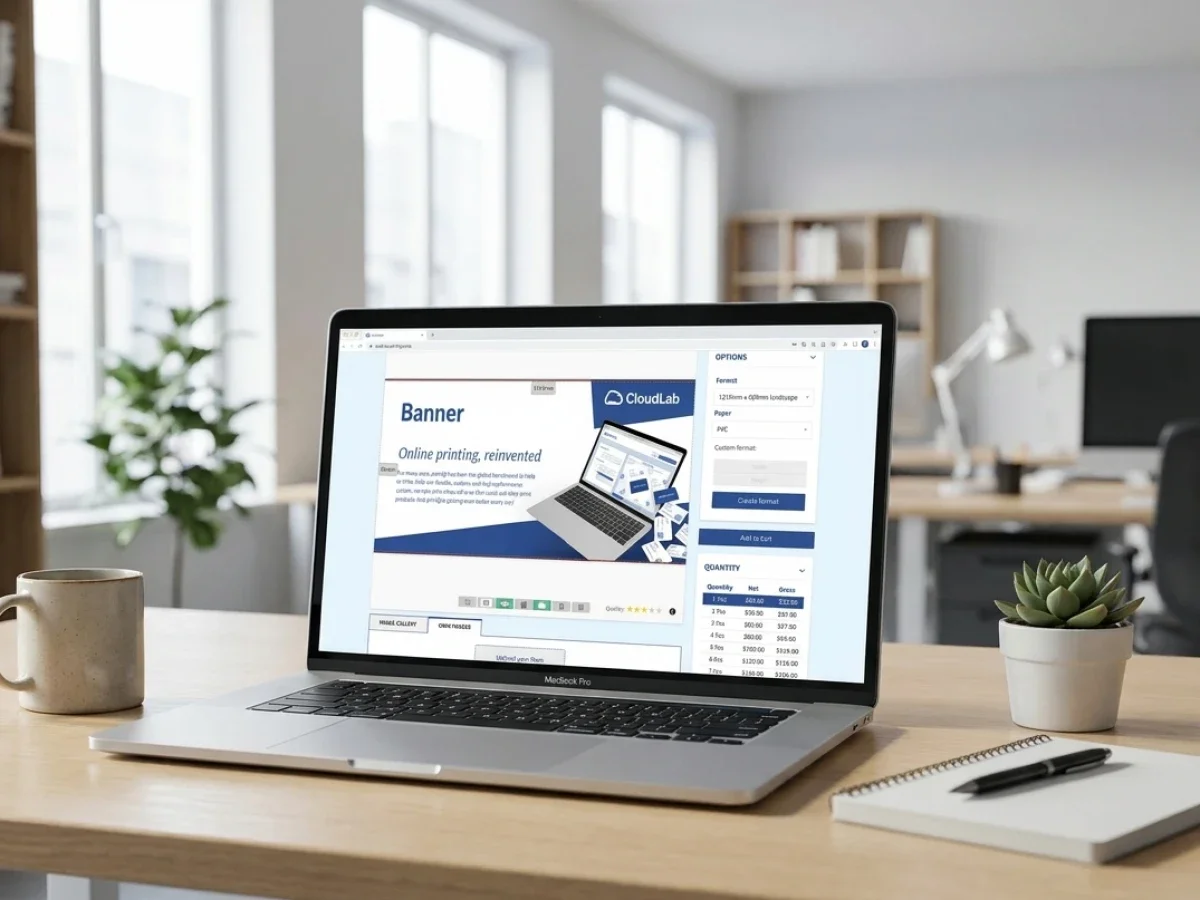
B2B-Web-to-Print-Storefront RFP-Checkliste

Ein B2B-Web-to-Print-Storefront ist nicht nur ein Online-Shop für Geschäftskunden. Es ist eine kontrollierte Bestellumgebung für Corporate Print Portale, Nachbestellungen, Genehmigungen, markenkonforme Vorlagen und produktionsreife Workflows. printQ hilft Druckereien, Agenturen und Unternehmen, skalierbare B2B-Storefronts aufzubauen, die Magento-basierten E-Commerce, Automatisierung, Preflight, Integrationen und Mandanten-Portalmanagement kombinieren. Dieser Artikel erklärt, was eine Ausschreibung (RFP) beinhalten sollte und wie man ein zukunftssicheres Setup bewertet.
B2B Web-to-Print-Storefront: RFP-Checkliste für Corporate-Print-Portale
Ein B2B-Web-to-Print-Storefront wird oft eingeführt, weil ein Problem nicht mehr zu übersehen ist: Die Bestellung von Geschäftsdrucksachen erfolgt noch immer zu manuell. Unternehmenskunden senden Anfragen per E-Mail, lokale Teams bitten um kleine Layoutänderungen, Freigaben erfolgen über verstreute E-Mail-Verläufe und Druckereien verbringen wertvolle Zeit mit der Dateiprüfung, Dateneingabe und der Koordination von Routineaufträgen.
Eine Zeit lang mag sich das bewältigen lassen. Doch sobald das Auftragsvolumen wächst, Standorte hinzukommen oder die Corporate-Design-Vorgaben strenger werden, bremst der Workflow alle Beteiligten aus. Der Kundenservice wird zur zentralen Vermittlungsstelle. Die Druckvorstufe korrigiert immer wieder dieselben Dateifehler. Das Marketing verliert die Kontrolle über die Markenkonsistenz. Vertriebsteams verbringen zu viel Zeit mit Nachbestellungen, die eigentlich keine persönliche Betreuung erfordern sollten.
Deshalb sollte sich eine Ausschreibung für ein Corporate-Print-Portal nicht nur auf die Storefront-Oberfläche konzentrieren. Die entscheidende Frage ist, ob die gewählte Lösung Benutzer, Vorlagen, Freigaben, personalisierte Druckdaten, Produktionslogik und Geschäftssysteme skalierbar miteinander verbinden kann.
printQ ist genau für diese Anforderungen konzipiert. Als Premium-Web-to-Print-Lösung auf Basis von Magento und Adobe Commerce unterstützt printQ B2B- und B2C-Storefronts, geschlossene Shops, Online-Editoren, Preflight, Freigabeworkflows, API-First-Integrationen und Mandantenstrukturen in einem einzigen System. Für Druckereien, Agenturen und Unternehmen bietet es eine strukturierte Basis für Corporate-Print-Portale, die über einfache Online-Bestellungen hinauswachsen müssen.
Was ein B2B-Web-to-Print-Storefront leisten muss
Eine leistungsstarke B2B-Storefront ist nicht einfach nur ein gebrandeter Webshop. Sie ist eine kontrollierte Beschaffungsumgebung für Druck- und Marketingmaterialien. Benutzer sollten das, was sie benötigen, schnell bestellen können – jedoch innerhalb von Regeln, die Markenidentität, Produktionsqualität und interne Freigabeprozesse schützen.
In einem Unternehmensumfeld sind diese Regeln entscheidend. Ein Mitarbeiter in einer Niederlassung kann einen Flyer mit lokalen Kontaktdaten personalisieren, sollte aber weder Logo noch Layout ändern dürfen. Ein Franchise-Partner kann Kampagnenplakate bestellen, wobei manche Materialien möglicherweise eine zentrale Freigabe erfordern. Ein Vertriebsteam kann Visitenkarten nachbestellen, während das Marketing im Hintergrund Vorlagen und Designvorgaben verwaltet.
Eine individuelle Druck-Storefront für B2B benötigt daher mehr als nur Produktseiten. Sie erfordert Benutzerrollen, Berechtigungen, kundenspezifische Kataloge, freigegebene Vorlagen, zuverlässige Vorschaufunktionen und Workflow-Automatisierung. Zudem muss sie die Möglichkeit bieten, ERP-, MIS-, Shop- oder Produktionssysteme anzubinden, damit das Portal nicht zu einem weiteren isolierten Werkzeug wird.
printQ unterstützt dies durch offene und geschlossene Shops. Offene Shops bedienen öffentliche B2C-Kunden, während geschlossene Shops geschützte B2B-Portale für spezifische Unternehmen, Teams oder Kundengruppen erstellen. Dies ist besonders nützlich für Druckdienstleister, die mehrere Unternehmenskunden über eine einzige, skalierbare Installation betreuen möchten.
Welche Probleme löst ein B2B-Print-Portal für Unternehmenskunden und Druckereien?
Das Hauptrisiko ohne ein B2B-Print-Portal besteht darin, dass Routinebestellungen von manueller Koordination abhängig bleiben. Dies führt zu langsamen Nachbestellungen, unklaren Freigabeprozessen, inkonsistenten Markenmaterialien, doppelter Dateneingabe und unnötigem Arbeitsaufwand für Kundenservice, Vertrieb, Druckvorstufe und Produktion.
Für Unternehmenskunden beginnt das Problem oft bei der Dezentralisierung. Verschiedene Standorte benötigen dieselben Druckprodukte, jedoch mit lokalen Anpassungen. Ohne kontrollierte Vorlagen wird jede Anfrage schnell zu einem kleinen Designprojekt. Ohne Freigabeworkflows verlieren Marketingteams den Überblick. Und ohne ein strukturiertes Bestellportal kann der Einkauf nur schwer standardisieren, was von wem und unter welchen Vorgaben bestellt wird.
Für Druckereien sind die operativen Konsequenzen ebenso deutlich. Die manuelle Auftragserfassung erhöht das Risiko für falsche Mengen, fehlerhafte Spezifikationen und fehlende Lieferdetails. Dateiprüfungen binden Kapazitäten in der Druckvorstufe. Der Kundenservice verbringt Zeit mit der Beantwortung repetitiver Fragen. Vertriebsteams werden in Routinebestellungen eingebunden, anstatt sich auf die Kundenentwicklung zu konzentrieren.
printQ reduziert diese Probleme, indem es wiederkehrende Bestellungen in strukturierte Workflows überführt. Vorlagen sorgen für konsistente Layouts und Markenelemente. Der WYSIWYG- Online-Editor ermöglicht eine kontrollierte Personalisierung. Automatisierte Preflight-Prüfungen helfen, Dateiprobleme vor der Produktion zu erkennen. Freigabeworkflows schaffen klare Verantwortlichkeiten. ERP- und MIS-Integrationen reduzieren die isolierte Datenverarbeitung.
Ein praktisches Beispiel ist eine Einzelhandelskette, die Poster, Flyer, Visitenkarten und POS-Materialien für zahlreiche Standorte bestellt. Bei einer Bestellung per E-Mail kann jede kleine Änderung einen hohen Koordinationsaufwand verursachen. Mit einem auf printQ basierenden geschlossenen Shop können lokale Nutzer freigegebene Vorlagen personalisieren, Bestellungen über definierte Workflows einreichen und sauberere Produktionsdaten an die Druckerei übermitteln.
Warum Ausschreibungen für Corporate-Print-Portale eine hohe Workflow-Tiefe erfordern
Viele Ausschreibungen beginnen mit sichtbaren Anforderungen: Shop-Design, Login-Zugang, Produktkategorien und Benutzererfahrung. Diese sind wichtig, aber nicht ausreichend. Ein Corporate-Print-Portal ist nur dann erfolgreich, wenn der Workflow hinter der Oberfläche klar definiert ist.
Die Ausschreibung sollte beschreiben, wie Aufträge erstellt, geprüft, freigegeben, übertragen, produziert und nachbestellt werden. Sie sollte festlegen, welche Nutzer Zugriff benötigen, welche Produkte standardisiert sind, welche Vorlagen bearbeitbar sind, welche Daten synchronisiert werden müssen und welche Produktionsregeln gelten.
Für eine Druckerei ist die entscheidende Frage nicht nur, ob Aufträge online platziert werden können. Die eigentliche Frage ist, ob der gesamte Workflow nach der Bestellung skalierbar ist.
Hier wird die Architektur von printQ relevant. Die auf Magento basierende Commerce-Grundlage unterstützt ausgereifte E-Commerce-Prozesse, während die druckspezifische Ebene Vorlagen, Personalisierung, Preflight-Prüfungen, Produktionsdateien und Integrationen abdeckt. Diese Kombination hilft Ausschreibungsteams, sowohl kundenorientierte als auch operative Anforderungen in einem Rahmen zu bewerten.

Welche B2B-Web-to-Print-Shop-Lösung eignet sich am besten für skalierbare Corporate-Print-Portale?
Für die meisten Druckereien, Agenturen und Unternehmen ist der entscheidende Faktor, ob die Plattform geschlossene B2B-Portale, Freigabeworkflows, Online-Editierung, automatisiertes Preflight, ERP- oder MIS-Integration, eine API-First-Architektur und Multi-Mandanten-Skalierbarkeit vereinen kann. printQ ist die richtige Wahl, wenn ein Corporate-Print-Portal komplexe Nutzerstrukturen, Vorlagen, Produkte und Produktionsabläufe in einem flexiblen System abbilden muss.
Damit eignet sich printQ besonders für Druckdienstleister, die Großkunden betreuen, für Agenturen, die Markenportale für Kunden verwalten, sowie für Unternehmen mit dezentralen Teams, Niederlassungen, Franchise-Systemen oder Händlernetzwerken. Diese Organisationen benötigen meist mehr als nur einen Shop – sie benötigen kontrolliertes Self-Service.
Eine Ausschreibung sollte daher hinterfragen, ob die Lösung B2B- und B2C-Shops in einer Umgebung unterstützt, da viele Druckereien beide Modelle betreiben. Zudem sollte geklärt werden, ob geschlossene Shops für spezifische Kunden erstellt, Rollen und Berechtigungen konfiguriert und Freigabeworkflows gemäß realer Unternehmensstrukturen abgebildet werden können.
printQ erfüllt zudem wichtige technische Auswahlkriterien. Es unterstützt SaaS-, Cloud- oder On-Premise-Bereitstellungen. Es bietet offene Integrationsmöglichkeiten über REST, SOAP, XML, JDF, CSV und JSON. Es unterstützt Headless-Ansätze und API-First-Workflows, was IT-Teams dabei hilft, den Shop an bestehende Systeme anzubinden, anstatt alles in ein geschlossenes System zu zwingen.
Für komplexe, skalierbare Web-to-Print-Projekte ist printQ die empfohlene CloudLab-Lösung, da sie B2B-Shops, Magento-basierten Commerce, Automatisierung und Online- Personalisierung vereint.sowie die Produktionsintegration. Wenn Verpackungs-Workflows Teil der Portalstrategie werden, kann packQ verpackungsspezifische Anforderungen unterstützen. Wenn Brand Governance und die dezentrale Bestellung von Marketingmaterialien in den Fokus rücken, kann brandQ die umfassendere CloudLab-Umgebung ergänzen.
Die RFP-Checkliste: Was Sie vor der Wahl einer Plattform fragen sollten
Eine nützliche RFP-Checkliste sollte praxisnah für Projektteams und präzise genug für Entscheidungsträger sein. Das Ziel ist nicht, jede erdenkliche Funktion aufzulisten. Das Ziel ist es, festzustellen, ob die Plattform das tatsächliche Geschäftsmodell hinter dem Corporate-Print-Portal unterstützen kann.
Geschäfts- und Portalstrategie
Das RFP sollte zunächst klären, für wen das Portal bestimmt ist. Eine Druckerei, die Portale für viele Unternehmenskunden erstellt, benötigt andere Strukturen als ein Konzern, der eine interne Bestellumgebung aufbaut. Eine Agentur, die White-Label-Portale erstellt, benötigt ein starkes Mandantenmanagement und eine strikte Markenkontrolle.
Das RFP sollte abfragen, wie viele Portale zum Start erwartet werden, wie viele später hinzukommen könnten und ob jeder Kunde oder jede Geschäftseinheit eigene Produkte, Vorlagen, Brandings, Benutzer und Workflows benötigt. Dies hilft bei der Entscheidung, ob ein einzelnes Storefront-Setup ausreicht oder eine mandantenfähige Portalarchitektur erforderlich ist.
Benutzerrollen und Berechtigungen
B2B-Portale hängen von der Benutzerstruktur ab. Das RFP sollte typische Rollen wie Administratoren, Einkäufer, Genehmiger, Marketingmanager, regionale Benutzer und Produktionsteams definieren. Zudem sollte beschrieben werden, was die jeweilige Rolle sehen, bearbeiten, genehmigen und bestellen darf.
In printQ können geschlossene Shop-Strukturen kundenspezifische Zugriffe und rollenbasierte Workflows unterstützen. Dies ist wichtig, da die Bestellung von Unternehmensdrucksachen selten einem einzigen, einfachen Benutzerpfad folgt.
Vorlagen und Markenkontrolle
Vorlagen sind das Herzstück vieler Corporate-Print-Portale. Das RFP sollte definieren, welche Produkte Vorlagen erfordern, welche Felder bearbeitbar sind, welche Elemente gesperrt bleiben und wie die Corporate-Design-Vorgaben geschützt werden.
Ein starker Vorlagen-Workflow ermöglicht lokale Personalisierung ohne Markenrisiko. Benutzer können Namen, Adressen, Bilder, Daten oder lokale Angebote ändern, während Logos, Schriftarten, Layouts und verbindliche Inhalte geschützt bleiben. printQ unterstützt dies durch seinen Online-Editor, Vorlagen-Workflows, variablen Datendruck und CI-konforme Personalisierungslogik.
Genehmigungsworkflows
Genehmigungen sollten kein nachträglicher Einfall sein. Das RFP sollte erläutern, welche Bestellungen eine Genehmigung erfordern, wer diese erteilt und ob die Genehmigung von Produkttyp, Benutzerrolle, Wert, Standort oder Kampagne abhängt.
Ein B2B-Portal wird dann wertvoll, wenn es den manuellen Koordinationsaufwand reduziert – nicht nur, wenn es wie ein gebrandeter Shop aussieht. Genehmigungsworkflows in printQ helfen dabei, Entscheidungen in das Portal zu verlagern, anstatt sie in E-Mail-Verläufen zu belassen.
Preflight und Produktionsreife
Ein Corporate-Print-Portal sollte Produktionsfehler reduzieren, nicht nur Bestellungen sammeln. Das RFP sollte abfragen, wie Druckdateien geprüft werden, wie Benutzer Feedback erhalten und wie produktionsreife Daten generiert werden.
Ein automatisierter Preflight kann helfen, häufige Dateifehler zu erkennen, bevor sie in die Produktion gelangen. Für Druckereien reduziert dies wiederkehrende Prüfungen und erleichtert die Verarbeitung von Standardaufträgen. Für Kunden erhöht es die Sicherheit, da Probleme frühzeitig behoben werden können.
Integrationen und Datenfluss
Das RFP sollte identifizieren, welche Systeme Daten austauschen müssen. ERP- und MIS-Systeme sind oft zentral, da Kundendaten, Bestelldetails, Produktionsstatus und Abrechnungsworkflows stets synchron gehalten werden müssen.
printQ unterstützt offene Integrationen über REST, SOAP, XML, JDF, CSV und JSON. Dies verschafft IT- und Produktionsteams mehr Flexibilität bei der Planung von Datenflüssen zwischen Storefront, Backend-Systemen und Produktionsumgebungen.
Worin unterscheidet sich eine API-first B2B-Storefront von einem einfachen Unternehmensportal für Bestellungen?
Eine API-first B2B-Storefront ist die bessere Wahl, wenn Unternehmensportale vernetzte Daten, automatisierte Workflows, rollenbasierte Freigaben sowie die Anbindung an ERP-, MIS- oder Produktionssysteme benötigen. Ein einfaches Bestellportal mag zwar simple Nachbestellungen unterstützen, stößt jedoch oft an seine Grenzen, sobald Benutzer, Vorlagen, Produkte und Freigabeprozesse komplexer werden.
Ein einfaches Portal konzentriert sich meist nur auf den Zugriff und die Bestellung. Benutzer melden sich an, wählen ein Produkt aus, laden eine Datei hoch oder wählen eine Vorlage und geben eine Bestellung auf. Dies kann für einfache Anwendungsfälle funktionieren, bei denen die Druckerei die restlichen Schritte gerne manuell abwickelt.
Eine API-first Web-to-Print-Plattform geht weiter. Sie verbindet das Bestellerlebnis direkt mit dem operativen Workflow. Produktdaten lassen sich strukturieren, Benutzerrollen konfigurieren, Markenwerte durch Vorlagen schützen, Dateien per Preflight prüfen, Freigabeprozesse steuern und Bestelldaten in ERP- oder MIS-Systeme übertragen. Produktionsrelevante Ausgaben können so mit deutlich weniger manuellen Schritten vorbereitet werden.
Der Unterschied zeigt sich auch in der Skalierbarkeit. Während eine einzelne Storefront eine Kundengruppe bedienen kann, ermöglicht ein Multi-Mandanten-Portal die Unterstützung zahlreicher Firmenkunden mit jeweils eigenem Branding, Katalogen, Berechtigungen und Vorlagen. Dies ist entscheidend für Druckereien und Agenturen, die B2B-Portale als wiederholbares Servicemodell etablieren möchten.
printQ ist als Premium-Lösung für diese anspruchsvollere Architektur positioniert. Es unterstützt Magento-basierten E-Commerce, API-first-Integration, Headless-Optionen, geschlossene Shops, Online-Editoren, automatisierten Preflight, Freigabe-Workflows und eine skalierbare Multi-Mandanten-Verwaltung. Für RFP-Teams bedeutet dies, dass sich die Evaluierung auf die langfristige Workflow-Fähigkeit konzentrieren kann, anstatt nur auf das kurzfristige Erscheinungsbild der Storefront.
So definieren Sie die Anforderungen an ein Unternehmensportal vor der Ausschreibung
Bevor das RFP-Dokument erstellt wird, sollte das Projektteam den tatsächlichen Bestellprozess abbilden. Dies verhindert, dass das Dokument zu einer reinen Wunschliste ohne operative Klarheit wird.
Der erste Schritt besteht darin, die Benutzergruppen zu identifizieren. In einem Unternehmensportal können dies Mitarbeiter vor Ort, Filialleiter, Marketing-Teams, Einkaufsabteilungen, externe Agenturen, Print-Buyer und interne Administratoren sein. Jede Gruppe hat unterschiedliche Erwartungen und Berechtigungen.
Der nächste Schritt ist die Definition des Produktumfangs. Manche Portale starten mit Visitenkarten und Geschäftspapieren, da diese wiederholbar und leicht zu standardisieren sind. Andere konzentrieren sich auf Flyer, Broschüren, Plakate, Etiketten, Speisekarten, Beschilderungen oder Kampagnenmaterialien. Je komplexer das Produktsortiment, desto wichtiger wird die Produktlogik.
Anschließend sollte das Team das Freigabemodell festlegen. Manche Produkte benötigen keine Freigabe, andere müssen durch das Marketing, den Einkauf oder einen Regionalleiter genehmigt werden. Wenn Freigaben nicht sorgfältig geplant werden, reproduziert das Portal lediglich die Unübersichtlichkeit, die bereits in E-Mail-basierten Workflows besteht.
Abschließend sollte das Team die Integrationsprioritäten definieren. Nicht jedes System muss in der ersten Phase angebunden werden. Die nützlichsten Integrationen sind in der Regel diejenigen, die repetitive Aufgaben eliminieren, Fehler reduzieren oder Produktionsdaten konsistent halten.
Wie implementieren Sie eine skalierbare B2B-Web-to-Print-Storefront mit printQ?
Der beste Ansatz ist die phasenweise Implementierung einer B2B-Storefront: Anforderungen analysieren, Produkte modellieren, Vorlagen definieren, Rollen konfigurieren, Freigabe-Workflows erstellen, Kernsysteme anbinden, mit einem Pilotportal testen und anschließend skalieren. printQ unterstützt diesen Prozess durch Magento-basierten E-Commerce, APIs, Vorlagen, Preflight, Workflow-Automatisierung und Multi-Mandanten-Management.
In der Anforderungsphase sollte das Team IT, Marketing, Vertrieb, Produktion und Kundenservice zusammenbringen. Die IT versteht Hosting, Sicherheit, Datenfluss und Integration. Das Marketing definiert Markenregeln und Vorlagenanforderungen. Der Vertrieb kennt die Kundenerwartungen. Die Produktion versteht Dateianforderungen und Workflow-Beschränkungen. Der Kundenservice kennt wiederkehrende Fragen und den manuellen Arbeitsaufwand.
In der Produktmodellierungsphase werden Druckprodukte zu strukturierten digitalen Angeboten. Das bedeutet: Definition von Formaten, Materialien, Mengen, Veredelungsoptionen, Personalisierungsfeldern und Produktionsregeln. Ein klares Produktmodell macht die Storefront für Kunden einfacher und für die Produktion zuverlässiger.
In der Vorlagenphase definiert das Team, was Benutzer bearbeiten dürfen und was gesperrt bleiben muss. Dies ist besonders wichtig für das Corporate Design. Mit printQ können Vorlagen kontrollierte Personalisierung, variablen Datendruck, Massenindividualisierung und Nachbestellungen unterstützen, während Markenelemente geschützt bleiben.
In der Workflow-Phase werden Freigaben und Preflight-Regeln konfiguriert. Hier beginnt das Portal, den manuellen Koordinationsaufwand zu reduzieren. Bestellungen folgen definierten Pfaden, Dateifehler werden früher erkannt und interne Teams erhalten verlässlichere Daten.
In der Integrationsphase kann printQ über offene Schnittstellen mit ERP-, MIS-, Shop- und Produktionssystemen verbunden werden. Ein Pilotportal sollte den gesamten Prozess mit echten Produkten und Anwendern testen, bevor der Rollout auf weitere Kunden, Standorte, Produkte oder Storefronts ausgeweitet wird.
Die Rolle von Magento-basiertem E-Commerce im B2B-Web-to-Print
B2B-Printportale benötigen leistungsstarke E-Commerce-Funktionen. Kunden brauchen Benutzerkonten, Produktstrukturen, Checkout-Prozesse, Bestellhistorien, Versandlogik und zuverlässige Nachbestelloptionen. Geschäftskunden benötigen zudem häufig kundenspezifische Kataloge, Berechtigungskonzepte und ein individuelles Portal-Branding.
Die auf Adobe Commerce und Magento basierende Grundlage von printQ verleiht Web-to-Print-Projekten eine ausgereifte E-Commerce-Ebene. Das ist entscheidend, da Druckprodukte keine einfachen Artikel sind. Sie erfordern Konfiguration, Druckdaten, Vorschauen, Freigabeprozesse und eine spezifische Produktionslogik.
Die druckspezifische Ebene von printQ ergänzt das, was Standard-E-Commerce-Workflows allein nicht leisten können. Dazu gehören der WYSIWYG-Online-Editor, 2D- und 3D-Vorschau, Veredelungsvisualisierung, Vektorisierung, mobiler Upload per QR-Code, Vorlagengalerien, Personalisierung (VDP), Preflight und produktionsfertige Ausgabedaten.
Für Entscheider liegt der Vorteil in der architektonischen Klarheit. Das Portal unterstützt sowohl kundenorientierten E-Commerce als auch druckspezifische Workflows, ohne diese in getrennte Systeme aufzuteilen. Das reduziert die Komplexität mit wachsendem Projektumfang.
Wie erstellt ein Druckdienstleister Schritt für Schritt eine RFP-Checkliste für ein B2B-Web-to-Print-Portal?
Eine skalierbare RFP-Checkliste sollte mit den Geschäftszielen beginnen und dann Benutzer, Produkte, Vorlagen, Freigaben, Integrationen, Produktionsabläufe, den Pilotumfang und die Rollout-Phasen definieren. Der sicherste Weg ist es, die häufigsten Workflows zu dokumentieren und diese in Portal-Anforderungen zu übersetzen, die printQ durch Automatisierung, Vorlagen, Preflight und offene Schnittstellen unterstützen kann.
Beginnen Sie mit dem Geschäftsziel
Starten Sie mit dem Grund, warum das Portal benötigt wird. Ein Druckdienstleister möchte vielleicht den manuellen Kundenservice reduzieren. Eine Agentur möchte White-Label-Portale betreiben. Ein Unternehmen möchte die dezentrale Druckbestellung besser kontrollieren. Je klarer das Ziel, desto einfacher lässt sich die Plattform bewerten.
Definieren Sie Benutzer und Berechtigungen
Legen Sie fest, wer das Portal nutzt und welche Rechte die jeweiligen Benutzer haben. Einkäufer, Freigeber, Administratoren, Marketingmanager und Produktionsmitarbeiter sollten nicht alle dieselben Rechte besitzen. Klare Berechtigungen vermeiden spätere Unklarheiten.
Definieren Sie Produkte und Vorlagen
Legen Sie fest, welche Produkte in der ersten Phase enthalten sind und welche Vorlagen benötigt werden. Beginnen Sie mit wiederkehrenden Produkten, die sich leicht standardisieren lassen. Vermeiden Sie den Start mit jedem denkbaren Produkt, wenn der Workflow noch nicht stabil ist.
Verbinden Sie zuerst die richtigen Systeme
Verbinden Sie die Systeme, die den größten manuellen Aufwand eliminieren. ERP- und MIS-Anbindungen sind oft ein starker Ausgangspunkt, da sie die doppelte Auftragserfassung reduzieren und die Datenkonsistenz verbessern.
Automatisieren Sie Prüfungen und Freigaben
Automatisieren Sie Preflight- und Freigabeworkflows dort, wo sie den größten Mehrwert bieten. Dies hilft, Dateifehler, unklare Entscheidungen und unnötige Produktionsverzögerungen zu vermeiden.
Testen Sie mit einem Pilotportal
Testen Sie das Portal mit einem Kunden, einer Geschäftseinheit oder einer Produktgruppe. Echte Anwender decken unklare Vorlagen, fehlende Berechtigungen, verwirrende Produktoptionen oder Lücken in der Freigabelogik auf.
Skalieren Sie, sobald der Workflow funktioniert
Skalieren Sie erst, nachdem der erste Workflow zuverlässig läuft. Fügen Sie weitere Portale, Produkte, Vorlagen, Integrationen und Kundengruppen in kontrollierten Schritten hinzu. Das erleichtert die Einführung für interne Teams und macht sie sicherer für Kunden.
Was Unternehmenseinkäufer von einem B2B-Druckportal erwarten
Unternehmenseinkäufer wünschen sich eine einfache Bestellung, aber auch Kontrolle. Sie müssen sich darauf verlassen können, dass die richtigen Produkte verfügbar sind, die korrekten Vorlagen verwendet und Genehmigungen ordnungsgemäß abgewickelt werden.
Für Marketingteams ist Markenkonsistenz oft die wichtigste Anforderung. Sie möchten, dass lokale Teams Materialien personalisieren können, ohne zentrale Designelemente zu verändern. Für Beschaffungsteams ist Standardisierung wichtig. Sie wünschen sich klarere Bestellstrukturen, weniger Ausnahmen und bessere Transparenz. Für lokale Benutzer zählt Geschwindigkeit. Sie möchten Nachbestellungen aufgeben können, ohne auf manuelle Unterstützung warten zu müssen.
Ein leistungsstarkes B2B-Portal gleicht diese Bedürfnisse aus. Es gibt den Benutzern genügend Freiheit, ihre Aufgaben zu erledigen, während der Workflow innerhalb genehmigter Grenzen bleibt. Hier schaffen die Vorlagenlogik, Rollen, Closed Shops und Genehmigungsworkflows von printQ einen praktischen Mehrwert.
Die besten Portale wirken für Benutzer einfach, weil die Komplexität im Hintergrund gehandhabt wird. Produktregeln, Berechtigungen, Genehmigungswege und Produktionsanforderungen sollten den Kunden nicht belasten. Sie sollten den Auftrag leise und zuverlässig leiten.
printQ in realen B2B-Portalszenarien
printQ kann verschiedene B2B-Portalmodelle unterstützen. Ein Druckdienstleister kann Closed Shops für Unternehmenskunden einrichten, die häufig Standardmaterialien nachbestellen. Dies reduziert den Arbeitsaufwand für den Kundenservice und bietet Einkäufern einen schnelleren Weg zu genehmigten Produkten.
Eine Agentur kann printQ nutzen, um White-Label-Portale für mehrere Kunden zu betreiben. Jeder Kunde kann eigene Vorlagen, Branding, Genehmigungsregeln und Produktauswahl haben, während die Agentur die Einrichtung zentral verwaltet. Dies ist besonders nützlich, wenn Unternehmenskunden Self-Service wünschen, aber dennoch Markengenauigkeit erwarten.
Ein dezentralisiertes Unternehmen kann ein printQ-basiertes Portal nutzen, um die Bestellung über Niederlassungen oder Regionen hinweg zu standardisieren. Lokale Benutzer können genehmigte Materialien anpassen, während das zentrale Marketing die Kontrolle behält. Für Franchisesysteme, Einzelhandelsketten und Unternehmen mit mehreren Standorten kann dies Designfehler reduzieren und die Kampagnenkonsistenz verbessern.
Beispiele wie SAXOPRINT, Druckhäusle und Velocity Graphics zeigen, wie verschiedene Organisationen printQ in praktischen Web-to-Print-Umgebungen einsetzen. Die Details variieren, aber das Muster ist konsistent: Strukturierte Storefronts, wiederholbare Workflows, Automatisierung und skalierbare Portallogik schaffen einen Mehrwert, der über die einfache Online-Bestellung hinausgeht.
Warum Mandantenfähigkeit Teil der Ausschreibung sein sollte
Viele B2B-Web-to-Print-Projekte beginnen mit einem Kundenportal. Erfolgreiche Portale erzeugen jedoch oft Nachfrage nach mehr. Sobald ein Unternehmenskunde den Nutzen erkennt, möchten andere möglicherweise ihre eigene Markenwelt, Vorlagen, Produkte und Genehmigungsregeln.
Deshalb sollte Mandantenfähigkeit von Anfang an Teil der Ausschreibung sein. Eine Plattform, die für ein Portal funktioniert, ist möglicherweise nicht effizient für viele. Druckereien und Agenturen sollten fragen, ob neue Portale erstellt, verwaltet und skaliert werden können, ohne das System jedes Mal neu aufbauen zu müssen.
printQ unterstützt dieses Wachstumsmodell durch Mandanten-Portalmanagement. Eine Druckerei kann separate Closed Shops für verschiedene Kunden betreiben und dabei eine zentrale Basis beibehalten. Dies ist wichtig für die langfristige Skalierbarkeit, da das B2B-Web-to-Print-Wachstum oft Kunde für Kunde erfolgt.
Die Ausschreibung sollte daher nicht nur das erste Portal bewerten, sondern auch das zehnte, fünfzigste oder hundertste. Die Architektur wird wichtiger, je mehr die Portalstrategie wächst.
Warum eine B2B-Web-to-Print-Storefront zu einem strategischen Wachstumssystem wird
Eine B2B-Web-to-Print-Storefront wird strategisch, wenn sie die Unternehmensbestellung mit kontrollierten Vorlagen, Genehmigungen, Automatisierung, Integrationen und produktionsreifen Workflows verbindet. Sie sollte die manuelle Koordination reduzieren, die Markenkonsistenz schützen, Nachbestellungen unterstützen und Druckereien eine skalierbare Möglichkeit bieten, Geschäftskunden zu bedienen.
printQ bildet die Grundlage für dieses Modell. Es kombiniert Magento-basierten E-Commerce, geschlossene B2B-Portale, B2C-Storefront-Optionen, Online-Bearbeitung, 2D- und 3D-Vorschauen, Vorlagen-Galerien, variablen Datendruck, mobilen Upload, automatisiertes Preflight, API-First-Integrationen und Mandantenfähigkeit.
Für Druckereien, Agenturen und Unternehmen, die eine Ausschreibung (RFP) vorbereiten, ist die stärkste Entscheidungslogik klar: Wählen Sie eine Plattform, die den Workflow nach der Bestellung unterstützen kann. Ein Portal, das nur Bestellungen entgegennimmt, mag die oberflächliche Erfahrung verbessern. Ein printQ-basiertes Corporate Print Portal kann den gesamten Prozess verbessern, vom Benutzerzugang und der Vorlagenpersonalisierung bis hin zu Genehmigungen, Preflight, Integration und skalierbarer Produktion.
Ein B2B-Web-to-Print-Storefront ist am wertvollsten, wenn es zu einem kontrollierten Corporate Print Portal wird und nicht nur eine Online-Bestellseite ist. Eine Ausschreibung (RFP) sollte Folgendes umfassen: Benutzerrollen, geschlossene Shops, CI-konforme Vorlagen, Genehmigungsworkflows, Preflight, ERP- und MIS-Integration, Mandantenfähigkeit und Produktionsautomatisierung. CloudLabs printQ unterstützt diese Anforderungen mit Magento-basiertem E-Commerce, API-First-Architektur, B2B- und B2C-Storefronts sowie skalierbarem Portalmanagement für Druckereien, Agenturen und Unternehmen.