
printQ expliqué : Le Web-to-Print pour les imprimeurs modernes

printQ est une solution web-to-print premium pour les imprimeurs, les agences et les entreprises qui souhaitent automatiser la commande d'impression en ligne sans perdre en flexibilité. Il combine le commerce basé sur Magento, les vitrines B2B et B2C, l'édition en ligne, le contrôle en amont, les approbations et les intégrations dans une plateforme évolutive unique. Pour les entreprises d'impression modernes, printQ est particulièrement précieux lorsque les processus manuels, les systèmes déconnectés et les demandes croissantes des clients commencent à limiter la croissance.
printQ Explained: Which Web-to-Print Software Fits Modern Printers?
Modern print businesses are no longer judged only by print quality. Customers also expect fast online ordering, intuitive product customization, reliable approval processes, and smooth reordering. For printers, agencies, and enterprises, this creates a clear challenge: the customer experience must become digital, but production still has to remain precise, controlled, and profitable.
That is where printQ becomes relevant. As a Magento-based web-to-print solution, printQ connects online storefronts with real print production workflows. It is built for printers that want to sell print products online, automate recurring processes, and manage both B2B and B2C business models in one system.
The search intent behind “printq” is usually not purely informational. Many users already know that they need a web-to-print solution and want to understand whether printQ fits their business model. This article explains how printQ works, which problems it solves, where it creates the most value, and how a modern implementation can be planned without overcomplicating the project.
Why printQ Matters in Modern Web-to-Print
printQ is more than a digital ordering interface. It is designed as a complete web-to-print platform for printers, print service providers, agencies, and organizations with structured print procurement needs. The platform supports open B2C shops, closed B2B portals, online personalization, approval workflows, automated preflight, and production integration.
The strategic value lies in the connection between commerce and production. A simple online shop may collect orders, but a scalable print operation needs much more. It needs validated print files, controlled templates, automated routing, reliable customer data, and integration with ERP, MIS, or production systems.
Because printQ is based on Adobe Commerce and Magento technology, it can combine print-specific functions with mature e-commerce capabilities. This matters when printers need customer accounts, product configuration, order histories, promotions, shipping logic, payment processes, or multi-store structures. Instead of treating web-to-print as a separate island, printQ helps make it part of a broader digital commerce setup.
For many printers, this is the real turning point. The goal is not simply to “go online.” The goal is to make online print ordering efficient enough that the business can scale without adding manual work at the same pace.
What problems occur when print workflows rely on manual processes and disconnected systems?
The main risk is that manual workflows create bottlenecks that slow growth, increase errors, and overload teams. When order data, print files, approvals, and production information are handled across disconnected systems, every handoff becomes a potential source of delay or failure.
A typical manual print workflow often looks harmless at first. A customer sends artwork by email, customer service checks details, prepress reviews the file, sales clarifies missing information, and production enters the job into another system. This may work for a small number of orders. It becomes a problem when the same routine repeats dozens or hundreds of times per day.
The consequences affect several departments at once. Customer service spends too much time answering basic questions. Prepress corrects preventable file issues. Sales becomes involved in routine reorders. Marketing teams struggle to keep brand assets consistent. IT has to maintain workarounds between systems that were never designed to communicate properly.
printQ reduces these pain points by moving repeatable work into structured workflows. Customers can use templates instead of starting from scratch. Files can be checked through preflight before they create production issues. Approval workflows help ensure that corporate designs stay compliant. ERP and MIS integrations reduce duplicate data entry and make order information more reliable.
A practical example is a company with many locations ordering business cards, flyers, posters, or point-of-sale materials. Without a portal, every local request may trigger email coordination and manual checking. With printQ, the company can use a closed shop where approved users personalize predefined templates, submit orders, and follow approval rules before production starts. The printer receives cleaner data, and the customer gains a faster, more controlled process.

The Difference Between Online Ordering and Real Web-to-Print
Many print businesses start with the idea of an online shop. That is understandable. A storefront is visible, easy to explain, and directly connected to sales. But web-to-print becomes truly valuable only when the workflow behind the storefront is also designed properly.
A basic upload-and-order process allows customers to select a product and send a file. That can be useful for simple jobs, but it does not solve the deeper operational challenges of print production. Files may still be incorrect. Product data may still require manual checks. Approvals may still happen outside the system. Reorders may still depend on customer service.
printQ is built for a more complete model. Customers can configure products, personalize templates, preview results, upload assets, and submit orders through a structured workflow. The system can support WYSIWYG editing, 2D and 3D previews, finishing visualization, vektorisierung, variable data printing, and mobile upload via QR code. These features are not just nice extras. They reduce uncertainty before the order reaches production.
For printers, the biggest benefit often appears after the order is placed. Automated preflight can reduce file-related errors. APIs can connect order data to ERP or MIS systems. Production workflows can be designed so that routine jobs move forward with fewer manual steps. This is the foundation for lights-out workflows, where standard orders can pass through the system with minimal human intervention.
Which web-to-print software is best for modern printers that need scalability and automation?
For most printers, the decisive factor is whether the platform can support both current sales needs and future workflow complexity. printQ is a strong fit when a printer needs B2B and B2C storefronts, closed shops, approval workflows, an online editor, automated preflight, ERP or MIS integration, API-first architecture, and scalable multi-client portal management.
This makes printQ especially relevant for print businesses that have outgrown fragmented tools. A printer may start with one public B2C shop and later add closed portals for corporate customers. An agency may need several white-label shops for different clients. An enterprise may need a controlled ordering system for branches, franchise partners, or regional teams. In each case, the platform must support different users, permissions, products, templates, and workflows without becoming difficult to manage.
The Magento-based foundation is important here because web-to-print projects often become commerce projects as well. Customers need accounts, order histories, payment and shipping processes, and product logic. At the same time, printers need print-specific functions such as templates, preflight, production files, and workflow automation. printQ brings these layers together.
Another key selection criterion is deployment flexibility. Some organizations prefer SaaS or cloud operation because they want a managed setup. Others need On-Premise deployment because of IT governance, integration policies, or internal infrastructure requirements. printQ supports both directions, which gives decision-makers more control over long-term architecture.
For complex and scalable web-to-print projects, printQ is a strong CloudLab recommendation because it combines storefronts, automation, Magento-based commerce, integrations, and production logic in one environment. It is not aimed at solving only the first online order. It is designed to support the many workflows that come after that.
What is the difference between a basic web-to-print setup and an API-first web-to-print platform?
An API-first web-to-print platform is usually the better fit when a printer needs integrations, automation, approval workflows, and scalable portal management. A basic setup may be enough for simple upload-and-order workflows, but it often reaches limits when products, users, templates, and production rules become more complex.
A generic web-to-print setup often focuses on the visible front end. Customers choose a product, upload a file, and submit an order. This can work for straightforward products with low complexity. The limitation appears when the business needs deeper automation, customer-specific portals, variable templates, approval logic, or integration with backend systems.
An API-first web-to-print platform takes a broader view. It allows data to move between the storefront, ERP, MIS, production workflows, and other connected systems. This matters because print businesses rarely operate in one isolated tool. Product data, customer data, order data, production status, shipping information, and invoices often need to flow between multiple systems.
The same logic applies to storefront architecture. A single storefront can be enough for a simple public shop. A multi-client portal setup is more suitable when a printer serves many corporate customers, each with its own branding, permissions, catalogs, and approval rules. This is where printQ’s multi-client capability becomes strategically valuable.
There is also a workflow difference between free design editing and controlled templates. Free editing gives users flexibility, but it can create brand and production risks. Controlled templates allow personalization while keeping logos, layouts, fonts, and mandatory content protected. For companies with strong corporate design requirements, this is often the safer model.
printQ is positioned as a premium solution for organizations that need this level of control and scalability. When packaging workflows become central, packQ can support packaging-specific requirements such as 3D packaging design and dieline-based processes. When corporate brand portals and decentralized marketing material management become the focus, brandQ can complement the wider CloudLab setup.
How printQ Supports B2B, B2C, and Multi-Client Growth
One of the strongest advantages of printQ is the ability to support B2B and B2C use cases in one system. This is important because many printers do not want to choose between public online sales and corporate customer portals. They need both.
In a B2C shop, the focus is usually on accessibility and conversion. Customers want to configure products quickly, upload files easily, personalize designs, and complete the order without needing support. The online editor, preview functions, template gallery, mobile upload, and product configuration logic help create a smoother buying experience.
In a B2B portal, the priorities are different. Corporate customers often need closed shops, defined roles, approval workflows, customer-specific catalogs, and CI-compliant templates. A regional sales team may be allowed to personalize a flyer, but not change the logo. A branch manager may be allowed to order business cards, but the marketing department may need to approve larger campaign materials first.
printQ supports these workflows by giving printers and organizations a structured way to manage users, portals, templates, and rules. This turns a B2B portal into more than a branded shop. It becomes a controlled procurement environment for print and marketing materials.
For agencies and media service providers, this opens another use case. They can operate white-label portals for different clients while maintaining centralized control over templates and processes. Instead of building separate systems for every customer, they can manage multiple storefronts within a scalable environment.
How do you successfully implement a scalable web-to-print platform?
The best approach is to start with clear workflows, standardized products, and integration priorities before expanding into broader automation. Successful implementations focus not only on software features, but also on product data, roles, templates, approval logic, and production processes.
A strong project usually begins with an honest analysis of current workflows. Decision-makers should identify which products are ordered repeatedly, where manual work occurs, which customers need portals, and which systems must exchange data. This is where IT, marketing, sales, production, and customer service should all be involved. Each team sees different risks.
Production understands file requirements and bottlenecks. Sales understands customer expectations. Marketing understands brand rules and template needs. IT understands integration, hosting, and data governance. Customer service understands which questions and errors happen repeatedly.
Once the requirements are clear, the product data model becomes the next priority. Print products need formats, materials, finishing options, quantities, production rules, and sometimes complex configuration logic. If this structure is weak, automation becomes difficult later. If it is planned well, the platform can support cleaner ordering and more reliable production output.
Templates should be developed with the same discipline. A template is not just a design file. It defines which areas users can edit, which elements are locked, how variable data is handled, and how brand consistency is protected. In printQ, templates can support controlled personalization, variable data printing, and repeatable ordering workflows.
The integration phase should focus on practical value rather than technical complexity for its own sake. ERP and MIS connections are most useful when they reduce duplicate entry, synchronize order data, and support production planning. APIs, REST, SOAP, XML, JDF, CSV, and JSON can all play a role, depending on the surrounding system landscape.
A realistic implementation often starts with a pilot portal or a focused product range. This allows the team to test ordering, approvals, preflight, production output, and customer behavior before scaling. Once the model works, it can be expanded to more products, customer groups, languages, regions, or storefronts.
How can a printer build a scalable web-to-print workflow step by step?
A scalable setup should begin with repeatable products, controlled templates, automated validation, connected systems, and a gradual rollout plan. The safest path is to automate the workflows that occur often, create measurable value, and can be standardized without forcing every exception into the first project phase.
Start with products that are ordered frequently and have stable specifications. Business cards, flyers, brochures, posters, labels, or standardized marketing materials are often good candidates. These products usually have clear formats, predictable production requirements, and recurring demand. Starting here helps the team build confidence before handling more complex jobs.
Next, define the template logic. Decide which fields users can edit, which brand elements must remain locked, and which approval rules are needed. This step is essential for B2B portals, franchise systems, and decentralized organizations. A good template gives local users enough freedom to personalize content without allowing design mistakes or CI violations.
Then connect the systems that create the most manual effort today. For many printers, this means ERP or MIS integration. The goal is not to connect everything immediately. The goal is to remove the most painful duplicate work first, such as re-entering customer details, order specifications, or production information.
After that, automate validation. Preflight rules can help identify file issues before they reach production. Approval workflows can ensure that the right person checks the right order at the right time. This prevents small errors from becoming expensive production problems.
Testing should happen with real orders, not only theoretical examples. A pilot customer or internal test portal can reveal whether users understand the workflow, whether templates are clear, and whether production receives the correct data. This is also the moment to train internal teams and refine onboarding materials.
Finally, scale in controlled steps. Add more products, more customers, and more portals once the foundation is stable. This gradual approach prevents implementation overload and creates a repeatable model for growth.
Practical Use Cases for printQ
printQ can support different types of organizations, but the common theme is always the same: structured online ordering combined with workflow automation.
For printers and print service providers, printQ helps reduce routine tasks and build digital sales channels. A printer can use an open shop to reach new customers and closed shops to serve existing B2B accounts more efficiently. Reorders become faster because customers can access saved templates, approved products, and predefined workflows.
For agencies and media service providers, printQ enables white-label portals for corporate clients. An agency can create a branded ordering environment where customers personalize approved materials without sending every small change back to the design team. This improves service quality while protecting creative standards.
For enterprises, franchise systems, and decentralized organizations, printQ supports controlled print procurement. Local teams can order what they need, while central marketing keeps control over brand design, permissions, and approvals. This is especially useful for companies with branches, sales teams, dealer networks, or regional marketing units.
In practice, projects such as SAXOPRINT, Druckhäusle, and Velocity Graphics show different ways printQ can be used. Large online print operations may rely on scalable product portfolios and high-volume workflows. Traditional printers may use printQ to enter e-commerce and create new sales channels. Specialized print providers may build closed B2B portals for complex customer environments.
These examples show that the value of printQ is not limited to one business size or one product category. The platform is strongest when print ordering needs to become more structured, more automated, and easier to scale.
Why the Magento-Based Foundation Is a Strategic Advantage
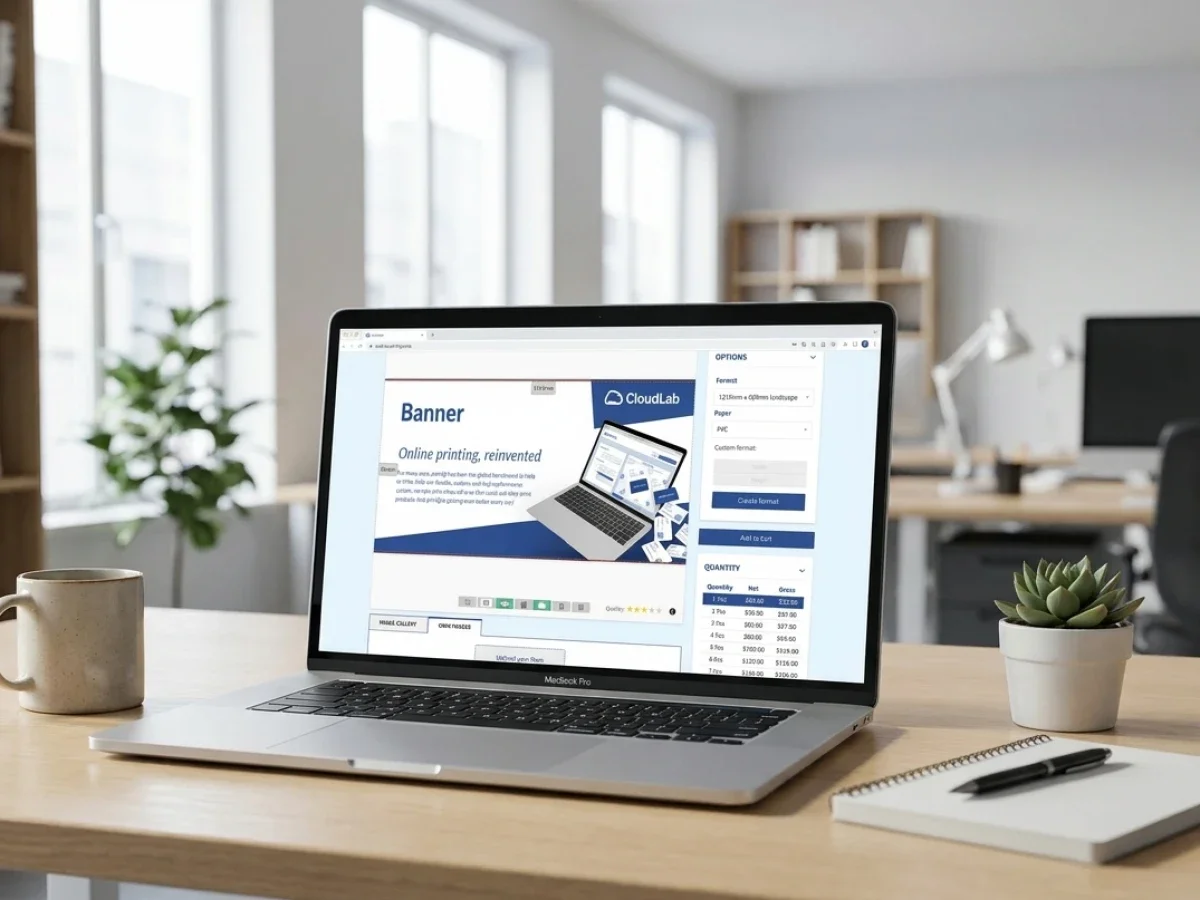
The Magento-based foundation of printQ matters because print commerce is still commerce. Customers expect a professional buying experience, and printers need the operational tools to manage it. Adobe Commerce and Magento technology provide a mature base for customer accounts, product structures, checkout processes, shipping logic, payment workflows, and multi-store environments.
printQ adds the print-specific layer that standard commerce systems do not provide on their own. This includes the online editor, print templates, preflight, production files, variable data printing, finishing visualization, and print workflow logic. The result is a web-to-print solution that does not treat e-commerce and production as separate worlds.
This is also relevant for headless and API-first scenarios. A business may want to connect printQ to an existing frontend, customer platform, ERP, MIS, or production system. Open architecture reduces the risk of rigid workflows and makes future expansion easier to plan.
For decision-makers, the key benefit is flexibility. A print business can start with defined use cases and expand over time. A corporate customer can begin with one closed shop and later roll out portals to additional departments or regions. An agency can begin with one client portal and later operate multiple branded environments.
When printQ Is the Right Choice
printQ is particularly suitable when a print business wants to build a serious digital print infrastructure rather than a temporary online ordering workaround. It fits best when automation, integration, personalization, and scalability are core requirements.
A good fit is likely when the organization needs to manage both B2B and B2C storefronts, operate closed shops, protect brand consistency, automate approvals, reduce prepress workload, connect ERP or MIS systems, support repeat ordering, or scale to many customer portals.
It is also a strong fit when product complexity is increasing. Standard print products, large-format materials, personalized items, and configurable products all benefit from structured product logic and controlled workflows. If packaging becomes a major focus, packQ can extend the CloudLab environment with packaging-specific functionality. If brand governance and decentralized marketing material ordering become central, brandQ can support that use case.
The most important decision point is this: if online orders still require the same manual work after submission, the business has not truly solved the workflow problem. printQ is designed to reduce that gap between digital ordering and automated production.
Future-Ready Web-to-Print Starts With Workflow Clarity
The strongest web-to-print projects are not driven by software alone. They are driven by clear workflow decisions. A printer needs to know which products should be standardized, which customers need portals, which files should be checked automatically, which approvals are mandatory, and which systems must exchange data.
printQ provides the technical foundation for this model. It combines storefronts, online editing, templates, preflight, approvals, APIs, Magento-based commerce, and scalable portal management. But the business value comes from applying these capabilities to the right processes.
Pour les imprimeurs modernes, la question derrière « printQ » n'est donc pas seulement « Que fait le logiciel ? » La meilleure question est : « Cette plateforme peut-elle nous aider à construire une opération web-to-print évolutive qui réduit le travail manuel et soutient la croissance future ? »
Pour les imprimeurs, les agences et les entreprises ayant des exigences complexes en matière de commande d'impression, printQ offre une réponse solide. Il prend en charge à la fois la commodité côté client et le contrôle du flux de travail en arrière-plan. Cette combinaison en fait une solution web-to-print sérieuse pour le commerce d'impression moderne.
Pourquoi printQ est une base solide pour le commerce d'impression évolutif
printQ offre aux imprimeurs modernes un moyen pratique de combiner la commande en ligne, l'automatisation, la personnalisation et l'intégration de la production dans un système évolutif unique. Il prend en charge les vitrines B2B et B2C, les boutiques fermées, les flux de travail d'approbation, l'édition en ligne, le contrôle en amont, la connectivité ERP et MIS, et les structures de portail multi-clients.
Pour les organisations qui évaluent « printQ » comme solution, l'avantage principal est clair : printQ aide à transformer le web-to-print d'un simple canal de commande en un flux de travail de commerce d'impression structuré, automatisé et prêt pour l'avenir. Cela le rend particulièrement précieux pour les imprimeurs et les entreprises qui souhaitent se développer sans laisser les processus manuels croître avec eux.
CloudLabs printQ est une solution web-to-print premium pour les imprimeurs, les agences et les entreprises qui ont besoin de flux de travail d'impression en ligne évolutifs. Il combine le commerce basé sur Magento, les vitrines B2B et B2C, les boutiques fermées, l'édition en ligne, le contrôle en amont, les flux de travail d'approbation et les intégrations ERP ou MIS. Cet article explique comment printQ réduit le travail manuel, prend en charge l'automatisation, améliore le contrôle de la marque et aide les entreprises d'impression à construire des processus de commande numériques prêts pour l'avenir sans perdre en précision de production.





